1. تعارف
This manual provides essential information for the safe and efficient use of your GOBOULT Y1 Wireless Ear Buds. Please read it thoroughly before using the product and retain it for future reference.
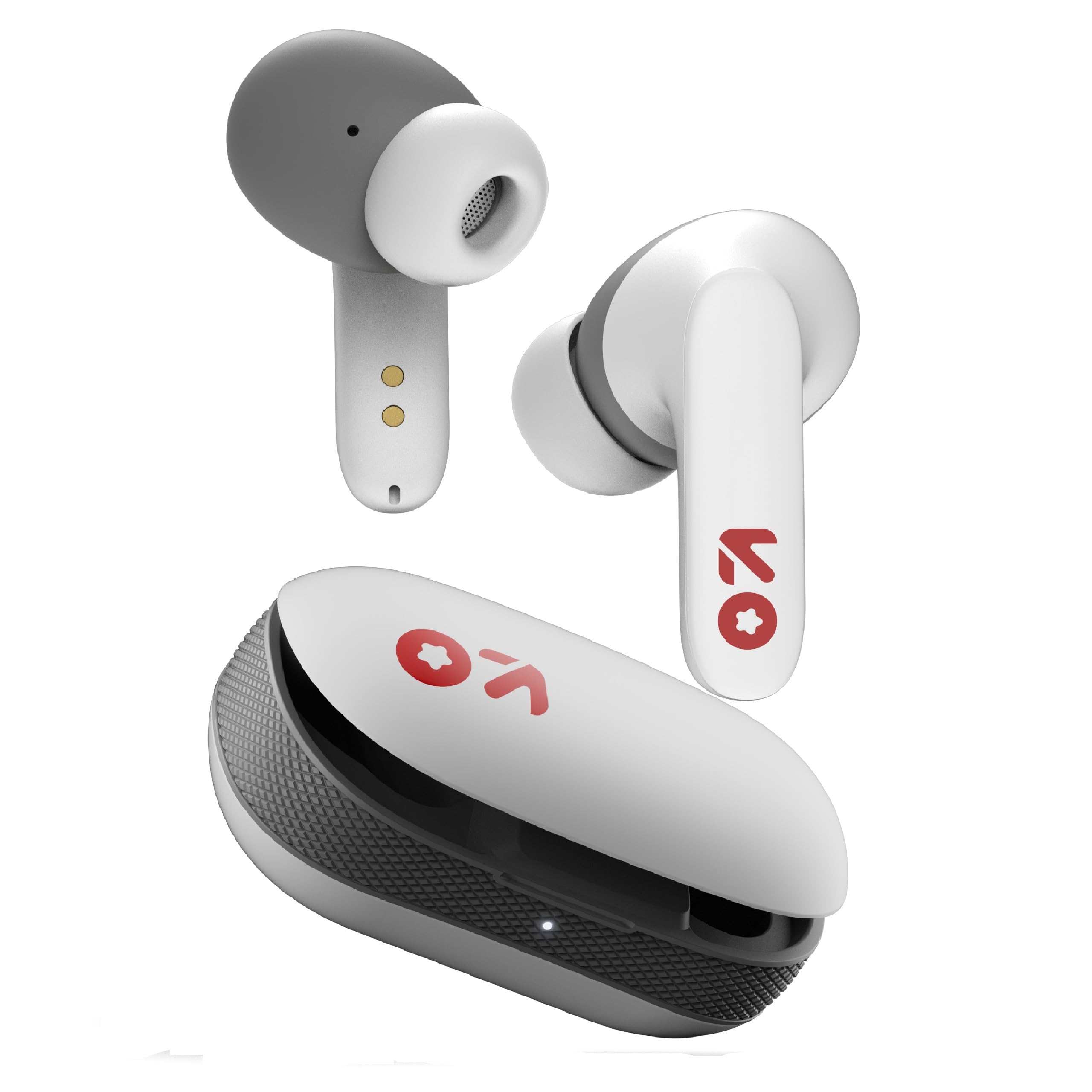
Image: GOBOULT Y1 Wireless Ear Buds and their charging case. The earbuds are white with grey tips and red GOBOULT logos, resting beside the matching white charging case.
2. دٻي ۾ ڇا آهي
پڪ ڪريو ته سڀئي شيون پيڪنگ ۾ موجود آهن:
- Y1 Earphones (Left and Right)
- Y1 Charging Case
- USB قسم-سي چارجنگ ڪيبل
- اضافي اِرٽِپس (مختلف سائز)
- استعمال ڪندڙ جو دستياب (ھي دستاويز)
3. سيٽ اپ
3.1 شروعاتي چارجنگ
Before first use, fully charge the ear buds and the charging case.
- Place the ear buds into the charging case. Ensure they are correctly seated.
- Connect the provided USB Type-C cable to the charging port on the case and to a compatible USB power source (e.g., wall adapter, computer USB port).
- The indicator light on the charging case will show charging status. A full charge typically takes approximately 90 minutes.
- 10 منٽن جي چارج سان تقريباً 100 منٽ راند جو وقت ملندو آهي.

Image: GOBOULT Y1 Ear Buds and their charging case, illustrating the Type-C fast charging port and cable connection. Text indicates "10 mins = 100 mins playtime".
3.2 بلوٽوٽ جوڙي
The GOBOULT Y1 Ear Buds feature Blink & Pair™ Bluetooth 5.3 for fast and stable connection.
- Ensure the ear buds are charged.
- Open the lid of the charging case. The ear buds will automatically enter pairing mode, indicated by flashing LED lights.
- پنهنجي ڊوائيس (اسمارٽ فون، ٽيبليٽ، ليپ ٽاپ) تي، بلوٽوٿ کي فعال ڪريو.
- ڳولھيو "GOBOULT Y1" in the list of available Bluetooth devices.
- Select "GOBOULT Y1" to connect. Once connected, a voice prompt will confirm successful pairing, and the LED lights on the ear buds will stop flashing.
- For subsequent use, the ear buds will automatically connect to the last paired device when removed from the case.

Image: GOBOULT Y1 Ear Buds and case with a smartphone displaying music, highlighting Bluetooth v5.3, Blink & Pair, Stable Connection, and Power efficient features.
4. آپريٽنگ هدايتون
4.1 ٽچ ڪنٽرول
The GOBOULT Y1 Ear Buds feature intuitive touch controls on each ear bud. The specific functions are as follows:

Image: A detailed diagram showing the touch control functions for the GOBOULT Y1 Ear Buds. It illustrates single taps, double taps, triple taps, and long presses for various actions like music playback, call management, and voice assistant activation.
- Single Tap (Left/Right Bud): موسيقي هلايو/روڪ ڪريو، ڪال جو جواب ڏيو
- Double Tap (Left Bud): اڳيون گيت
- Double Tap (Right Bud): ايندڙ گيت
- Triple Tap (Left Bud): حجم ھيٺ
- Triple Tap (Right Bud): حجم مٿي
- Long Press (Left/Right Bud): Activate Voice Assistant (Google Assistant/Siri), Reject Call, End Call
- Four Taps (Left/Right Bud): Activate Combat Mode (Low Latency Gaming)
4.2 وائس اسسٽنٽ
Activate your device's voice assistant (Google Assistant or Siri) by long-pressing either ear bud.
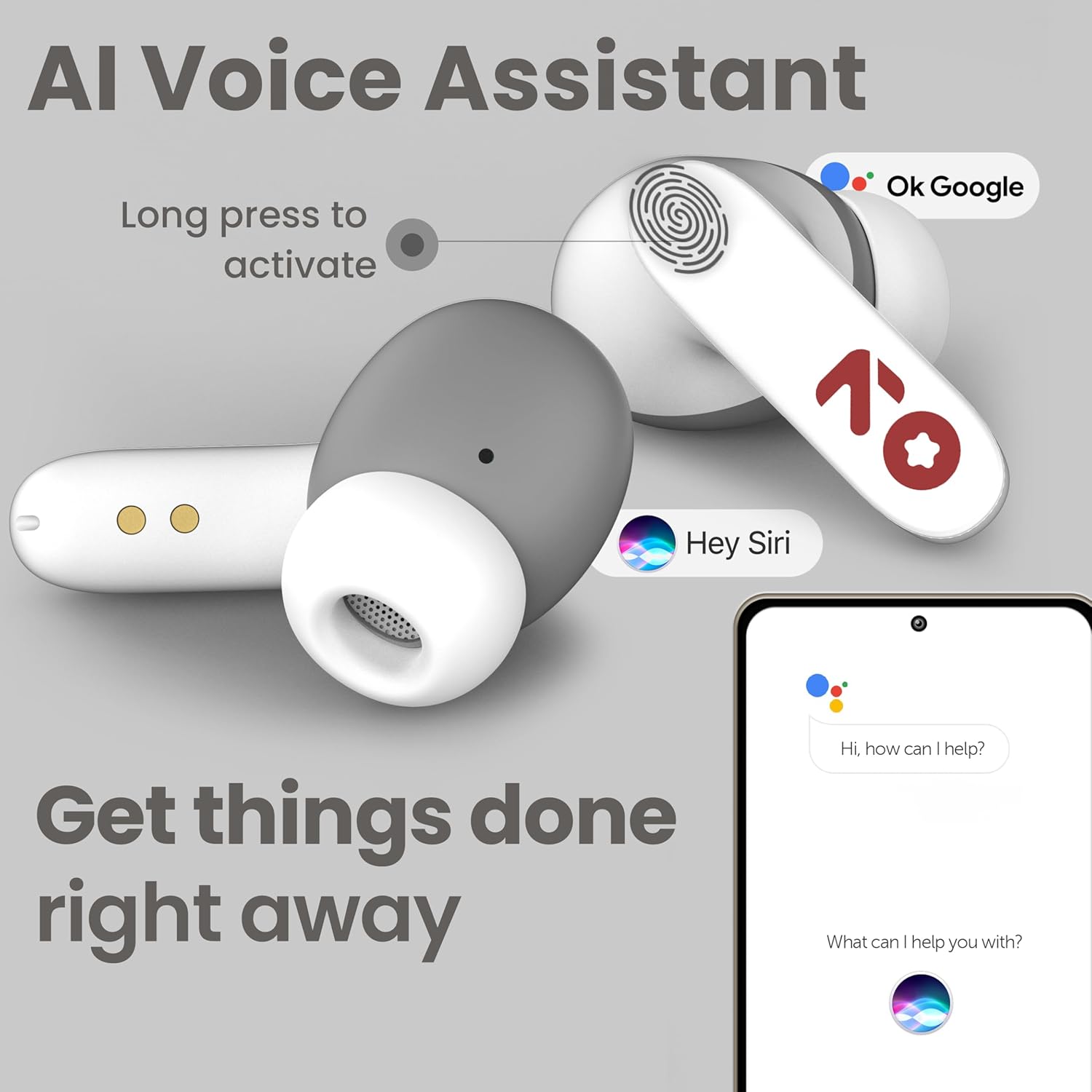
Image: GOBOULT Y1 Ear Buds with an illustration of a long press gesture activating a voice assistant like Google Assistant or Siri on a smartphone.
4.3 Calling with Zen ENC Mic
The GOBOULT Y1 Ear Buds are equipped with a Zen ENC (Environmental Noise Cancellation) microphone for clear call quality.
- جواب ڏيو ڪال: Single tap either ear bud.
- ڪال رد ڪريو: Long press either ear bud.
- ڪال ختم ڪريو: Long press either ear bud during a call.

Image: A diagram illustrating how Environmental Noise Cancellation (ENC) works, showing a user's voice being filtered from environmental noise for clear communication. A detailed view of an earbud highlights the ENC microphone.
4.4 گھٽ ليٽيسي گيمنگ موڊ
Activate Combat Mode for a low-latency gaming experience, ensuring audio sync with minimal delay.
- گيمنگ موڊ چالو ڪريو: Four taps on either ear bud.
- گيمنگ موڊ کي غير فعال ڪريو: Four taps on either ear bud again.
5. سار سنڀال
5.1 صفائي
بهترين ڪارڪردگي ۽ صفائي برقرار رکڻ لاءِ:
- Gently wipe the ear buds and charging case with a soft, dry, lint-free cloth.
- گھڙڻ وارا صاف ڪندڙ، محلول، يا ايروسول اسپري استعمال نه ڪريو.
- ڪنن جا ڪنارا هٽايو ۽ جيڪڏهن ضروري هجي ته انهن کي هلڪي صابڻ ۽ پاڻي سان الڳ الڳ صاف ڪريو، پڪ ڪريو ته اهي ٻيهر ڳنڍڻ کان اڳ مڪمل طور تي سڪي وڃن.
- Clean the charging contacts on both the ear buds and the case periodically with a dry cotton swab.
5.2 پاڻي جي مزاحمت (IPX5)
The GOBOULT Y1 Ear Buds are IPX5 water-resistant, meaning they are protected against low-pressure water jets from any direction. This makes them suitable for workouts and light rain.

Image: GOBOULT Y1 Ear Buds shown with water droplets, indicating IPX5 water resistance. Icons for sweatproof, rainproof, and splashproof are also displayed.
اهم:
- Do not submerge the ear buds in water.
- چارج ڪيس پاڻي جي مزاحمتي نه آهي.
- Avoid exposing the ear buds to saltwater, chlorinated water, or other chemicals.
- If the ear buds get wet, dry them thoroughly before placing them back in the charging case.
6. مسئلا حل ڪرڻ
| مسئلو | ممڪن حل |
|---|---|
| Ear buds not pairing |
|
| ڪوبه آواز يا گهٽ حجم نه |
|
| Ear buds not charging |
|
| ڪال جي معيار جا مسئلا |
|
7. وضاحتون
| خاصيت | تفصيل |
|---|---|
| برانڊ | گوبولٽ |
| ماڊل نالو | Y1 (also referred to as Airbass) |
| بلوٽوت ورزن | 5.3 |
| بلوٽوٿ رينج | 10 ميٽر (33 فوٽ) تائين |
| ڪن جي جڳهه | ڪن ۾ |
| آڊيو ڊرائيور جو قسم | Dynamic Driver (10mm Bass Drivers) |
| رڪاوٽ | 32 اومس |
| تعدد جواب | 20 هز |
| حساسيت | 117 ڊي بي |
| شور ڪنٽرول | ماحولياتي شور منسوخي (ENC) |
| بيٽري جي زندگي (ڪل) | 51 ڪلاڪن تائين (چارجنگ ڪيس سان) |
| بيٽري چارج وقت | لڳ ڀڳ. 90 منٽ |
| چارجنگ پورٽ | USB قسم-سي |
| پاڻي جي مزاحمت | IPX5 (Ear Buds only) |
| ڪنٽرول جو طريقو | ٽچ ، آواز |
| مطابقت رکندڙ ڊوائيسز | Android, Cellphones, Desktops, Laptops, Tablets |
| مواد | پلاسٽڪ |
| Weight (Carrying Case) | 65 گرام |
| اصل جو ملڪ | انڊيا |
8. وارنٽي ۽ سپورٽ
8.1 ٺاهيندڙ وارنٽي
The GOBOULT Y1 Wireless Ear Buds come with a 1 سالن جي ڪاريگر وارنٽي خريداري جي تاريخ کان. هي وارنٽي پيداوار جي خرابين کي ڍڪيندي آهي. مھرباني ڪري وارنٽي دعوائن لاءِ خريداري جو ثبوت رکو.
For warranty service or support, please contact the manufacturer or authorized service center.
8.2 رابطي جي معلومات
ٺاهيندڙ: ايگزوٽڪ ميل پرائيويٽ لميٽيڊ
ائڊريس: B-67 Wazirpur Industrial Area, New Delhi 110052, India
درآمد ڪندڙ: ايگزوٽڪ مائل پرائيويٽ لميٽيڊ
For further assistance, please refer to the contact details provided on the product packaging or the official GOBOULT webسائيٽ.


