1. پراڊڪٽ ختمview
The Porodo Universal Wireless Remote & Mouse is a compact and versatile input device designed to combine the functionalities of a keyboard and a mouse. It offers convenient control for various devices, including Smart TVs, PCs, laptops, Android projectors, and more. This device features a full QWERTY keyboard, a multi-touch touchpad, and dedicated media control keys, all operating via 2.4GHz wireless technology or Bluetooth.
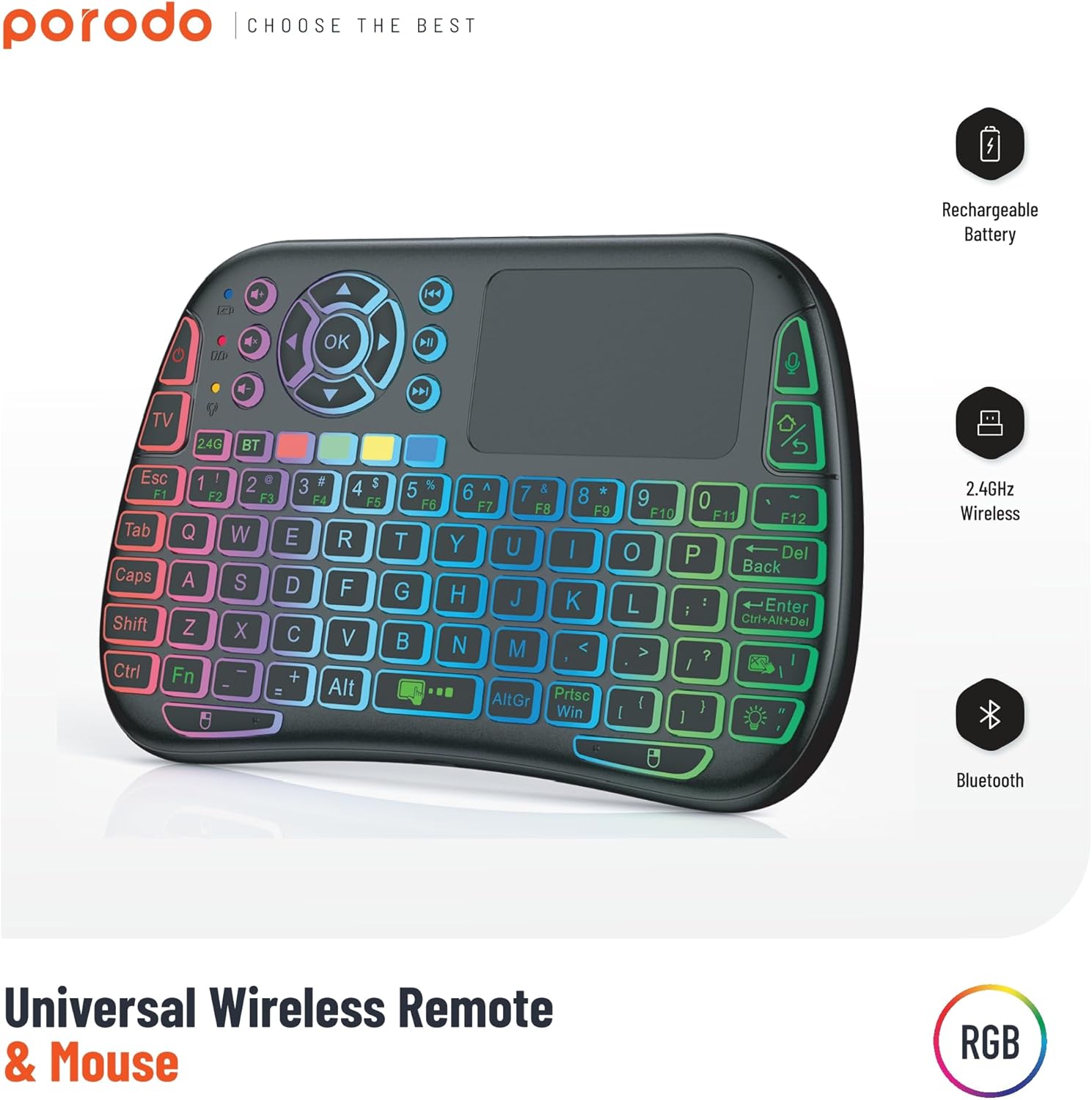
Image 1: The Porodo Universal Wireless Remote & Mouse, highlighting its RGB backlighting, rechargeable battery, 2.4GHz wireless, and Bluetooth connectivity.

تصوير 2: اڳيان ۽ پوئتي views of the remote and mouse, illustrating its compatibility with various devices such as All-in-one PCs, Computers, Android Projectors, Smart TVs, HTPCs, PADs (OTG), Phones (OTG), and TV Boxes.
2. سيٽ اپ گائيڊ
2.1 پيڪيج مواد
- Porodo Universal Wireless Remote & Mouse
- USB Receiver (typically stored in the battery compartment)
- چارج ڪيبل
- استعمال ڪندڙ دستي
2.2 ڊوائيس چارج ڪرڻ
Before first use, ensure the device is fully charged. Connect the provided charging cable to the charging port on the remote and to a standard USB power source (e.g., computer USB port, USB wall adapter). The charging indicator light will illuminate during charging and turn off when fully charged.
2.3 Connecting the USB Receiver (2.4GHz Wireless Mode)
- Locate the USB receiver, usually found in the battery compartment of the remote.
- Insert the USB receiver into an available USB port on your target device (e.g., Smart TV, PC, Android box).
- Turn on the Porodo Remote & Mouse using the power switch. The device should automatically connect to the receiver.
- The device is plug-and-play; no additional drivers are typically required.
2.4 Connecting via Bluetooth (if applicable)
If your device supports Bluetooth connectivity, you can pair it directly without the USB receiver. Refer to your device's Bluetooth pairing instructions. On the Porodo Remote & Mouse, activate Bluetooth pairing mode (refer to specific key combinations in the operating section if available).

Image 3: The remote and mouse highlighting its dual connectivity options: 2.4 GHz wireless and Bluetooth.
3. آپريٽنگ هدايتون
3.1 ڪي بورڊ جي ڪارڪردگي
- ٽائپنگ: Use the QWERTY layout for text input.
- فنڪشن ڪيز (F1-F12): These keys often have secondary functions (e.g., media control, volume) accessible by pressing the 'Fn' key simultaneously.
- پوئتي روشني: Some models feature RGB backlighting. Press the dedicated backlight key (often indicated by a light bulb icon) to cycle through colors or turn it on/off.
3.2 ٽچ پيڊ جي ڪارڪردگي
- اڪيلو آڱر ٽيپ: کاٻي ڪلڪ جي طور تي ڪم ڪري ٿو.
- ٻن آڱرين سان ٽيپ: ساڄي ڪلڪ جي طور تي ڪم ڪري ٿو.
- Two-Finger Drag: For scrolling up/down or left/right.
- Single Finger Drag: Moves the cursor on the screen.
- Dedicated Left/Right Click Buttons: Located below the touchpad for traditional mouse clicks.
3.3 Media Control Keys
Dedicated buttons for volume up/down, mute, play/pause, next/previous track are typically located above the touchpad or integrated into the function keys.
3.4 Voice Control (if applicable)
Some models may include a microphone for voice input. Press the dedicated microphone button to activate voice commands or search functions on compatible devices.
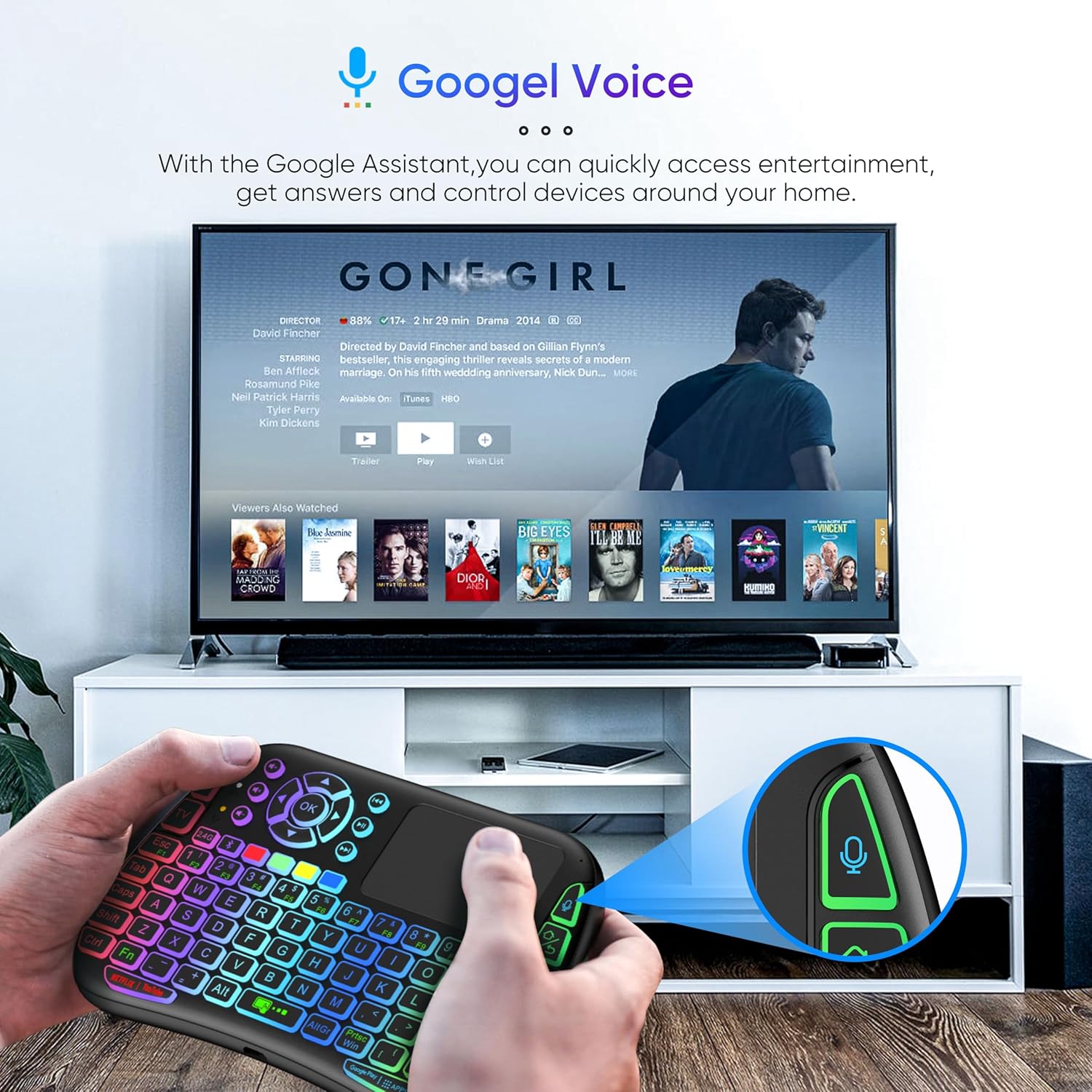
Image 4: The remote and mouse in use, demonstrating its Google Voice integration for controlling entertainment and accessing information on a connected TV.
3.5 Operational Range
The device offers an extended operational range of up to 10 meters (approximately 33 feet), allowing flexible control from a comfortable distance.
Video 1: A product demonstration video showcasing the features and ease of use of a similar wireless keyboard with touchpad. This video illustrates comfortable wireless control, long battery life, and plug-and-play connectivity.
4. سار سنڀال
4.1 صفائي
To clean the device, use a soft, dry cloth. For stubborn dirt, slightly dampen the cloth with water or a mild cleaning solution. Avoid using harsh chemicals, abrasives, or solvents, as these can damage the surface.
4.2 بيٽري جي سنڀال
- Recharge the device when the battery indicator is low to ensure continuous operation.
- بيٽري جي عمر وڌائڻ لاءِ ان کي بار بار مڪمل طور تي چارج ڪرڻ کان پاسو ڪريو.
- جيڪڏهن ڊوائيس کي گهڻي عرصي تائين ذخيرو ڪري رهيا آهيو، ته ان کي تقريباً 50 سيڪڙو تائين چارج ڪريو ۽ ان کي ٿڌي، سڪل جاءِ تي ذخيرو ڪريو.
4.3 اسٽوريج
Store the device in a dry environment, away from extreme temperatures, direct sunlight, and high humidity. Keep it away from liquids and dust.
5. مسئلا حل ڪرڻ
5.1 ڊوائيس جواب نه ڏئي رهيو آهي
- بيٽري چيڪ ڪريو: Ensure the device is charged. Connect it to a power source and try again.
- پاور سوئچ: Verify that the power switch on the device is in the 'ON' position.
- USB وصول ڪندڙ: For 2.4GHz mode, ensure the USB receiver is securely plugged into the target device's USB port. Try a different USB port.
- ٻيهر جوڙيو: If using Bluetooth, try re-pairing the device with your host system.
- مداخلت: Move the device closer to the receiver/host device and away from other wireless devices that might cause interference.
5.2 Touchpad or Keys Unresponsive
- صاف سطح: Ensure the touchpad surface and keys are clean and free from debris.
- ٻيهر شروع ڪريو: Turn the device off and then on again.
- ميزبان ڊوائيس: Restart the host device (PC, Smart TV, etc.).
5.3 مختصر بيٽري جي زندگي
- مڪمل چارج: پڪ ڪريو ته ڊوائيس مڪمل طور تي چارج ٿيل آهي استعمال ڪرڻ کان پهريان.
- Backlight استعمال: If your model has a backlight, frequent or continuous use will consume more battery. Turn it off when not needed.
- خودڪار سمهڻ: The device is designed to enter sleep mode after a period of inactivity to save power. Waking it up should be quick.
6. وضاحتون
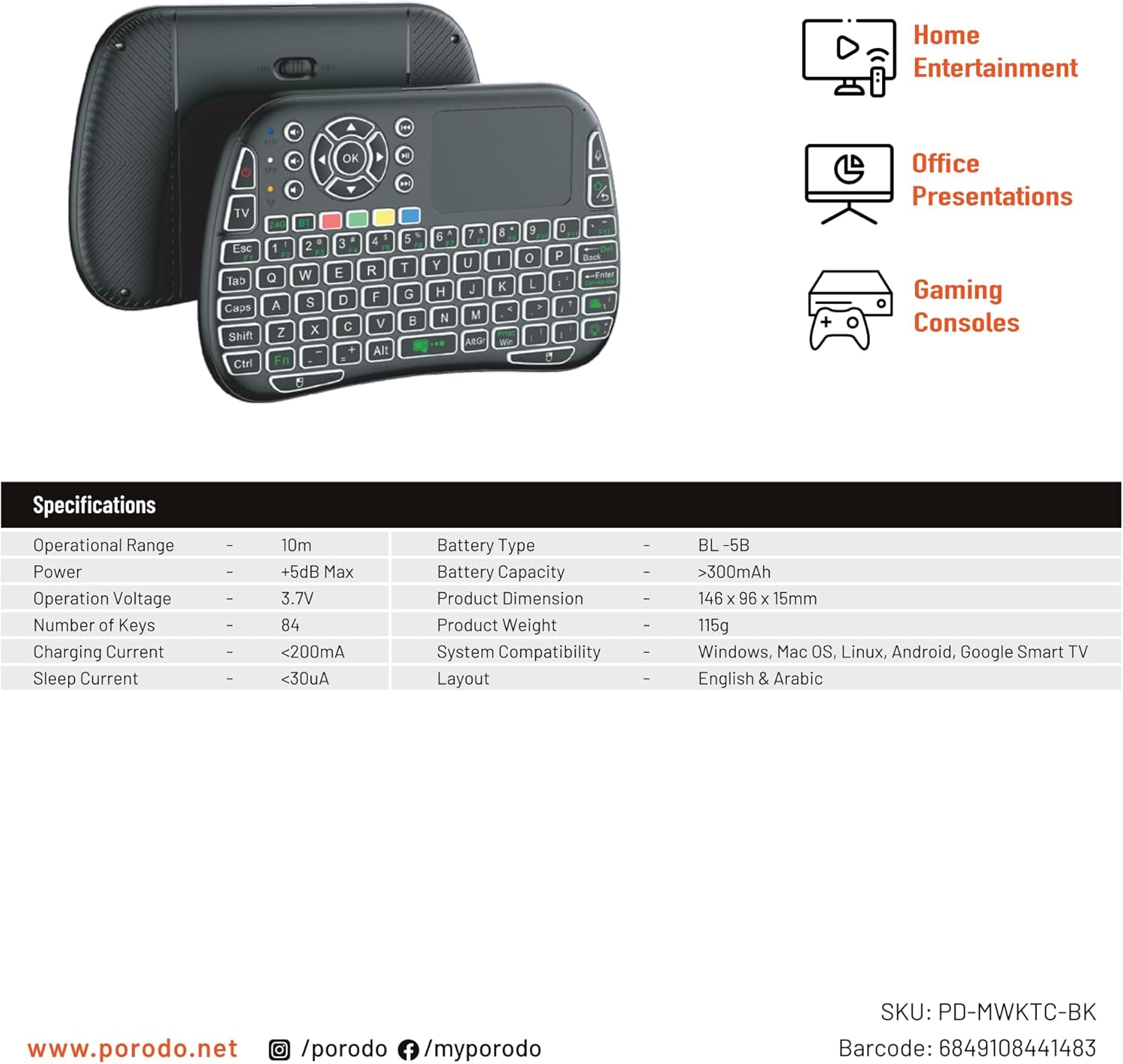
Image 5: The remote and mouse, illustrating its use for home entertainment, office presentations, and gaming consoles, alongside a table of detailed product specifications.
| خاصيت | تفصيل |
|---|---|
| ٺاهيندڙ | پورودو |
| ماڊل نمبر | PD-MWKTC-BK (68491084488) |
| پيداوار جي ماپ | 14.6 x 9.6 x 1.5 سينٽي |
| شيءِ جو وزن | 115 گرام |
| رنگ | ڪارو |
| رابطي ٽيڪنالاجي | Radio Frequency (2.4GHz) / Bluetooth |
| خاص خصوصيت | Programmable Buttons, Touchpad, Backlight |
| مطابقت رکندڙ ڊوائيسز | Laptop, PC, Smart TV, Android Box, Projector |
| ڪي بورڊ جي وضاحت | Internal (Integrated) |
| تحريڪ جي سڃاڻپ ٽيڪنالاجي | بصري |
| طاقت جو ذريعو | بيٽري سان هلندڙ (ريچارج لائق) |
| بيٽري جي گنجائش | > 300 مي ايڇ |
| آپريشنل رينج | 10 ايم |
| سسٽم مطابقت | Windows, Mac OS, Linux, Android, Google Smart TV |
| ترتيب | English & Arabic |
7. وارنٽي ۽ سپورٽ
For warranty information, technical support, or further assistance, please refer to the official Porodo webسائيٽ تي وڃو يا سڌو سنئون انهن جي ڪسٽمر سروس سان رابطو ڪريو. ڪنهن به وارنٽي دعوائن لاءِ خريداري جي ثبوت طور پنهنجي خريداري جي رسيد رکو.