تعارف
The AOC Basic-line 24B3CF2 is a 23.8-inch Full HD (1080p) LED monitor designed for enhanced productivity. It features an IPS panel for vibrant visuals and true-to-life colors, USB-C connectivity for video signal, power delivery, and data transfer, and a height-adjustable stand for ergonomic comfort. This manual provides essential information for setting up, operating, and maintaining your monitor.
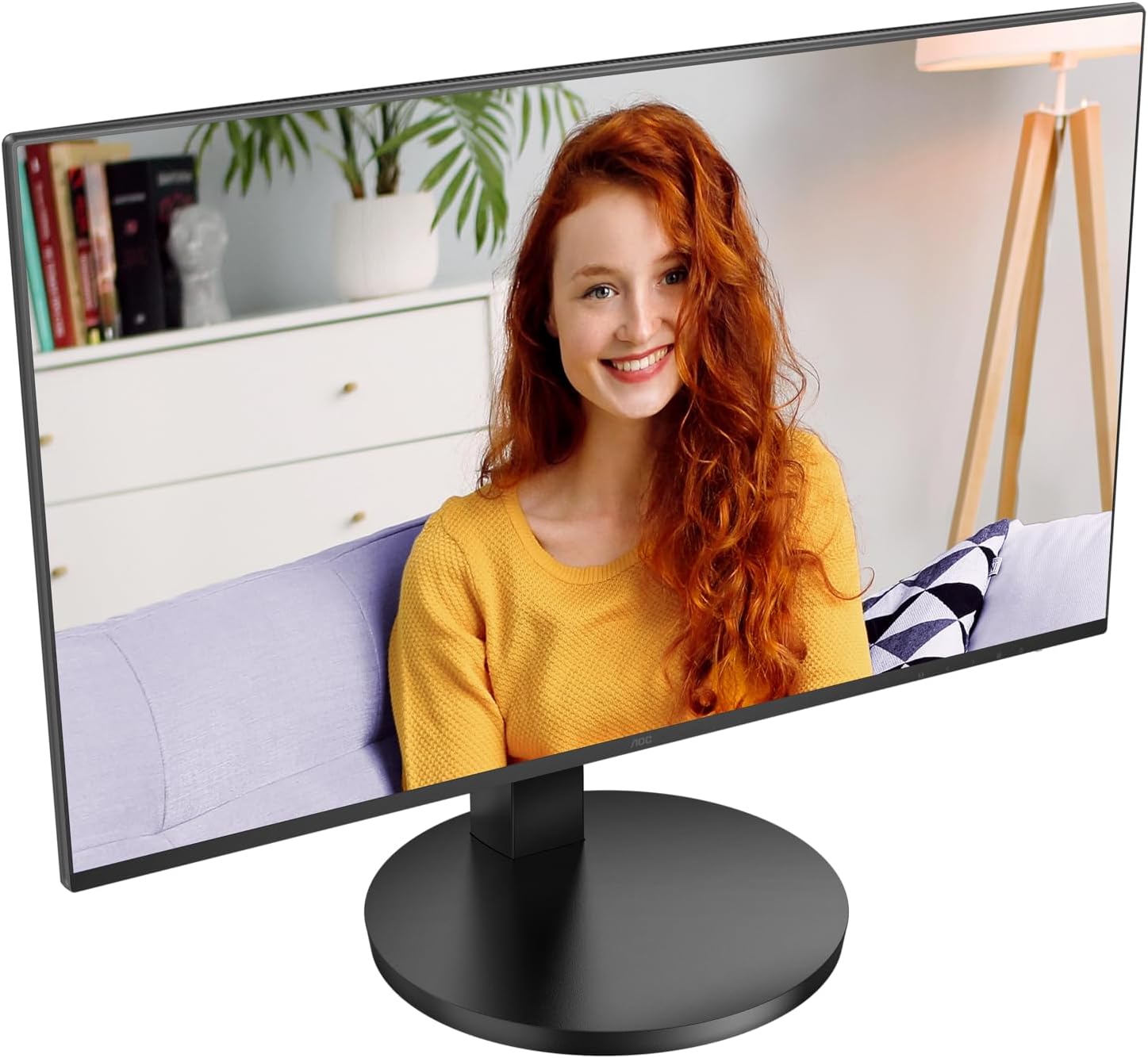
شڪل 1: سامهون view of the AOC Basic-line 24B3CF2 monitor.

Figure 2: Key features of the AOC Basic-line 24B3CF2 monitor.
حفاظت جي ڄاڻ
- مانيٽر کي هميشه هڪ مستحڪم، فليٽ مٿاڇري تي رکو.
- وينٽيليشن جي افتتاح کي نه روڪيو.
- صرف مانيٽر سان فراهم ڪيل پاور اڊاپٽر استعمال ڪريو.
- مانيٽر کي پاڻي ۽ گهڻي نمي کان پري رکو.
- پاڻ مانيٽر جي سروس ڪرڻ جي ڪوشش نه ڪريو. سڀني سروسنگ کي قابل سروس اهلڪارن جي حوالي ڪريو.
- مانيٽر کي صاف ڪرڻ کان اڳ پاور آئوٽ مان انپلگ ڪريو.
پيڪيج مواد
سيٽ اپ سان اڳتي وڌڻ کان اڳ، مھرباني ڪري تصديق ڪريو ته سڀئي شيون پيڪيج ۾ موجود آھن:
- AOC 24B3CF2 Monitor Display
- مانيٽر اسٽينڊ (بنياد ۽ گردن)
- پاور ڪيبل
- HDMI ڪيبل
- USB-سي ڪيبل
- جلدي سيٽ اپ گائيٽ
سيٽ اپ ڪريو
1. اسٽينڊ گڏ ڪرڻ
- ڇڪڻ کان بچڻ لاءِ مانيٽر جو منهن نرم، صاف مٿاڇري تي احتياط سان رکو.
- Attach the stand neck to the monitor panel. Ensure it clicks into place or is secured with screws if provided.
- اسٽينڊ بيس کي اسٽينڊ جي گردن سان ڳنڍيو. بيس جي تري ۾ موجود انگوٺي جي اسڪرو يا اسڪرو کي سخت ڪريو.

شڪل 3: پوئتي view of the monitor with stand assembly area.
2. مانيٽر کي ڳنڍڻ
The AOC 24B3CF2 monitor offers multiple connectivity options:
- HDMI ڪنيڪشن: HDMI ڪيبل جي هڪ ڇيڙي کي پنهنجي ڪمپيوٽر تي HDMI پورٽ سان ۽ ٻئي ڇيڙي کي مانيٽر تي HDMI پورٽ سان ڳنڍيو.
- USB-C ڪنيڪشن: Connect one end of the USB-C cable to the USB-C port on your computer and the other end to the USB-C port on the monitor. This single connection can provide video, data, and power delivery (up to 65W) to your laptop.
- USB حب ڪارڪردگي: The monitor features additional USB ports. Connect the USB-C cable to enable these ports for connecting peripherals like a keyboard or mouse.

Figure 4: Available ports on the AOC 24B3CF2 monitor.
3. پاور ڪنيڪشن
Connect the power cable to the power input on the monitor and then plug the other end into a grounded electrical outlet.
4. پاورنگ آن
Press the power button located on the monitor to turn it on. The power indicator light will illuminate.
مانيٽر هلائڻ
1. بنيادي ڪنٽرول
The monitor features several buttons, typically located on the bottom right side or rear, for navigating the On-Screen Display (OSD) menu and adjusting basic settings.
- پاور بٽڻ: مانيٽر کي آن يا آف ڪري ٿو.
- مينيو بٽڻ: او ايس ڊي مينيو کوليو.
- نيويگيشن بٽڻ (مٿي/هيٺ/کاٻي/ساڄي): Used to navigate through OSD options and adjust values.
- نڪرڻ جو بٽڻ: Exits the OSD menu or returns to the previous level.
2. آن-اسڪرين ڊسپلي (OSD) مينيو
The OSD menu allows you to configure various display settings. To access the OSD menu, press the Menu button.
Common OSD Menu Categories:
- روشني: Adjust brightness, contrast, gamma.
- تصويري سيٽ اپ: Auto-adjust, H. Position, V. Position, Clock, Phase (for analog input).
- Color Setup: Color temperature, sRGB, User Define.
- او ايس ڊي سيٽ اپ: OSD language, OSD H. Position, OSD V. Position, OSD Timeout, Transparency.
- اضافي: Input Select (HDMI, USB-C), Reset, DDC/CI.
3. اونچائي جي ترتيب
The AOC 24B3CF2 features a height-adjustable stand. To adjust the height, gently push or pull the monitor panel up or down while holding the base firmly. This allows for optimal ergonomic positioning to reduce strain during extended use.

شڪل 5: پاسي view illustrating the monitor's adjustable stand.
سار سنڀال
مانيٽر جي صفائي
- صفائي ڪرڻ کان اڳ هميشه مانيٽر کي پاور آئوٽليٽ مان ڪڍي ڇڏيو.
- نرم، لِنٽ کان خالي ڪپڙو استعمال ڪريو ٿورڙو ڊيampپاڻي يا غير رگڙيندڙ اسڪرين ڪلينر سان صاف ڪيو وڃي.
- صاف ڪندڙ کي سڌو سنئون اسڪرين تي نه اسپري ڪريو.
- بينزين، ٿنڀا، امونيا، يا رگڙيندڙ ڪلينر استعمال ڪرڻ کان پاسو ڪريو، ڇاڪاڻ ته اهي مانيٽر جي مٿاڇري کي نقصان پهچائي سگهن ٿا.
مشڪلاتون
| مسئلو | ممڪن سبب | حل |
|---|---|---|
| اسڪرين تي ڪوبه تصوير نه آهي | پاور ڪيبل ڳنڍيل نه آهي؛ وڊيو ڪيبل ڳنڍيل نه آهي؛ غلط ان پٽ سورس چونڊيو ويو آهي. | Ensure power cable is securely connected and power outlet is active. Check video cable connection (HDMI/USB-C) to both monitor and computer. Press the input select button to cycle through input sources. |
| تصوير ڌنڌلي يا بگڙيل آهي. | غلط ريزوليوشن؛ ڍلو وڊيو ڪيبل. | Set the display resolution to the monitor's native resolution (1920x1080). Ensure video cable is securely connected. |
| No sound from monitor speakers (if applicable) | Volume too low; Incorrect audio output selected on computer; No audio signal via video cable. | Adjust monitor volume via OSD. Select the monitor as the audio output device in your computer's sound settings. Ensure the video cable (HDMI/USB-C) supports audio transmission. Note: This monitor's speakers may have limited audio quality. |
| USB بندرگاهن ڪم نه ڪري رهيا آهن | USB-C cable not connected or not fully functional; USB drivers not installed. | Ensure the USB-C cable is properly connected and supports data transfer. Check your computer's device manager for any USB driver issues. |
وضاحتون
Below are the technical specifications for the AOC Basic-line 24B3CF2 monitor:

Figure 6: Physical dimensions of the monitor.
| خاصيت | تفصيل |
|---|---|
| ماڊل نالو | AOC 24B3CF2 |
| اسڪرين جي ماپ | 24 Inches (23.8 inches / 60.5 cm) |
| قرارداد | 1920 x 1080 (مڪمل HD 1080p) |
| پينل جو قسم | آئي پي ايس |
| اسپيڪٽ ريشو | 16:9 |
| جوابي وقت | 1 Millisecond (MPRT) |
| ريفريش جي شرح | 100 هرٽز (وڌ ۾ وڌ) |
| تصويري قسطن جو تناسب | 1000:1 |
| Viewزاويه | 178 درجا (افقي/عمودي) |
| رابطي | HDMI, USB Type-C (with 65W Power Delivery), 2x USB-A |
| بجلي جو استعمال (ايس ڊي آر) | 18.0 ڊبليو |
| بجلي جو استعمال (HDR) | 18.0 ڊبليو |
| اسٽينڊ بائي پاور | 0.3 ڊبليو |
| موڊ پاور | 0.5 ڊبليو |
| طول و عرض (W x H x D) | 55 x 47 x 23 سينٽي ميٽر (تقريبن) |
| وزن | 4.56 ڪلو |
| ٻولي جي حمايت | انگريزي، فرينچ، جرمن، اسپينش |

Figure 7: Product Information Sheet (English).
For more detailed energy information, visit the اي پي آر ايل ڊيٽابيس.

شڪل 8: EU توانائي ليبل.
وارنٽي ۽ سپورٽ
AOC provides a general guarantee for this product. The minimum guaranteed availability of software and firmware updates is 8 years from the date of placement on the market. The minimum guaranteed availability of spare parts is also 8 years from the date of placement on the market. Minimum guaranteed product support is 8 years.
For technical support, warranty claims, or service inquiries, please contact AOC customer service. Refer to the contact information provided in your product's packaging or visit the official AOC webتوهان جي علائقي لاء سائيٽ.
Official AOC Webسائيٽ: https://eu.aoc.com


