1. تعارف
Welcome to the SeTracker M1 Kids Smart Watch user manual. This guide provides essential information to help you set up, operate, and maintain your new smartwatch. The SeTracker M1 is designed to keep children connected and safe, offering features like two-way calling, SOS emergency alerts, and location tracking.
The SeTracker M1 is a reliable 2G-compatible smartwatch, ideal for parents seeking a secure communication device for their children. It integrates seamlessly with the SeTracker2 app, providing comprehensive parental control and monitoring capabilities.

Image: SeTracker M1 Kids Smart Watch with its magnetic charging cable.

Image: SeTracker M1 smartwatches highlighting global trust and local manufacturing.
2. حفاظت جي ڄاڻ
2.1 Charging Guidelines
To ensure optimal battery life and safe operation, please adhere to the following charging recommendations:
- Use only chargers or adapters rated below 10W.
- Avoid using fast chargers (over 5V/2A) as they can damage the battery.
- The watch uses a magnetic USB charging method. Ensure the magnetic contacts align correctly.
- مڪمل چارج لاء چارج وقت تقريبا 3 ڪلاڪ آهي.
2.2 پاڻي جي مزاحمت
The SeTracker M1 is splash-resistant only. This means it can withstand normal water splashes during daily use.
- نه use the device in rain.
- نه use the device while bathing or swimming.
- Exposure to excessive water can cause irreparable damage and void the warranty.
3. سيٽ اپ گائيڊ
3.1 سم ڪارڊ لalائڻ
The SeTracker M1 requires a 2G-compatible مائڪرو سمڊ ڪارڊ with an active talk time and data plan for full functionality.
- Recommended SIM Cards: Airtel and VI (Vodafone Idea) SIM cards work best.
- Incompatible SIM Cards: Jio SIM cards are not compatible.
- واچ جي پاسي تي سم ڪارڊ سلاٽ ڳوليو.
- Carefully insert the Micro SIM card into the slot, ensuring correct orientation.
- سم ڪارڊ سلاٽ جو ڍڪ محفوظ طور تي بند ڪريو.
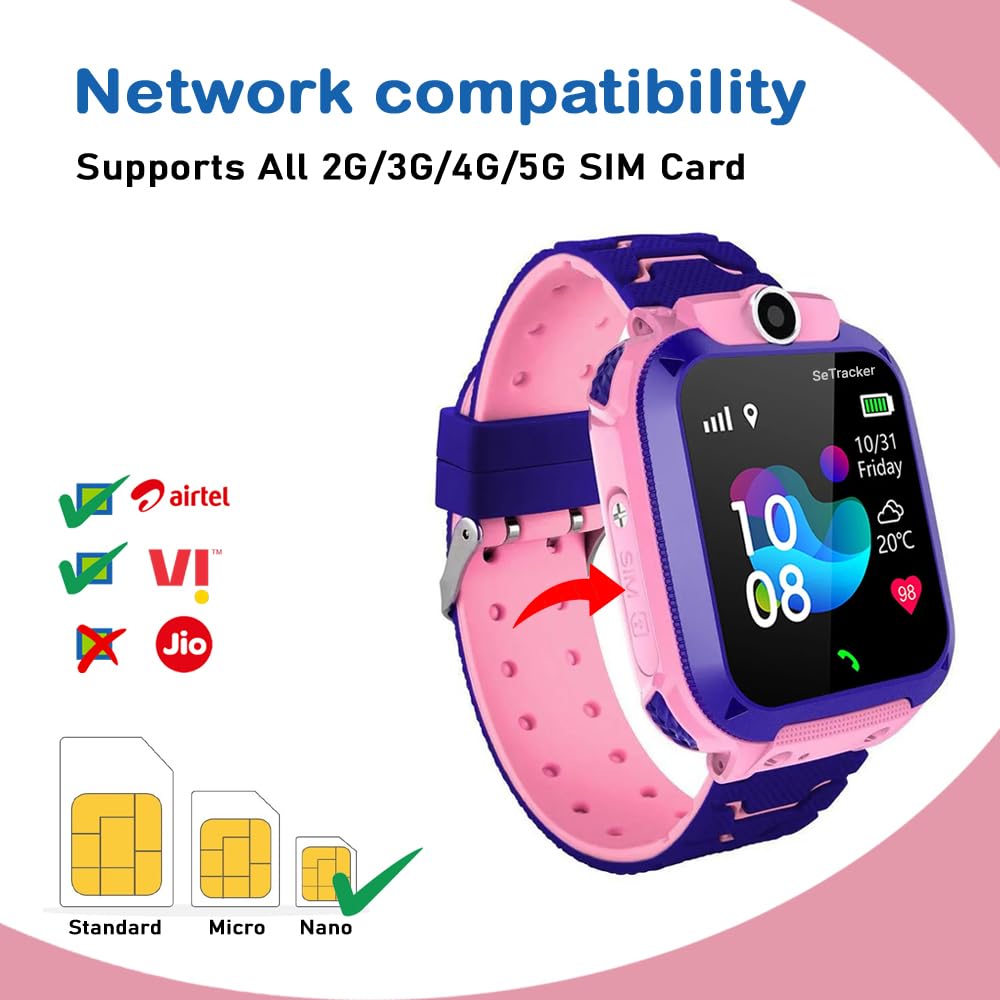
Image: SIM card compatibility and slot location on the watch.
3.2 ايپ ڊائون لوڊ ۽ جوڙو ٺاهڻ
The SeTracker M1 is controlled via the SeTracker2 app, available for both iOS and Android devices.
- Download the 'SeTracker2' app from your device's app store (Google Play Store for Android, Apple App Store for iOS).
- ايپ اندر هڪ اڪائونٽ رجسٽر ڪريو.
- Follow the in-app instructions to bind the watch to your account. This typically involves scanning a QR code on the watch or entering its unique ID.
- Once paired, you can manage contacts, track location, and adjust watch settings directly from your smartphone.
3.3 شروعاتي چارجنگ
Before first use, fully charge the smartwatch for approximately 3 hours using the provided magnetic charging cable and a compatible adapter (below 10W).
4. آپريٽنگ هدايتون
The SeTracker M1 offers a range of features designed for child safety and communication. Here's how to use them:
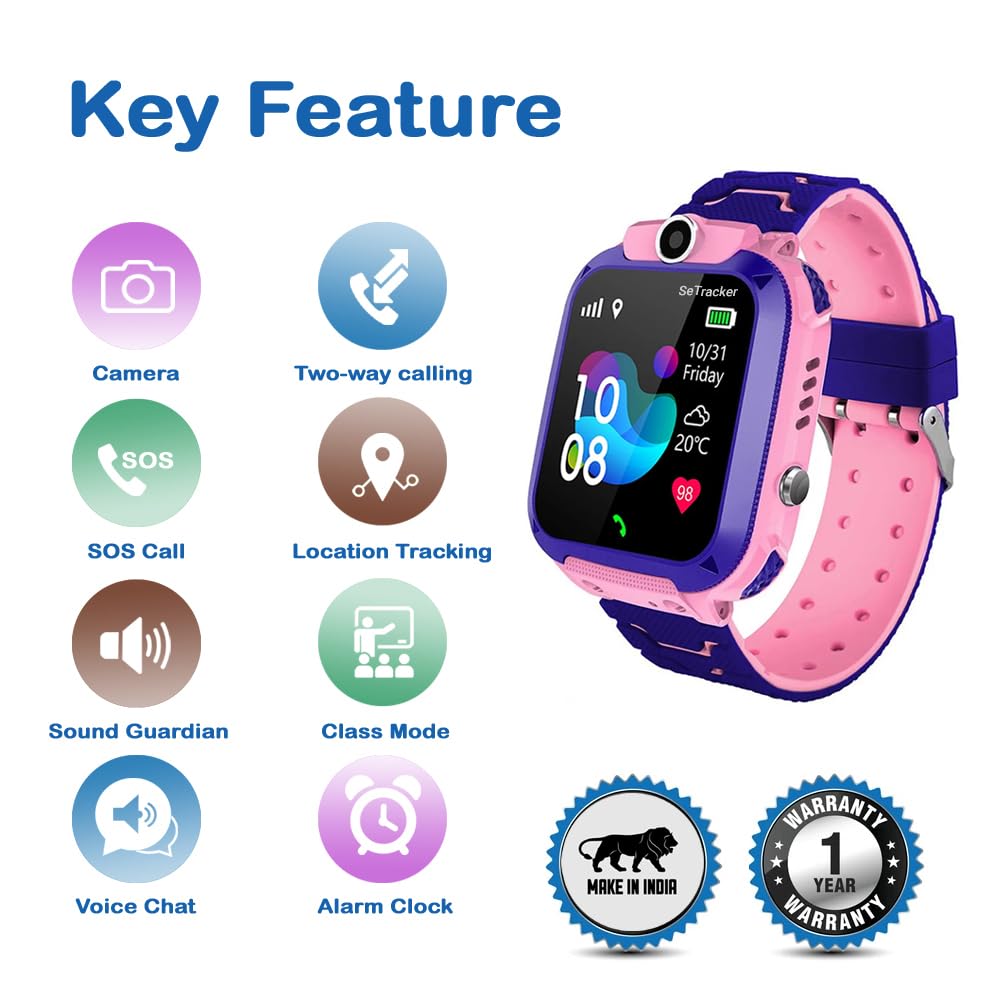
تصوير: مٿانview of the SeTracker M1's key features.
4.1 Two-Way Calling
The watch supports two-way voice calls with pre-approved contacts only, ensuring your child can only communicate with trusted individuals. Parents can manage these contacts via the SeTracker2 app.

Image: Two-way calling feature in action.

Image: The watch protects from unknown callers, allowing only approved contacts.
4.2 SOS Emergency Call
In an emergency, your child can press and hold the dedicated SOS button for 3 seconds. The watch will automatically call and alert up to three pre-set emergency contacts in a loop until one answers.

Image: SOS call feature and its dedicated button.
4.3 Voice Messages / Voice Chat
Children can send short voice messages to parents, and parents can respond in real-time through the SeTracker2 app, facilitating quick and easy communication.
4.4 LBS Location Tracking
The watch uses Location-Based Services (LBS) to provide an approximate location of your child using mobile tower signals. This feature is primarily for general location awareness.
اهم نوٽ:
- LBS location tracking may not be highly accurate and can have an error of 500 meters or more, especially in areas with limited mobile tower density.
- For more accurate tracking, consider models with GPS capabilities.

Image: LBS location tracking showing approximate location via mobile towers.
4.5 Sound Guardian / Remote Listening
Parents can remotely activate the watch's microphone to listen to the surroundings without alerting the child. This feature is designed to help ensure the child's safety and well-being.
4.6 Class Mode (Do Not Disturb)
This mode allows parents to block all incoming calls and messages during specific school hours. The watch enters a silent mode, helping children focus on their studies. During Class Mode, parents can still track location and use the sound guardian feature for silent safety checks.
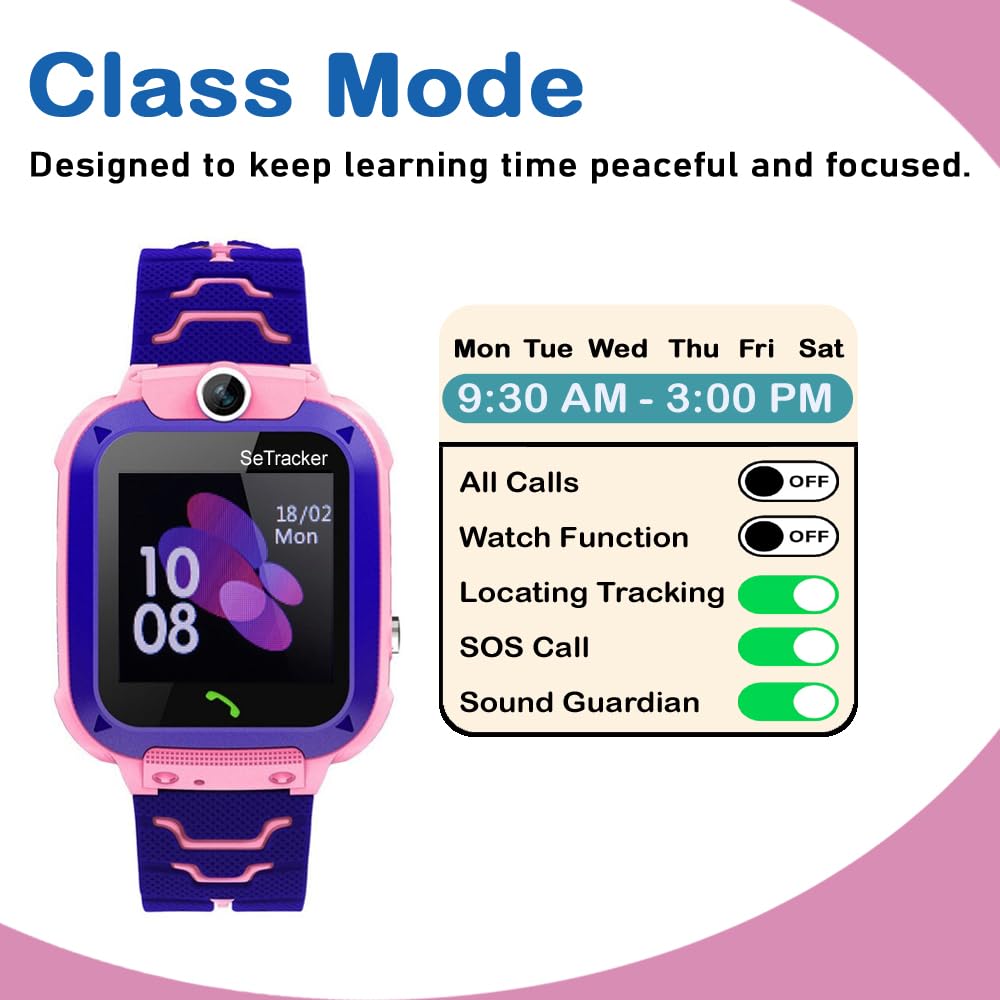
Image: Class Mode settings to minimize distractions during school hours.
4.7 Built-in Camera / Remote Photo
The watch features a front camera, allowing children to take pictures. Parents can also remotely capture images of the watch's surroundings via the app, providing an additional layer of security and capturing memories.
4.8 الارم گھڙي
Set daily alarms to help your child establish routines for waking up, study time, bedtime, or other important activities. Alarms can be managed through the SeTracker2 app.
4.9 Full Parental Control via Phone App
The SeTracker2 app provides comprehensive control over the smartwatch. Parents can manage contacts, monitor battery levels, set security features, and adjust various watch settings directly from their smartphone.
5. سار سنڀال
5.1 Charging Care
Always use the original magnetic charging cable and a power adapter rated below 10W. Avoid overcharging the watch. Disconnect the charger once the battery is full to prolong its lifespan.
5.2 صفائي ۽ اسٽوريج
Wipe the watch regularly with a soft, dry cloth to remove dust and smudges. Avoid using harsh chemicals or abrasive materials. Store the watch in a cool, dry place away from direct sunlight and extreme temperatures.
6. Troubleshooting (General FAQs)
Q. Does this smartwatch require a SIM card to work?
جواب: Yes, the watch requires a 2G-compatible micro SIM card with an active talk time and data plan for its key features like calling, location tracking, and app connectivity to function.
Q. Which SIM cards are compatible with this watch?
جواب: This smartwatch works best with Airtel and Vodafone Idea (VI) SIM cards. It is not compatible with Jio SIM cards.
Q. Does the watch work without a SIM card?
جواب: Without a SIM card, the watch's primary features such as calling, location tracking, and app connectivity will not work. Basic timekeeping and alarm functions may still be available.
Q. Is it safe for kids to use smartwatches?
جواب: Yes, this watch is designed with kids' safety in mind. It includes parental controls to limit contacts, track locations (LBS), and prevent access to unsafe applications, providing a secure communication tool for children.
7. وضاحتون
| خاصيت | تفصيل |
|---|---|
| برانڊ | سي ٽريڪر |
| ماڊل نالو | M1 |
| ڊسپلي سائيز | 1.4 Inches Touchscreen |
| ڊسپلي جو قسم | ايل اي ڊي |
| قرارداد | 240 x 240 |
| رابطي | 2 جي (جي ايس ايم) |
| سم مطابقت | Micro SIM (Airtel/VI recommended; not compatible with Jio) |
| ڪئميرا | سامهون ڪئميرا |
| بينڊ مواد | سليڪون |
| ڪيس جو مواد | ABS پلاسٽڪ |
| جڳھ جي ٽريڪنگ | Location-Based Services (LBS) |
| سڏڻ | Two-way Audio, SOS emergency call |
| پاڻي جي مزاحمت | Splash-resistant only |
| ايپ سپورٽ | SeTracker2 (iOS & Android) |
| بيٽري | 550 mAh Rechargeable Lithium Ion |
| چارج ڪرڻ جو طريقو | Magnetic (USB) |
| چارج ڪرڻ وقت | 3 ڪلاڪ |
| شيءِ جو وزن | 80 جي |
| آپريٽنگ سسٽم | 2G Smart Kids Watch OS |
| ميموري رکڻ جي صلاحيت | 100 ايم بي |
8. وارنٽي ۽ سپورٽ
8.1 وارنٽي ڄاڻ
The SeTracker M1 Kids Smart Watch comes with a 1 سال وارنٽي خريداري جي تاريخ کان. مھرباني ڪري پنھنجي خريداري جي رسيد کي وارنٽي جي ثبوت طور رکو.
8.2 دٻي ۾ ڇا آهي
Your SeTracker M1 package includes:
- 1 x SeTracker M1 Kids Calling Watch (Pink)
- 1 x مقناطيسي چارجنگ ڪيبل
- 1 x سکرو ڊرائيور
- 1 x استعمال ڪندڙ دستياب (هي دستاويز)
8.3 Manufacturer Contact
For any support, service, or warranty-related queries, please contact the manufacturer:
IFI Technology Pvt Ltd
فون: 080-68393434/35
WhatsApp: +91-8951934341


