1. تعارف
This user manual provides essential information for the safe and efficient operation of your Strong 24-inch HD TV, model SRT24HE4023C. Please read this manual thoroughly before using the product and retain it for future reference.
The Strong SRT24HE4023C is a compact and versatile 24-inch (60 cm) HD Ready television, specifically designed for portability with its 12V power input, making it ideal for use in caravans, campers, or other mobile environments. It features a triple tuner for various signal receptions and multiple connectivity options.
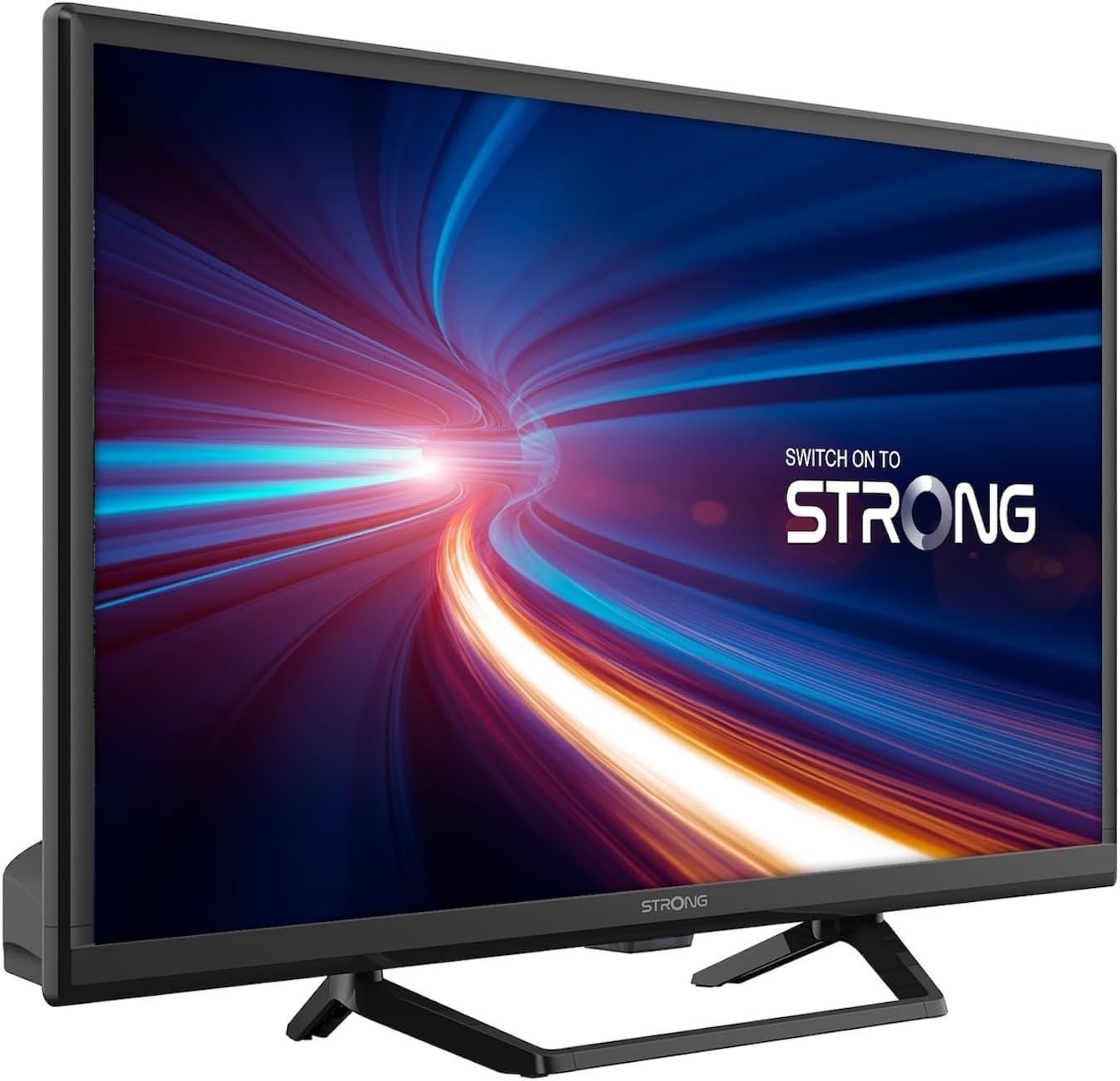
شڪل 1.1: سامهون view of the Strong 24-inch HD TV.
2. پيڪيج مواد
Upon unpacking, please ensure all items listed below are present and in good condition. If any items are missing or damaged, contact your retailer immediately.
- Strong 24-inch HD TV (SRT24HE4023C)
- ٽي وي اسٽينڊ
- ريموٽ ڪنٽرول (2 AAA بيٽرين جي ضرورت آهي، شامل آهي)
- استعمال ڪندڙ جو دستياب (ھي دستاويز)
3. سيٽ اپ
3.1. اسٽينڊ گڏ ڪرڻ
Carefully place the TV screen-down on a soft, clean surface to prevent scratches. Attach the provided stand to the base of the TV using the designated screws. Ensure the stand is securely fastened before placing the TV upright.
3.2. پاور ڪنيڪشن
This TV operates on a 12V DC power supply, making it suitable for mobile applications. Connect the 12V power adapter to the TV's power input port and then to a compatible 12V power source. Ensure the power source can provide sufficient current for the TV's operation.
3.3. ٻاهرين ڊوائيسز کي ڳنڍڻ
ٽي وي مختلف ڪنيڪٽوٽي آپشن پيش ڪري ٿو:
- HDMI پورٽس (x2): Connect Blu-ray players, game consoles, or other HDMI-enabled devices. One port supports ARC (Audio Return Channel).
- USB پورٽ (x1): For playing multimedia files USB اسٽوريج ڊوائيسز مان.
- ميني اي وي ان پٽ: For connecting older devices with composite video and stereo audio outputs.
- Antenna Input (ANT in): Connect a terrestrial antenna for DVB-T/T2 reception.
- Satellite Input (SAT in): Connect a satellite dish for DVB-S/S2 reception.
- CI سلاٽ: Insert a Common Interface module for encrypted channels.
- SPDIF آئوٽ: For digital audio output to an external sound system.
- هيڊ فون جڪ ذاتي ٻڌڻ لاءِ.

شڪل 3.1: پوئتي view showing various connectivity ports.
4. آپريٽنگ هدايتون
4.1. پهريون ڀيرو انسٽاليشن
When you power on the TV for the first time, a setup wizard will guide you through initial settings such as language, country, and channel scanning. Follow the on-screen prompts to complete the setup.
4.2. چينل اسڪيننگ
The TV features a triple tuner (DVB-T/T2, DVB-C, DVB-S/S2) for receiving digital terrestrial, cable, and satellite broadcasts. To scan for channels:
- کي دٻايو مينيو توهان جي ريموٽ ڪنٽرول تي بٽڻ.
- ڏانهن وڃو چينل or تنصيب مينيو
- چونڊيو خودڪار اسڪين or دستي اسڪين depending on your preference and connection type.
- Follow the on-screen instructions to start the scan.
4.3. Using the Electronic Program Guide (EPG)
The EPG provides a schedule of current and upcoming TV programs. To access the EPG, press the اي پي جي button on your remote control. You can browse programs, view details, and set reminders.
4.4. Multimedia Playback via USB
Insert a USB storage device into the USB port. The TV will typically prompt you to open the media browser. You can play various multimedia files, including videos, photos, and music.
4.5. Parental Control and Hotel Mode
The TV includes parental control features to restrict access to certain channels or programs based on age ratings. Hotel mode provides advanced settings for managing TV functions in a multi-unit environment.
5. سار سنڀال
5.1. ٽي وي صاف ڪرڻ
Before cleaning, always unplug the TV from the power source. Use a soft, dry cloth to wipe the screen and cabinet. For stubborn marks, lightly dampen the cloth with water or a mild, non-abrasive screen cleaner. Never spray liquid directly onto the TV.
5.2. ريموٽ ڪنٽرول بيٽري جي متبادل
The remote control uses two AAA batteries. If the remote control's range decreases or it stops responding, replace both batteries with new ones, ensuring correct polarity.
6. مسئلا حل ڪرڻ
جيڪڏهن توهان کي پنهنجي ٽي وي سان مسئلا درپيش اچن ٿا، ته ڪسٽمر سپورٽ سان رابطو ڪرڻ کان اڳ هيٺ ڏنل عام مسئلن ۽ حلن جو حوالو ڏيو.
| مسئلو | ممڪن سبب | حل |
|---|---|---|
| طاقت نه آهي | Power cable disconnected; no power from source. | Check power cable connection. Ensure 12V power source is active. |
| تصوير ناهي، پر آواز موجود آهي. | Incorrect input source selected; loose cable connection. | کي دٻايو ذريعو button to select the correct input. Check HDMI/AV cable connections. |
| آواز ڪونهي، پر تصوير موجود آهي. | Volume too low or muted; audio settings incorrect. | Increase volume. Check mute status. Adjust audio output settings in the menu. |
| خراب تصوير معيار | Weak signal; incorrect resolution. | Check antenna/satellite connection. Perform a channel scan. Adjust picture settings. |
| ريموٽ ڪنٽرول ڪم نه ڪري رهيو آهي | بيٽريون ختم ٿي ويون آهن يا غلط طور تي لڳايون ويون آهن. | Replace batteries, ensuring correct polarity. Ensure no obstructions between remote and TV. |
7. وضاحتون
| خاصيت | تفصيل |
|---|---|
| ماڊل | SRT24HE4023C |
| اسڪرين جي ماپ | 24 انچ (60 سينٽي) |
| ڊسپلي ٽيڪنالاجي | ايل اي ڊي، آئي پي ايس پينل |
| قرارداد | 1366 x 768p (HD Ready) |
| اسپيڪٽ ريشو | 16:9 |
| ريفريش جي شرح | 60 هز |
| جوابي وقت | 5 ملي سيڪنڊ |
| ٽونرز | DVB-T/T2، DVB-C، DVB-S/S2 |
| وڊيو ڪوڊيڪ | HEVC 265 10-bit |
| HDMI بندرگاهن | 2 (1 with ARC support) |
| USB بندرگاهن | 1 |
| ٻيا ان پٽ/آئوٽ پُٽ | Mini AV In, CI Slot, SPDIF Out, Headphone Jack |
| آڊيو ڊيڪوڊنگ | ڊي ٽي ايس |
| بجلي جي فراهمي | 12 وولٽ ڊي سي |
| طول و عرض (W x H x D) | 55.29 x 36.6 x 14.78 سينٽي ميٽر (اسٽينڊ سان) |
| وزن | 2.5 ڪلو |
| VESA وال جبل | حمايت ڪئي |
| توانائي جي ڪارڪردگي ڪلاس | اي (View EPREL details) |
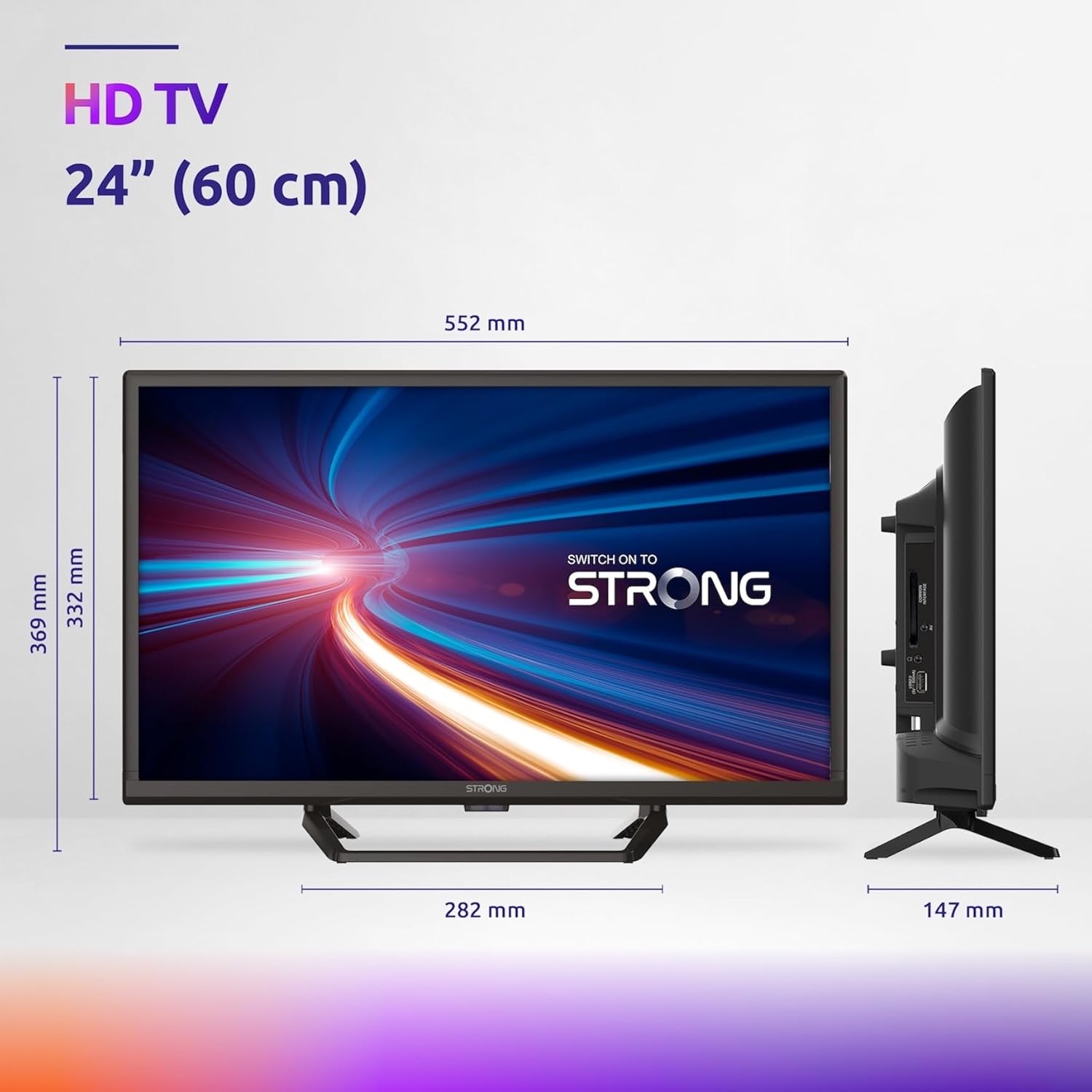
Figure 7.1: Product dimensions of the Strong 24-inch HD TV.

Figure 7.2: Energy efficiency label for the Strong SRT24HE4023C TV.
8. وارنٽي ۽ سپورٽ
Strong products are designed for reliability and performance. For warranty information and technical support, please refer to the warranty card included with your product or visit the official Strong webسائيٽ. وارنٽي دعوائن لاءِ خريداري جي ثبوت طور پنهنجي خريداري جي رسيد رکو.
وڌيڪ مدد لاءِ، توهان پڻ حوالو ڏئي سگهو ٿا Strong Brand Store on Amazon اضافي پراڊڪٽ جي معلومات ۽ وسيلن لاءِ.


