1. تعارف
This manual provides detailed instructions for the safe and effective operation of your DEPSTECH DS520 Triple Lens Sewer Camera and WF028 Wireless Endoscope. Please read this manual thoroughly before use and retain it for future reference.
2. حفاظت جي ڄاڻ
- ڊوائيس کي ڌار ڪرڻ يا تبديل ڪرڻ جي ڪوشش نه ڪريو.
- Keep the device away from extreme temperatures, corrosive liquids, and strong magnetic fields.
- Ensure the camera probe is clean before and after each use to maintain image clarity.
- The camera probe is IP67 waterproof; however, the main display unit is not. Avoid exposing the display unit to water.
- Use only the provided charging cable to prevent damage to the battery.
3. پيڪيج مواد
DS520 Triple Lens Sewer Camera
- DS520 Display Unit (5-inch IPS screen)
- Triple Lens Semi-Rigid Cable (50ft)
- USB-C چارجنگ ڪيبل
- استعمال ڪندڙ دستي
- Accessories (e.g., hook, magnet, side mirror)
WF028 Wireless Endoscope
- WF028 وائرليس ماڊل
- Dual Lens Semi-Rigid Snake Cable (16.5ft)
- USB-C چارجنگ ڪيبل
- استعمال ڪندڙ دستي
- Accessories (e.g., hook, magnet, side mirror)
4. پراڊڪٽ ختمview
4.1 DS520 Triple Lens Sewer Camera

Figure 1: DS520 Display Unit and Cable
The DS520 features a 5-inch IPS screen for real-time viewing. It includes intuitive controls for navigation, image/video capture, and light adjustment. The triple-lens camera head is attached to a 50ft semi-rigid cable for extended reach.

Figure 2: DS520 Triple Lens Configuration
The triple-lens design provides direct front (Cam A) and two side views (Cam B and C). Focal ranges are 1.2-3.9in for Cam A, 0.8-2.4in for Cam B, and 0.6-0.9in for Cam C.
4.2 WF028 Wireless Endoscope
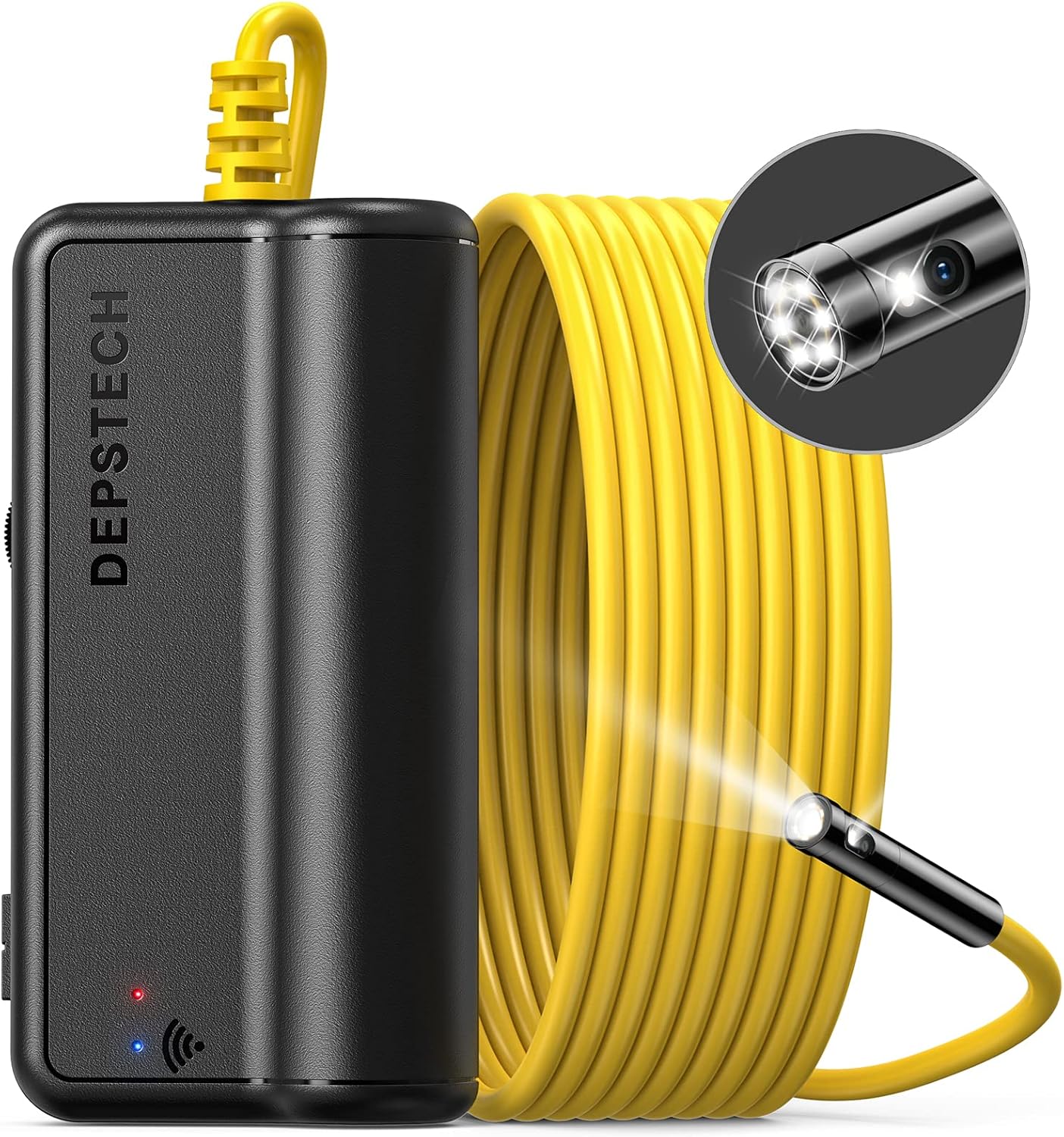
Figure 3: WF028 Wireless Module and Cable
The WF028 is a wireless dual-lens endoscope that connects to your smartphone or tablet via Wi-Fi. It features a 16.5ft semi-rigid snake cable with a 7.9mm probe lens. The dual lenses offer a 70° view in front and to the side.
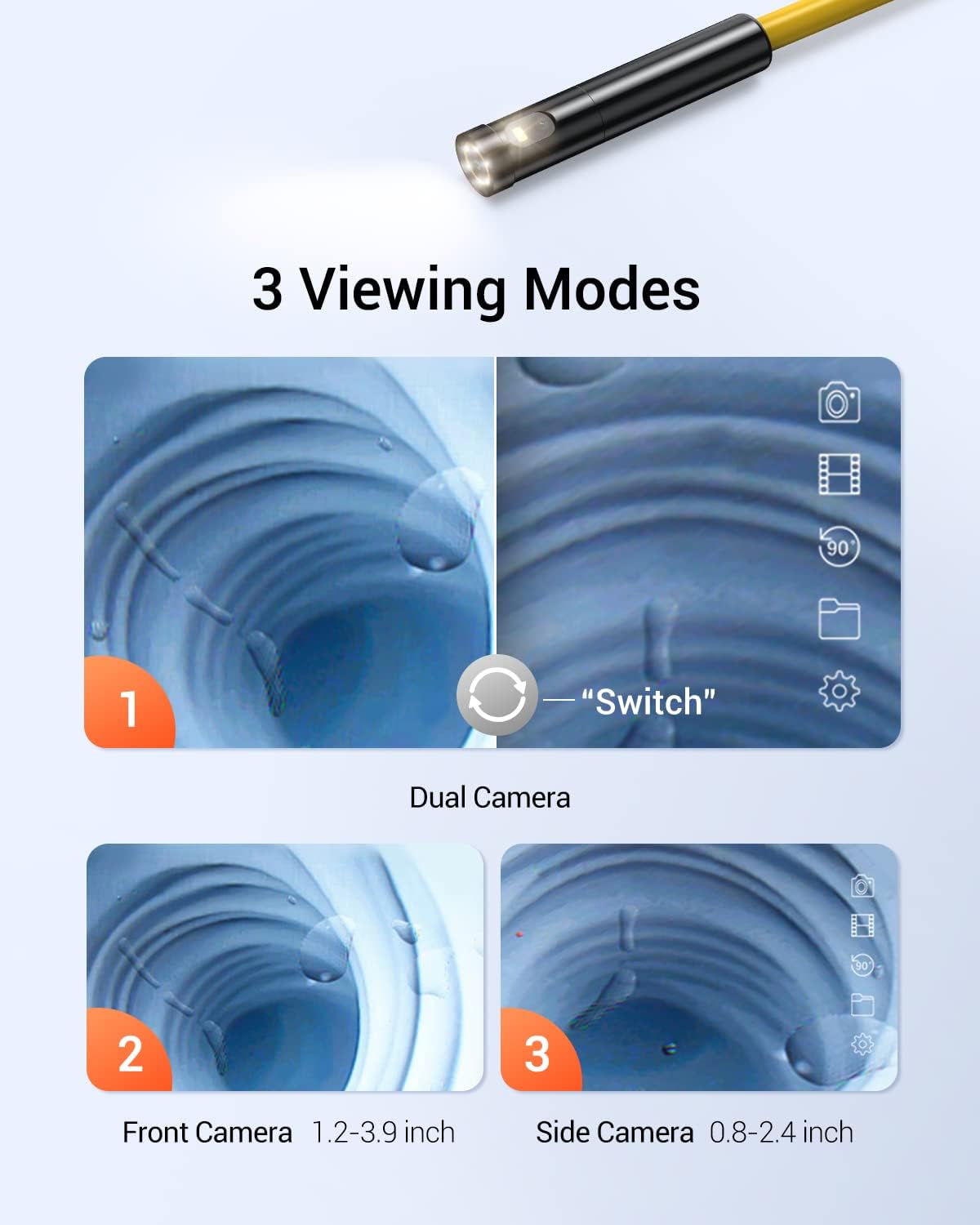
Figure 4: WF028 Dual Lens Viewداخل ٿيڻ جا طريقا
The WF028 supports multiple viewing modes, including single front camera, single side camera, and split-screen views. Focal ranges are 3-8cm for the front camera and 2-6cm for the side camera.
5. سيٽ اپ
5.1 DS520 Setup
- ڊوائيس چارج ڪريو: Connect the USB-C charging cable to the DS520 display unit and a power source. The battery indicator will show charging status.
- ڪيبل ڳنڍيو: Securely connect the triple-lens semi-rigid cable to the designated port on the DS520 display unit.
- پاور آن: Press and hold the power button on the display unit until the screen illuminates.
5.2 WF028 Setup
- ڊوائيس چارج ڪريو: Connect the USB-C charging cable to the WF028 wireless module and a power source.
- ڪيبل ڳنڍيو: Securely connect the dual-lens snake cable to the WF028 wireless module.
- پاور آن: Press and hold the power button on the wireless module until the indicator light turns on.
- وائي فائي سان ڳنڍيو: On your smartphone or tablet, go to Wi-Fi settings and connect to the WF028's Wi-Fi network (SSID usually starts with 'DEPSTECH').
- ايپ لانچ ڪريو: Open the DEPSTECH app (downloaded from your device's app store) to view زنده کاڌو.
6. آپريٽنگ هدايتون
6.1 DS520 Operation
- ايل اي ڊي بتيون ترتيب ڏيو: Use the dedicated buttons on the display unit to increase or decrease the brightness of the 7 LED lights on the camera head.
- تبديلي Viewing موڊس: Press the 180° flip button to cycle through five viewing modes (front camera, side camera B, side camera C, split screen views).
- Image/Video Capture: Press the photo/video button once to take a still image. Press and hold to start/stop video recording.
- 180° تصوير جي گردش: Use the rotation button to flip the image 180° for correct orientation.
- نيويگيٽ: Use the directional buttons to navigate menus and review قبضو ڪيل ميڊيا.
6.2 WF028 Operation
- ايل اي ڊي بتيون ترتيب ڏيو: Control the brightness of the LED lights via the DEPSTECH app interface.
- تبديلي Viewing موڊس: Switch between dual lenses and split-screen views directly within the DEPSTECH app.
- Image/Video Capture: Use the dedicated buttons within the DEPSTECH app to capture photos or record videos.
7. سار سنڀال
- صفائي: After each use, gently wipe the camera lens and cable with a soft, dry cloth. For stubborn dirt, use a slightly damp ڪپڙا ۽ پوء چڱي طرح سڪي.
- اسٽوريج: Store both units and their cables in a cool, dry place, preferably in their original carrying cases, away from direct sunlight.
- بيٽري جي سنڀال: بهترين بيٽري جي زندگي لاءِ، ڊوائيسز کي باقاعدي چارج ڪريو، جيتوڻيڪ بار بار استعمال ۾ نه هجي. ڊگهي عرصي تائين بيٽري کي مڪمل طور تي ڊسچارج ڪرڻ کان پاسو ڪريو.
8. مسئلا حل ڪرڻ
- No Image on Screen (DS520): Ensure the camera cable is securely connected and the device is powered on. Check battery level.
- No Image on App (WF028): Verify Wi-Fi connection to the WF028 module. Ensure the module is powered on and the DEPSTECH app is open.
- خراب تصويري معيار: Clean the camera lens. Adjust LED brightness. Ensure the camera is within the optimal focal range.
- ڊوائيس چارج نه ڪرڻ: USB-C ڪيبل ۽ پاور اڊاپٽر چيڪ ڪريو. پڪ ڪريو ته ڪنيڪشن محفوظ آهن.
9. وضاحتون
9.1 DS520 Triple Lens Sewer Camera
| خاصيت | تفصيل |
|---|---|
| ڏيکاريو | 5 انچ IPS اسڪرين |
| ڪئميرا لينس | Triple Lens (Front, Side B, Side C) |
| ڪيبل ڊگھائي | 50ft Semi-Rigid |
| قرارداد | 1080 ص |
| LED بتيون | 7 ترتيب ڏيڻ واري ايل اي ڊي |
| پنروڪ درجه بندي | IP67 (Probe only) |
| Viewداخل ٿيڻ جا طريقا | Five (including Split Screen) |
| Focal Range (Front) | 1.2-3.9 انچ |
| Focal Range (Side B) | 0.8-2.4 انچ |
| Focal Range (Side C) | 0.6-0.9 انچ |
9.2 WF028 Wireless Endoscope
| خاصيت | تفصيل |
|---|---|
| رابطي | وائرليس (وائي فائي) |
| ڪئميرا لينس | ٻٽي Lens |
| ڪيبل ڊگھائي | 16.5ft Semi-Rigid Snake Cable |
| قرارداد | 1080 ص |
| پروب قطر | 7.9mm |
| پنروڪ درجه بندي | IP67 (Probe only) |
| Focal Range (Front) | 3-8 سينٽي (1.2-3.1 انچ) |
| Focal Range (Side) | 2-6 سينٽي (0.8-2.4 انچ) |
10. وارنٽي ۽ سپورٽ
DEPSTECH products come with a standard manufacturer's warranty. For detailed warranty information, technical support, or service inquiries, please refer to the warranty card included in your package or visit the official DEPSTECH webسائيٽ.


