1. پراڊڪٽ ختمview
The YoYoFit Smartwatch HT15 is a versatile wearable device designed to enhance your daily life with communication, health monitoring, and fitness tracking features. It connects seamlessly with your smartphone to keep you informed and active.
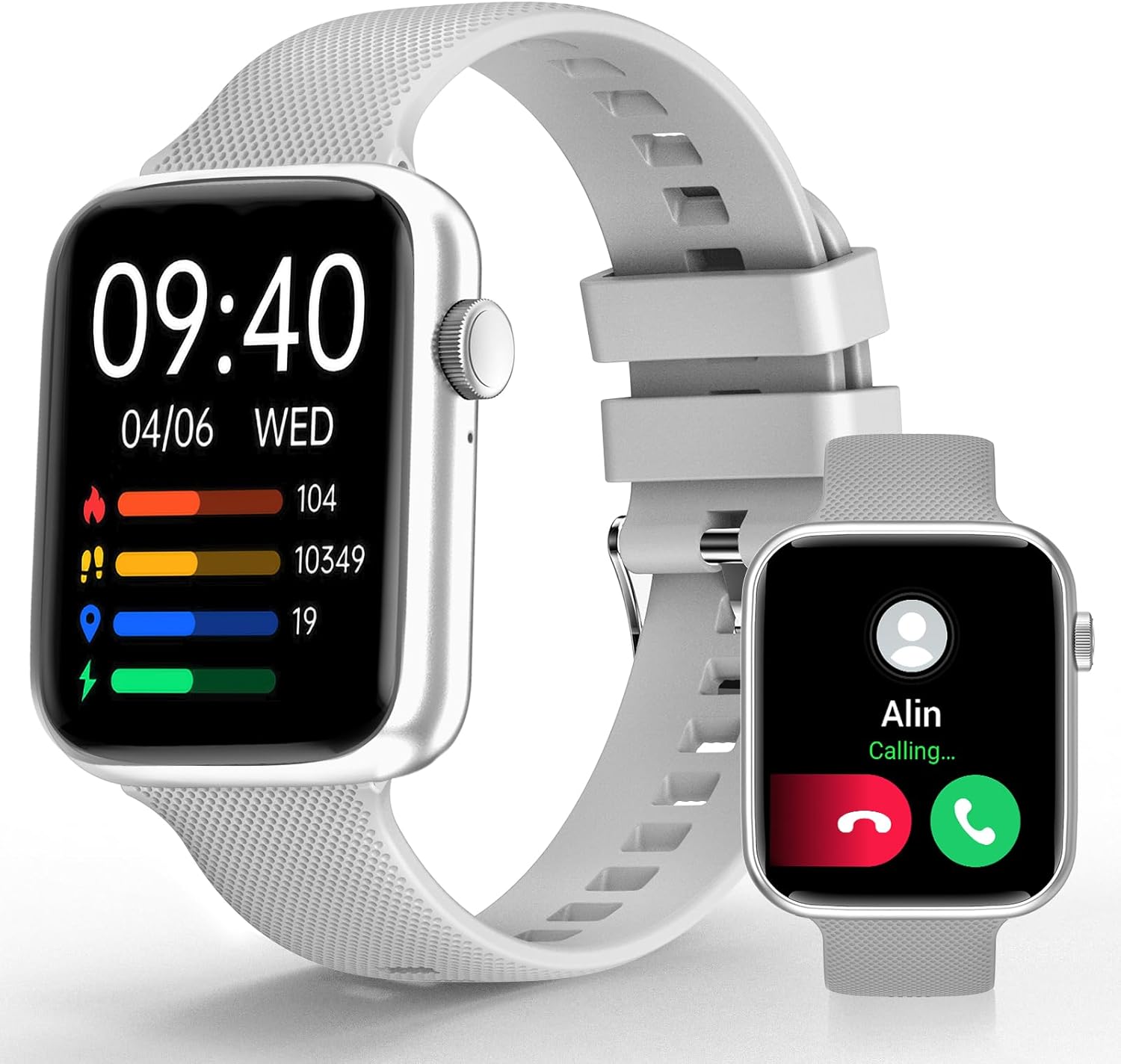
Image 1: YoYoFit Smartwatch HT15. This image displays the smartwatch in grey, showing the time, date, and various activity metrics like heart rate, steps, and calories. An inset image shows an incoming call notification.
2. پيڪيج مواد
پڪ ڪريو ته سڀئي شيون پيڪيج ۾ موجود آهن:
- YoYoFit Smartwatch HT15 (Grey)
- واچ بينڊ
- مقناطيسي چارجنگ ڪيبل
- استعمال ڪندڙ جو دستياب (ھي دستاويز)
3. سيٽ اپ گائيڊ
3.1 اسمارٽ واچ کي چارج ڪرڻ
Before initial use, fully charge your smartwatch. Connect the magnetic charging cable to the charging points on the back of the watch and plug the USB end into a power adapter (not included) or a computer's USB port.
- چارج وقت: تقريبا 2 ڪلاڪ.
- Battery Life: Up to 7-10 days of normal use, 15+ days on standby.

Image 2: Smartwatch charging. The image illustrates the magnetic charging cable connected to the smartwatch, with text indicating "Up to 7 days+ for normal use" and "Up to 15 days+ on low power setting."
3.2 ايپ ڊائون لوڊ ۽ جوڙو ٺاهڻ
To unlock all features, download and connect your smartwatch to the "FitCloudPro" app.
- Scan the QR code in the manual or search for "FitCloudPro" in the App Store (iOS) or Google Play Store (Android).
- پنهنجي اسمارٽ فون تي ايپ انسٽال ڪريو.
- پڪ ڪريو ته توهان جي فون تي بلوٽوت فعال آهي.
- Open the "FitCloudPro" app and follow the on-screen instructions to add your device.
- Select "HT15" from the list of available devices.
- پنهنجي فون ۽ سمارٽ واچ ٻنهي تي جوڙڻ جي درخواست جي تصديق ڪريو.

Image 3: App download and pairing steps. This image shows a sequence of smartphone screens demonstrating how to download the "FitCloudPro" app, enable Bluetooth, search for the device, and confirm the pairing request.
3.3 مطابقت
The YoYoFit Smartwatch HT15 is compatible with:
- Android 5.1 ۽ مٿي
- iOS 8.5 ۽ مٿي
- Requires Bluetooth 5.0 for connection.
4. آپريٽنگ هدايتون
4.1 بنيادي نيويگيشن
The smartwatch features a 1.85-inch HD color full touch screen. Swipe across the screen to navigate through menus and functions. The side button typically serves as a power button or a return-to-home function.

Image 4: Smartwatch screen details. This image focuses on the 1.85-inch HD touch screen, emphasizing its full-color display and touch functionality.
4.2 ڪال ڪارڪردگي
Once paired via Bluetooth, you can manage calls directly from your wrist:
- جواب ڏيو / ڪال ڪريو: Use the built-in speaker and microphone to answer incoming calls or dial out from your watch.
- پيغام: Read incoming messages and social media notifications.
- رابطا: Store frequently used contacts for quick dialing.
- ڪال جي تاريخ: View your recent call logs.

Image 5: Stay Connected On-wrist. This image shows a woman using the smartwatch to answer a call, alongside visual representations of message notifications, built-in mic & speaker, and reminder functions.
4.3 صحت جي نگراني
The smartwatch provides comprehensive health tracking:
- دل جي شرح: Continuous monitoring throughout the day.
- رت جي آڪسيجن (SpO2): رت ۾ آڪسيجن جي سطح کي ماپي ٿو.
- بلڊ پريشر: بلڊ پريشر جي سطح کي مانيٽر ڪري ٿو.
- سمهڻ جي ٽريڪنگ: Automatically tracks sleep patterns (deep sleep, light sleep, awake time) and provides quality analysis.
- حيض جي چڪر جي ٽريڪنگ: Records and reminds you of your menstrual period.
نوٽ: هي ڊوائيس طبي ڊوائيس ناهي. صحت جي ڊيٽا صرف حوالي لاءِ آهي ۽ طبي تشخيص يا علاج لاءِ استعمال نه ٿيڻ گهرجي.

Image 6: Keep Track of Your Health. This image shows the smartwatch displaying heart rate, blood pressure, and blood oxygen measurements, with a person wearing the watch.

Image 7: Tools for Better ZZZs. This image illustrates the smartwatch's sleep tracking capabilities, showing deep sleep, light sleep, and awake times, along with smart alarm and Do Not Disturb settings.
4.4 سرگرمي ٽريڪنگ
The HT15 tracks your daily activity and supports 18 sports modes:
- Daily Metrics: Accurately tracks steps, distance, and calories burned.
- راندين جا طريقا: Includes walking, running, cycling, hiking, yoga, basketball, football, and more. Exercise data is recorded and displayed separately for each workout.

Image 8: Sweat the Smart Way. This image features a woman exercising, with the smartwatch displaying various sports modes (e.g., walking, running, cycling) and all-day activity tracking metrics like steps, calories, and distance.
4.5 AI وائيس اسسٽنٽ
Utilize the built-in AI voice assistant for hands-free control:
- Set reminders and alarms.
- موسيقي پلے بیک کي ڪنٽرول ڪريو.
- Get weather updates.
- Ask questions and receive translations.
4.6 Other Practical Features
- حسب ضرورت واچ فيس: Choose from 100+ cloud watch faces or upload personal photos via the FitCloudPro app.
- موسمي اڳڪٿي: Check current weather conditions directly on your wrist.
- ٽائمر ۽ اسٽاپ واچ: Useful for workouts or daily tasks.
- موسيقي ڪنٽرول: Play, pause, skip tracks on your connected phone.
- فون ڳولھيو: Locate your misplaced smartphone by triggering an alert sound.
- الارم: Set multiple customizable alarms.
- Sedentary & Drink Water Reminders: Prompts to stay active and hydrated.
- ريموٽ ڪئميرا ڪنٽرول: پنهنجي فون جي ڪئميرا کي ريموٽ طور تي چالو ڪرڻ لاءِ پنهنجي واچ استعمال ڪريو.

Image 9: More Practical Features. This image highlights the smartwatch's diverse functionalities, including customizable watch faces, weather display, music control, timer, stopwatch, and the "Find Phone" feature.
5. سار سنڀال
5.1 پنهنجي اسمارٽ واچ کي صاف ڪرڻ
Regularly clean your smartwatch and watch band to ensure optimal performance and hygiene.
- Wipe the screen and watch body with a soft, damp, lint-free ڪپڙو.
- For the silicone strap, you can use mild soap and water, then rinse thoroughly and dry completely.
- سخت ڪيميائي يا ٻرندڙ مواد استعمال ڪرڻ کان پاسو ڪريو.
5.2 پاڻي جي مزاحمت
The smartwatch is designed to withstand daily activities like hand washing and sweating. However, it is not recommended for swimming or showering, as prolonged exposure to water or hot steam may damage the device.
6. مسئلا حل ڪرڻ
6.1 ڊوائيس آن نه ٿي رهيو آهي
- پڪ ڪريو ته گھڙي مڪمل طور تي چارج ٿيل آهي. ان کي گهٽ ۾ گهٽ 30 منٽن لاءِ مقناطيسي چارجر سان ڳنڍيو.
- Press and hold the side button for several seconds to power on.
6.2 جوڙو ٺاهڻ جا مسئلا
- پڪ ڪريو ته توهان جي اسمارٽ فون تي بلوٽوت فعال آهي.
- Make sure the smartwatch is within range of your phone.
- پنهنجو فون ۽ سمارٽ واچ ٻئي ري اسٽارٽ ڪريو.
- Forget the device in your phone's Bluetooth settings and try pairing again through the "FitCloudPro" app.
- Check if the "FitCloudPro" app has necessary permissions enabled on your phone.
6.3 غلط صحت جي پڙهائي
- پڪ ڪريو ته گھڙي توهان جي کلائي تي مضبوطيءَ سان پائڻي آهي، نه ته تمام گهڻي تنگ ۽ نه ئي گهڻي ڍلي.
- گھڙي جي پوئين پاسي وارا سينسر صاف ڪريو.
- ماپ دوران گهڻي حرڪت کان پاسو ڪريو.
- Remember that readings are for reference and not for medical use.
6.4 اطلاع ظاهر نه ٿي رهيا آهن
- Verify that the smartwatch is connected to your phone via Bluetooth.
- Check notification settings within the "FitCloudPro" app to ensure desired apps are enabled.
- Confirm that your phone's notification settings allow the "FitCloudPro" app to display alerts.
7. وضاحتون
| خاصيت | تفصيل |
|---|---|
| ماڊل نمبر | ايڇ ٽي 15 |
| اسڪرين جي ماپ | 1.85 Inches HD Color Display |
| پيداوار جي ماپ | 10 x 1.52 x 0.43 انچ |
| شيءِ جو وزن | 3.68 اونس |
| بيٽري جو قسم | ليٿيم پوليمر (1 گهربل، شامل) |
| بيٽري جي گنجائش | 0.18 Amp ڪلاڪ |
| رابطي | بلوٽوٿ 5.0 |
| آپريٽنگ سسٽم | Android (compatible with Android 5.1+), iOS (compatible with iOS 8.5+) |
| خاص خاصيتون | Heart Rate Monitor, Activity Tracker, Bluetooth Call Function, Blood Oxygen Monitor, Sleep Monitor, AI Voice Assistant |

Image 10: Smartwatch dimensions. This diagram provides detailed measurements of the smartwatch (1.8" x 1.52" x 0.43") and indicates the suitable wrist size range (4.9" ~ 8.3").
8. پراڊڪٽ وڊيو
Video 1: YoYoFit Smart Watch for Men and Women. This video provides a visual overview of the smartwatch's features and functionalities, including its design, health tracking, and connectivity options.


