تعارف
Thank you for choosing the Baseus Bowie MA10S Wireless Earbuds. This manual provides detailed instructions on how to set up, operate, and maintain your earbuds to ensure optimal performance and longevity. Please read this manual thoroughly before using the product.

Image: The Baseus Bowie MA10S Wireless Earbuds, showing both earbuds and their open charging case with a digital battery display.
پيڪيج مواد
پڪ ڪريو ته سڀئي شيون پيڪيج ۾ موجود آهن:
- Baseus Bowie MA10S Wireless Earbuds (Left and Right)
- چارج ڪيس
- S/M/L Eartips (Left and Right pairs)
- S/M/L Earwings (Left and Right pairs)
- USB-C چارجنگ ڪيبل
- استعمال ڪندڙ جو دستياب (ھي دستاويز)

Image: All components included in the Baseus Bowie MA10S package: the earbuds in their charging case, a USB-C charging cable, and various sizes of ear tips and ear wings.
سيٽ اپ ڪريو
1. شروعاتي چارجنگ
Before first use, fully charge the earbuds and the charging case. Connect the USB-C charging cable to the charging case and a power source. The digital display on the case will show the battery percentage. The earbuds will charge automatically when placed inside the case.

Image: The Baseus Bowie MA10S charging case demonstrating both USB-C wired charging and wireless charging capabilities, with a clear view of the digital power display showing "100%".
The charging case supports both wired USB-C charging and wireless charging. A full charge provides up to 38 hours of total playtime with the charging case, and 8 hours on a single charge for the earbuds.
2. بلوٽوٽ جوئر
- چارجنگ ڪيس کوليو. ائربڊس پاڻمرادو پيئرنگ موڊ ۾ داخل ٿي ويندا.
- پنهنجي ڊوائيس (اسمارٽ فون، ٽيبليٽ، ليپ ٽاپ) تي، بلوٽوٿ کي فعال ڪريو.
- ڳولھيو "Baseus Bowie MA10S" in the list of available Bluetooth devices.
- Select "Baseus Bowie MA10S" to connect. Once connected, a voice prompt will confirm the successful pairing.
The earbuds feature Bluetooth 5.3 for instant pairing, stable connection, and better interference resistance. They also support multipoint connection, allowing seamless pairing to two devices simultaneously.

Image: A visual representation of the Bluetooth 5.3 chip, highlighting its role in providing instant pairing and stable connections.

Image: A man seamlessly connected to both a smartphone and a laptop with the Baseus Bowie MA10S earbuds, illustrating the multipoint connection feature.
3. Baseus App Installation
For enhanced features and customization, download the official Baseus App from your device's app store. The app allows you to:
- Adjust Noise Cancelling levels (10 levels available)
- Select from 12 Preset Equalizers (EQs) or create custom ones
- Customize touch gestures for controls

Image: Screenshots of the Baseus App interface, demonstrating options for ambient sound control, equalizer presets, and custom gesture settings.
آپريٽنگ هدايتون
ٽچ ڪنٽرول
The Baseus Bowie MA10S earbuds feature intuitive touch controls. Refer to the following table for default functions. Custom gestures can be configured via the Baseus App.
| عمل | فنڪشن | نوٽس |
|---|---|---|
| Put on / Take off | راند ڪريو ۽ روڪيو | خودڪار چڪاس |
| سنگل ٽيپ (ايل يا آر) | Toggle Track / Adjust Volume | Customizable in App |
| Long Press (1.5s, L or R) | Noise Cancellation Cycle | ANC > Normal > Transparency mode (default) |
| Long Press (1.5s, L or R) | Spatial Audio Cycle | Music > Theater > Normal (default) |
| Long Press (1.5s, L or R) | ڪال رد ڪريو | |
| سنگل ٽيپ (ايل يا آر) | Answer / Hangup Call |

Image: A visual guide to the easy tap controls on the Baseus Bowie MA10S earbuds, showing functions like play/pause, track/volume adjustment, call management, and mode cycling.
Active Noise Cancellation (ANC) & Transparency Modes
The earbuds feature Hybrid Active Noise Cancelling technology, reducing disturbing noise by up to 95% (-48dB). Long press either earbud to cycle through ANC, Normal, and Transparency modes.
- ANC موڊ: Ideal for noisy environments like travel or office, blocking out ambient sound.
- عام موڊ: Standard audio experience without noise cancellation.
- شفافيت موڊ: Allows you to hear your surroundings while listening to audio, useful for safety or conversations.

Image: A man wearing the Baseus Bowie MA10S earbuds, with a visual overlay indicating the -48dB Hybrid Active Noise Cancellation feature, suggesting a quiet listening experience.

Image: A man walking outdoors while wearing the Baseus Bowie MA10S earbuds, illustrating the Transparent Mode feature which allows awareness of surroundings.
Audio Modes & Spatial Audio
The Bowie MA10S offers three tailored audio modes and immersive spatial audio:
- باس موڊ: Enhanced bass for sports or music genres that benefit from powerful low frequencies.
- موسيقي موڊ: Balanced audio for daily immersive listening.
- راند جو طريقو: Low-latency audio (0.038s) for synchronized audio and video during gaming.
Activate the Dual Channel Low-Latency (DCLL) mode for gaming to ensure audio and video are in full sync.

Image: The Baseus Bowie MA10S earbuds positioned next to a smartphone displaying a racing game, emphasizing the 0.038s low-latency feature for smooth and seamless gaming.
Experience Baseus Immersive Spatial Audio (BISA) which creates a virtual soundscape, keeping you at the center of the sound. Long press either earbud to cycle through Spatial Audio modes (Music > Theater > Normal).
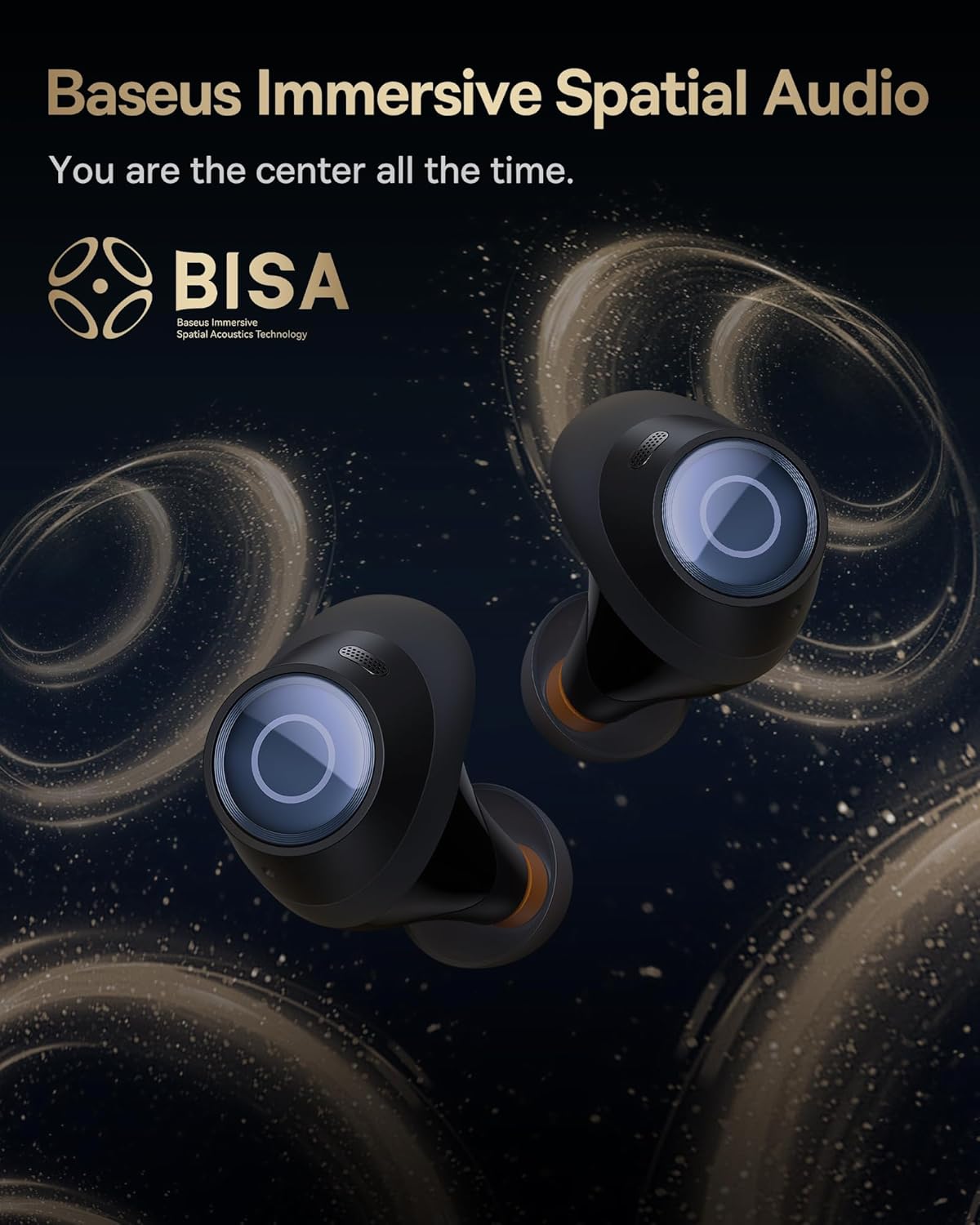
Image: The Baseus Bowie MA10S earbuds highlighted with the "BISA" (Baseus Immersive Spatial Audio) logo, indicating their advanced audio positioning capabilities.
ڪال صاف ڪريو
The earbuds are equipped with 4 Environmental Noise Cancelling (ENC) microphones. These mics capture ambient noise, and an AI algorithm cancels it, ensuring crystal-clear call quality even in noisy environments.

Image: An X-ray like view of the Baseus Bowie MA10S earbuds, illustrating the placement of the 4 Environmental Noise Cancelling (ENC) microphones designed for crystal-clear phone calls.
چارج ڪرڻ
ايربڊ چارج ڪرڻ
Place the earbuds into the charging case. They will automatically begin charging. The case's digital display will show the charging status and battery level.
Case Charging (Wired & Wireless)
- وائرڊ چارجنگ: Connect the provided USB-C cable to the charging port on the case and a USB power adapter.
- وائرليس چارجنگ: Simply place the charging case on a compatible wireless charging pad.
The case features a smart power display, showing the exact battery percentage at a glance.

تصوير: هڪ ويجهو تصوير view of the Baseus Bowie MA10S charging case's built-in digital display, clearly showing "100%", indicating a full charge.
A quick 10-minute wired charge can provide up to 2 hours of playtime.

Image: The Baseus Bowie MA10S charging case connected for fast wired charging, with a graphic indicating "10m = 2H", signifying 10 minutes of charge provides 2 hours of playtime.
سار سنڀال
صفائي
- ائربڊس، خاص طور تي ڪنن جي چوٽين ۽ چارجنگ ڪانٽيڪٽس کي باقاعدي طور تي نرم، سڪل، لِنٽ فري ڪپڙي سان صاف ڪريو.
- ڪنن جا ٽوٽا هٽايو ۽ ائربڊ نوزلز مان ڪنهن به ڪن جي موم يا ملبي کي ننڍڙي برش يا ڪپهه جي سواب سان صاف ڪريو.
- Clean the charging case with a soft, dry cloth.
- گھڙڻ وارا صاف ڪندڙ، الڪوحل، يا ڪيميائي محلول استعمال نه ڪريو.
ذخيرو
جڏهن استعمال ۾ نه هجي، ته ائربڊس کي انهن جي چارجنگ ڪيس ۾ محفوظ ڪريو ته جيئن انهن کي محفوظ رکي سگهجي ۽ انهن کي چارج رکيو وڃي. ڪيس کي انتهائي گرمي پد کان پري ٿڌي، سڪل جاءِ تي رکو.
پاڻي جي مزاحمت (IPX4)
The Baseus Bowie MA10S earbuds are IPX4 waterproof, meaning they are resistant to splashing water from any direction. This makes them suitable for workouts and light rain. However, they are not designed for swimming or submersion in water. Do not expose them to pressurized water or high-velocity water, such as showering or bathing.

Image: The Baseus Bowie MA10S earbuds shown with water splashing over them, indicating their IPX4 waterproof rating, suitable for sweat and light rain.
مشڪلاتون
If you encounter issues with your Baseus Bowie MA10S earbuds, please refer to the following common solutions:
- ائربڊس جوڙو نه پيا لڳن:
- پڪ ڪريو ته earbuds چارج ٿيل آهن.
- پنهنجي ڊوائيس تي بلوٽوٿ کي بند ۽ آن ڪريو.
- ائربڊس کي ڪيس ۾ واپس رکو، لڪ بند ڪريو، ڪجھ سيڪنڊ انتظار ڪريو، پوءِ ٻيهر کوليو ته جيئن پيئرنگ موڊ ۾ ٻيهر داخل ٿيو.
- Forget "Baseus Bowie MA10S" from your device's Bluetooth list and try pairing again.
- ڪابه آواز يا گهٽ آواز:
- پنهنجي ڊوائيس ۽ ائربڊس ٻنهي تي واليوم ليول چيڪ ڪريو.
- پڪ ڪريو ته ائربڊ توهان جي ڪنن ۾ صحيح طرح سان لڳل آهن ۽ ڪن جا ٽوٽا سٺي سيل فراهم ڪن ٿا.
- ائربڊ نوزلز مان ڪنهن به ملبي کي صاف ڪريو.
- Try resetting the earbuds (refer to Baseus App or online resources for specific reset instructions if needed).
- چارج ڪرڻ جا مسئلا:
- پڪ ڪريو ته USB-C ڪيبل ڪيس ۽ پاور سورس ٻنهي سان محفوظ طور تي ڳنڍيل آهي.
- هڪ مختلف USB-C ڪيبل يا پاور اڊاپٽر آزمايو.
- For wireless charging, ensure the case is correctly placed on the wireless charging pad.
- ائربڊس ۽ ڪيس جي اندر چارجنگ ڪانٽيڪٽس کي صاف ڪريو.
- ANC اثرائتو نه آهي:
- Ensure ANC mode is activated (long press earbud).
- Check that the ear tips provide a proper seal in your ear canal. Try different sizes of ear tips for a better fit.
For further assistance, please refer to the official Baseus support channels.
وضاحتون
| خاصيت | تفصيل |
|---|---|
| ماڊل نالو | Baseus Bowie MA10S |
| رابطي ٽيڪنالاجي | وائرليس (بلوٽوٿ 5.3) |
| بلوٽوٿ رينج | 10 ميٽر |
| شور ڪنٽرول | Hybrid Active Noise Cancellation (up to -48dB) |
| مائڪروفون | صاف ڪالن لاءِ 4 ENC مائڪ |
| آڊيو ڊرائيور جو قسم | Dynamic Driver (Titanium-plated PU composite diaphragm) |
| تعدد جي حد | 20 هرٽز - 20,000 هرٽز |
| بيٽري جي زندگي (ايربڊس) | 8 ڪلاڪ (هڪ چارج) |
| بيٽري جي زندگي (ڪيس سان ڪل) | 38 ڪلاڪ |
| چارج ڪرڻ | USB-C Wired, Wireless Charging |
| آڊيو ليٽيسي | 38 ملي سيڪنڊ (گيم موڊ) |
| پاڻي جي مزاحمت | IPX4 پنروڪ |
| ڪنٽرول جو طريقو | ٽچ، ايپ |
| مطابقت رکندڙ ڊوائيسز | Cellphones, Devices with Bluetooth Audio Capability (iOS, Android, Windows, Mac OS, Switch), Laptops, Tablets |
| شيءِ جو وزن | 4.6 اونس |
| يو پي سي | 850060076268 |
وارنٽي ۽ سپورٽ
For information regarding product warranty, returns, or technical support, please visit the official Baseus webسائيٽ تي وڃو يا سڌو سنئون انهن جي ڪسٽمر سروس سان رابطو ڪريو. ڪنهن به وارنٽي دعوائن لاءِ خريداري جي ثبوت طور پنهنجي خريداري جي رسيد رکو.
سرڪاري بيسس اسٽور: Baseus Amazon Store


