1. پراڊڪٽ ختمview
This manual provides instructions for the iDOO Dual-Motor Electric Spin Mop and its compatible ID-EM002-WH-N1 battery replacement. Please read this manual thoroughly before operating the device to ensure proper use and maintenance.

Image 1.1: iDOO Dual-Motor Electric Spin Mop, including the main unit, water tank, cleaning pads, and battery.
2. پيڪيج مواد
پڪ ڪريو ته سڀئي جزا پيڪيج ۾ موجود آهن:
- iDOO Dual-Motor Electric Spin Mop Main Unit
- لاتعداد پاڻي جو ٽڪر
- Rechargeable Battery Pack (ID-EM002-WH-N1)
- چارجنگ اڊاپٽر
- Washable Cleaning Pads (4 included)
- استعمال ڪندڙ دستي
3. سيٽ اپ جون هدايتون
3.1. بيٽري چارج ڪرڻ ۽ انسٽاليشن
- Before first use, fully charge the battery pack. Connect the charging adapter to the battery pack and plug it into a power outlet. The battery pack can be charged separately.
- Charging typically takes approximately 2.5 hours. Do not charge for more than 6 hours.
- Charge the battery when only one red indicator light is illuminated.
- Once charged, insert the battery pack into the designated slot on the mop handle until it clicks into place.
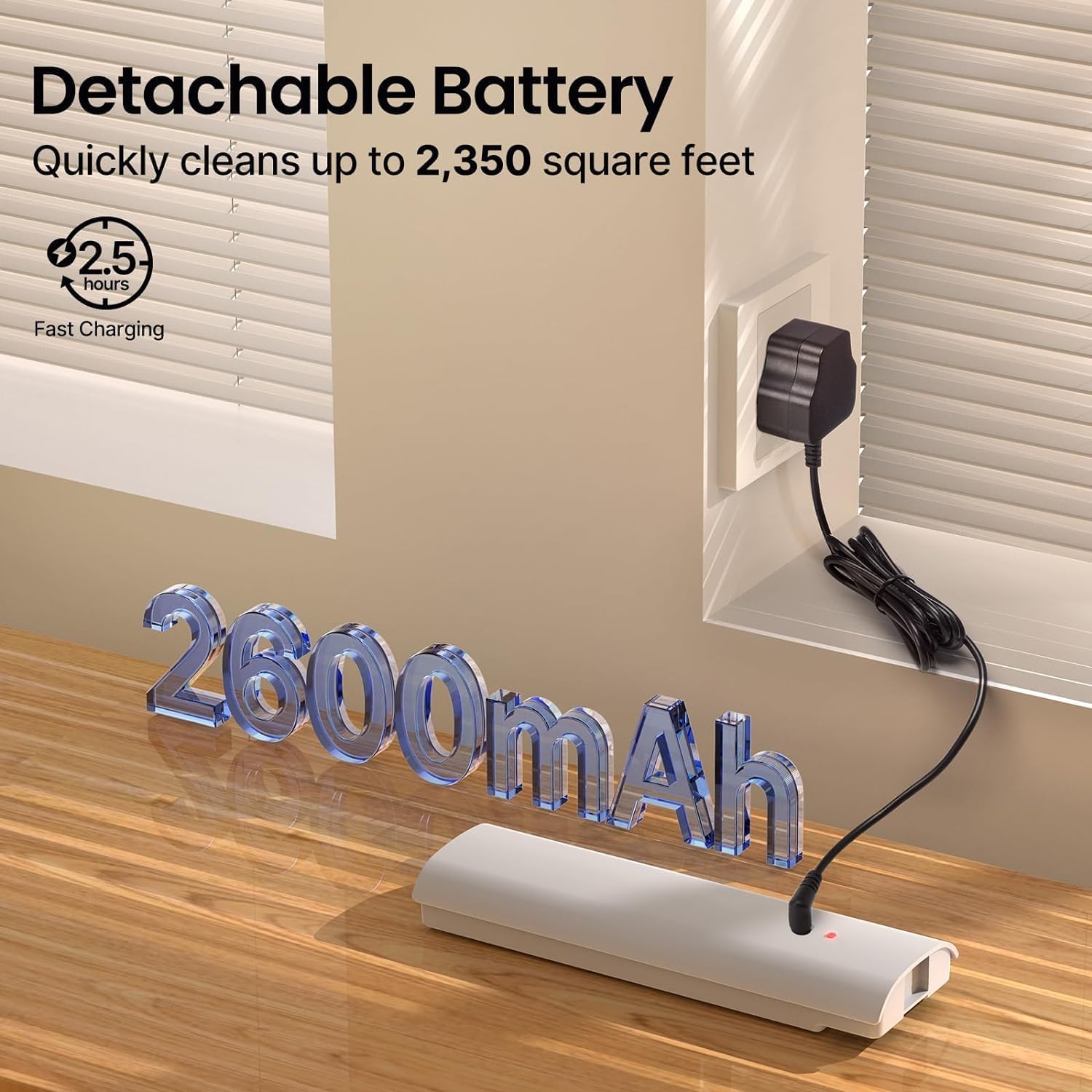
Image 3.1: The detachable battery pack connected to its charging adapter.
3.2. Attaching Cleaning Pads
Align the washable cleaning pads with the hook-and-loop fasteners on the bottom of the mop head. Press firmly to secure them.
3.3. پاڻي جي ٽانڪي ڀرڻ
- Remove the detachable water tank from the mop unit.
- Open the tank cap and fill with clean water. A small amount of floor cleaning solution can be added if desired. Do not overfill.
- Securely close the tank cap and reinsert the water tank into the mop unit until it is firmly seated.

Image 3.2: Inserting the filled water tank into the mop unit.
4. آپريٽنگ هدايتون
4.1. پاور آن/آف
Press the power button located on the handle to turn the mop on. Press it again to turn the mop off. Do not turn on the electric mop when charging, as this may shorten battery life.
4.2. Using the Spray Function
Press the spray button on the handle to dispense water or cleaning solution onto the floor. Release the button to stop spraying.

Image 4.1: The mop in operation, demonstrating the spray function.
4.3. ڇڪڻ
The iDOO Electric Spin Mop features dual motors that spin the cleaning pads at up to 280 revolutions per minute, providing effective cleaning. The mop is self-propelled, assisting in forward movement. Gently twist the handle to guide the mop and change direction.

Image 4.2: A user operating the iDOO Electric Spin Mop on a wooden floor.
4.4. Suitable Surfaces
This electric mop is suitable for various hard floor surfaces, including:
- سخت ڪاٺ
- ٽائل
- لامنيٽ
- سنگ مرمر
- ونائل فرش
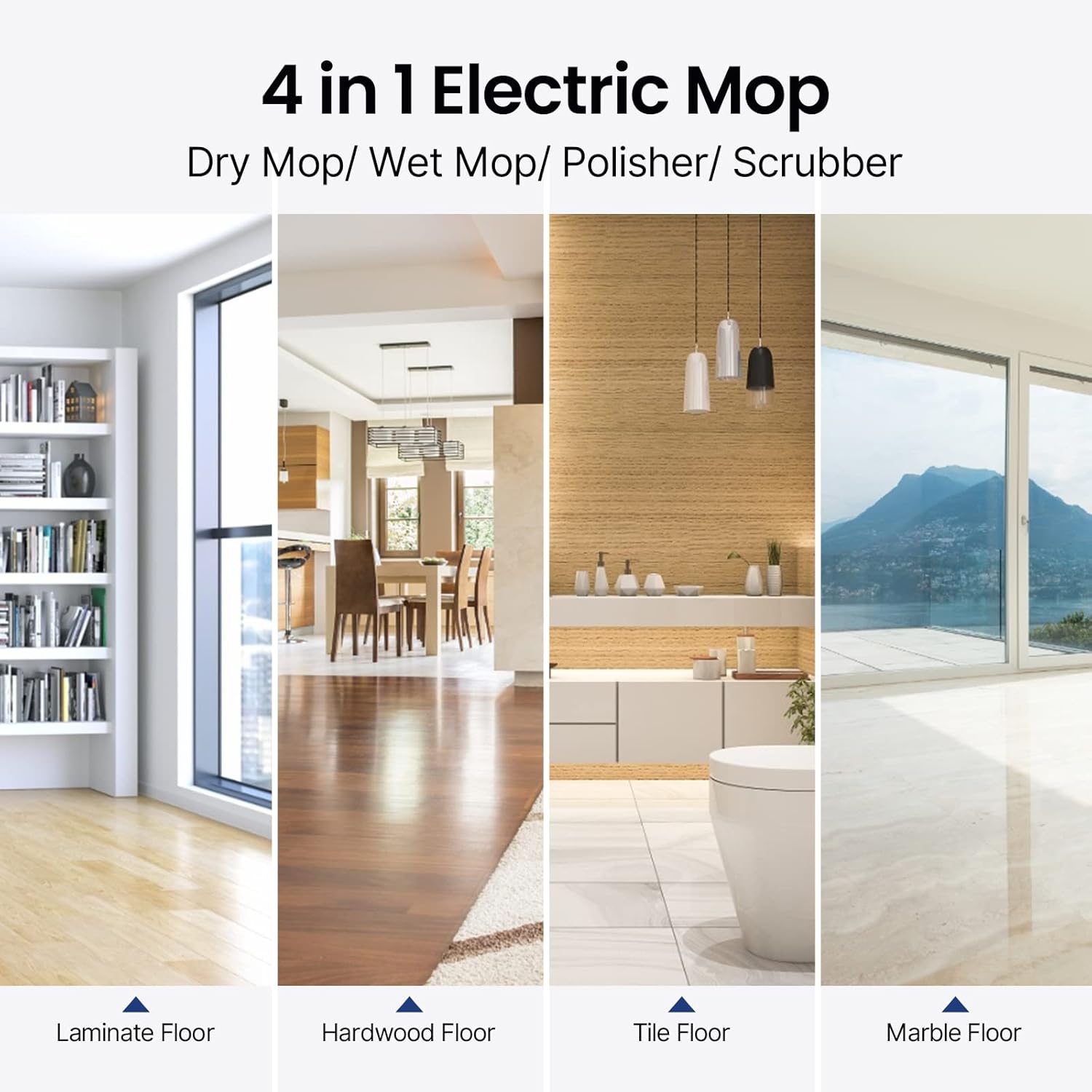
Image 4.3: Visual representation of the mop's versatility across different floor types.
5. سار سنڀال
5.1. Cleaning Pads
The cleaning pads are washable and reusable. After each use, remove the pads from the mop head and wash them with water and mild detergent. Allow them to air dry completely before reattaching or storing.
5.2. پاڻي جي ٽانڪي
Empty any remaining water or cleaning solution from the tank after each use. Rinse the tank with clean water and allow it to air dry to prevent odor or residue buildup.
5.3. Mop Unit Cleaning
Wipe the exterior of the mop unit with a damp ڪپڙو. مکيه يونٽ کي پاڻي ۾ نه ٻوڙيو.
5.4. بيٽري جي سنڀال ۽ اسٽوريج
- Always charge the battery when only one red indicator is on.
- 6 ڪلاڪن کان و forيڪ جي بيٽري چارج نه ڪريو.
- Store the mop and battery in a cool, dry place away from direct sunlight and extreme temperatures.
- For long-term storage, ensure the battery is partially charged (around 50%) to maintain its health.
6. مسئلا حل ڪرڻ
| مسئلو | ممڪن سبب | حل |
|---|---|---|
| موپ آن نٿو ٿئي | بيٽري چارج نه ٿيل آهي يا صحيح طرح سان نصب ٿيل ناهي. | Ensure the battery is fully charged and correctly inserted into the mop unit. |
| Mop pads are not spinning | Obstruction or motor issue. | Check for any debris caught in the mop head. If the issue persists, contact customer support. |
| اسپري فنڪشن ڪم نه ڪري رهيو آهي | پاڻي جي ٽانڪي خالي يا بند آهي. | Refill the water tank. Check for any blockages in the spray nozzle. |
| بيٽري جي زندگي اميد کان نن isو آهي | Improper charging habits or aging battery. | Follow recommended charging procedures (charge when one red indicator is on, do not overcharge). Consider a replacement battery if the issue persists after extended use. |
7. وضاحتون
- برانڊ: آئي ڊي او
- ماڊل نالو: ID-EM002-WH-N1
- خاص خاصيتون: Dual Motors, Self-Propelled, Cordless
- سطح جي سفارش: Floor, Tile, Hardwood, Laminate, Marble, Vinyl
- شامل اجزاء: Cleaning Pads, Water Tank, Battery Pack
- فارم فيڪٽر: اُڀريل
- طاقت جو ذريعو: بيٽري سان هلندڙ
- بيٽري جو قسم: 11.1V 2600mAh ليتيم بيٽري
- چارج ڪرڻ وقت: لڳ ڀڳ 2.5 ڪلاڪ
- في چارج ڪوريج: 2350 چورس فوٽ تائين
- موٽر اسپيڊ: Up to 280r/Min
- شور جي سطح: گھٽ ۾ گھٽ 46 ڊي بي
8. وارنٽي ۽ سپورٽ
For warranty information or technical support, please refer to the warranty card included with your product or visit the official iDOO webسائيٽ. ڪنهن به وارنٽي دعوائن لاءِ خريداري جي ثبوت طور پنهنجي خريداري جي رسيد رکو.


