تعارف
This manual provides comprehensive instructions for the setup, operation, and maintenance of your Ceybo RC813 FMB1 Voice Remote Control. This remote is designed to work seamlessly with a wide range of TCL QLED Smart TVs, offering convenient control and voice assistant capabilities.

شڪل 1: اڳيان ۽ پوئتي view of the Ceybo RC813 FMB1 Voice Remote Control. The front features various buttons including navigation, volume, channel, and dedicated app shortcuts. The back is smooth and ergonomic.
سيٽ اپ ڪريو
1. بيٽري لڳائڻ
The RC813 FMB1 remote control requires two (2) AAA batteries (not included) for operation. Follow these steps to install the batteries:
- ريموٽ ڪنٽرول جي پٺيءَ تي بيٽري جي دٻي جي احاطي کي ڳولھيو.
- ڍڪ کي هيٺئين طرف سلائڊ ڪريو يا ڪمپارٽمينٽ کولڻ لاءِ لچ کي دٻايو.
- ٻہ AAA بيٽريون داخل ڪريو، پڪ ڪريو ته مثبت (+) ۽ منفي (-) ٽرمينل ڪمري اندر اشارن سان صحيح طرح سان ترتيب ڏين.
- بيٽري جي ڪمپارٽمينٽ جي ڍڪ کي واپس جاءِ تي سلائڊ ڪندي تبديل ڪريو جيستائين اهو محفوظ طور تي ڪلڪ نه ڪري.

شڪل 2: Illustration of the battery compartment and proper insertion of AAA batteries.
2. ريموٽ ڪنٽرول جوڙڻ
To ensure full functionality, including voice control, the remote must be paired with your TCL Smart TV. Follow these steps:
- Ensure your TCL Smart TV is powered on.
- ريموٽ ڪنٽرول کي ٽي وي ڏانهن اشارو ڪيو.
- ساڳئي وقت کي دٻايو ۽ رکو "ٺيڪ آهي" button (center of the navigation pad) and the "Home" button (house icon) for approximately 2 seconds.
- A pairing confirmation message should appear on your TV screen, indicating successful pairing.
- If pairing fails, ensure the batteries are correctly installed and try again. Move closer to the TV if necessary.
ريموٽ کي هلائڻ
بٽڻ جو ڪم ختمview
The RC813 FMB1 remote control features a variety of buttons for intuitive navigation and control of your TCL Smart TV. Refer to the image below for button layout.
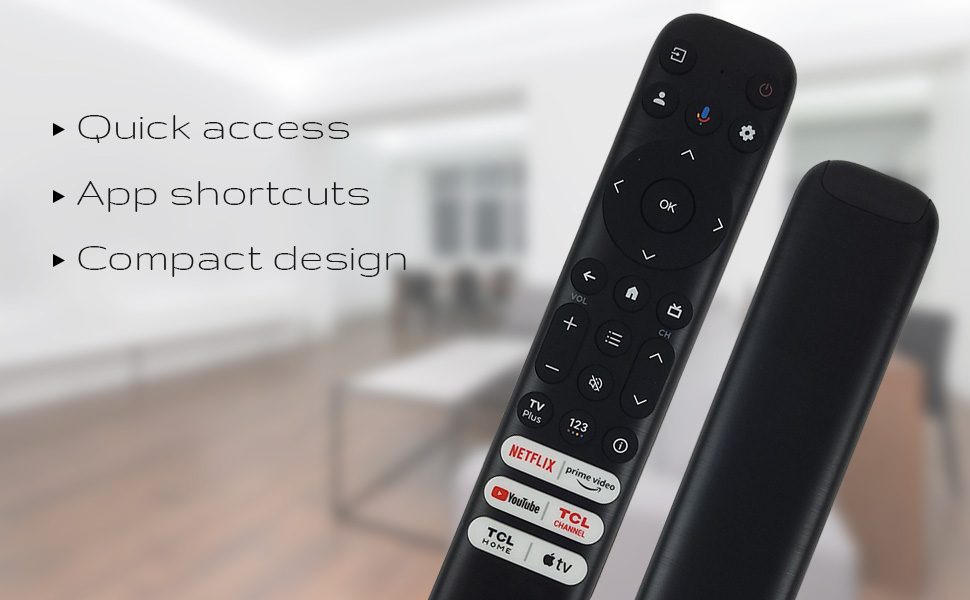
شڪل 3: The remote's design emphasizes quick access, app shortcuts, and a compact form factor for ease of use.
- پاور بٽڻ (🏻): ٽي وي کي آن يا بند ڪري ٿو.
- Navigation Pad (Up, Down, Left, Right): مينيو کي نيويگيٽ ڪرڻ ۽ اختيارن کي چونڊڻ لاءِ استعمال ڪيو ويندو آهي.
- OKيڪ بٽڻ: Confirms selections or opens items.
- پوئتي بٽڻ: پوئين اسڪرين يا مينيو ڏانھن واپسي.
- گھر جو بٽڻ (گھر جو آئڪن): ٽي وي جي هوم اسڪرين تي واپس اچي ٿو.
- حجم مٿي / ھيٺ: ٽي وي جي واليوم ليول کي ترتيب ڏئي ٿو.
- چينل مٿي / هيٺ: ٽي وي چينلز بدلائي ٿو.
- سيٽنگون بٽڻ (گيئر آئڪن): ٽي وي سيٽنگن تائين رسائي حاصل ڪري ٿو.
- ان پٽ بٽڻ: Changes the TV's input source.
وائيس اسسٽنٽ فنڪشنلٽي
The remote features a dedicated button for Google Assistant, allowing you to control your TV and search for content using voice commands.
- گوگل اسسٽنٽ بٽڻ (مائڪروفون آئڪن): Press and hold this button, then speak your command clearly into the remote. Release the button when you are finished speaking.
- Examples of commands include: "Open Netflix," "ڳولھيو action movies," "What's the weather like?", "Turn up the volume."
Dedicated Shortcut Buttons
Quickly access your favorite streaming services and TCL features with the dedicated shortcut buttons located at the bottom of the remote.

شڪل 4: Dedicated shortcut buttons for popular streaming services and TCL applications.
- Netflix: Direct access to the Netflix streaming service.
- وزيراعظم وڊيو: Direct access to Amazon Prime Video.
- يوٽيوب: Direct access to YouTube.
- TCL Channel: Direct access to the TCL Channel.
- TCL Home: Direct access to TCL Home features.
- ايپل ٽي وي: Direct access to Apple TV.
مطابقت
The Ceybo RC813 FMB1 Voice Remote Control is compatible with a wide range of TCL QLED Smart TV models, including those with Google TV functionality. Below is a list of some compatible models:
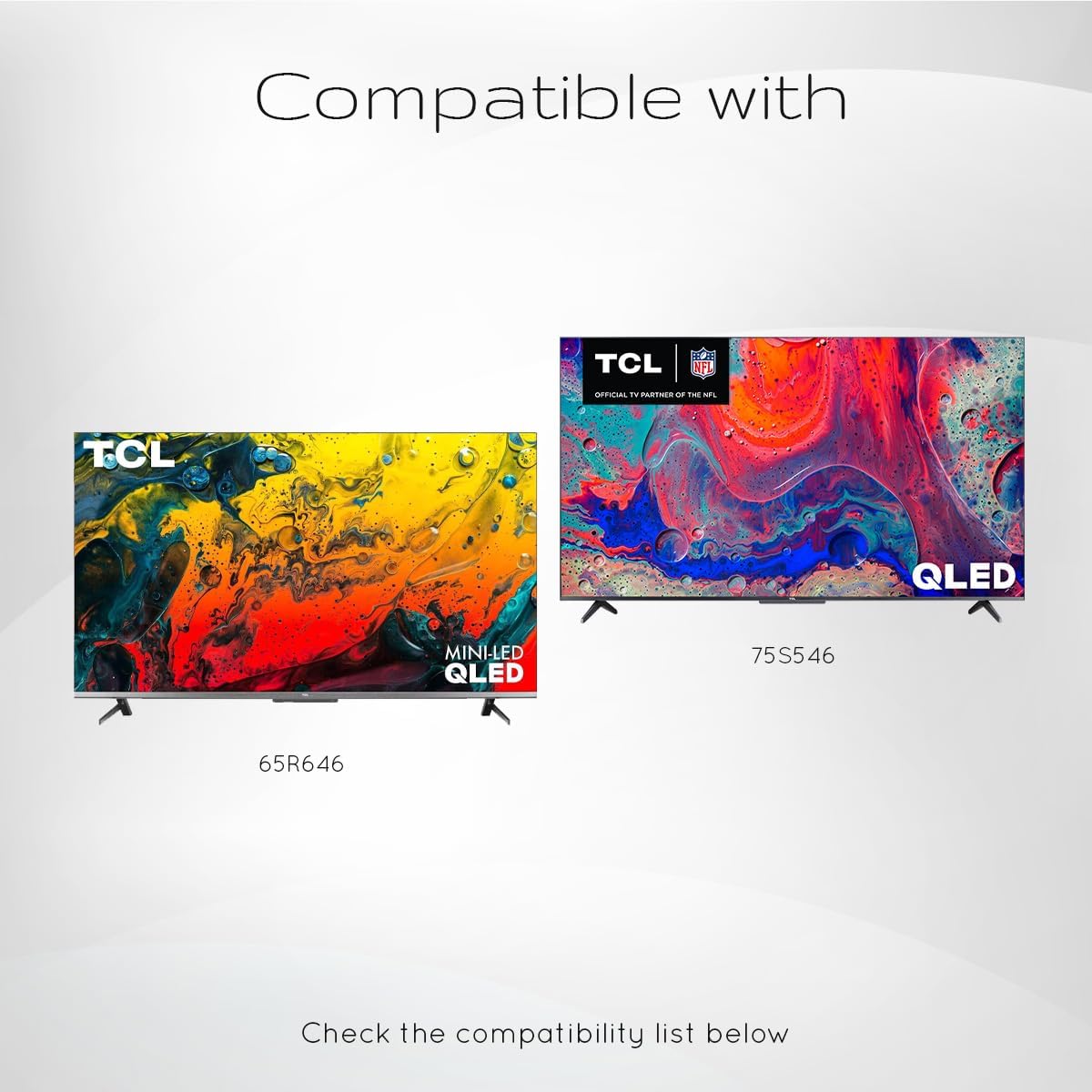
شڪل 5: Examples of compatible TCL QLED TV models.
- Google TV 65Q750G
- Google TV 55Q750G
- Google TV 75Q750G
- Google TV 50Q750G
- Google TV 43Q750G
- Google TV 58Q750G
- 65QM850G
- 55QM850G
- 75QM850G
- 58QM850G
- And many more TCL QLED Smart TV models.
Note: Always verify compatibility with your specific TV model before use.
سار سنڀال
بيٽري مٽائڻ
When the remote control's performance degrades or it stops responding, it is likely time to replace the batteries. Follow the battery installation steps outlined in the "Setup" section.
- هميشه هڪ ئي وقت ٻئي AAA بيٽريون تبديل ڪريو.
- پراڻي ۽ نئين بيٽرين، يا بيٽرين جي مختلف قسمن کي گڏ نه ڪريو.
- مقامي ضابطن جي مطابق ذميواري سان استعمال ٿيل بيٽرين کي ختم ڪريو.
ريموٽ صاف ڪرڻ
To maintain the remote control's appearance and functionality, clean it periodically.
- ريموٽ جي مٿاڇري کي صاف ڪرڻ لاءِ نرم، سڪل ڪپڙو استعمال ڪريو.
- ضدي مٽيءَ لاءِ، ٿورو ڊيampڪپڙي کي پاڻي يا نرم، غير رگڙيندڙ صاف ڪندڙ سان ڌوئڻ ڏيو. گهڻي نمي کان پاسو ڪريو.
- Do not use harsh chemicals, solvents, or abrasive cleaning materials, as these can damage the remote's finish or internal components.
مشڪلاتون
If you encounter issues with your Ceybo RC813 FMB1 remote control, refer to the following common problems and their solutions:
| مسئلو | ممڪن سبب / حل |
|---|---|
| ريموٽ جواب نه ڏئي رهيو آهي. |
|
| وائس ڪنٽرول ڪم نه ڪري رهيو آهي. |
|
| Shortcut buttons are not working. |
|
وضاحتون
| خاصيت | تفصيل |
|---|---|
| ماڊل نمبر | RC813 FMB1 |
| برانڊ | ڪيبو |
| رابطي ٽيڪنالاجي | بلوٽوٿ |
| مطابقت رکندڙ ڊوائيسز | TCL QLED Smart Televisions |
| خاص خصوصيت | Voice Search (Google Assistant) |
| طاقت جو ذريعو | 2 x AAA بيٽريون (شامل نه آهن) |
| شيءِ جو وزن | 3.2 آونس (تقريبن 90.7 گرام) |
| پيڪيج جي ماپ | 8 x 2 x 0.5 انچ (تقريبن 20.3 x 5.1 x 1.3 سينٽي ميٽر) |


