1. پراڊڪٽ ختمview
The Logitech Zone 301 is an essential wireless Bluetooth headset designed for both work and leisure. It offers reliable connectivity with multipoint Bluetooth, allowing you to move freely up to 30 meters (98 feet) from your device. Equipped with dual noise-canceling microphones on an extended boom, it effectively suppresses background noise, ensuring clear communication. Enhanced speakers provide excellent audio quality for calls and other listening activities. The headset is also constructed with a minimum of 55% recycled plastic (excluding PWA, cables, and packaging), making it an environmentally conscious choice.
اهم خاصيتون
- LogiTune Software Compatibility: Download LogiTune for advanced features, firmware updates, and customization of sidetone, mic level, and EQ.
- شور منسوخ ڪرڻ وارو مائڪروفون: Dual beamforming mics with noise-canceling algorithms reduce background sound for clear conversations in various environments.
- Impressive Audio: Features 30 mm dynamic audio drivers with fine-tuned diaphragm patterns for clear sound.
- وائرليس آزادي: Enjoy a wireless range of up to 30 meters (98 feet) and seamless switching between computer and phone.
- وڌايل بيٽري جي زندگي: Provides up to 20 hours of listening time and 16 hours of talk time on a full charge. A 5-minute quick charge offers up to 1 hour of talk time.
- آرامده ڊيزائن: Lightweight at just 122 grams (4.3 oz), with enlarged earpads and a padded headband for all-day comfort.
- Replaceable Earpads: Earpads can be replaced to extend the headset's lifespan (sold separately).
- پائيدار تعمير: Certified carbon neutral and made with certified post-consumer recycled plastic (Graphite: 55%, Off-white and Rose: 42%).
- وسيع مطابقت: Fully compatible with Windows 11, Mac, Chrome, Linux, iOS, iPadOS, and Android devices.

Figure 1.1: The Logitech Zone 301 Wireless Bluetooth Headset in Graphite, showcasing its sleek design and integrated microphone boom.

Figure 1.2: Detail of the dual noise-canceling microphones on the boom, designed to ensure clear voice transmission by suppressing background noise.

Figure 1.3: A user wearing the headset, highlighting the comfortable fit and the position of the microphone for optimal audio input.

Figure 1.4: The headset positioned on a desk, illustrating its wireless capability and connectivity to multiple devices like a laptop and smartphone.
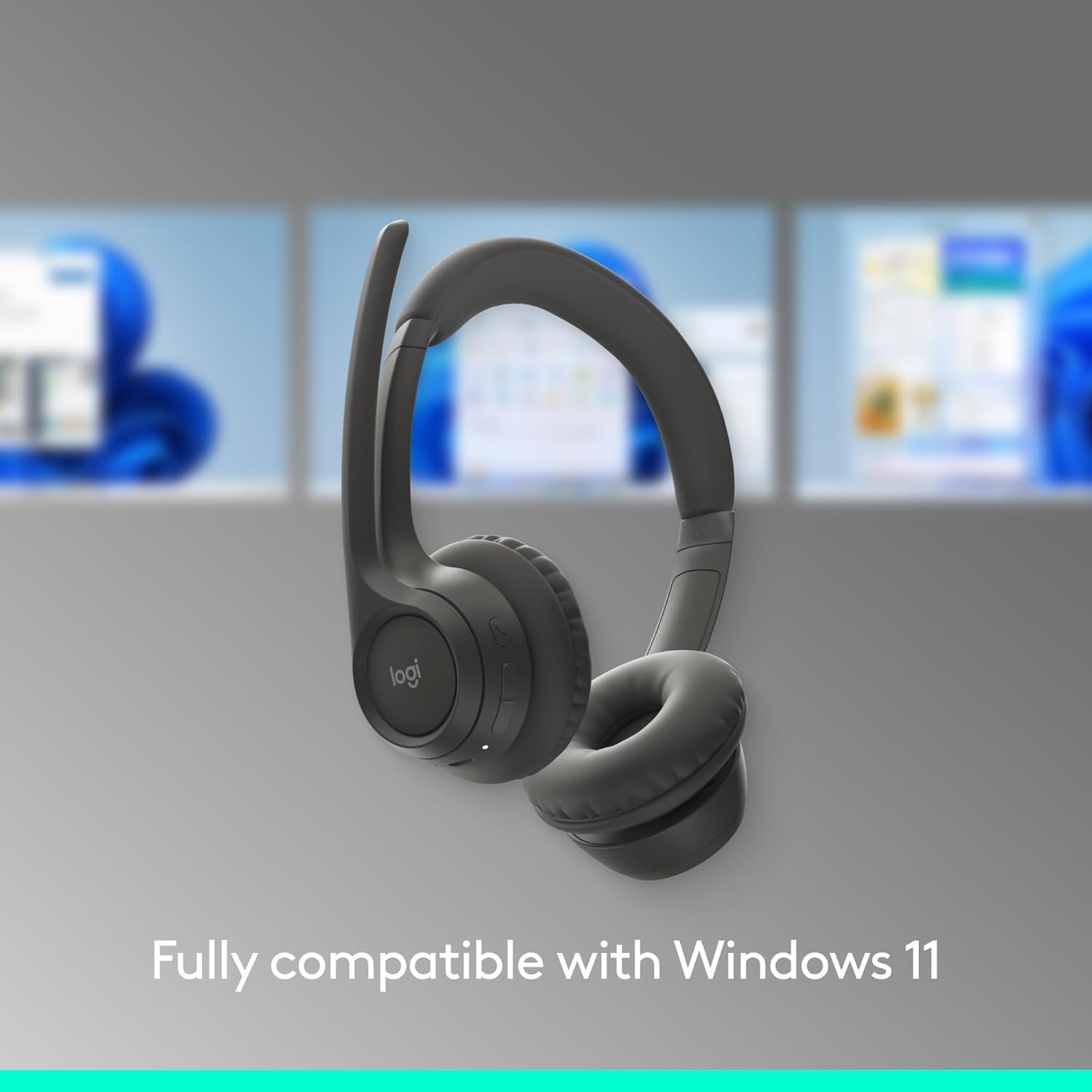
Figure 1.5: The headset shown with a background depicting the Windows 11 operating system, emphasizing its full compatibility.

Figure 1.6: An annotated diagram pointing out key features such as the 2 noise-canceling mics, padded headband, flip-to-mute function, on-ear controls, and USB-C charging port.

Figure 1.7: Visual representation of the headset's sustainable design, highlighting its use of recycled plastic, responsibly sourced packaging, and carbon-neutral certification.

Figure 1.8: A user wearing the headset, with an overlay indicating up to 20 hours of battery life and the quick charge feature providing 1 hour of talk time from a 5-minute charge.

Figure 1.9: The headset displayed on a stand, emphasizing its lightweight construction at just 122 grams (4.3 oz) for enhanced comfort.

Figure 1.10: The headset shown alongside a laptop running the LogiTune application, illustrating how users can customize settings for a personalized audio experience.
2. سيٽ اپ گائيڊ
2.1 شروعاتي چارجنگ
Before first use, fully charge your Logitech Zone 301 headset. Use the included USB-C charging cable to connect the headset to a power source (e.g., computer USB port or USB wall adapter). The LED indicator on the headset will show charging status.

Figure 2.1: The headset and its accompanying USB-C charging cable, which is used for initial charging and power.
2.2 Pairing with Devices (Bluetooth)
- پاور آن: هيڊ سيٽ تي پاور بٽڻ کي دٻايو ۽ رکو جيستائين LED اشارو روشن نه ٿئي.
- پيئرنگ موڊ داخل ڪريو: Press and hold the Bluetooth pairing button (usually indicated by a Bluetooth icon) until the LED indicator flashes rapidly, indicating it's in pairing mode.
- ڊوائيس تي بلوٽوٿ کي فعال ڪريو: On your computer, smartphone, or tablet, go to Bluetooth settings and ensure Bluetooth is enabled.
- هيڊ سيٽ چونڊيو: In the list of available Bluetooth devices, select "Logitech Zone 301" (or similar name).
- ڪنيڪشن جي تصديق ڪريو: Once connected, the LED indicator on the headset will turn solid, and you will hear an audible confirmation.
2.3 Installing LogiTune Software
For enhanced features and customization, it is recommended to install the LogiTune software on your computer.
- سرڪاري Logitech سپورٽ جو دورو ڪريو webسائيٽ.
- ڳولھيو "LogiTune" and download the appropriate version for your operating system (Windows or macOS).
- انسٽاليشن مڪمل ڪرڻ لاءِ اسڪرين تي ڏنل هدايتن تي عمل ڪريو.
- Once installed, open LogiTune to access settings for sidetone, mic level, EQ, and firmware updates.
3. آپريٽنگ هدايتون
3.1 پاور آن/آف
- پاور آن: Press and hold the Power button for approximately 2 seconds until the LED indicator lights up and you hear a power-on tone.
- بجلي بند: Press and hold the Power button for approximately 3 seconds until the LED indicator turns off and you hear a power-off tone.
3.2 حجم ڪنٽرول
The volume buttons are located on the right earcup.
- حجم مٿي Press the '+' button to increase listening volume.
- حجم ھيٺ Press the '-' button to decrease listening volume.
3.3 Mute/Unmute Microphone (Flip-to-Mute)
The Zone 301 features a convenient flip-to-mute function for the microphone.
- خاموش: Flip the microphone boom arm upwards until it is parallel with the headband. You will hear an audible confirmation that the microphone is muted.
- آواز بند ڪريو: Flip the microphone boom arm downwards towards your mouth. You will hear an audible confirmation that the microphone is unmuted.
3.4 ڪال مئنيجمينٽ
Use the multi-function button (often indicated by a phone icon) on the earcup for call control.
- جواب/آخر ڪال: هڪ multiيرو ملٽي فنڪشن بٽڻ کي دايو.
- ڪال رد ڪريو: 2 سيڪنڊن لاءِ ملٽي فنڪشن بٽڻ کي دايو ۽ رکو.
- Play/Pause Audio: Press the multi-function button once when not on a call.
3.5 ڊوائيسز جي وچ ۾ سوئچنگ
The Zone 301 supports multipoint Bluetooth, allowing connection to two devices simultaneously.
- To switch audio source, simply play audio on the desired connected device. The headset will automatically switch.
- If automatic switching does not occur, pause audio on the current device and initiate playback on the other.
شڪل 3.1: هڪ تفصيلي view of the headset's on-ear controls, including volume buttons, multi-function button, and the USB-C charging port.
4. سنڀال ۽ سار سنڀال
4.1 صفائي
- Use a soft, dry, lint-free cloth to clean the headset.
- گھڙڻ وارا صاف ڪندڙ، محلول، يا ايروسول اسپري استعمال نه ڪريو.
- ڪنهن به سوراخ ۾ نمي حاصل ڪرڻ کان پاسو ڪريو.
4.2 Earpad Replacement
The earpads on your Zone 301 headset are replaceable to extend the product's life. Replacement earpads can be purchased separately from Logitech's official webسائيٽ يا مجاز پرچون ڪندڙ.
- Gently twist and pull the old earpads off the earcups.
- Align the new earpads with the earcup and press firmly, twisting slightly until they click into place.
4.3 بيٽري جي سنڀال
- Charge the headset regularly, even if not in frequent use, to maintain battery health.
- Avoid exposing the headset to extreme temperatures (hot or cold), as this can degrade battery performance.
- استعمال ۾ نه هجڻ جي صورت ۾ هيڊ سيٽ کي ٿڌي، سڪل جاءِ تي رکو.
5. مسئلا حل ڪرڻ
| مسئلو | ممڪن سبب | حل |
|---|---|---|
| هيڊسيٽ مان ڪوبه آڊيو ناهي | Headset not powered on; Not paired correctly; Volume too low; Incorrect audio output selected on device. | Ensure headset is powered on and charged. Re-pair the headset. Increase headset and device volume. Select Logitech Zone 301 as the audio output device in your system settings. |
| مائڪرو فون ڪم نه ڪري رهيو آهي | Microphone muted; Incorrect input device selected; Microphone boom not positioned correctly. | Ensure microphone boom is flipped down (unmuted). Select Logitech Zone 301 as the microphone input device in your system settings. Position the microphone closer to your mouth. |
| Cannot pair headset with device | Headset not in pairing mode; Device Bluetooth off; Interference; Device limit reached. | Put headset into pairing mode (rapidly flashing LED). Ensure Bluetooth is enabled on your device. Move closer to the device and away from other wireless devices. Try unpairing other devices from the headset or device. |
| مختصر بيٽري جي زندگي | Battery not fully charged; Old battery; High volume usage. | Ensure headset is fully charged before use. Battery life naturally degrades over time. Lower volume settings can extend battery life. |
| Audio cutting out or poor connection | Too far from device; Obstructions; Wireless interference. | Move closer to your connected device. Ensure there are no large obstructions (walls, metal objects) between the headset and device. Avoid using near other strong wireless signals (Wi-Fi routers, microwaves). |
6. ٽيڪنيڪل وضاحتون
| خاصيت | تفصيل |
|---|---|
| ماڊل نالو | 981-001468 |
| رابطي ٽيڪنالاجي | وائرليس (بلوٽوت) |
| وائرليس ڪميونيڪيشن ٽيڪنالاجي | بلوٽوٿ 5.3 |
| بلوٽوٿ رينج | 30 ميٽر (98 فوٽ) تائين |
| آڊيو ڊرائيور جو قسم | متحرڪ ڊرائيور |
| آڊيو ڊرائيور جي ماپ | 30 ملي ميٽر |
| تعدد جي حد | 100-20000 هز |
| رڪاوٽ | 38 اوم |
| شور ڪنٽرول | فعال شور منسوخي (مائڪروفون) |
| بيٽري جي زندگي (ٻڌڻ) | 20 ڪلاڪ تائين |
| بيٽري جي زندگي (ڳالهائڻ جو وقت) | 16 ڪلاڪ تائين |
| چارج ڪرڻ وقت | Approximately 2 Hours (for full charge) |
| تڪڙو چارج | 5 min charge for up to 1 hour talk time |
| شيءِ جو وزن | 122 grams (4.3 Ounces) |
| پيداوار جي ماپ | 2.6 x 6.6 x 6.8 انچ |
| مواد | Plastic (minimum 55% recycled plastic for Graphite model) |
| ڪن جي جڳهه | ڪن تي |
| ڪنٽرول قسم | Media Control, Touch, App |
| مطابقت رکندڙ ڊوائيسز | Windows, Mac, Chrome, Linux, iOS, iPadOS, Android, Phone |
| شامل اجزاء | Headset, USB-C Charging Cable |
| يو پي سي | 097855196989 |
7. وارنٽي ڄاڻ
Logitech products are designed with reliability in mind. The Logitech Zone 301 Wireless Bluetooth Headset typically comes with a limited hardware warranty. For specific warranty terms, duration, and conditions applicable to your region, please refer to the warranty card included with your product or visit the official Logitech webسائيٽ جي سپورٽ سيڪشن.
Optional protection plans may also be available for purchase, offering extended coverage beyond the standard manufacturer's warranty. Please check with your retailer or Amazon for details on available protection plans.
8. ڪسٽمر سپورٽ
For further assistance, technical support, or to access additional resources for your Logitech Zone 301 headset, please visit the official Logitech Support webسائيٽ:
هتي توهان ڳولي سگهو ٿا:
- FAQs and knowledge base articles
- Driver and software downloads (including LogiTune)
- ڪميونٽي فورمز
- Contact information for direct support


