1. تعارف
The ProtoArc XKM03 is an ergonomic, foldable Bluetooth keyboard and mouse combo designed for portability and comfortable use across various devices. This manual provides instructions for setup, operation, maintenance, and troubleshooting to ensure optimal performance.

Image: The ProtoArc XKM03 foldable keyboard, ergonomic mouse, and protective carrying case.
اهم خاصيتون:
- ايرگونومڪ اسپلٽ ڊيزائن: The keyboard features a V-shape with a 166-degree angle and split keyset to promote a natural typing posture and reduce wrist strain.
- Ultra-Slim and Foldable: The keyboard folds for compact storage and portability, with automatic power on/off upon unfolding/folding.
- Ergonomic Mouse: The wireless mouse is designed with a contoured shape for palm and thumb support, reducing wrist discomfort. It offers adjustable DPI settings up to 2400.
- ملٽي ڊوائيس ڪنيڪشن: Connects to up to three Bluetooth devices simultaneously, allowing for easy switching between them.
- وسيع مطابقت: Compatible with Mac OS, iOS, Android, and Windows operating systems on iPads, iPhones, tablets, cellphones, and laptops.
2. پيڪيج مواد
- ProtoArc XKM03 Foldable Bluetooth Keyboard
- ProtoArc Ergonomic Bluetooth Mouse
- USB-C چارجنگ ڪيبل
- استعمال ڪندڙ دستي
- کڻڻ وارو ڪيس
3. سيٽ اپ ۽ ڪنيڪشن
3.1 ڊوائيسز کي چارج ڪرڻ
Before initial use, fully charge both the keyboard and the mouse using the provided USB-C charging cable. The charging port for the keyboard is typically located on the side or back edge. The mouse charging port is usually on the front edge.
- مڪمل چارج لڳ ڀڳ 2 ڪلاڪ لڳن ٿا.
- The keyboard has a standby time of up to 250 hours on a full charge.
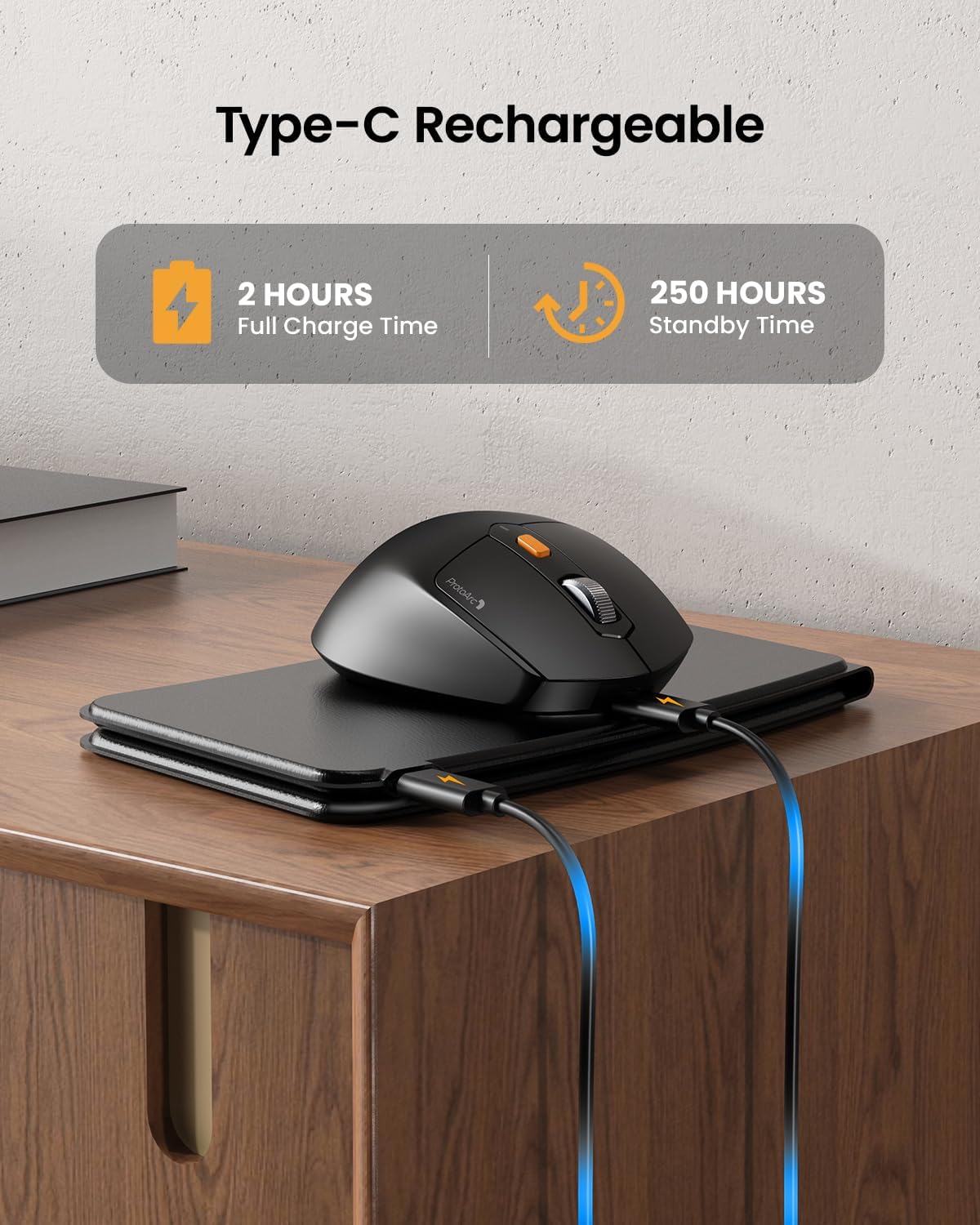
Image: The keyboard and mouse connected to power via USB-C cables for charging.
3.2 Keyboard Bluetooth Pairing
- Unfold the keyboard. This action automatically powers on the keyboard.
- کي دٻايو ۽ رکو Fn ڪي ۽ بلوٽوٿ چينل ڪيز مان هڪ (بي ٽي 1, بي ٽي 2، يا بي ٽي 3) 3-5 سيڪنڊن لاءِ جيستائين لاڳاپيل اشاري جي روشني تيزي سان چمڪي. اهو ظاهر ڪري ٿو ته ڪيبورڊ پيئرنگ موڊ ۾ آهي.
- On your device (iPad, tablet, iPhone, laptop), go to Bluetooth settings and search for available devices.
- چونڊيو "ProtoArc XKM03 Keyboard"فهرست مان.
- هڪ ڀيرو ڳنڍجڻ کان پوءِ، اشاري جي روشني چمڪائڻ بند ڪري ڇڏيندي ۽ بند ٿيڻ کان اڳ ڪجهه سيڪنڊن لاءِ مضبوط رهندي.
3.3 Mouse Bluetooth Pairing
- Turn on the mouse using the power switch located on its underside.
- Press the Bluetooth pairing button (usually on the underside or top near the scroll wheel) for 3-5 seconds until the indicator light flashes rapidly.
- توھان جي ڊوائيس تي، بلوٽوٿ سيٽنگون ڏانھن وڃو ۽ دستياب ڊوائيسز جي ڳولا ڪريو.
- چونڊيو "ProtoArc XKM03 Mouse"فهرست مان.
- هڪ ڀيرو ڳنڍيل، اشاري جي روشني چمڪائڻ بند ٿي ويندي.

Image: The keyboard and mouse wirelessly connected to a laptop, tablet, and smartphone, illustrating multi-device capability.
4. آپريٽنگ هدايتون
4.1 ڪي بورڊ جو استعمال
The XKM03 keyboard features an ergonomic split design for comfortable typing. An initial adaptation period may be required to become accustomed to the layout.

Image: A user's hands positioned on the V-shaped split keyboard, demonstrating the ergonomic design.
خودڪار پاور آن / آف:
- ڪيبورڊ کي آن ڪرڻ لاءِ ان کي کوليو.
- Fold the keyboard to power it off.
- The keyboard also features magnetic closure to prevent accidental unfolding.
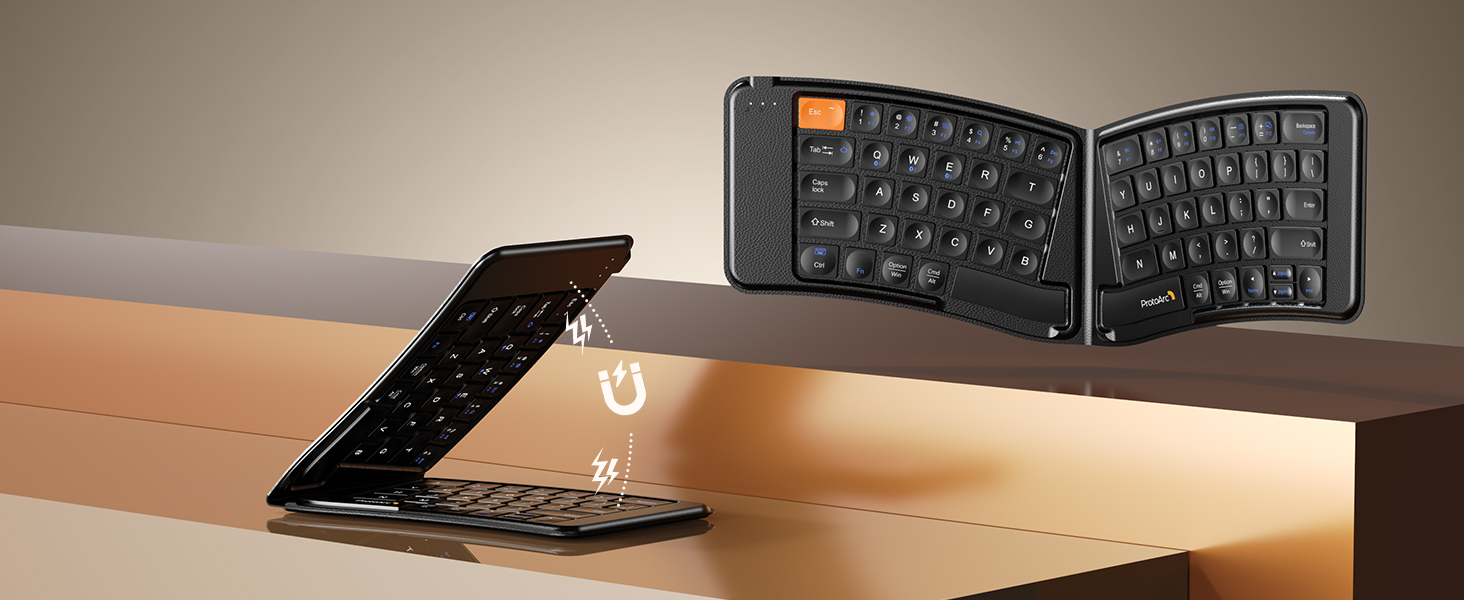
Image: The keyboard shown in both folded and unfolded states, highlighting its magnetic closure mechanism.
4.2 ڊوائيسز جي وچ ۾ سوئچنگ
جوڙيل بلوٽوٿ ڊوائيسز جي وچ ۾ سوئچ ڪرڻ لاءِ، بس دٻايو Fn لاڳاپيل بلوٽوٿ چينل ڪي سان گڏ ڪي (بي ٽي 1, بي ٽي 2، يا بي ٽي 3) that your desired device is paired to.
4.3 Multimedia Function Keys
The keyboard includes multimedia function keys. Refer to the keycap legends for specific functions (e.g., volume control, media playback).
- دٻايو F1-F10 directly to access number 1-0.
- دٻايو Fn+F1-F12 to activate multimedia functions.
- دٻايو Shift + F1-F12 to input symbols like !, @, #.
- دٻايو Fn + Shift + F1-F12 to access F1-F12 functions.
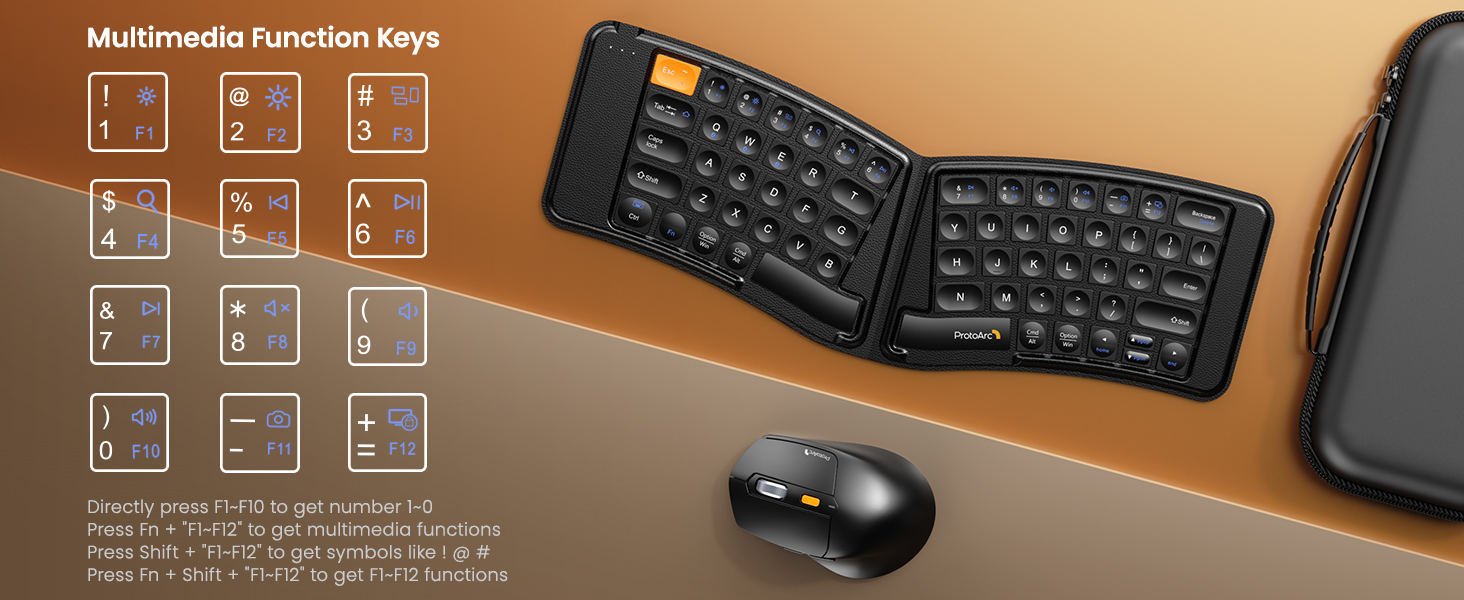
Image: A visual guide to the multimedia function keys and their combinations on the keyboard.
4.4 مائوس جو استعمال
The ergonomic mouse provides comfortable navigation. It features adjustable DPI settings and additional navigation buttons.
- ڊي پي آءِ ايڊجسٽمينٽ: Press the DPI button (usually located behind the scroll wheel) to cycle through different sensitivity levels (e.g., 800, 1200, 1600, 2400 DPI).
- اڳتي/پوئتي بٽڻ: Use the side buttons for quick navigation in web برائوزر يا file ڳولا ڪندڙ

Image: Diagram illustrating the adjustable DPI settings of the mouse.

Image: Diagram showing the location of the forward and backward buttons on the mouse.
5. سار سنڀال ۽ سنڀال
- صفائي: ڪيبورڊ ۽ مائوس کي صاف ڪرڻ لاءِ نرم، سڪل ڪپڙو استعمال ڪريو. ضدي مٽيءَ لاءِ، ٿورو ڊيamp هلڪي صابڻ سان ڪپڙو استعمال ڪري سگهجي ٿو، انهي ڳالهه کي يقيني بڻائي ته ڪو به مائع ڊوائيسز ۾ داخل نه ٿئي.
- اسٽوريج: When not in use, fold the keyboard and store both devices in the provided carrying case to protect them from dust and damage.
- چارج ڪرڻ: Recharge the devices when the battery indicator light shows low power. Avoid prolonged exposure to extreme temperatures.
- مواد: The keyboard features a wear-resistant PU leather exterior.

تصوير: هڪ ويجهو تصوير view of the keyboard's surface, highlighting the PU leather material.
6. مسئلا حل ڪرڻ
| مسئلو | ممڪن سبب | حل |
|---|---|---|
| Keyboard/Mouse not connecting via Bluetooth. | Low battery; not in pairing mode; device's Bluetooth is off; interference. |
|
| Keyboard/Mouse frequently disconnects. | Low battery; too far from host device; interference. |
|
| Mouse cursor is erratic or unresponsive. | Low battery; dirty sensor; unsuitable surface; incorrect DPI setting. |
|
| Keyboard keys are not responding. | Low battery; keyboard not powered on; connection issue. |
|
7. وضاحتون
| خاصيت | تفصيل |
|---|---|
| ماڊل نمبر | XKM03 |
| برانڊ | پروٽو آرڪ |
| رابطي | Bluetooth (up to 3 devices) |
| ڪي بورڊ ڊيزائن | Ergonomic Split, Foldable |
| ماؤس DPI سيٽنگون | 800، 1200، 1600، 2400 |
| چارجنگ پورٽ | USB-C |
| مڪمل چارج وقت | لڳ ڀڳ. 2 ڪلاڪ |
| اسٽينڊ بائي ٽائيم | لڳ ڀڳ. 250 ڪلاڪ |
| مطابقت رکندڙ OS | Mac OS, iOS, Android, Windows |
| Dimensions (Folded Keyboard) | تقريبا. 7.68 x 5.62 x 0.5 انچ |
| شيءِ جو وزن | 1.96 پائونڊ (ڪامبو) |

Image: Diagram showing the folded dimensions of the keyboard.
8. وارنٽي ۽ سپورٽ
For warranty information and technical support, please refer to the official ProtoArc website or contact their customer service directly. Contact details are typically found on the product packaging or the manufacturer's webسائيٽ.
ٺاهيندڙ: پروٽو آرڪ


