تعارف
This manual provides essential information for the proper setup, operation, and maintenance of your SANSUI 32-Inch WQHD 180Hz Curved Gaming Monitor (Model ES-G32C3). Please read this manual thoroughly before using the product to ensure optimal performance and safety.

Image: SANSUI 32-Inch Curved Gaming Monitor, showcasing its sleek design and curved screen.
اهم خاصيتون
- 32-inch Curved WQHD Display: Experience immersive visuals with a 2560 x 1440 resolution and 1500R curvature.
- هاءِ ريفريش ريٽ ۽ جوابي وقت: Enjoy smooth gameplay with a 180Hz refresh rate and 1ms (OD) response time.
- Vibrant Color & HDR: Features sRGB 125%, DCI-P3 95%, 8-bit color depth, 300 nits brightness, and HDR support for rich, detailed images.
- موافقت واري هم وقت سازي ٽيڪنالاجي: فلوئڊ موشن لاءِ اسڪرين جي ڦاٽڻ ۽ هڙڪي کي گھٽائي ٿو.
- اکين جي سنڀال جون خاصيتون: Includes blue light reduction and flicker-free technology to minimize eye strain.
- ورسٽائل ڪنيڪشن: Equipped with 2 HDMI ports (up to 144Hz), 2 DisplayPort 1.4 ports (up to 180Hz), and an earphone jack.
- Ergonomic ڊيزائن: Offers tilt adjustment and VESA compatibility (100 x 100mm) for flexible setup.
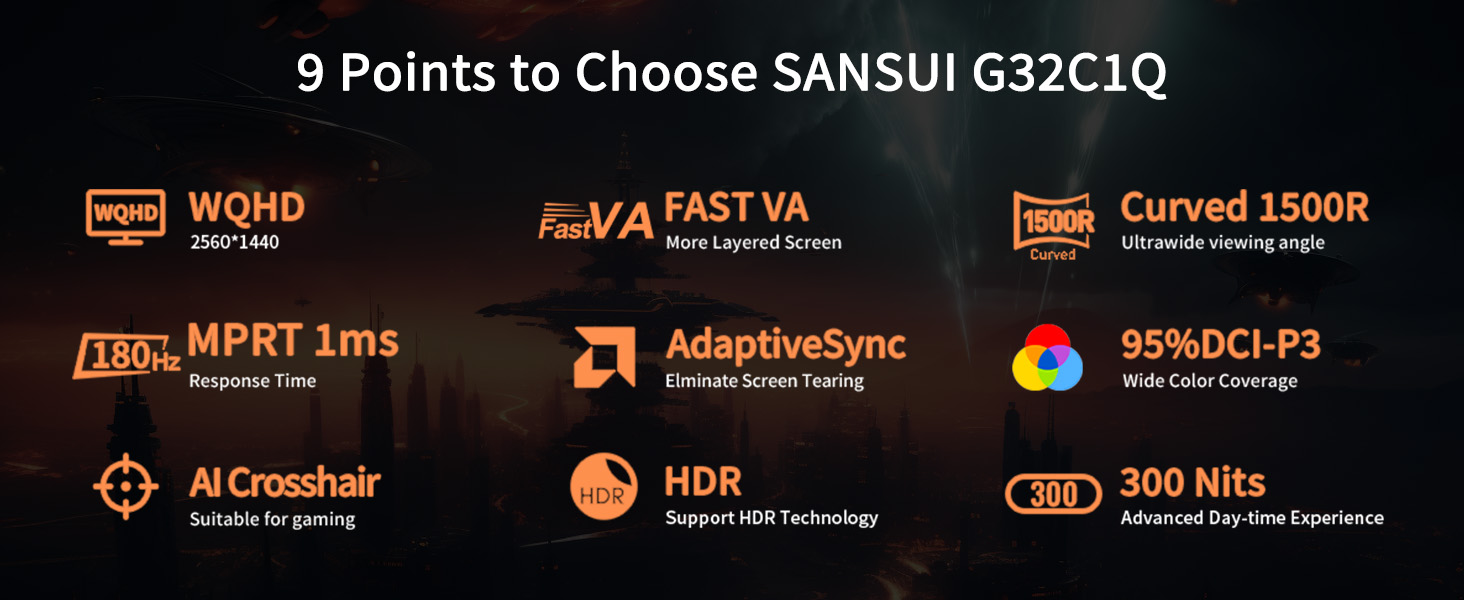
Image: Visual summary of the monitor's key features including WQHD, Fast VA, 1500R Curved, 180Hz, 1ms, AdaptiveSync, DCI-P3, AI Crosshair, HDR, and 300 Nits.
سيٽ اپ گائيڊ
1. مانيٽر کي کولڻ
Carefully remove the monitor and all accessories from the packaging. Ensure all components listed in the 'What's in the Box' section are present.
Video: An unpacking guide for a 32-inch computer monitor, showing how to safely remove components from the box.
2. اسٽينڊ گڏ ڪرڻ
- مهيا ڪيل اسڪرو استعمال ڪندي اسٽينڊ بيس کي اسٽينڊ گردن سان ڳنڍيو.
- Align the assembled stand with the mounting area on the back of the monitor.
- Secure the stand to the monitor using the designated screws.
Video: Detailed instructions on how to install the monitor stand, including attaching the base and securing it to the monitor.
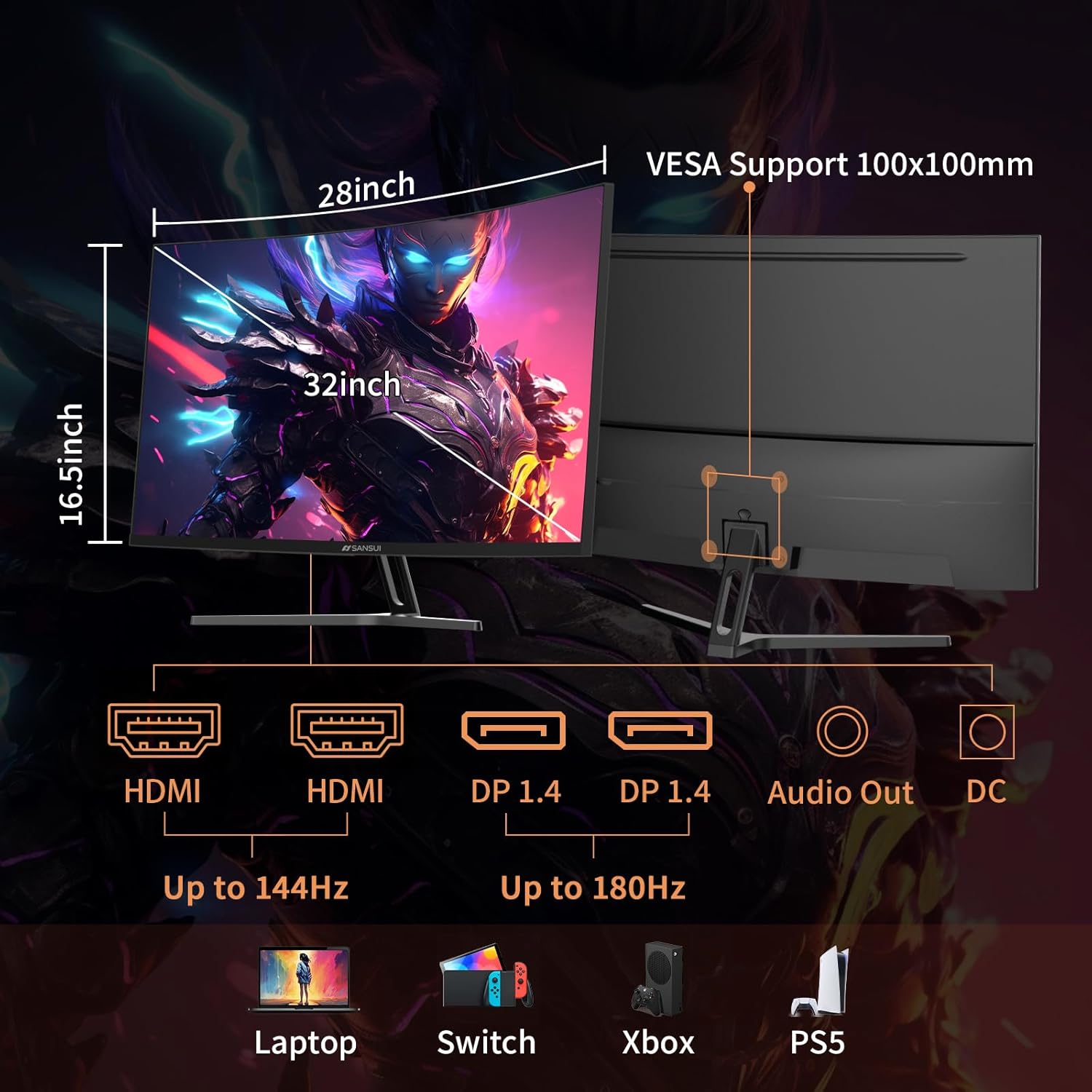
Image: Diagram showing the monitor's dimensions, connectivity ports (HDMI, DP, Audio Out, DC), and VESA mount compatibility.
3. هڪ ڊوائيس سان ڳنڍڻ
Connect your computer or gaming console to the monitor using one of the provided cables (DP cable included). The monitor supports:
- 2 x HDMI ports (up to 144Hz)
- 2 x DisplayPort 1.4 ports (up to 180Hz)
Ensure the power adapter is connected to the monitor and a power outlet.
آپريٽنگ هدايتون
1. پاور آن/آف
Press the power button located on the back of the monitor to turn it on or off.
2. آن-اسڪرين ڊسپلي (OSD) مينيو
Use the joystick or buttons (if applicable) on the back of the monitor to navigate the OSD menu. The OSD menu allows you to adjust various settings:
- تصويري سيٽنگون: Brightness, Contrast, HDR, Color Temperature.
- ڊسپلي سيٽنگون: Resolution, Aspect Ratio, Refresh Rate.
- گیمنگ خاصيتون: FreeSync, Response Time (OD), Black Equalizer, AI Crosshair, Game Timer.
- آڊيو سيٽنگون: Volume (for earphone output, as no built-in speakers).
- سسٽم سيٽنگون: Input Source, Language, Reset.
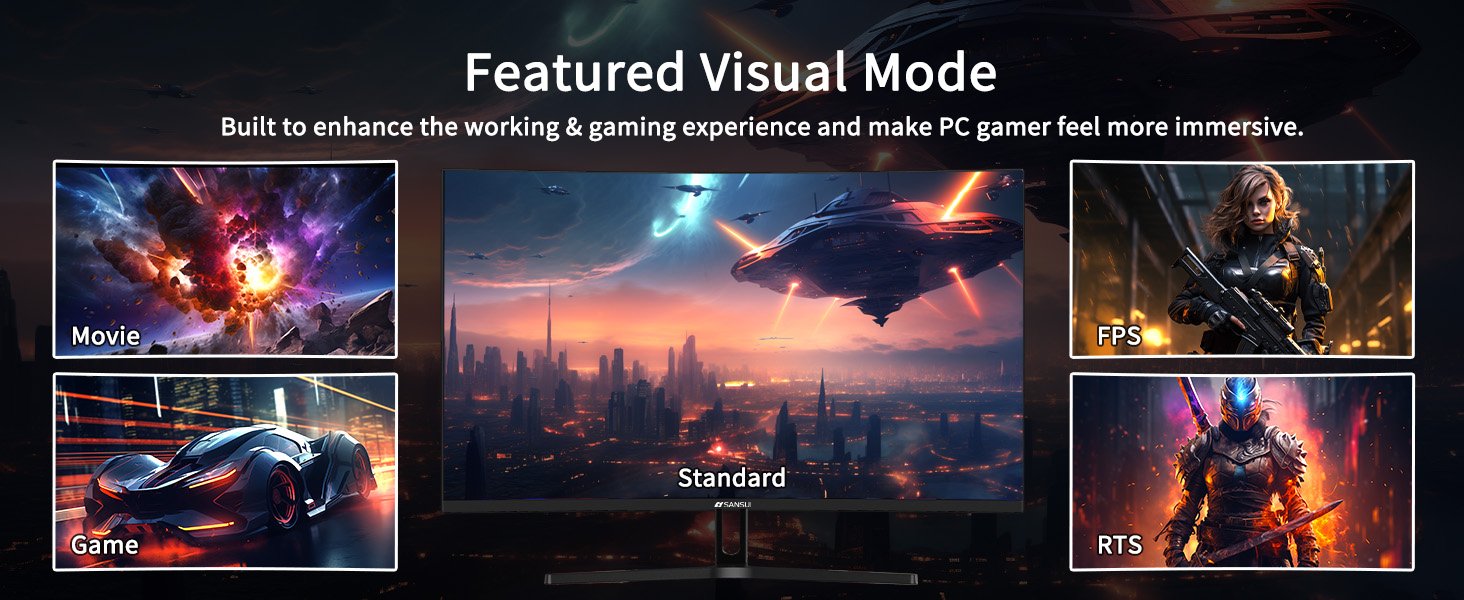
Image: Illustration of the monitor's featured visual modes: Movie, FPS, Standard, Game, and RTS, accessible via the OSD.
3. ڊسپلي سيٽنگون ترتيب ڏيڻ
- ريفريش جي شرح: For optimal gaming, ensure your device's display settings match the monitor's maximum refresh rate (180Hz via DisplayPort).
- موافقت واري هم وقت سازي: Enable FreeSync in the OSD menu and your graphics card settings to prevent screen tearing.
- HDR: Activate HDR in the OSD and your operating system's display settings for enhanced contrast and color.
- اکين جي سنڀال: Utilize the blue light reduction and flicker-free options for comfortable extended viewing.

Image: Visual representation of Flicker-Free, Eye-Care, and Low Blue Light features for reduced eye strain.
سار سنڀال
- اسڪرين جي صفائي: استعمال ڪريو نرم، lint-آزاد ڪپڙو روشنيءَ سان ڊيampened with a screen cleaner. Avoid harsh chemicals or abrasive materials.
- سي جي صفائيasing: مانيٽر صاف ڪريو casing نرم، سڪل ڪپڙي سان.
- اسٽوريج: جڏهن گهڻي عرصي تائين استعمال ۾ نه هجي، ته مانيٽر کي ٿڌي، سڪل جاءِ تي ذخيرو ڪريو، مثالي طور تي ان جي اصل پيڪنگ ۾.
- حفاظت: Do not attempt to open the monitor casing. سڀني خدمتن کي قابل اهلڪارن جي حوالي ڪريو.
مشڪلاتون
| مسئلو | ممڪن سبب | حل |
|---|---|---|
| اسڪرين تي ڪوبه تصوير نه آهي | Power cable disconnected; Input source incorrect; Device not powered on. | Check power connections; Select correct input source via OSD; Ensure connected device is on. |
| چمڪندڙ يا بگڙيل تصوير | Loose video cable; Incorrect refresh rate; Adaptive Sync not enabled. | Secure video cable; Adjust refresh rate in device settings; Enable FreeSync in OSD and GPU settings. |
| ائرفون جيڪ مان ڪو به آواز نه ٿو اچي | Volume too low; Earphones not properly connected; Audio output not selected. | Increase volume in OSD; Ensure earphones are fully plugged in; Check device audio output settings. |
| Monitor not tilting | Stand not properly installed or overtightened. | Ensure stand is correctly assembled and not excessively tightened. |
وضاحتون
| ماڊل نمبر | ES-G32C3 |
| اسڪرين جي ماپ | 32 انچ |
| پينل جو قسم | فاسٽ VA |
| گھمڻ | 1500 آر |
| قرارداد | WQHD (2560 x 1440) |
| ريفريش جي شرح | 180Hz |
| جوابي وقت | 1ms (OD) |
| روشني | 300 نائيٽ |
| رنگ گامٽ | sRGB 125%، DCI-P3 95% |
| HDR سپورٽ | ها |
| موافقت واري هم وقت سازي | FreeSync |
| Viewزاويه | 178° |
| رابطي | 2 x HDMI, 2 x DisplayPort 1.4, 1 x Earphone Jack |
| VESA مطابقت | 100 x 100mm |
| طول و عرض (پراڊڪٽ) | 8.06 x 24.19 x 17.75 انچ |
| شيءِ جو وزن | 13.2 پائونڊ |
وارنٽي ۽ سپورٽ
Your SANSUI monitor comes with the following:
- 30-Day Money-Back and Free Replacement Warranty: Applicable from the order date.
- حياتياتي ٽيڪنيڪل سپورٽ: SANSUI provides ongoing technical assistance for the product's lifespan.
For any inquiries or support, please refer to the contact information provided in your product packaging or visit the official SANSUI webسائيٽ.


