تعارف
Thank you for choosing the ACEMIC G6 2.4G Wireless Microphone Audio Transmitter and Receiver System. This system is designed to convert your traditional dynamic XLR microphone into a wireless setup, offering freedom of movement and high-quality audio transmission. It is ideal for various applications including live performances, presentations, and studio recording. Please read this manual thoroughly to ensure proper setup and operation.

Image: The ACEMIC G6 wireless transmitter (TX) and receiver (RX) units.
پيداوار ختمview
پيڪيج مواد
- 1 x ACEMIC G6 Wireless Transmitter (TX)
- 1 x ACEMIC G6 Wireless Receiver (RX)
- 1 x ڊبل USB-C چارجنگ ڪيبل
- 1 x استعمال ڪندڙ دستياب
اهم خاصيتون
- 2.4G Wireless Technology: Provides stable and reliable audio transmission.
- XLR Plug-on Design: Easily converts dynamic XLR microphones to wireless.
- 6 چونڊيل چينل: ڪيترن ئي يونٽن کي بغير ڪنهن مداخلت جي هڪ ئي وقت ڪم ڪرڻ جي اجازت ڏئي ٿو.
- وسيع مطابقت: Works with dynamic microphones, audio mixers, and PA systems.
- ڊگھي بيٽري زندگي: Built-in rechargeable lithium polymer batteries offer up to 10 hours of continuous working time.
- وڌايل ٽرانسميشن رينج: کليل علائقن ۾ 100 فوٽ (30 ميٽر) تائين.
- گھٽ ويڪرائي: Audio latency of less than 5ms ensures real-time performance.
- اعلي معيار آڊيو: 24-بٽ/48 ڪلو هرٽز ايسampling rate for clear sound reproduction.
- هلڪو وزن ۽ پورٽبل: Each unit weighs approximately 40g for easy handling.
- هڪ اهم آپريشن: Simple power on/off and mute/unmute functions.
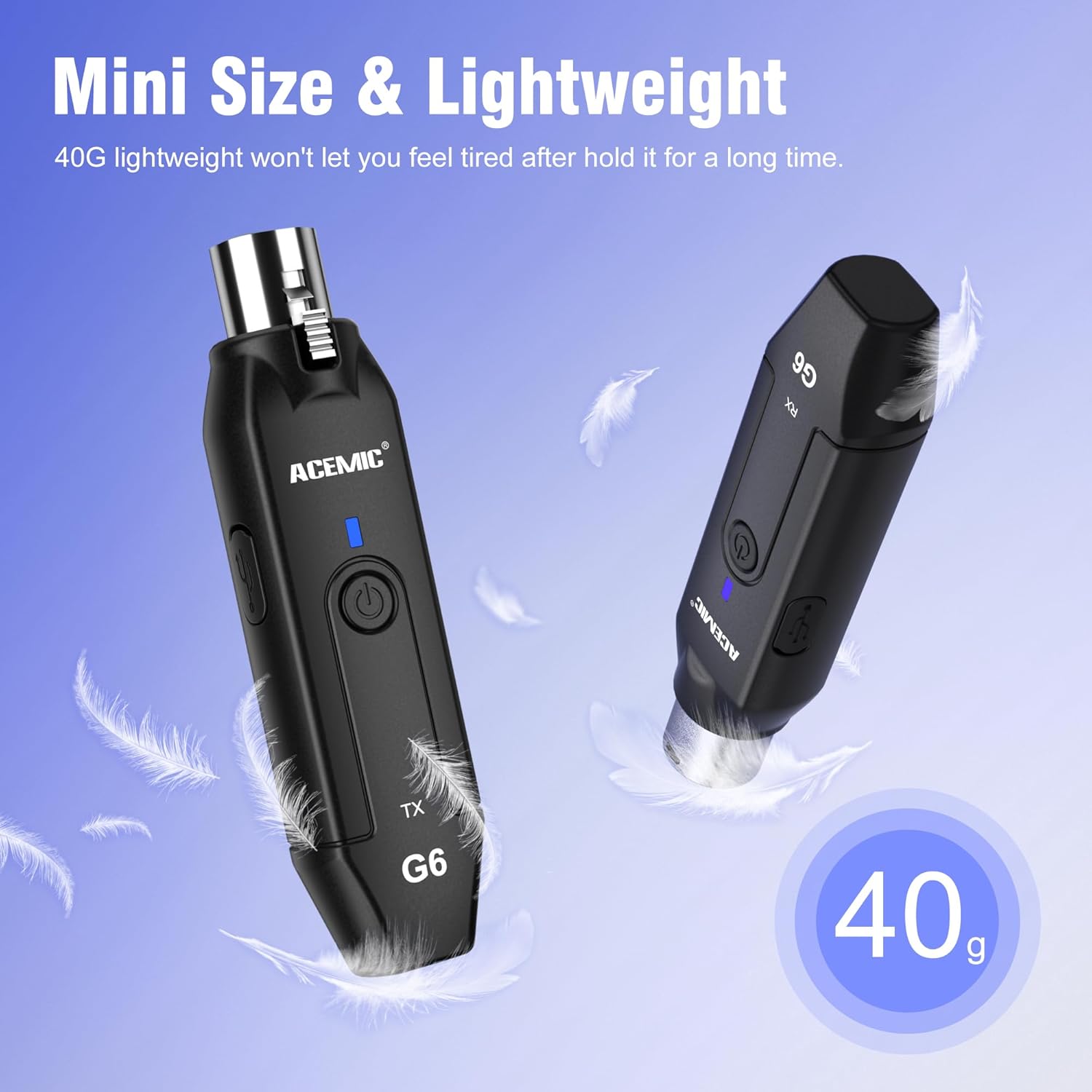
Image: The lightweight design of the ACEMIC G6, weighing 40 grams per unit.
اجزاء جي سڃاڻپ
Each unit (Transmitter and Receiver) features:
- XLR Plug/Socket: For connecting to microphones or audio equipment.
- Lock Design (Transmitter): Secures the unit to the microphone.
- ٽائپ-سي چارجنگ پورٽ: اندروني بيٽري کي ري چارج ڪرڻ لاءِ.
- پاور بٽڻ: Long press to power on/off, short press for mute/unmute.
- Power/Pairing Indicator: LED light indicating power status, charging status, and pairing status.

Image: The ACEMIC G6 system demonstrating one-key pairing and connectivity with various audio devices.
سيٽ اپ جون هدايتون
1. شروعاتي چارجنگ
Before first use, fully charge both the transmitter and receiver. Use the provided dual USB-C charging cable to connect both units to a USB power adapter (not included). The status indicator will be red during charging and turn blue when fully charged. A full charge typically takes 3-4 hours.

Image: ACEMIC G6 units indicating charging status with LED lights.
2. پاور آن/آف
Long press the power button on both the transmitter (TX) and receiver (RX) for 3 seconds to turn them on or off. The power indicator will light up.
3. جوڙڻ
The transmitter and receiver are designed to automatically pair when powered on. If they do not connect automatically, or if you need to re-pair them:
- پڪ ڪريو ته ٻئي يونٽ بند آهن.
- Long press the power button on both units simultaneously for 5 seconds.
- The system will enter pairing mode, and the power indicator will flash.
- Once successfully paired, the power indicator will stay blue.
4. Connecting to Equipment
- ٽرانسميٽر (TX): Plug the XLR end of the transmitter directly into the XLR output of your dynamic microphone. Ensure it is securely locked.
- وصول ڪندڙ (RX): Plug the XLR end of the receiver into the XLR input of your audio mixer, PA system, or other audio interface.
Important Note: This system does not support phantom power. It is designed for use with dynamic microphones only. Do not attempt to use it with condenser microphones that require phantom power.

Image: A dynamic microphone made wireless with the ACEMIC G6 transmitter.
آپريٽنگ هدايتون
خاموش فنڪشن
While the unit is powered on, a short press of the power button on either the transmitter or receiver will mute the audio. The power indicator will flash. Short press again to unmute, and the indicator will return to a solid blue.
Multiple Sets Operation
The ACEMIC G6 system supports 2-3 sets operating simultaneously in the same location. Each set will automatically select an available channel upon pairing to minimize interference.

Image: The ACEMIC G6 system supporting multiple wireless microphone setups simultaneously.
بهترين ڪارڪردگي
For best performance, ensure a clear line of sight between the transmitter and receiver. Avoid placing units near strong electromagnetic interference sources (e.g., Wi-Fi routers, microwave ovens) which may affect signal quality and range.
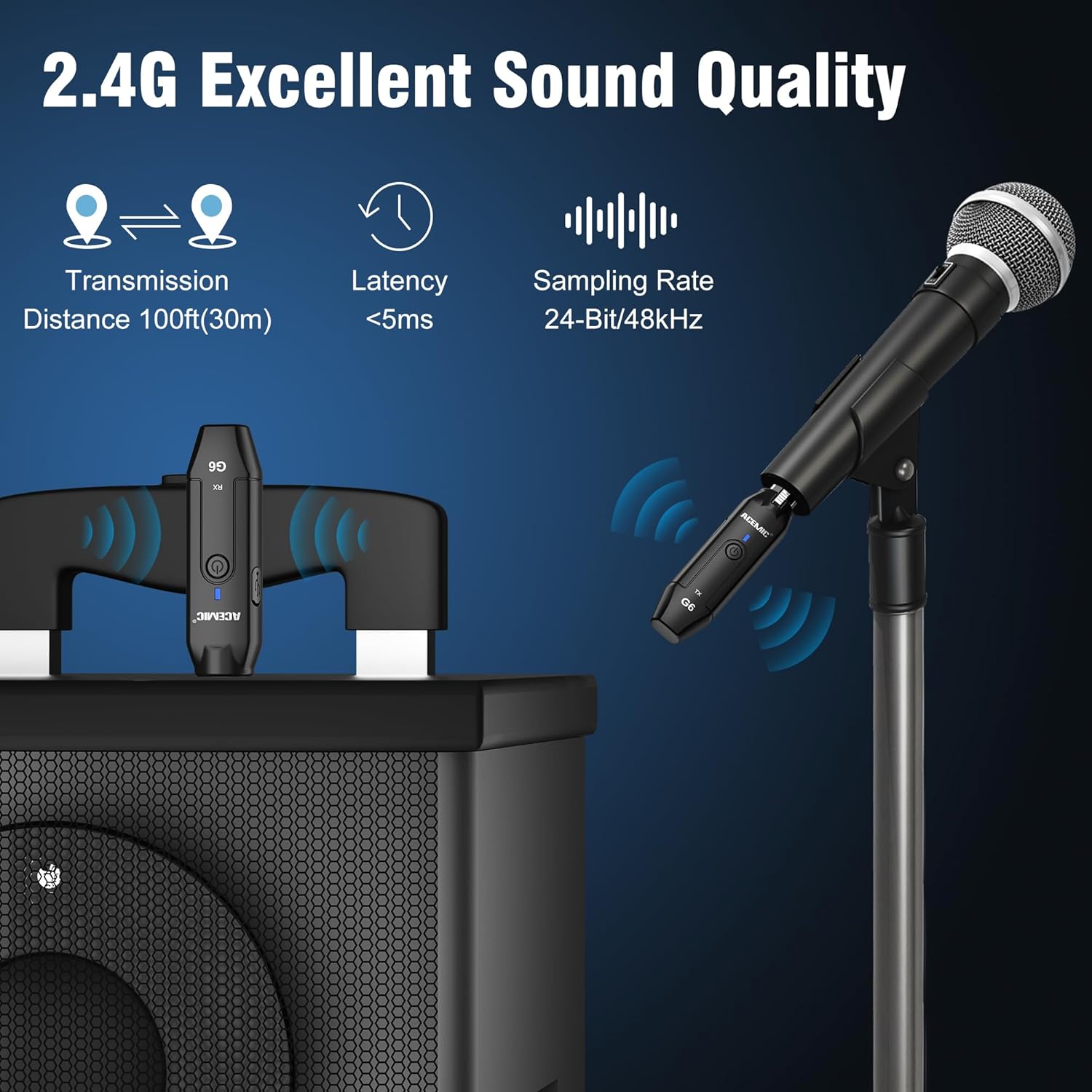
Image: Key performance specifications of the ACEMIC G6 system.
سار سنڀال
بيٽري جي سنڀال
- Recharge the units when the power indicator shows low battery (flashing red).
- بيٽري جي عمر وڌائڻ لاءِ ان کي بار بار مڪمل طور تي ختم ڪرڻ کان پاسو ڪريو.
- If storing for an extended period, charge the units to approximately 50% every few months.
صفائي
Wipe the units with a soft, dry cloth. Do not use liquid cleaners or solvents, as they may damage the device.
ذخيرو
سسٽم کي سڌي سج جي روشني ۽ انتهائي گرمي پد کان پري ٿڌي، سڪل جاءِ تي ذخيرو ڪريو.
مشڪلاتون
- آواز ناهي:
- Ensure both transmitter and receiver are powered on and paired (solid blue indicator).
- Check if the microphone is properly connected to the transmitter.
- Verify the receiver is correctly connected to your audio input device.
- Confirm the microphone is a dynamic type and does not require phantom power.
- پنهنجي مکسر/پي اي سسٽم تي حجم جي سطح چيڪ ڪريو.
- مداخلت/خراب آواز جي معيار:
- Move closer to the receiver to reduce distance.
- پڪ ڪريو ته ٽرانسميٽر ۽ رسيور جي وچ ۾ ڪا به رڪاوٽ نه آهي.
- Avoid operating near other 2.4G wireless devices (e.g., Wi-Fi routers, Bluetooth devices).
- Re-pair the units to allow them to select a different channel.
- يونٽ جيڪي جوڙيل نه آهن:
- Ensure both units are fully charged.
- Follow the re-pairing instructions in the Setup section.
- مختصر بيٽري زندگي:
- استعمال ڪرڻ کان اڳ پڪ ڪريو ته يونٽ مڪمل طور تي چارج ٿيل آهن.
- گهڻي استعمال سان بيٽري جي ڪارڪردگي وقت سان گڏ گهٽجي سگهي ٿي.
وضاحتون
| خاصيت | تفصيل |
|---|---|
| ماڊل | G6 |
| فريکوئنسي بينڊ | 2.4 GHz |
| تعدد جواب | 20Hz-20KHz |
| طاقت جو ذريعو | بيٽري سان هلندڙ (2 ليتيم پوليمر بيٽريون شامل آهن) |
| ليتيم بيٽري جي گنجائش | 600mAh (each unit) |
| مسلسل ڪم ڪرڻ جو وقت | 10 ڪلاڪ تائين |
| چارج ڪرڻ وقت | 3-4 ڪلاڪ |
| ٽرانسميشن جو فاصلو | کليل علائقي ۾ 100 فوٽ (30 ميٽر) تائين |
| آڊيو ليٽيسي | <5ms |
| Sampلنگ جي شرح | 24-بٽ / 48 ڪلوگرام |
| سگنل کان شور جي نسبت | 48 ڊي بي |
| چينلن جو تعداد | 6 |
| طول و عرض (L x W x H) | 0.98 x 0.71 x 4.13 انچ |
| شيءِ جو وزن | 7 ounces (total for both units, approx. 40g each) |
| مواد | پلاسٽڪ |
وارنٽي ۽ سپورٽ
ACEMIC products are designed for reliability and performance. This product comes with a standard manufacturer's warranty against defects in materials and workmanship. For specific warranty details, please refer to the warranty card included in your package or contact ACEMIC customer support.
If you encounter any issues or have questions regarding your ACEMIC G6 system, please contact our customer support team. You can find contact information on the ACEMIC official webسائيٽ تي يا پنهنجي پرچون ڪندڙ ذريعي.


