تعارف
This manual provides comprehensive instructions for the ASWEE P4 Smart Watch, a versatile fitness tracker with call capabilities, a 1.85" TFT display, and various health monitoring features. Please read this manual thoroughly before using your device.
دٻي ۾ ڇا آهي
- ASWEE P4 Smart Watch
- چارج ڪيبل
- استعمال ڪندڙ دستي
پيداوار ختمview
The ASWEE P4 Smart Watch features a rectangular 1.85-inch TFT-LCD display with a 240x280 resolution. It includes a physical button on the side for navigation and interaction. The watch is designed for comfortable wear and easy access to its functions.
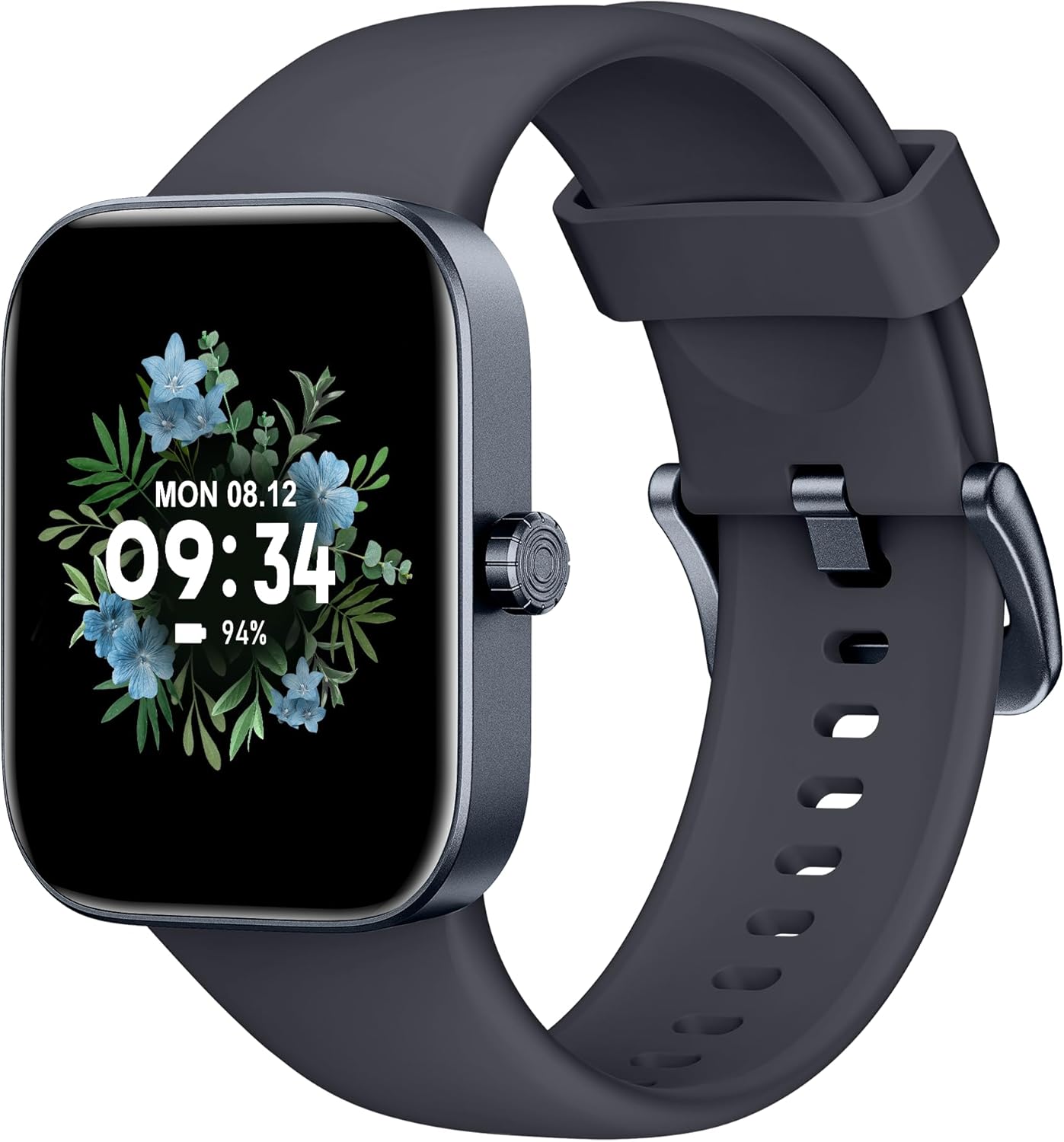
سامهون view of the ASWEE P4 Smart Watch, displaying time and date with a floral background.
سيٽ اپ ڪريو
ڊوائيس چارج ڪرڻ
The ASWEE P4 Smart Watch comes with a magnetic charging cable. Align the magnetic end of the cable with the charging contacts on the back of the watch. The watch will indicate when it is charging. A full charge typically takes approximately 2 hours and provides up to 7 days of active use or 15 days on standby.

Illustration showing the magnetic charging cable connected to the back of the ASWEE P4 Smart Watch, highlighting battery life indicators.
ائپ تنصيب ۽ جوڙيو
To utilize all features of your ASWEE P4 Smart Watch, you need to download and install the "FitPro" application on your smartphone. Scan the QR code provided in the watch's packaging or search for "FitPro" in your device's app store.
آئي فون سان جوڙيو
Follow these steps to pair your watch with an iPhone:
- پڪ ڪريو ته توهان جي فون تي بلوٽوت فعال آهي.
- Open the "FitPro" app.
- Navigate to "Setting" and then "Bind device".
- Select your watch (e.g., KM13Pro) from the scan results.
- Confirm the pairing request by clicking "Pair" and then "Allow" for notifications.
- Go to your iPhone's Bluetooth settings and connect to "KM13Pro Audio" for call functionality.
Video tutorial demonstrating how to bind the ASWEE P4 Smart Watch to an iPhone and how to unbind it.
Pairing with Android Phone
Follow these steps to pair your watch with an Android phone:
- Ensure Bluetooth is enabled on your Android phone.
- Open the "FitPro" app.
- Navigate to "Set" and then "Bind device".
- Select your watch (e.g., KM13Pro) from the scan results.
- Confirm the pairing request by clicking "Pair".
Video tutorial demonstrating how to bind the ASWEE P4 Smart Watch to an Android phone and how to unbind it.
آپريٽنگ هدايتون
بنيادي نيويگيشن
The watch features a touch-sensitive screen for navigation. Swipe left/right or up/down to access different functions and menus. The side button typically serves as a home or back button.
Call and Text Functionality
With its built-in speaker and microphone, the ASWEE P4 allows you to answer/dial calls directly from your wrist when connected via Bluetooth. You can also receive SMS text and SNS messages (Facebook, Twitter, WhatsApp, etc.) with vibration alerts.

Image showing the ASWEE P4 Smart Watch on a wrist, with notification icons for various messaging apps, indicating Bluetooth 5.0 connectivity for calls and texts.
صحت جي ٽريڪنگ
The watch provides comprehensive health monitoring:
- دل جي شرح: 24-hour tracking with a high-precision PPG sensor. Stores 7 days of resting heart rate data.
- رت جي آڪسيجن: Measures SpO2 levels using a reflective-light based sensor.
- سمهڻ جي نگراني: Tracks sleep quality through Awake, Light, and Deep sleep stages, helping to improve sleep duration and quality.
- دٻاء جي نگراني: Provides insights into stress levels.

Image illustrating the ASWEE P4 Smart Watch's 24-hour data tracking capabilities, including heart rate, stress level, and blood oxygen monitoring.

Image depicting the ASWEE P4 Smart Watch's sleep health assistant feature, showing sleep duration and patterns.
فٽنيس موڊس
The ASWEE P4 supports multiple workout modes, including running, bike riding, basketball, and tennis. It accurately monitors data points like heart rate, time, and calories burned to enhance workout efficiency.

تصويري نمائشasing the ASWEE P4 Smart Watch's various sports modes, including running, bike riding, basketball, and jumping jack, with activity data like steps, distance, and calories.
حسب ضرورت
Choose from over 100 stylish watch faces or create your own using photos from your phone gallery.
سار سنڀال
صفائي
باقاعدي طور تي پنهنجي گھڙي ۽ پٽي کي نرم، ڊي سان صاف ڪريو.amp ڪپڙو. سخت ڪيميائي يا ٻرندڙ مواد استعمال ڪرڻ کان پاسو ڪريو.
ذخيرو
جڏهن استعمال ۾ نه هجي ته واچ کي ٿڌي، سڪل جاءِ تي رکو.
مشڪلاتون
واچ آن نه ٿي رهي آهي
- پڪ ڪريو ته گھڙي مڪمل طور تي چارج ٿيل آهي. ان کي چارجنگ ڪيبل ۽ پاور سورس سان گهٽ ۾ گهٽ 30 منٽن لاءِ ڳنڍيو.
جوڙڻ جا مسئلا
- پڪ ڪريو ته توهان جي فون تي بلوٽوٿ فعال آهي ۽ واچ رينج اندر آهي.
- پنهنجو فون ۽ واچ ٻئي ري اسٽارٽ ڪريو.
- If previously paired, try "forgetting" the device in your phone's Bluetooth settings and re-pairing through the FitPro app.
- Ensure the FitPro app has necessary permissions (Bluetooth, location).
صحت جو غلط ڊيٽا
- پڪ ڪريو ته گھڙي توهان جي کلائي تي مضبوطيءَ سان پائڻي آهي، نه ته تمام گهڻي تنگ ۽ نه ئي گهڻي ڍلي.
- گھڙي جي پوئين پاسي واري سينسر کي صاف ڪريو.
- ماحولياتي عنصر ۽ انفرادي جسمانيات پڙهڻ تي اثر انداز ٿي سگهن ٿا.
نوٽيفڪيشن ظاهر نه ٿي رهيا آهن
- Check app permissions for FitPro to ensure it can access notifications.
- Verify that notification push settings are enabled within the FitPro app for desired applications.
- پڪ ڪريو ته واچ بلوٽوٿ ذريعي توهان جي فون سان ڳنڍيل آهي.
وضاحتون
| خاصيت | تفصيل |
|---|---|
| ماڊل نالو | P4 |
| برانڊ | ASWEE |
| اسڪرين جي ماپ | 1.85 انچ |
| ڊسپلي ٽيڪنالاجي | TFT-LCD |
| قرارداد | 240 x 280 PPI |
| آپريٽنگ سسٽم | وير او ايس |
| رابطي | بلوٽوٿ 5.3 |
| پاڻي جي مزاحمت | IP68, 5 ATM |
| بيٽري جي زندگي (عام استعمال) | 7 ڏينهن تائين |
| اسٽينڊ بائي ٽائيم | 15 ڏينهن تائين |
| چارج ڪرڻ وقت | لڳ ڀڳ. 2 ڪلاڪ |
| خاص خاصيتون | Fitness Tracker, Sleep Monitor, Reminders, Multimedia control, Answer/Dial Call, Heart Rate Monitor, Blood Oxygen Monitor, Stress Monitor |
| شيءِ جو وزن | 2.89 اونس |
نوٽ: وضاحتون بغير ڪنهن اڳواٽ اطلاع جي تبديلي جي تابع آهن.
وارنٽي ۽ سپورٽ
For warranty information and technical support, please refer to the official ASWEE webسائيٽ تي وڃو يا انهن جي ڪسٽمر سروس سان رابطو ڪريو. خريداري جي ثبوت طور پنهنجي خريداري جي رسيد رکو.


