1. پراڊڪٽ ختمview
The HITOSINO 4K 8MP Color VU Dome PoE IP Camera (Model: HS-VUD08G2H-LISA) is a high-performance surveillance solution designed for both indoor and outdoor environments. It features 4K UltraHD resolution, Smart Hybrid Light technology for enhanced night vision, AI-powered human and vehicle detection, and a built-in microphone for audio monitoring. Its robust IP67 weatherproof and IK10 vandal-resistant design ensures durability in various conditions.
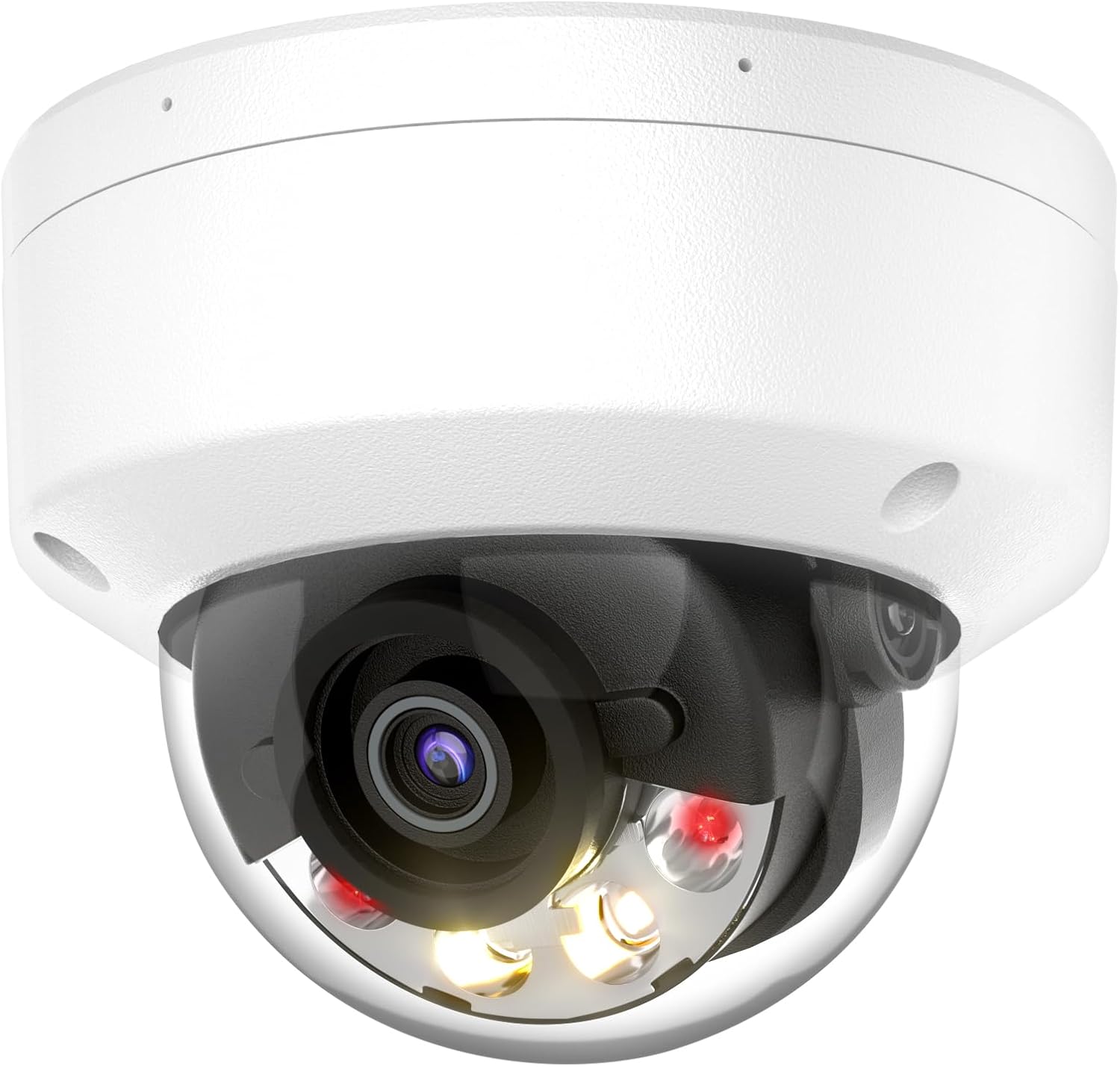
2. دٻي ۾ ڇا آهي
انباڪسنگ ڪرڻ تي، مھرباني ڪري تصديق ڪريو ته ھيٺ ڏنل سڀ جزا شامل آھن:
- ڪئميرا يونٽ
- تڪڙو رستو
- پوزيشننگ اسٽيڪر
- چڙهڻ اسڪرو
- پنروڪ پلگ
3. وضاحتون
Detailed technical specifications for the camera:

| خاصيت | تفصيل |
|---|---|
| ماڊل نالو | HS-VUD08G2H-LISA |
| وڊيو ڪيپچر ريزوليوشن | 4K (8MP) |
| تصويري سينسر | 1/1.8" سي ايم او ايس |
| لينس | 2.8MM Fixed Lens (105.1° Viewزاويه) |
| گھٽ ۾ گھٽ روشني | 0.0005 Lux (Color) |
| WDR | 130dB وسيع متحرڪ رينج |
| نائيٽ ويزن رينج | 98 فوٽن تائين |
| رابطي | PoE (Power over Ethernet), Ethernet, ONVIF, RTSP |
| آڊيو | Built-in Microphone, 1 Audio Input/Output |
| الارم انٽرفيس | 1 ان پٽ، 1 آئوٽ |
| ذخيرو | MicroSD Card Slot (up to 512GB), NVR, NAS, FTP |
| Weatherproof جي درجه بندي | IP67 |
| وينڊل مزاحمت | IK10 |
| طول و عرض | 4.7 x 4.7 x 3.8 انچ |
| وزن | 1.5 پائونڊ |
4. اهم خاصيتون
4.1. Ultimate 4K Resolution with ColorVu Technology
Experience stunning ultra-high quality 4K resolution with exceptional clarity and vibrant full-color video, even in low-light conditions. The camera utilizes an F1.0 super aperture and a 1/1.8" CMOS high-performance sensor, achieving a minimum illumination of 0.0005 Lux. Clear imaging against strong backlight is ensured by 130dB WDR (Wide Dynamic Range).

4.2. Smart Hybrid Light Mode
The Smart Hybrid Light mode offers flexible illumination options. By default, the camera uses infrared (IR) light, which is invisible to the human eye, for energy efficiency. When a target is detected, the camera's warm lights automatically activate to provide full-color vision and act as a deterrent (up to 98ft). Users can also manually switch between infrared night vision and full-color night vision modes.

4.3. AI-Powered Human/Vehicle Detection & VCA
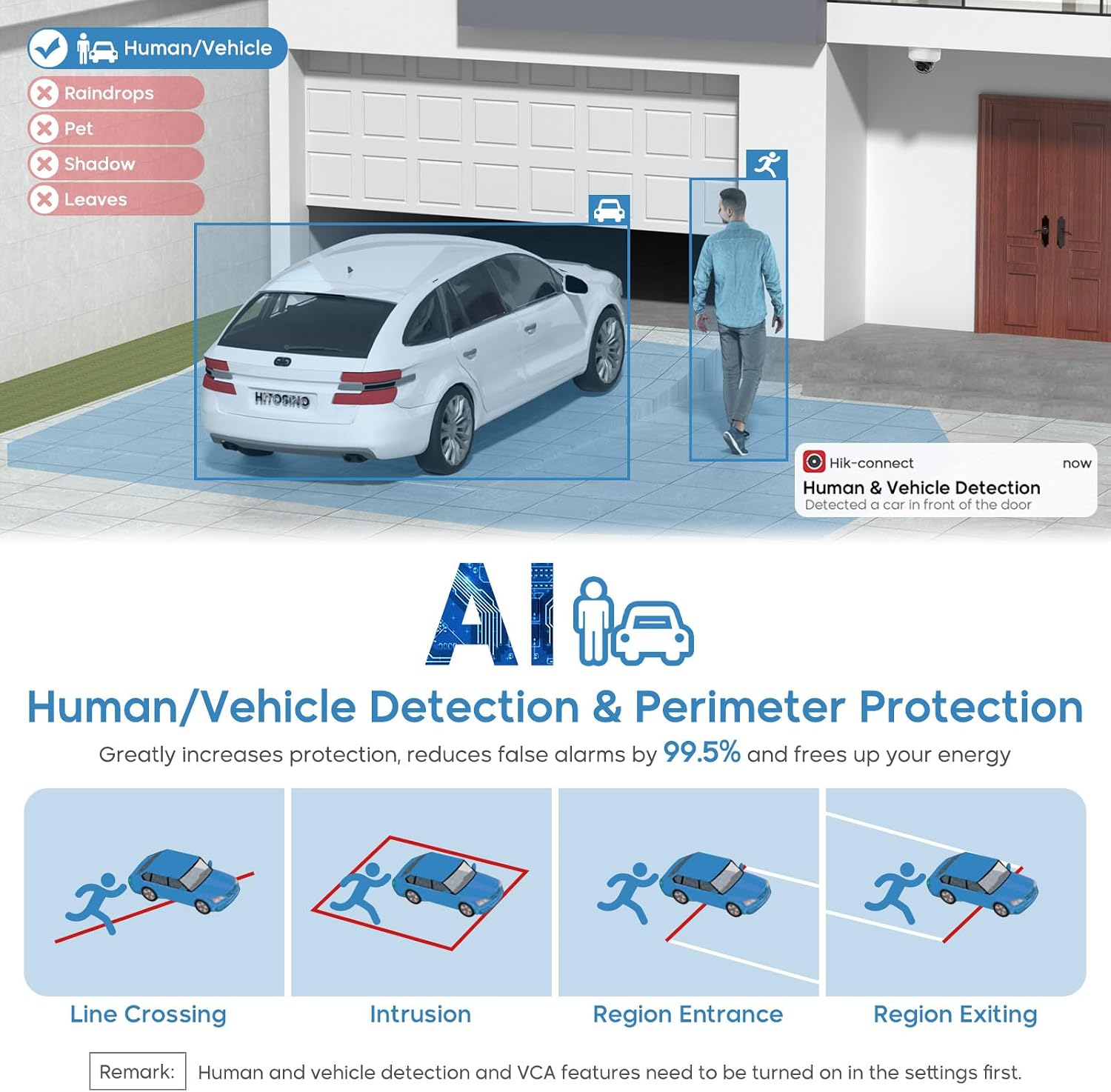
Equipped with the latest deep learning algorithms, the camera intelligently classifies moving targets, focusing on human and vehicle detection. This significantly reduces false alarms (by up to 95%) caused by non-relevant moving objects like animals or falling leaves. Built-in Video Content Analysis (VCA) algorithms provide efficient monitoring and perimeter protection features such as line crossing detection, intrusion detection, region entrance/exiting detection, and face detection.
4.4. Built-in Microphone & External Alarm Support
The 4K PoE IP camera includes a built-in microphone for clear audio pickup, enhancing overall security monitoring. It also supports external alarm connections (1 input, 1 output), allowing for integration with sirens or speakers for sound alarms and two-way audio communication. A built-in SD card slot supports up to 512GB for standalone recording without a dedicated NVR.


4.5. Durable and Easy Installation
The camera features an IP67 weatherproof rating, providing high resistance to dust and water, and an IK10 impact resistance rating, making it highly resistant to vandalism. Its full metal housing ensures durability and strength. The camera supports easy Plug & Play PoE setup, allowing connection to a Hikvision or HITOSINO NVR with a single network cable.

5. سيٽ اپ
5.1. جسماني تنصيب
- جڳھ چونڊيو: انسٽاليشن لاءِ مناسب جڳھ چونڊيو، گھربل غور ڪندي viewing angle (105.1 degrees) and night vision range (up to 98 feet). The camera is designed for both indoor and outdoor use.
- چڙهڻ: Use the provided positioning stickers to mark drill holes. Secure the camera using the included mounting screws. The camera supports ceiling mount.
- ڪيبل جو انتظام: Route the Ethernet cable through the mounting surface or conduit. Ensure the waterproof plug is used for outdoor installations to maintain the IP67 rating.
5.2. پاور ۽ نيٽ ورڪ ڪنيڪشن
The camera supports Power over Ethernet (PoE) for simplified installation, requiring only a single Ethernet cable for both power and data. Alternatively, it can be powered via a 12V/1A power adapter (not included) and connected to a router via an Ethernet cable.

- PoE ڪنيڪشن: Connect the camera's PoE port directly to a PoE-enabled NVR (HITOSINO/Hikvision NVR recommended) or a PoE switch using a Cat5 or higher network cable.
- Non-PoE Connection: Connect the camera to your router using an Ethernet cable. Then, connect a 12V/1A power adapter (not included) to the camera's power input.
5.3. شروعاتي ترتيب
The camera is designed to work seamlessly with HITOSINO/Hikvision NVRs. For initial setup and access, use Hik-Connect or iVMS-4200 software. Ensure your NVR or network is properly configured to detect and add the camera.
6. آپريٽنگ هدايتون
6.1. ڪئميرا تائين رسائي
Access your camera's live view and settings using the following methods:
- هِڪ-ڪنيڪٽ ايپ: Download the Hik-Connect app on your smartphone (Android/iOS) for remote access and management.
- iVMS-4200 Software: Install iVMS-4200 client software on your desktop or laptop for comprehensive management and monitoring.
- Web برائوزر: ڪئميرا تائين رسائي حاصل ڪريو web interface via its IP address using a compatible browser.

6.2. Using Smart Features
- سمارٽ هائبرڊ لائيٽ: Configure the Smart Hybrid Light mode through the camera's settings. This allows the camera to automatically switch between IR and warm light based on detected activity.
- AI Human/Vehicle Detection: Enable human and vehicle detection in the settings to receive accurate alerts and reduce false alarms.
- VCA Features: Utilize advanced VCA features like line crossing, intrusion detection, and region entrance/exiting detection for specific monitoring needs. These features must be enabled in the camera's settings.
- آڊيو مانيٽرنگ: The built-in microphone provides audio monitoring. Ensure audio recording is enabled in your NVR or software settings if desired.
6.3. رڪارڊنگ ۽ اسٽوريج
The camera supports various recording and storage methods:
- NVR Recording: Connect the camera to a compatible NVR for continuous or event-triggered recording.
- MicroSD ڪارڊ: Insert a MicroSD card (up to 512GB, not included) into the camera's slot for local storage. This provides a backup or standalone recording solution.
- نيٽ ورڪ اسٽوريج: Configure the camera to record to a Network Attached Storage (NAS) or FTP server for centralized storage.
The camera utilizes H.265+ compression technology, which significantly reduces bandwidth and storage requirements by up to 75% without compromising video quality.
7. سار سنڀال
- صفائي: Regularly clean the camera's glass cover and housing with a soft, damp cloth. Avoid abrasive cleaners that could scratch the lens or housing. Ensure the glass cover is wiped clean after installation to prevent fingerprints or dust from affecting image quality.
- فرم ويئر اپڊيٽس: ٺاهيندڙ جي چيڪ ڪريو website or your NVR/software for available firmware updates. Keeping the firmware updated ensures optimal performance, security, and access to new features.
- ماحولياتي چڪاس: Periodically inspect the camera for any physical damage, loose connections, or obstructions that might affect its operation, especially in harsh outdoor environments.
8. مسئلا حل ڪرڻ
8.1. Poor Picture Quality in Live View
If you experience fuzzy or poor picture quality in the live view, especially when browsing through a web browser, it might be due to the default floating stream (second stream) setting. You need to switch to the main stream (first stream) for normal screen effect.
Video: This video demonstrates how to solve the problem of poor picture quality in the live view by switching stream settings and installing necessary browser plugins.
Additionally, ensure the following:
- Clean Glass Cover: If you don't wipe the glass cover after installing the camera, fingerprints and other dust on it may affect the picture effect.
- صاف نظر: When installing the camera, ensure nothing in front of the camera is too close, as the reflection of the glass cover can affect the image.
- Browser Plugin: لاءِ web browser access, it is suggested to install the recommended plugin to ensure normal picture effect.
8.2. Excessive False Alarms
If you are receiving too many false alarms from motion detection, ensure that the AI Human/Vehicle Detection feature is enabled in the camera's settings. This feature uses deep learning to classify targets, significantly reducing false alarms from non-human or non-vehicle movements.
8.3. ڪنيڪٽيويٽي جا مسئلا
- پڪ ڪريو ته سڀئي نيٽ ورڪ ڪيبل محفوظ طور تي ڳنڍيل آهن.
- Ensure the NVR or network switch is powered on and functioning correctly.
- Check the camera's power supply if not using PoE.
- Confirm that the camera's IP address is within the same network segment as your NVR or viewing ڊوائيس.
9. وارنٽي ۽ سپورٽ
For technical assistance, troubleshooting beyond this manual, or warranty inquiries, please contact HITOSINO customer support. Information regarding protection plans may also be available through your purchase channel.
- حفاظتي منصوبا: اختياري 2 سالن ۽ 3 سالن جي حفاظتي منصوبا وڌايل ڪوريج لاءِ موجود آهن.
- واپسي جي پاليسي: A 30-day return/replacement policy is typically offered.


