1. تعارف
Thank you for choosing the HTC HP02 Wireless Bluetooth Headphones. These over-ear headphones are designed to provide a superior audio experience with active noise cancellation, Bluetooth 5.3 connectivity, and a comfortable, foldable design. This manual will guide you through the setup, operation, and maintenance of your new headphones.

Image 1.1: HTC HP02 Wireless Bluetooth Headphones (White)
2. پيڪيج مواد
مھرباني ڪري ھيٺ ڏنل شين لاءِ پيڪيج چيڪ ڪريو:
- 1 x HTC HP02 Wireless Bluetooth Headphones
- 1 x USB-C چارجنگ ڪيبل
- 1 x 3.5mm آڊيو ڪيبل
- 1 x استعمال ڪندڙ دستياب (هي دستاويز)
3. پراڊڪٽ ختمview ۽ ڪنٽرول
Familiarize yourself with the headphone's components and control buttons.

Image 3.1: Headphone Controls Layout
- آن / آف بٽڻ: Power on/off, Play/Pause, Answer/End calls.
- VOL+/PREVIOUS Button: Increase volume, Previous track.
- VOL-/NEXT Button: Decrease volume, Next track.
- 3.5mm آڊيو پورٽ: وائرڊ ڪنيڪشن لاءِ.
- USB چارجنگ پورٽ: هيڊفون چارج ڪرڻ لاءِ.
- ANC بٽڻ: Activate/Deactivate Active Noise Cancellation.
- مائڪروفون: ڪالن ۽ وائس ڪمانڊ لاءِ.
4. سيٽ اپ
4.1 هيڊفون چارج ڪرڻ
Before first use, fully charge your headphones. A full charge provides up to 60 hours of playtime.
- Connect the supplied USB-C cable to the USB Charging Port on the headphones.
- USB-C ڪيبل جي ٻئي ڇيڙي کي USB پاور اڊاپٽر (شامل نه آهي) يا ڪمپيوٽر جي USB پورٽ سان ڳنڍيو.
- ايل اي ڊي انڊيڪيٽر چارجنگ اسٽيٽس ڏيکاريندو (مثال طور، چارجنگ لاءِ ڳاڙهو، مڪمل چارج ٿيل لاءِ نيرو).
- 10 منٽن جي چارج سان تقريباً 10 ڪلاڪ راند جو وقت ملي سگهي ٿو.

Image 4.1: Battery Life and Charging
4.2 بلوٽوٽ جوڙي
پنھنجا ھيڊفون پنھنجي بلوٽوٿ-فعال ڊوائيس سان جوڙيو.
- پڪ ڪريو ته هيڊفون چارج ٿيل ۽ بند ٿيل آهن.
- کي دٻايو ۽ رکو آن / آف بٽڻ for approximately 3-5 seconds until the LED indicator flashes blue and red alternately, indicating pairing mode.
- پنهنجي ڊوائيس (اسمارٽ فون، ٽيبليٽ، ليپ ٽاپ) تي، بلوٽوٿ کي فعال ڪريو ۽ موجود ڊوائيسز جي ڳولا ڪريو.
- Select "HP02" from the list of found devices.
- Once connected, the LED indicator will flash blue slowly. The headphones will automatically reconnect to the last paired device when powered on.

Image 4.2: Bluetooth 5.3 Connectivity
5. آپريٽنگ هدايتون
5.1 پاور آن/آف
- پاور آن: کي دٻايو ۽ رکو آن / آف بٽڻ 2 سيڪنڊن لاء.
- بجلي بند: کي دٻايو ۽ رکو آن / آف بٽڻ 3 سيڪنڊن لاء.
5.2 ميوزڪ پلے بیک
- راند/روڪ: مختصر دٻايو آن / آف بٽڻ.
- حجم مٿي مختصر دٻايو VOL + بٽڻ.
- حجم ھيٺ مختصر دٻايو وول- بٽڻ.
- اڳيون ٽريڪ: ڊگھو دٻايو وول- بٽڻ.
- پويون ٽريڪ: ڊگھو دٻايو VOL + بٽڻ.
5.3 ڪال مئنيجمينٽ
- جواب/آخر ڪال: مختصر دٻايو آن / آف بٽڻ.
- ڪال رد ڪريو: ڊگھو دٻايو آن / آف بٽڻ 2 سيڪنڊن لاء.
5.4 فعال شور منسوخي (ANC)
The headphones feature Hybrid Noise Cancellation to reduce ambient noise.
- ANC چالو ڪريو: مختصر دٻايو ANC بٽن. The LED indicator will light up (e.g., green).
- ANC کي غير فعال ڪريو: مختصر دٻايو ANC بٽن again. The LED indicator will turn off.

Image 5.1: Active Noise Cancellation in Use
5.5 وائرڊ موڊ
You can use the headphones in wired mode when the battery is low or for devices without Bluetooth.
- 3.5mm آڊيو ڪيبل جي ھڪڙي پڇاڙي کي ڳنڍيو 3.5 ملي ايم ڊي پورٽ هيڊ فون تي.
- ٻئي ڇيڙي کي پنهنجي ڊوائيس جي آڊيو آئوٽ پٽ سان ڳنڍيو.
- In wired mode, Bluetooth and ANC functions may be disabled or limited.
6. سار سنڀال
6.1 صفائي
- هيڊفونز کي نرم، سڪل ڪپڙي سان صاف ڪريو.
- گھڙڻ وارا صاف ڪندڙ، الڪوحل، يا ڪيميائي محلول استعمال نه ڪريو.
- ڪنهن به سوراخ ۾ نمي حاصل ڪرڻ کان پاسو ڪريو.
6.2 اسٽوريج
- هيڊفونز کي سڌي سج جي روشني ۽ انتهائي گرمي پد کان پري ٿڌي، سڪل جاءِ تي رکو.
- The foldable design allows for compact storage.
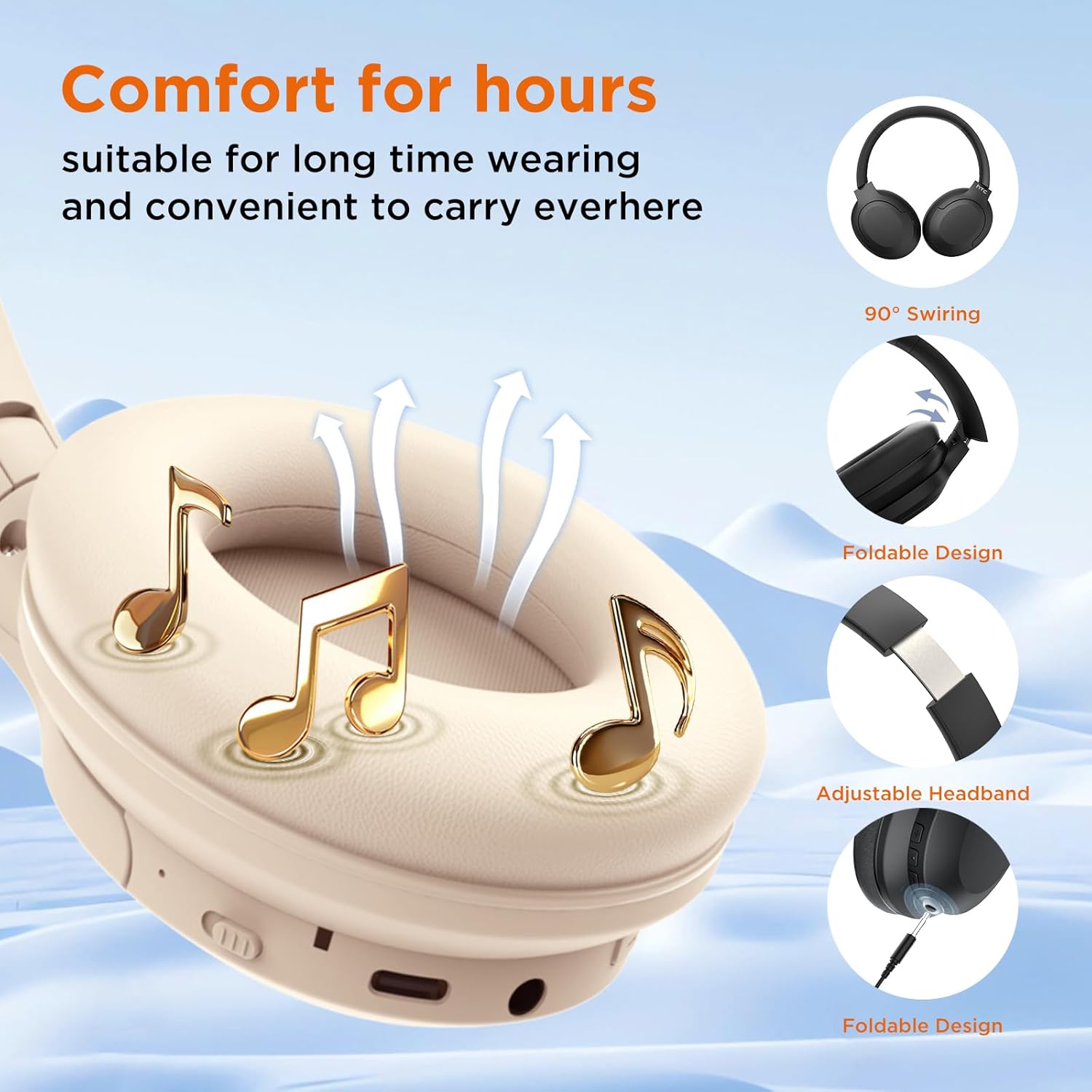
Image 6.1: Foldable Design for Easy Storage
7. مسئلا حل ڪرڻ
جيڪڏهن توهان کي مسئلا درپيش اچن ٿا، ته هيٺ ڏنل عام مسئلن ۽ حلن جو حوالو ڏيو:
| مسئلو | ممڪن سبب | حل |
|---|---|---|
| هيڊفون آن نه ٿا ٿين. | گھٽ بيٽري. | هيڊفونز کي مڪمل طور تي چارج ڪريو. |
| ڊوائيس سان جوڙو نه ٿو ٺاهي سگهجي. | Headphones not in pairing mode; Bluetooth disabled on device; too far from device. | Ensure headphones are in pairing mode (flashing blue/red). Enable Bluetooth on your device. Move headphones closer to the device (within 10 meters). |
| ڪابه آواز يا گهٽ آواز ناهي. | Volume too low; incorrect audio source; wired connection issue. | Increase volume on headphones and device. Ensure correct audio output is selected on your device. Check 3.5mm cable connection if in wired mode. |
| ANC اثرائتي ڪم نه ڪري رهيو آهي. | ANC not activated; environmental noise too high. | Press the ANC button to activate. ANC is most effective against low-frequency, constant noise. |
8. وضاحتون
Key technical specifications of the HTC HP02 Wireless Bluetooth Headphones:
- ماڊل نالو: ايڇ پي 02
- رابطي ٽيڪنالاجي: وائرليس (بلوٽوٿ 5.3)
- شور ڪنٽرول: هائبرڊ شور منسوخي
- ڊرائيور جي ماپ: 40mm متحرڪ ڊرائيور
- راند جو وقت: 60 ڪلاڪ تائين
- چارج پورٽ: USB قسم-سي
- آڊيو ان پٽ: 3.5 ملي ايم ڊي پورٽ
- پاڻي جي مزاحمت: IPX4 سوٽ پروف
- رڪاوٽ: 32 اوم
- شيء جو وزن: 14.1 اونس
- UPC: 768649985200

Image 8.1: 40mm Dynamic Drivers and Audio Features
9. وارنٽي ۽ سپورٽ
9.1 وارنٽي ڄاڻ
Your HTC HP02 Wireless Bluetooth Headphones come with a 180-day warranty extension. Please retain your proof of purchase for warranty claims.
9.2 ڪسٽمر سپورٽ
For any questions, technical assistance, or warranty inquiries, please contact our customer support team. We offer 24/7 live chat support to assist you.
For support, please visit the official HTC support webسائيٽ تي وڃو يا پنهنجي خريداري سان مهيا ڪيل رابطي جي معلومات جو حوالو ڏيو.


