1. تعارف
This manual provides essential information for setting up, operating, maintaining, and troubleshooting your Alienware X16 R2 Gaming Laptop. Designed for high-performance gaming and demanding tasks, this laptop combines advanced hardware with a sleek design.
The Alienware X16 R2 features a 16-inch QHD+ 240Hz 3ms display, an Intel Core Ultra 7-155H processor, 16GB LPDDR5X RAM, a 1TB SSD, and an NVIDIA GeForce RTX 4070 8GB GDDR6 graphics card, running on Windows 11 Home.
2. دٻي ۾ ڇا آهي
پڪ ڪريو ته سڀئي شيون توهان جي پراڊڪٽ پيڪنگنگ ۾ موجود آهن:
- Alienware x16 R2 ليپ ٽاپ
- 360-Watt Adapter
- پاور ڪنڊ
- دستاويز (هي دستورالعمل ۽ ٻيون هدايتون)
3. سيٽ اپ
3.1 شروعاتي پاور آن
- ليپ ٽاپ ۽ سڀ لوازمات کوليو.
- Connect the 360-Watt adapter to the laptop's power/DC-in port and then to a power outlet.
- Open the laptop lid and press the power button (often integrated with the Alienware logo) to turn on the device.
- ونڊوز 11 هوم سيٽ اپ مڪمل ڪرڻ لاءِ اسڪرين تي ڏنل هدايتن تي عمل ڪريو.
3.2 پردي کي ڳنڍڻ
ٻاهرين ڊوائيسز کي ڳنڍڻ لاءِ پنهنجي ليپ ٽاپ تي مختلف پورٽ استعمال ڪريو:
- USB-A بندرگاهن: معياري USB ڊوائيسز جهڙوڪ چوٿون، ڪي بورڊ، يا ٻاهرين ڊرائيو لاءِ.
- USB-C / Power Delivery Ports: For modern USB-C devices, data transfer, and power delivery.
- HDMI / DisplayPort: ٻاهرين مانيٽر يا پروجيڪٽر کي ڳنڍڻ لاءِ.
- مائڪرو ايس ڊي ڪارڊ سلاٽ: For reading and writing data to Micro SD cards.
- هيڊ سيٽ جيڪ: هيڊفون يا هيڊ سيٽ کي مائڪروفون سان ڳنڍڻ لاءِ.

Figure 3.2.1: Rear Ports Overview
4. آپريٽنگ هدايتون
4.1 ڪي بورڊ ۽ ٽچ پيڊ
The Alienware X16 R2 features a backlit keyboard and a responsive touchpad. The keyboard includes a numerical keypad for enhanced productivity. Customize keyboard lighting effects through the Alienware Command Center.

Figure 4.1.1: AlienFX Lighting on Rear Edge
4.2 ڊسپلي سيٽنگون
The 16-inch QHD+ display offers a 240Hz refresh rate and 3ms response time, enhanced by 100% DCI-P3 color gamut, ComfortView Plus, NVIDIA G-SYNC, and Advanced Optimus technologies for an immersive visual experience. Adjust display settings via Windows Display Settings or NVIDIA Control Panel.
4.3 آڊيو ۽ ڪئميرا
The laptop is equipped with a 1080p at 30fps FHD RGB+IR camera with dual-array microphones for clear video conferencing and facial recognition. Audio is delivered through two 2W tweeter speakers and four 3W woofer speakers. Adjust audio settings through Windows Sound Settings.

Figure 4.3.1: FHD HDR IR Camera Location
4.4 Alienware Command Center
The Alienware Command Center software allows for customization of performance presets, fan speeds, and AlienFX lighting effects. This tool provides granular control over your gaming experience.

Figure 4.4.1: Alienware Command Center Interface
5. اهم خاصيتون ۽ جزا
5.1 پروسيسر ۽ ميموري
The laptop is powered by an Intel Core Ultra 7-155H processor with 16 cores and 24MB cache, capable of reaching 4.8GHz. It includes 16GB of LPDDR5x integrated memory for efficient multitasking and gaming.

Figure 5.1.1: Intel Core Ultra Processor
5.2 گرافڪس
Equipped with an NVIDIA GeForce RTX 4070 graphics card with 8GB GDDR6 memory, the Alienware X16 R2 delivers high-fidelity visuals and supports advanced features like ray tracing and DLSS 3 for enhanced gaming performance.
Video 5.2.1: NVIDIA GeForce RTX 40 Series Overview. This video demonstrates the performance capabilities of NVIDIA's RTX 40 series graphics cards, including features like DLSS 3 for improved frame rates and visual quality in games.

Figure 5.2.2: NVIDIA Ada Lovelace Architecture for RTX 40 Series
5.3 اسٽوريج
The laptop includes a 1TB M.2 PCIe NVMe Solid State Drive (SSD), providing fast boot times and rapid data access for applications and games.
5.4 Advanced Cooling System
The Alienware Cryo-tech™ cooling technology is designed to maximize performance by efficiently expelling warm air through side vents and drawing in cooler air from the top of the keyboard. This system includes six laser-welded flat end heat pipes to maintain optimal operating temperatures.

Figure 5.4.1: Alienware Cryo-tech Cooling System
6. سار سنڀال
6.1 صفائي
- اسڪرين ۽ ٻاهرين سطحن کي صاف ڪرڻ لاءِ نرم، لِنٽ کان پاڪ ڪپڙو استعمال ڪريو.
- سخت ڪيميائي يا ٻرندڙ مواد استعمال ڪرڻ کان پاسو ڪريو.
- وقتي طور تي وينٽيليشن گرلز مان مٽي صاف ڪرڻ لاءِ دٻيل هوا استعمال ڪريو.
6.2 سافٽ ويئر اپڊيٽ
Regularly update your Windows operating system, drivers (especially graphics drivers), and Alienware Command Center software to ensure optimal performance and security. These updates often include performance enhancements and bug fixes.
6.3 بيٽري جي سنڀال
To prolong battery life, avoid consistently discharging the battery completely or keeping it at 100% charge for extended periods. For long-term storage, charge the battery to about 50%.
7. مسئلا حل ڪرڻ
7.1 بجلي جا مسئلا
- ليپ ٽاپ آن نه ٿيڻ: Ensure the power adapter is securely connected to both the laptop and a working power outlet. Check the power indicator light on the adapter.
- بيٽري نه ڀريندي: Verify the power adapter is functioning correctly. Try restarting the laptop. If the issue persists, contact support.
7.2 ڊسپلي مسئلا
- ڪابه ڊسپلي: Connect an external monitor to check if the issue is with the laptop's internal display. If the external monitor works, the internal display or its connection may be faulty.
- چمڪندڙ يا بگڙيل تصوير: پنهنجا گرافڪس ڊرائيور اپڊيٽ ڪريو. ونڊوز سيٽنگز ۾ ڊسپلي ريفريش ريٽ کي گهٽايو ته ڏسو ته اهو مسئلو حل ڪري ٿو يا نه.
7.3 ڪارڪردگي جا مسئلا
- سست ڪارڪردگي: Close unnecessary background applications. Check for malware. Ensure sufficient free space on your SSD.
- گهڻو گرم ٿيڻ: Ensure ventilation grilles are clear of obstructions. Use Alienware Command Center to monitor temperatures and adjust fan profiles.
8. وضاحتون
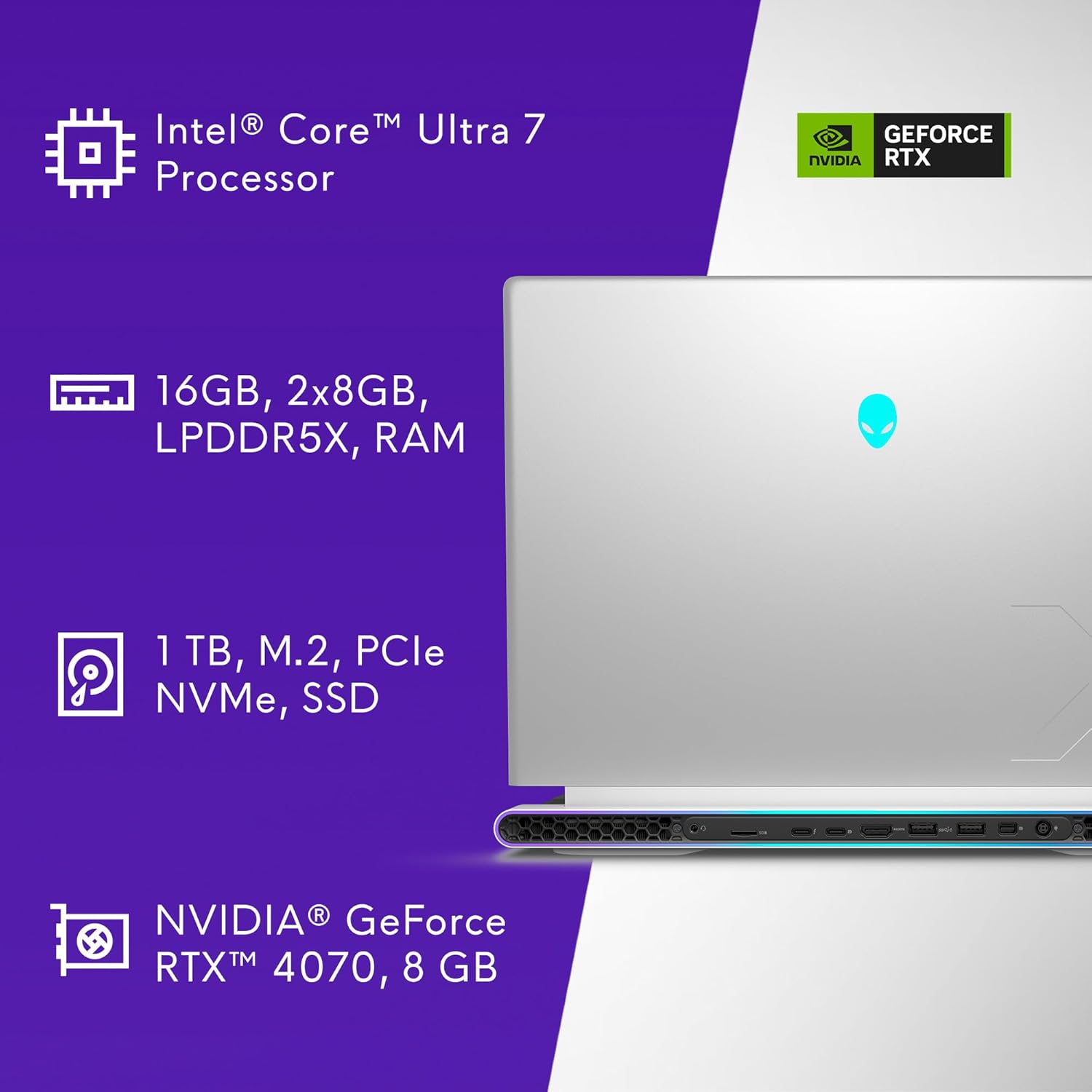
Figure 8.1.1: Key Specifications Overview
| خاصيت | تفصيل |
|---|---|
| ماڊل نمبر | AW16R2-7988SLV-PUS |
| ڊسپلي سائيز | 16 انچ |
| اسڪرين جي قرارداد | 2560 x 1600 پڪسل (QHD+) |
| ريفريش جي شرح | 240Hz |
| جوابي وقت | 3ms |
| پروسيسر | Intel Core Ultra 7-155H (16 Cores, 4.8 GHz) |
| رام | 16 جي بي ايل پي ڊي ڊي آر 5 ايڪس (7467 ميگا هرٽز) |
| ذخيرو | 1 TB SSD (M.2 PCIe NVMe) |
| گرافڪس ڪوپروسيسر | NVIDIA GeForce RTX 4070 |
| Graphics Card RAM | 8 GB GDDR6 |
| آپريٽنگ سسٽم | ونڊوز 11 گهر |
| وائرليس ڪنيڪشن | بلوٽوٿ |
| ڪئميرا | 1080p at 30fps, FHD RGB+IR camera |
| آڊيو | 2x 2W Tweeter, 4x 3W Woofer |
| طول و عرض (LxWxH) | 11.42 x 14.36 x 0.73 انچ |
| شيءِ جو وزن | 6 پائونڊ |
| رنگ | Lunar Silver |
9. وارنٽي ۽ سپورٽ
Your Alienware X16 R2 Gaming Laptop includes 1 Year Onsite Service. This service provides support at your home, office, or chosen location if an issue covered by the Limited Hardware Warranty cannot be resolved remotely.

Figure 9.1.1: Premium Support Services
For further assistance, refer to the official Alienware support webسائيٽ يا انهن جي ڪسٽمر سروس سان رابطو ڪريو.
Video 9.2.1: Alienware m16 R2 Overview. هي وڊيو هڪ عام اوور فراهم ڪري ٿوview of the Alienware m16 R2, showcasing its design and features, which are similar to the X16 R2 model.