1. پراڊڪٽ ختمview
The DOOGEE T30E is an 11-inch Android 14 tablet designed for a seamless user experience, combining powerful performance with versatile features. It is equipped with an octa-core processor, ample memory, and a large battery, making it suitable for gaming, entertainment, and productivity.
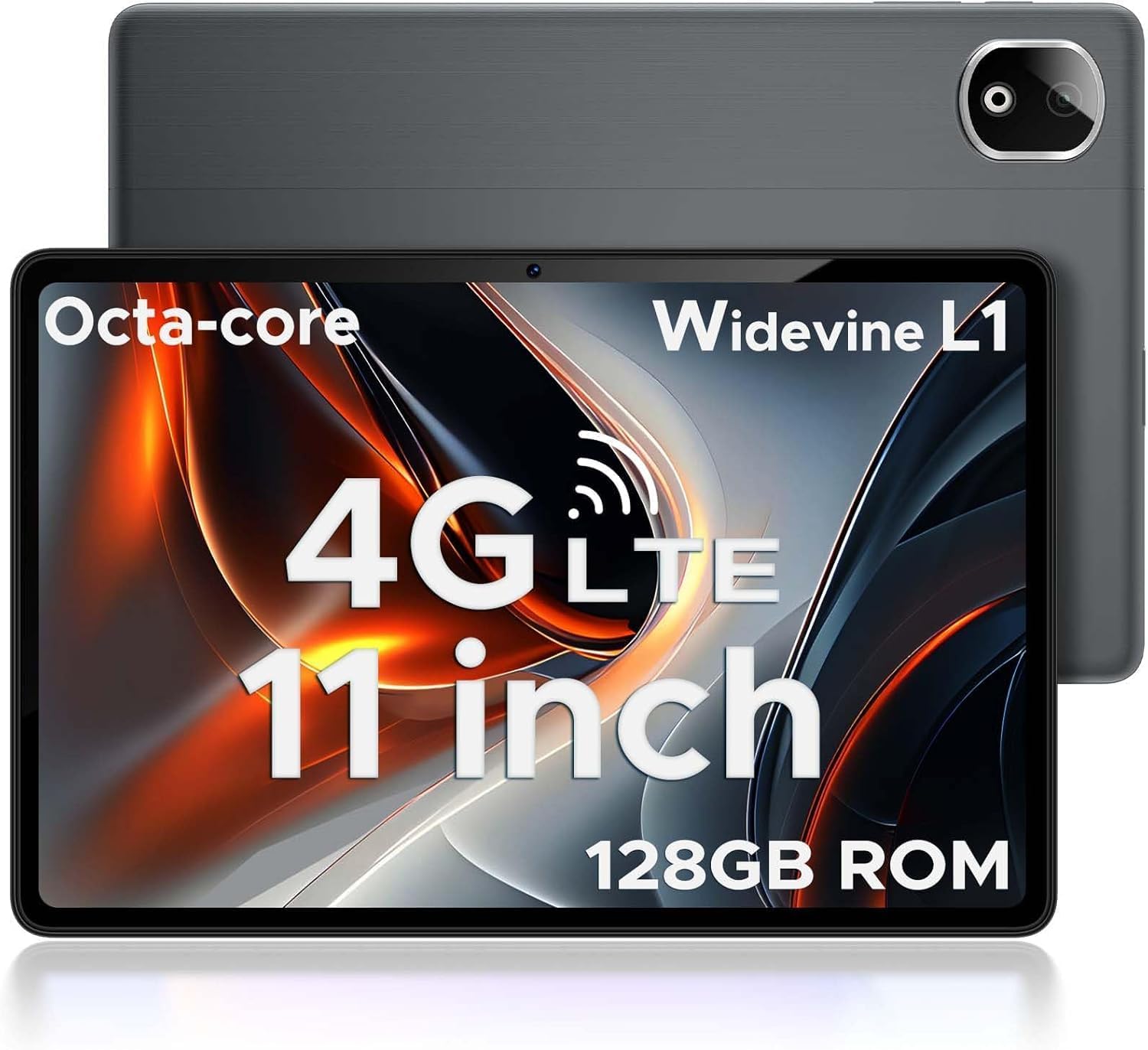
Figure 1.1: DOOGEE T30E Tablet, showcasinان جي سهڻي ڊيزائن ۽ ڪئميرا ماڊيول جي ڪري.
2. دٻي ۾ ڇا آهي
Upon opening the DOOGEE T30E package, you will find the following items:
- DOOGEE T30E Tablet (128GB Storage)
- USB-C چارجنگ ڪيبل
- پاور اڊاپٽر
- استعمال ڪندڙ دستي
- سم ڪjectڻ وارو اوزار
Video 2.1: Unboxing the DOOGEE T30E Tablet and its contents.
3. شروعاتي سيٽ اپ
3.1 ٽيبليٽ کي چارج ڪرڻ
Before first use, fully charge your DOOGEE T30E tablet. Connect the provided USB-C cable to the tablet's charging port and the power adapter, then plug the adapter into a wall outlet. The battery indicator on the screen will show charging progress.
3.2 پاور آن/آف
- To power on: Press and hold the Power button located on the side of the tablet until the DOOGEE logo appears.
- پاور آف ڪرڻ لاءِ: پاور بٽڻ کي دٻايو ۽ دٻايو، پوءِ اسڪرين تي ظاهر ٿيندڙ اختيارن مان "پاور آف" چونڊيو.
3.3 سم ڪارڊ ۽ مائڪرو ايس ڊي ڪارڊ جي انسٽاليشن
The DOOGEE T30E supports dual SIM cards and MicroSD card expansion up to 1TB. Use the provided SIM ejector tool to open the SIM tray.
- ٽيبليٽ جي پاسي تي سم ٽري ڳوليو.
- سم ايجيڪٽر ٽول کي ٽري جي ڀرسان ننڍڙي سوراخ ۾ داخل ڪريو ۽ نرميءَ سان دٻايو جيستائين ٽري ٻاهر نه اچي.
- Place your Nano-SIM cards and/or MicroSD card into the designated slots on the tray. Ensure they are correctly oriented.
- احتياط سان ٽري کي ٽيبليٽ ۾ واپس دٻايو جيستائين اهو جاءِ تي ڪلڪ نه ڪري.

Figure 3.1: Location of the SIM card tray and dual speakers on the DOOGEE T30E.
Video 3.2: Demonstration of SIM card installation and 4G network capabilities.
4. آپريٽنگ هدايتون
4.1 Navigating the Android 14 Interface
The DOOGEE T30E runs on Android 14, offering an intuitive and secure user experience. Use touch gestures to navigate:
- ٽيپ ڪريو: ڪا شيءِ چونڊيو يا ڪا ايپ کوليو.
- سوائپ Scroll through screens, menus, or content.
- چٽيو: تصويرن کي زوم ان يا آئوٽ ڪريو ۽ web صفحا.
- ڊگهي پريس: لاڳاپيل مينيو تائين رسائي ڪريو يا آئڪن کي منتقل ڪريو.

Figure 4.1: The Android 14 operating system interface on the DOOGEE T30E.
4.2 Connectivity (Wi-Fi, 4G LTE, Bluetooth)
Connect to the internet and other devices:
- وائي فائي: Go to Settings > Network & internet > Wi-Fi to connect to available networks. Supports high-speed AC dual-band 2.4Ghz/5Ghz Wi-Fi.
- 4G LTE: With a valid SIM card, the tablet supports TD-LTE and FDD-LTE 4G for mobile data and VoLTE calls.
- بلوٽوٽ 5.0: Enable Bluetooth in Settings > Connected devices > Connection preferences > Bluetooth to pair with headphones, speakers, or other Bluetooth-enabled devices.
4.3 ڪئميرا جو استعمال
The tablet features a 13MP rear camera and an 8MP front camera for capturing photos and videos.
- هوم اسڪرين يا ايپ ڊراور مان "ڪئميرا" ايپ کوليو.
- تصوير ڪڍڻ لاءِ شٽر بٽڻ کي دٻايو.
- ضرورت مطابق فوٽو ۽ وڊيو موڊز جي وچ ۾ سوئچ ڪريو.
- Use the front/rear camera toggle for selfies or main shots.

Figure 4.2: Details on the 13MP rear camera and 5MP front camera capabilities.
4.4 وائڊ وائن L1 سپورٽ
The DOOGEE T30E supports Widevine L1, enabling high-definition streaming from popular platforms like Amazon Prime Video, YouTube, Disney+, and Hulu. This ensures a premium visual experience for your entertainment.
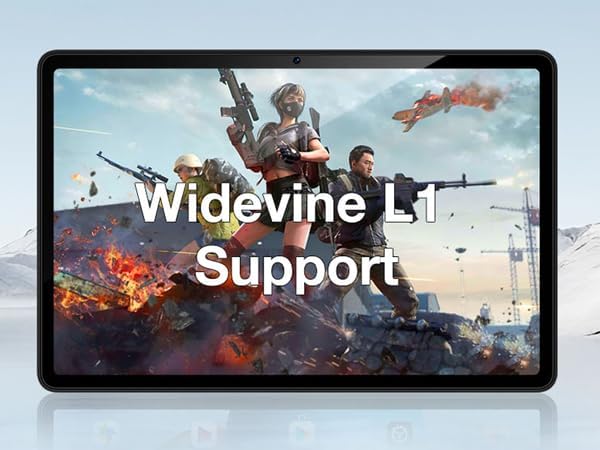
Figure 4.3: The tablet's display highlighting Widevine L1 support for high-definition streaming.
5. اهم خاصيتون
5.1 ڊسپلي ۽ ڪارڪردگي
The tablet features an 11-inch HD display with a 1280x800 pixel resolution and an 83.2% screen-to-body ratio, providing an immersive viewing experience. Powered by a Spreadtrum T606 octa-core processor, it delivers superior performance for smooth multitasking and responsive gaming.

Figure 5.1: Visual comparison highlighting the 11-inch IPS large screen of the DOOGEE T30E.
وڊيو 5.2: ختمview of the 11-inch screen and 8000mAh battery capacity.
5.2 ياداشت ۽ اسٽوريج
The T30E comes with 9GB RAM (4GB physical + 5GB virtual RAM expansion) and 128GB of internal storage. Storage can be expanded up to 1TB using a MicroSD card, providing ample space for apps, games, and media.

Figure 5.3: Illustration of the tablet's memory and storage capabilities.
Video 5.4: Demonstrating the 9GB RAM and 128GB ROM features of the DOOGEE Android tablet.
5.3 بيٽري جي زندگي
Equipped with an 8000mAh long-lasting battery, the DOOGEE T30E provides extended usage times for movies, music, and gaming, reducing battery anxiety.

Figure 5.5: Diagram illustrating the 8000mAh battery and its estimated usage times.
5.4 آڊيو معيار
The tablet is equipped with high-quality stereo speakers, delivering a 3D surround sound experience for enhanced audio enjoyment.
Video 5.6: Highlighting the high-quality stereo speakers of the 11-inch tablet.
6. سار سنڀال
6.1 پنهنجي ٽيبليٽ کي صاف ڪرڻ
ٽيبليٽ جي ظاهر ۽ ڪارڪردگي کي برقرار رکڻ لاءِ:
- اسڪرين ۽ جسم کي صاف ڪرڻ لاءِ نرم، لِنٽ کان پاڪ ڪپڙو استعمال ڪريو.
- ضدي داغن لاءِ، ٿورو ڊيampپاڻي يا اسڪرين ڪلينر سان ڪپڙو.
- سخت ڪيميڪلز، ٻرندڙ مواد، يا گهڻي نمي استعمال ڪرڻ کان پاسو ڪريو.
6.2 سافٽ ويئر اپڊيٽ
بهتر ڪارڪردگي، سيڪيورٽي، ۽ نون خاصيتن تائين رسائي کي يقيني بڻائڻ لاءِ باقاعدي طور تي سافٽ ويئر اپڊيٽس جي جانچ ڪريو ۽ انسٽال ڪريو. سيٽنگون > سسٽم > سسٽم اپڊيٽ ڏانهن وڃو.
6.3 بيٽري جي سنڀال
بيٽري جي زندگي کي وڌائڻ لاء:
- انتهائي گرمي پد کان بچاء.
- بيٽري کي بار بار مڪمل طور تي ختم نه ٿيڻ ڏيو.
- بيٽري پوري ٿيڻ کان پوءِ چارجر کي ان پلگ ڪريو.
7. مسئلا حل ڪرڻ
| مسئلو | ممڪن حل |
|---|---|
| ٽيبليٽ آن نٿو ٿئي. | پڪ ڪريو ته بيٽري چارج ٿيل آهي. پاور بٽڻ کي گهٽ ۾ گهٽ 10-15 سيڪنڊن لاءِ دٻايو ۽ دٻايو ته جيئن ٻيهر شروع ٿئي. |
| وائي فائي ڪنيڪشن جا مسئلا. | ٽيبليٽ ۽ پنهنجي وائي فائي روٽر کي ٻيهر شروع ڪريو. وائي فائي سيٽنگز ۾ نيٽ ورڪ وساريو ۽ ٻيهر ڪنيڪٽ ڪريو. |
| ايپس ڪريش ٿي رهيون آهن يا منجمد ٿي رهيون آهن. | Clear the app's cache (Settings > Apps > [App Name] > Storage & cache > Clear cache). If the issue persists, uninstall and reinstall the app. |
| سست ڪارڪردگي. | Close unused apps, clear cache, and ensure sufficient storage space. Consider a factory reset as a last resort (backup data first). |
| سم ڪارڊ نه مليو. | Ensure the SIM card is correctly inserted and activated. Restart the tablet. |
8. وضاحتون
- ماڊل: T30E
- آپريٽنگ سسٽم: Android 14
- ڏيکاريو: 11 انچ، 1280 x 800 پڪسل (HD)
- پروسيسر: Spreadtrum T606 Octa-Core Processor (Unisoc)
- رام: 9GB (4GB + 5GB ريم ايڪسپينشن)
- اندروني اسٽوريج: 128 جي بي
- وسعت وارو ذخيرو: مائڪرو ايس ڊي ڪارڊ ذريعي 1 ٽي بي تائين
- پوئتي ڪئميرا: 13MP
- سامهون ڪئميرا: 8MP
- بيٽري: 8000mAh Lithium Ion (Average Battery Life: 2 days)
- رابطي: 4G LTE (Dual SIM), 5G WiFi (802.11ac), Bluetooth 5.0
- طول و عرض (LxWxH): 10 x 7 x 0.4 انچ
- شيء جو وزن: 2.01 پائونڊ
- اضافي خاصيتون: Widevine L1 Support, GPS, Face ID
9. وارنٽي ۽ سپورٽ
The DOOGEE T30E comes with a 2 سال وارنٽي. Additionally, DOOGEE provides حياتياتي ٽيڪنيڪل سپورٽ ۽ مڪمل 24/7 online support. If you encounter any problems or have questions regarding your tablet, please contact DOOGEE customer service for assistance. They aim to respond within 24 hours.
For further assistance, please visit the official DOOGEE webسائيٽ تي وڃو يا پنهنجي پراڊڪٽ پيڪنگنگ ۾ ڏنل رابطي جي معلومات جو حوالو ڏيو.


