1. تعارف
The KONNWEI KW450 is a comprehensive OBD2 diagnostic scanner designed for both VAG group vehicles (Volkswagen, Audi, Seat, Skoda) and universal OBDII/EOBD compliant cars. This advanced, user-friendly tool enables technicians and car owners to accurately diagnose and perform maintenance functions on various vehicle systems. It supports a wide range of special functions for VAG vehicles and standard OBDII diagnostic capabilities for all compatible cars.
The device is certified with CE, FCC, and RoHS, ensuring compliance with safety and environmental standards.
2. سيٽ اپ ۽ شروعاتي استعمال
2.1 پيڪيج مواد
- KONNWEI KW450 Diagnostic Scanner
- OBD2 ڪيبل
- اپڊيٽ لاءِ USB ڪيبل
- استعمال ڪندڙ دستي
2.2 توهان جي گاڏي سان ڳنڍڻ
- گاڏي جي 16-پن ڊيٽا لنڪ ڪنيڪٽر (DLC) کي ڳولهيو. اهو عام طور تي ڊرائيور جي پاسي ڊيش بورڊ جي هيٺان واقع هوندو آهي.
- پڪ ڪريو ته گاڏي جي اگنيشن آف پوزيشن ۾ آهي.
- Firmly plug the OBD2 cable into the vehicle's DLC port.
- گاڏي جي اگنيشن کي آن پوزيشن تي ڪريو (انجڻ بند ڪريو). اسڪينر پاڻمرادو آن ٿيندو.
2.3 ٻولي سيٽنگون
Upon first use, or if you need to change the language, navigate to the 'Settings' menu on the device. Select 'Language' and choose your preferred language (English is the default).
3. آپريٽنگ هدايتون
3.1 VAG Special Functions
The KW450 provides 9 special maintenance functions specifically for Volkswagen, Audi, Seat, and Skoda vehicles. Access these functions from the main menu by selecting the appropriate VAG vehicle brand.
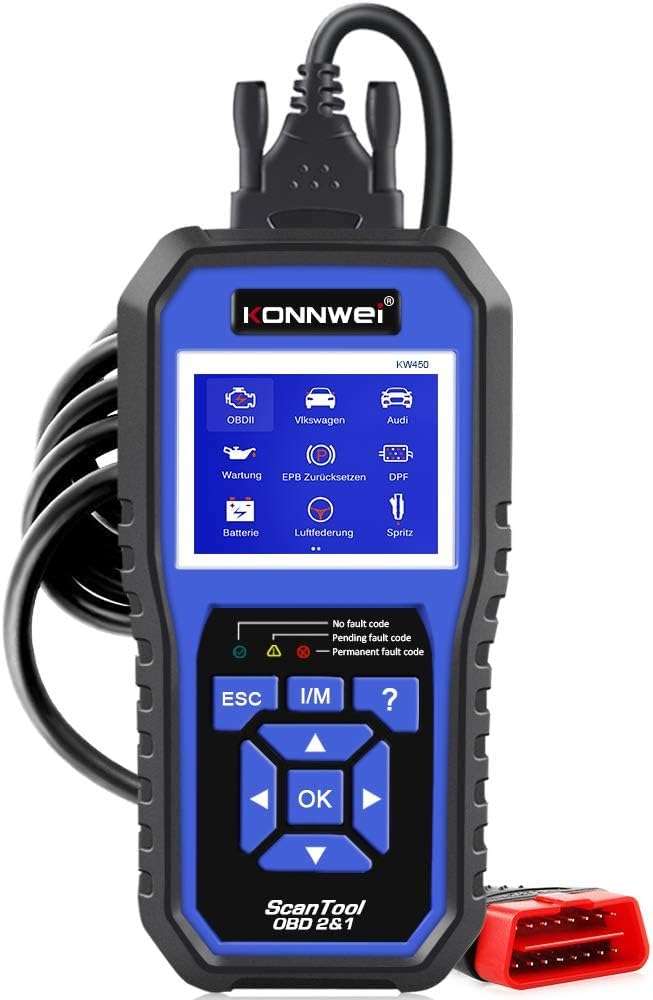
Figure 1: KONNWEI KW450 displaying its 9 special functions for VAG vehicles. These include Oil Service Reset, TPS Replacement Reset, Electronic Parking Brake (EPB) Reset, Battery Matching, Diesel Particulate Filter (DPF) Regeneration, Steering Angle Sensor (SAS) Calibration, Injector Coding, Suspension Adjustment, and Lamp سيٽنگ.
- تيل سروس ري سيٽ: تيل جي تبديلي کان پوءِ تيل جي سروس لائيٽ کي ري سيٽ ڪري ٿو.
- TPS Replacement Reset: Calibrates the throttle position sensor.
- اي پي بي ري سيٽ: Resets the electronic parking brake system for pad replacement.
- بيٽري ملائڻ: گاڏي جي سسٽم سان نئين بيٽري رجسٽر ڪري ٿو.
- ڊي پي ايف جي بحالي: ڊيزل پارٽيڪيوليٽ فلٽر لاءِ ٻيهر پيدا ڪرڻ جي عمل کي شروع ڪري ٿو.
- SAS حساب ڪتاب: اسٽيئرنگ اينگل سينسر کي ڪيليبريٽ ڪري ٿو.
- انجڪٽر ڪوڊنگ: ECU ۾ نئين انجيڪٽر ويليوز کي ڪوڊ ڪري ٿو.
- معطلي جي ترتيب: Adjusts vehicle suspension settings.
- Lamp سيٽنگ: Configures vehicle lighting parameters.
3.2 Universal OBDII/EOBD Functions
For all other OBDII/EOBD compliant vehicles, the KW450 offers standard diagnostic capabilities. Select 'OBDII' from the main menu to access these functions.
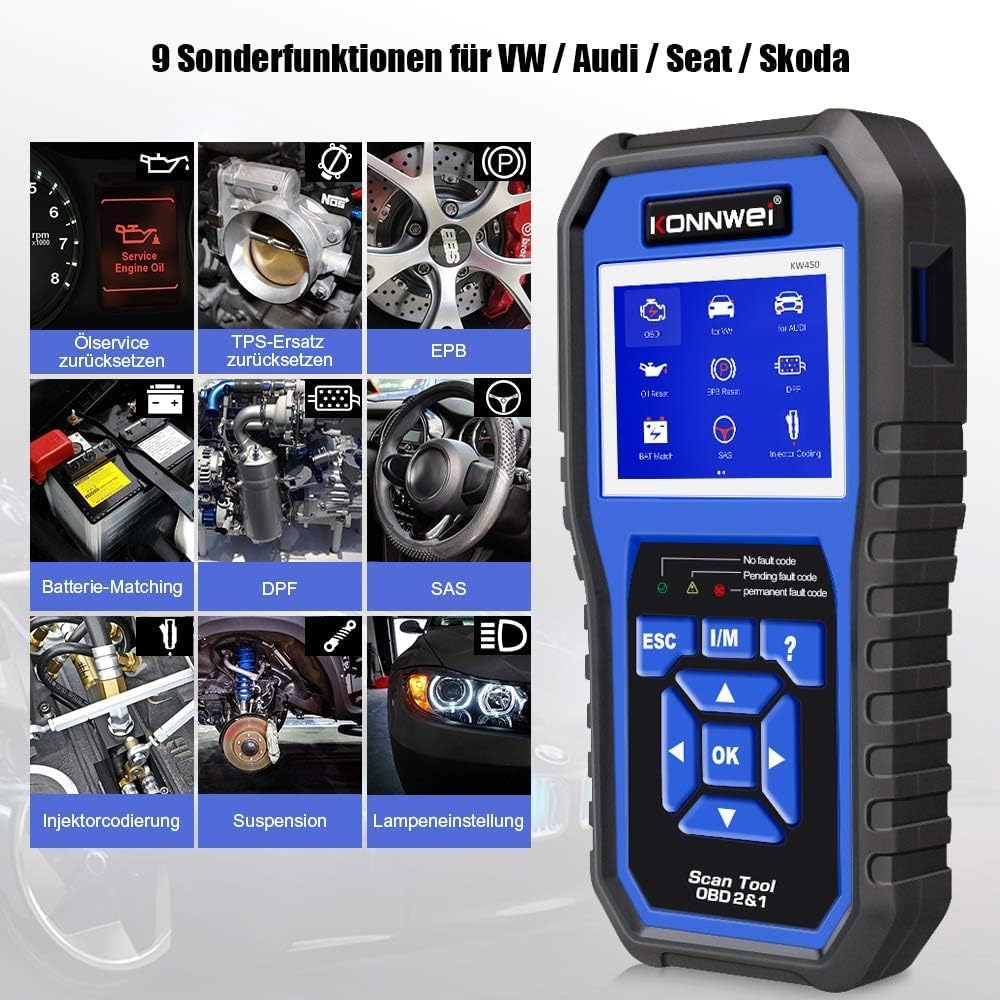
Figure 2: KONNWEI KW450 displaying universal OBD2 functions. These include Read Codes, Erase Codes, Live Data, Freeze Frame, O2 Sensor Test, I/M Readiness, On-Board Monitor Test, EVAP System Test, DTC Code Lookup, and VIN Information.
- ڪوڊ پڙهو: گاڏي جي ڪمپيوٽر مان ڊائگنوسٽڪ ٽربل ڪوڊس (DTCs) حاصل ڪري ٿو.
- ڪوڊ ختم ڪريو: گاڏي جي ڪمپيوٽر مان ڊي ٽي سي صاف ڪري ٿو ۽ مالفنگ انڊيڪيٽر ايل کي بند ڪري ٿو.amp (MIL).
- لائيو ڊيٽا: Displays real-time data stream from the vehicle's sensors.
- فيض جو فريم: Shows a snapshot of operating conditions at the time a fault occurred.
- O2 سينسر ٽيسٽ: O2 سينسر مانيٽر ٽيسٽ جا نتيجا حاصل ڪري ٿو.
- I/M تياري: اخراج سان لاڳاپيل مانيٽرن جي تياري جي جانچ ڪري ٿو.
- آن بورڊ مانيٽر ٽيسٽ: Retrieves results for on-board diagnostic monitoring tests.
- EVAP سسٽم ٽيسٽ: Initiates a test of the Evaporative Emission Control System.
- ڊي ٽي سي ڪوڊ جي ڳولا: ڊي ٽي سي جي تفصيلي وضاحت فراهم ڪري ٿي.
- VIN Information: Displays Vehicle Identification Number and other vehicle information.
4. سار سنڀال
4.1 سافٽ ويئر اپڊيٽ
The KONNWEI KW450 supports lifetime free software updates to ensure compatibility with new vehicle models and diagnostic protocols. To update the device:
- Download the 'Uplink' software from the official KONNWEI website onto a computer running Windows XP, 7, 8, or 10.
- Install the 'Uplink' software.
- Connect the KW450 scanner to your computer using the provided USB cable.
- On the scanner, press and hold the 'OK' button while plugging in the USB cable. The scanner screen should indicate 'Update Mode'.
- Open the 'Uplink' software on your computer and click 'Check Update'. Follow the on-screen instructions to complete the update process.

Figure 3: The KONNWEI KW450 connected to a computer for software updates. The 'Uplink' software facilitates the update process, ensuring the device has the latest diagnostic capabilities.
4.2 صفائي ۽ اسٽوريج
- ڊوائيس کي نرم سان صاف ڪريو، ڊيamp ڪپڙو. استعمال نه ڪريو abrasive cleaners يا solvents.
- Store the scanner in a dry, cool place, away from direct sunlight and extreme temperatures.
- Keep the cables free from kinks and damage.
5. مسئلا حل ڪرڻ
| مسئلو | ممڪن سبب | حل |
|---|---|---|
| ڊوائيس تي طاقت نه آهي. | Loose connection to DLC; vehicle ignition not ON; faulty OBD2 cable. | Ensure cable is securely connected. Turn ignition to ON. Try a different OBD2 port if available or check cable for damage. |
| گاڏي سان رابطي ۾ غلطي. | Incorrect protocol selected; vehicle not OBDII compliant; faulty vehicle DLC. | Verify vehicle is OBDII compliant. Check vehicle manual for DLC issues. Try on another compatible vehicle. |
| Cannot clear fault codes. | Underlying issue not resolved; ignition not ON; specific codes cannot be cleared by generic OBD2. | Address the root cause of the fault. Ensure ignition is ON. Some manufacturer-specific codes require specialized tools. |
| سافٽ ويئر اپڊيٽ ناڪام ٿي. | Incorrect 'Uplink' software version; unstable USB connection; firewall/antivirus blocking. | Download the latest 'Uplink' software. Ensure a stable USB connection. Temporarily disable firewall/antivirus. |
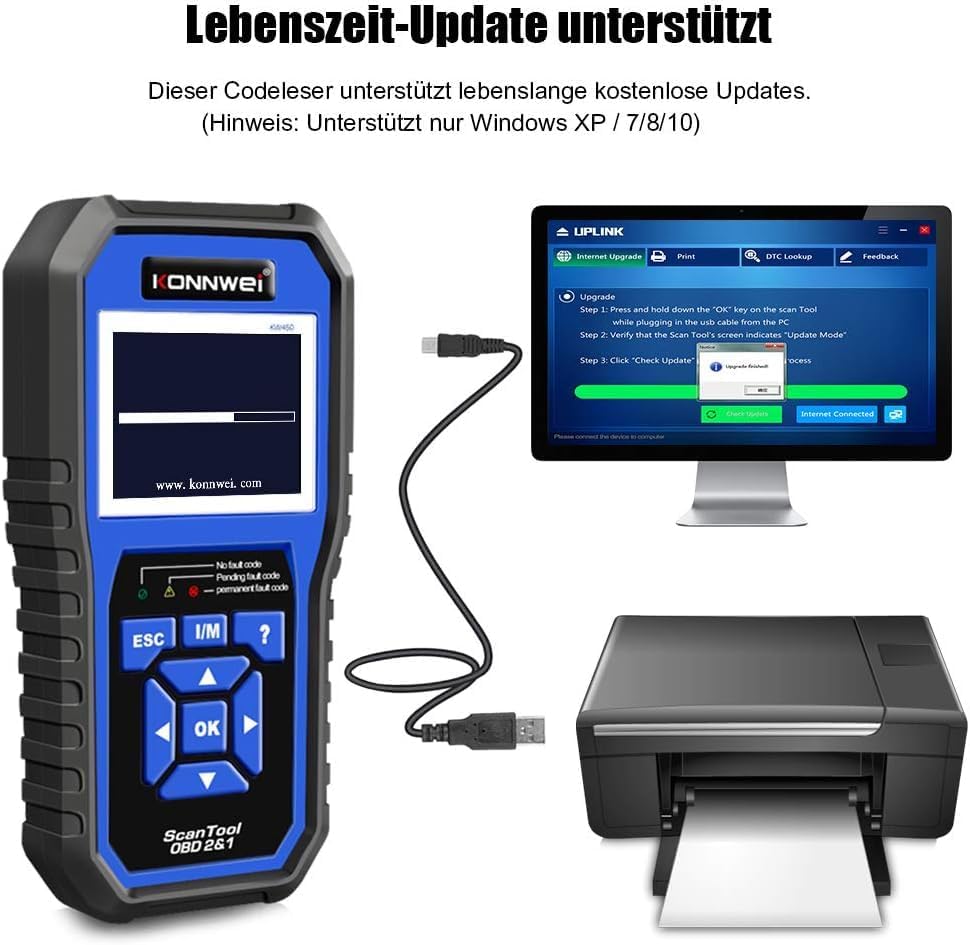
Figure 4: The KONNWEI KW450 main screen, showing indicators for 'No fault code', 'Pending fault code', and 'Permanent fault code' which are crucial for troubleshooting.
6. وضاحتون
| خاصيت | تفصيل |
|---|---|
| برانڊ | ڪوونائي |
| ماڊل | KW450 |
| اسڪرين جي ماپ | 5 انچ |
| آپريٽنگ سسٽم (اپڊيٽ لاءِ) | ونڊوز ايڪس پي، 7، 8، 10 |
| طاقت جو ذريعو | وائرڊ (OBD2 پورٽ ذريعي) |
| پيداوار جي ماپ (L x W x H) | 15.01 x 10 x 5 سينٽي |
| شيءِ جو وزن | 20 گرام |
| سرٽيفڪيشن | CE، FCC، RoHS مطابق |
7. وارنٽي ڄاڻ
Please refer to the warranty card included with your product or contact the retailer/manufacturer for specific warranty terms and conditions. Extended warranty options may be available from third-party providers.
8. ڪسٽمر سپورٽ
For technical assistance, troubleshooting, or general inquiries, please contact KONNWEI customer support through their official website or the contact information provided in your product packaging. Ensure you have your product model (KW450) and purchase details ready when contacting support.


