1. پراڊڪٽ ختمview
The Dzees Wireless Security Camera is designed to provide robust and reliable home security with its advanced features and flexible installation options. This battery-powered camera offers 4MP resolution for clear imaging, AI motion detection, two-way audio communication, and color night vision, ensuring comprehensive surveillance day and night.

Image: Dzees Wireless Security Cameras with Magnetic Mount. The image shows two white security cameras, one attached to a black magnetic base, and a smartphone screen above them displaying a live video feed of children playing outdoors.
اهم خاصيتون:
- No-Hole Magnetic Mount: Offers easy installation and repositioning without drilling.
- Real-Time Siren & Two-Way Talk: Deter intruders and communicate with visitors directly via the built-in siren and two-way audio.
- Advanced AI Motion Detection: Accurately tracks people and objects, sending instant notifications to your app.
- High-Definition 2.5K Resolution: Provides clear and detailed images with a 120-degree wide field of view.
- رنگين رات جو نظارو: Ensures clear, full-color images even in low-light conditions.
- لچڪدار اسٽوريج جا اختيار: Supports both cloud storage (including a 2-year free 3-day rolling cloud option) and local SD card storage (up to 128GB).
- IP66 موسم جي مزاحمتي درجه بندي: Designed to withstand harsh outdoor conditions, including dust, rain, and snow.
2. پيڪيج مواد
مھرباني ڪري ھيٺ ڏنل شين لاءِ دٻي کي چيڪ ڪريو:
- Dzees Wireless Security Camera Unit(s)
- Magnetic Mount(s)
- USB چارجنگ ڪيبل
- Mounting Screws and Anchors (for optional screw mount)
- تڪڙو شروع ھدايت
3. سيٽ اپ ۽ تنصيب
3.1 ڪئميرا چارج ڪرڻ
Before initial use, fully charge the camera using the provided USB charging cable. Connect the cable to the camera's charging port and a standard USB power adapter (not included). The charging indicator light will show the charging status.
3.2 ايپ انسٽاليشن ۽ اڪائونٽ ٺاهڻ
Download the "DzeesHome" or "Vicohome" app from your smartphone's app store (iOS or Android). Follow the on-screen instructions to create an account and log in.
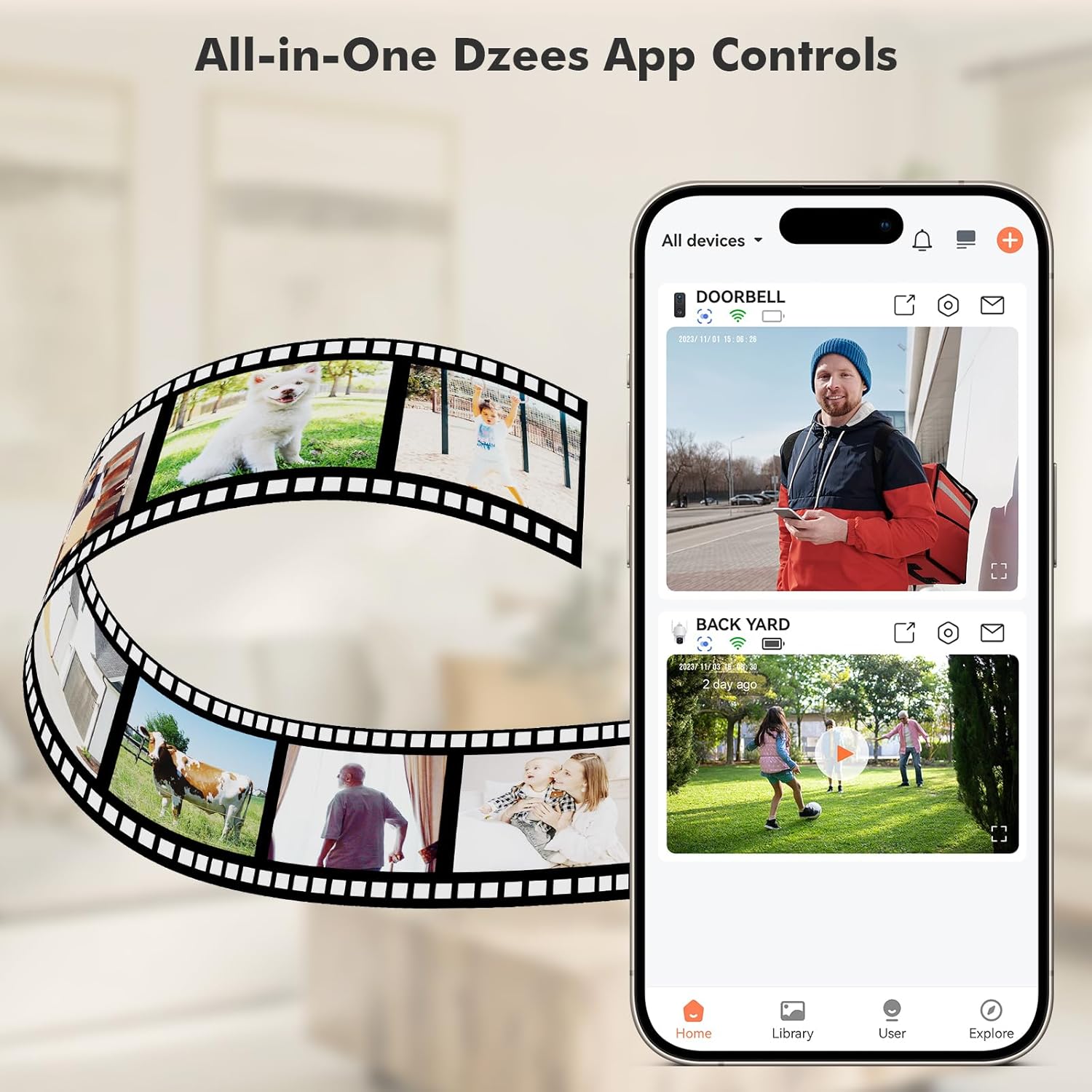
Image: All-in-One Dzees App Controls. The image shows a smartphone displaying the DzeesHome application, with a list of connected devices and live video feeds, demonstrating centralized control.
3.3 ڪئميرا کي وائي فائي سان ڳنڍڻ
- Open the DzeesHome/Vicohome app and tap the "+" icon to add a new device.
- فهرست مان پنهنجي ڪئميرا ماڊل چونڊيو.
- Power on the camera. The camera will enter pairing mode (indicated by a flashing LED).
- Follow the app's instructions to connect the camera to your 2.4GHz وائي فائي نيٽ ورڪ. Note: This camera is not compatible with 5GHz Wi-Fi networks.
- Scan the QR code displayed on your phone screen with the camera lens. You will hear a confirmation sound once connected.

Image: 2.4GHz Wifi Only. This diagram shows a house with a Wi-Fi router and a Dzees camera, indicating that the camera only supports 2.4GHz Wi-Fi, not 5GHz.
3.4 ڪئميرا لائڻ
The Dzees camera offers versatile mounting options:
- مقناطيسي جبل: For easy, drill-free installation and repositioning. Simply attach the magnetic base to a clean, flat surface using the adhesive pad, then snap the camera onto the magnetic ball joint.
- Screw Mount: For a more permanent installation, use the provided screws and anchors to secure the mount to a wall or ceiling.

Image: Flexibility In Installation. A woman is shown adjusting a Dzees security camera mounted on an outdoor wall, while holding a smartphone, illustrating the ease of installation and positioning.

Image: Stand, Wall Mount, Ceiling Mount. This composite image displays three different ways to install the Dzees camera: on a flat surface using its base, mounted on a wall, and mounted on a ceiling.
4. آپريشن
4.1 زنده View ۽ رڪارڊنگ
Access the DzeesHome/Vicohome app to view زنده فوtage from your camera. You can manually record video or capture screenshots directly from the live view انٽرفيس.
4.2 حرڪت جي ڳولا ۽ خبرداريون
The camera features advanced AI motion detection. When motion is detected, the camera will automatically record and send instant notifications to your smartphone. You can customize activity zones within the app to minimize unwanted alerts.

Image: Instant Security Alerts. A smartphone screen shows a notification from the Dzees app indicating motion detection, with a person standing at a front door in the background.

Image: Customizable Zone to Minimize Unwanted Alerts. This image illustrates a house with its surrounding area divided into three distinct zones (Zone 1, Zone 2, Zone 3), demonstrating how users can customize detection areas to reduce false alarms.
4.3 ٻه طرفي آڊيو ۽ سائرن
Use the two-way talk feature in the app to communicate with people near the camera. You can also remotely activate the built-in siren to deter unwanted visitors.
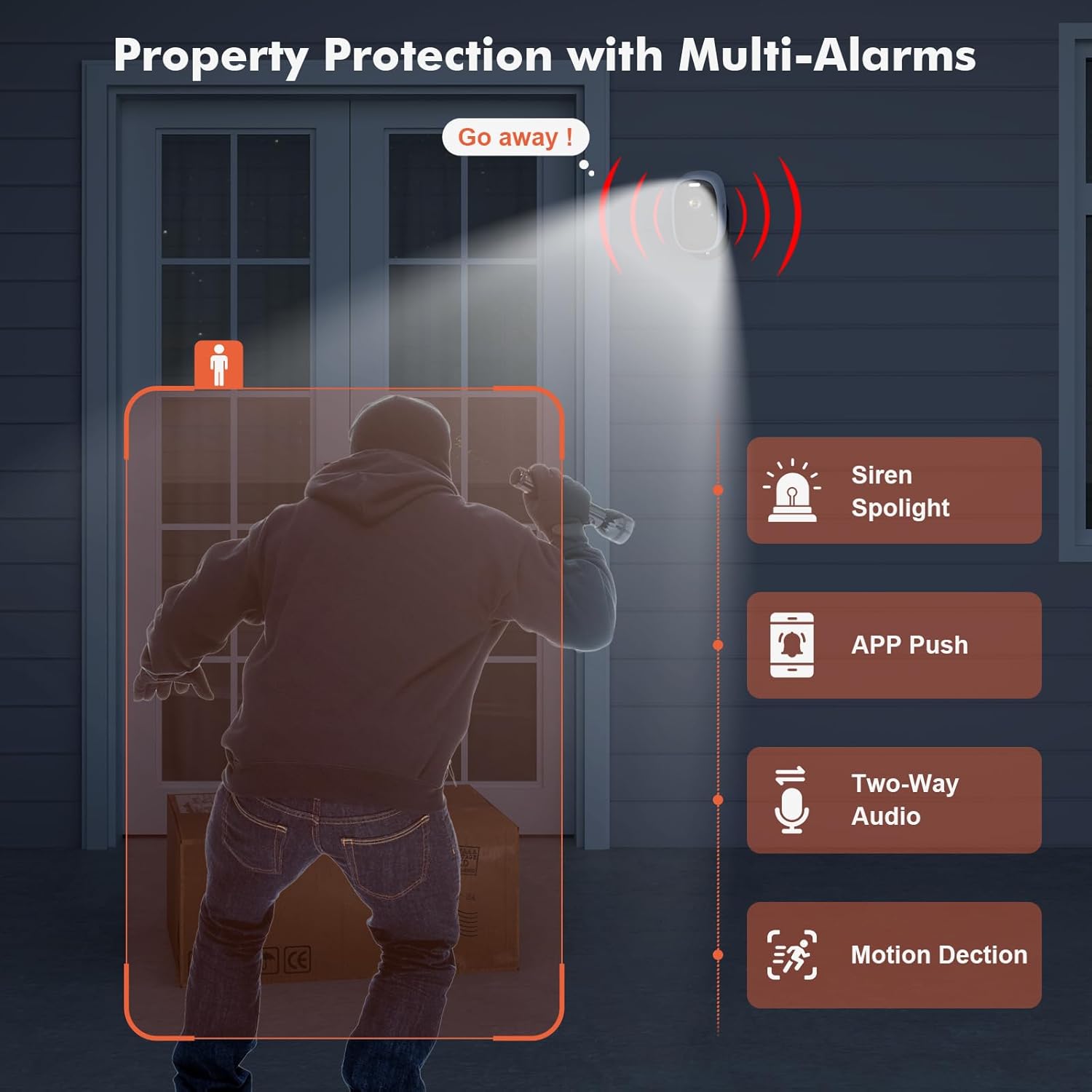
Image: Property Protection with Multi-Alarms. This image depicts a security camera deterring an intruder with a spotlight and siren, alongside icons representing app push notifications, two-way audio, and motion detection.
4.4 رات جو خواب
The camera is equipped with color night vision, providing clear, full-color images even in very low light conditions, enhancing visibility and identification at night.
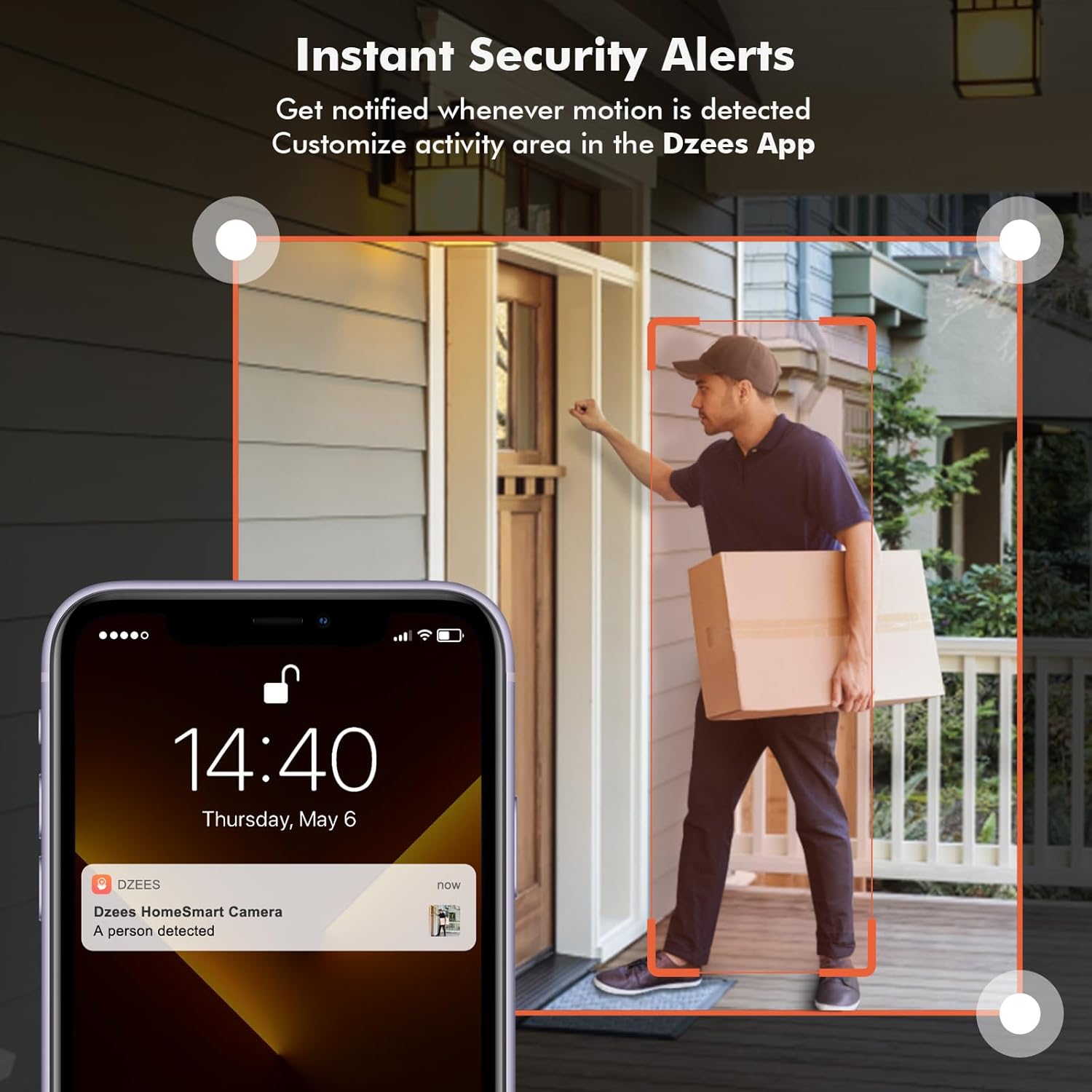
Image: Color Night Vision. This split image compares traditional black-and-white night vision with the Dzees camera's color night vision, showing a house at night in both modes.
4.5 اسٽوريج مينيجمينٽ
توهان جو ڪئميرا ٻن اسٽوريج طريقن کي سپورٽ ڪري ٿو:
- Cloud Storage: Enjoy a 2-year free 3-day rolling cloud storage cycle. Optional paid plans are available for extended storage and AI recognition features.
- SD ڪارڊ اسٽوريج: Insert a microSD card (up to 128GB, not included) into the camera's SD card slot for local video storage.

Image: Dzees Cloud, Privacy, Storage Card. This image shows three distinct panels: one for Dzees Cloud storage with a "FREE 3 DAYS Video History" label, another for privacy protection with a shield icon, and a third for "Up to 128 GB" storage via an SD card.
5. سار سنڀال
5.1 بيٽري جو انتظام
The camera is powered by a 6700 mAh rechargeable battery. Battery life varies based on usage (e.g., frequency of motion detection, live view access). Recharge the camera when the battery level is low, typically every few weeks to months depending on activity.
5.2 صفائي
To ensure optimal performance, periodically clean the camera lens and body with a soft, dry cloth. Avoid using harsh chemicals or abrasive materials.
5.3 موسم جي مزاحمت
With an IP66 rating, your Dzees camera is designed to withstand dust, rain, and snow. However, avoid submerging the camera in water or exposing it to extreme temperatures beyond its operating range.

Image: IP66 for harsh outdoor conditions. This image shows a Dzees camera, with one half depicting it in rainy and dusty conditions and the other half in snowy conditions, emphasizing its IP66 weather resistance.
6. مسئلا حل ڪرڻ
| مسئلو | ممڪن سبب | حل |
|---|---|---|
| ڪئميرا وائي فائي سان ڳنڍجي نه سگهندو. | غلط وائي فائي بينڊ (5GHz)، ڪمزور سگنل، غلط پاسورڊ. | Ensure your router is broadcasting a 2.4GHz network. Move the camera closer to the router. Double-check your Wi-Fi password. |
| مختصر بيٽري جي زندگي. | Frequent motion detection, extensive live view usage, cold weather. | Reduce motion detection sensitivity or frequency. Limit live view sessions. Ensure camera is fully charged. Consider a solar panel accessory if available. |
| ڪابه حرڪت جي سڃاڻپ جي خبر ناهي. | Motion detection disabled, incorrect sensitivity, app notifications off. | Check motion detection settings in the app. Adjust sensitivity. Enable app notifications for DzeesHome/Vicohome. |
| خراب تصوير جو معيار. | Dirty lens, low light conditions, network bandwidth issues. | Clean the camera lens. Ensure adequate lighting for optimal color night vision. Check your internet connection speed. |
7. وضاحتون
| خاصيت | تفصيل |
|---|---|
| ماڊل نالو | G1-D |
| اندروني / ٻاهران استعمال | اندريون، ٻاهريون |
| وڊيو ڪيپچر ريزوليوشن | 4MP (2.5K) |
| رابطي ٽيڪنالاجي | وائرليس (صرف وائي فائي 2.4GHz) |
| طاقت جو ذريعو | بيٽري سان هلندڙ |
| بيٽري جي گنجائش | 6700 مليampاڳوڻو ڪلاڪ (mAh) |
| ڪنٽرولر جو قسم | DzeesHome, Vicohome |
| چڙهڻ جو قسم | Magnetic, Screw (anywhere) |
| خاص خاصيتون | 2-Way Audio, Built-In Light, HD Resolution, Motion Sensor, Night Vision (Color) |
| بين الاقوامي تحفظ جي درجه بندي | IP66 |
| پيداوار جي ماپ | 4.84 x 3.7 x 5.94 انچ |
| شيءِ جو وزن | 2.64 پائونڊ |
| اسٽوريج جا اختيار | Cloud, SD Card (up to 128GB) |
8. وارنٽي ۽ سپورٽ
Dzees is committed to providing excellent customer service and product support.
- لائف ٽائيم وارنٽي: Dzees offers a lifetime warranty on its products, ensuring long-term reliability.
- Lifetime Trade-in: Benefit from a lifetime trade-in program for future upgrades.
- پيشه ورانه ٽيڪنيڪل سپورٽ: Access a professional technical team for assistance.
- تڪڙو جواب: Expect prompt responses to your inquiries.
For further assistance, please visit the official Dzees Store on Amazon: Dzees Store.


