تعارف
Thank you for choosing the pTron Bassbuds Astra TWS Earbuds. This manual provides essential information for setting up, operating, and maintaining your earbuds to ensure optimal performance and longevity. Please read this manual thoroughly before use.

Image: The pTron Bassbuds Astra TWS Earbuds with their charging case, showcasinجي پراڊڪٽ ڊيزائن.
پيڪيج مواد
پڪ ڪريو ته سڀئي شيون توهان جي پيڪيج ۾ موجود آهن:
- pTron Bassbuds Astra TWS Earbuds
- چارج ڪيس
- USB قسم-سي چارجنگ ڪيبل
- Silicone Eartips (S/M/L sizes)
- استعمال ڪندڙ دستي
پيداوار ختمview
Familiarize yourself with the components of your pTron Bassbuds Astra.

تصوير: مٿي کان هيٺ تائين view of the pTron Bassbuds Astra earbuds removed from their charging case, illustrating their compact design.
- ڪن جايون: Left and Right earbuds with touch control areas and charging contacts.
- چارج ڪيس: ٽائپ-سي چارجنگ پورٽ ۽ ايل اي ڊي اشاري سان، ائربڊس کي گهر ۽ چارج ڪري ٿو.
- اِرٽيپس: محفوظ ۽ آرامده فٽ لاءِ بدلجندڙ سلڪون ٽوٽڪا.
سيٽ اپ ڪريو
1. ائربڊس ۽ ڪيس کي چارج ڪرڻ
پهرين استعمال کان اڳ، ائربڊس ۽ چارجنگ ڪيس کي مڪمل طور تي چارج ڪريو.
- ائربڊس کي چارجنگ ڪيس ۾ رکو. پڪ ڪريو ته اهي صحيح طرح سان ويٺا آهن.
- USB ٽائپ-سي ڪيبل کي ڪيس تي چارجنگ پورٽ سان ۽ ٻئي ڇيڙي کي USB پاور اڊاپٽر (شامل نه آهي) يا ڪمپيوٽر جي USB پورٽ سان ڳنڍيو.
- The LED indicator on the case will show charging status. Once fully charged, the indicator will change or turn off.
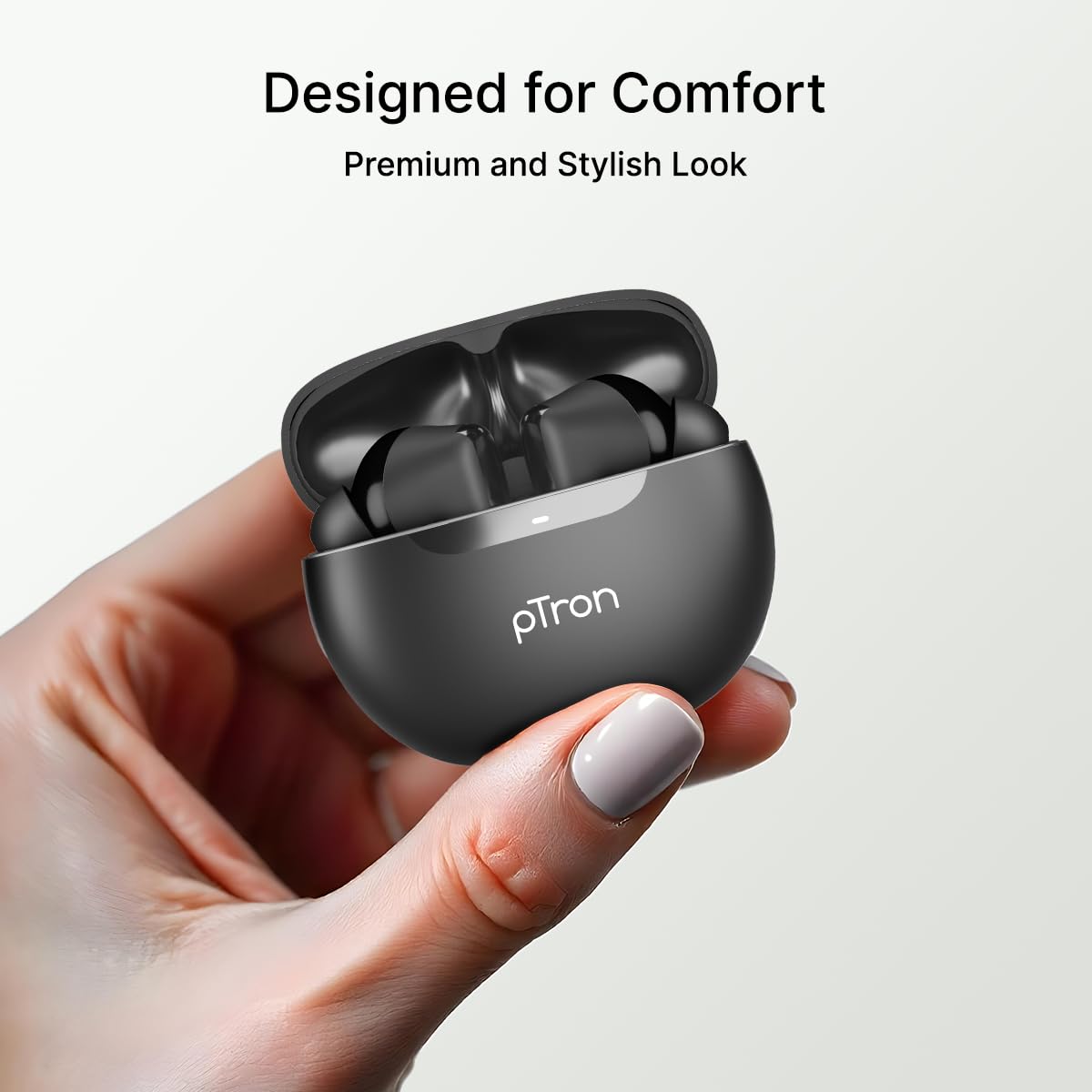
Image: An illustration highlighting the Type-C charging port and the fast charging capability of the earbuds.
نوٽ: The earbuds offer approximately 34 hours of total playtime with the charging case.
2. توهان جي ڊوائيس سان جوڙو ٺاهڻ
Follow these steps to connect your earbuds via Bluetooth:
- چارجنگ ڪيس کوليو. ائربڊس پاڻمرادو پيئرنگ موڊ ۾ داخل ٿي ويندا.
- بلوٽوت کي فعال ڪريو پنھنجي اسمارٽ فون يا otherئي ڊوائس تي.
- ڳولھيو "pTron Bassbuds Astra" in the list of available Bluetooth devices.
- Select "pTron Bassbuds Astra" to connect. A voice prompt will confirm successful pairing.

Image: A smartphone screen showing an incoming call from "pTron" next to the earbuds and charging case, demonstrating quick Bluetooth v5.3 connectivity.
جيڪڏهن ڊوائيس تي بلوٽوٿ فعال هجي ته ڪيس مان ڪڍڻ تي ائربڊس پاڻمرادو آخري جوڙيل ڊوائيس سان ٻيهر ڳنڍجي ويندا.
آپريٽنگ هدايتون
1. ائربڊس پائڻ
For optimal sound quality and comfort, choose the correct size eartips and wear the earbuds properly.
- Select the eartips (S/M/L) that provide a snug fit in your ear canal.
- Insert the earbuds into your ears and gently twist them until they feel secure and comfortable.

Image: A woman wearing a pTron Bassbuds Astra earbud, illustrating the ergonomic design for comfortable and secure fit during use.
2. ٽچ ڪنٽرول
The pTron Bassbuds Astra feature intuitive touch controls on each earbud:
| فنڪشن | عمل |
|---|---|
| موسيقي کي هلايو / روڪيو | ڪنهن به ائربڊ تي اڪيلو ٽيپ ڪريو |
| ايندڙ ٽريڪ | ساڄي ائربڊ تي ٻٽي ٽيپ ڪريو |
| اڳيون ٽريڪ | کاٻي ائربڊ تي ٻٽي ٽيپ ڪريو |
| جواب ڏيو / ڪال ختم ڪريو | ڪنهن به ائربڊ تي اڪيلو ٽيپ ڪريو |
| ڪال رد ڪريو | ٻنهي ائربڊ تي ڊگھو دٻايو |
| وائيس اسسٽنٽ کي فعال ڪريو | ٻنهي مان ڪنهن به ائربڊ تي ٽي ڀيرا ٽيپ ڪريو |
Image: A visual representation of key features including IPX4 water resistance, voice assistant activation, fast charging, and touch controls.
3. Mono and Stereo Mode
The earbuds support both stereo (using both earbuds) and mono (using a single earbud) modes. Simply take one earbud out of the case to use it in mono mode. The other earbud can remain in the case or be used simultaneously for stereo audio.
سار سنڀال
1. صفائي
- ائربڊس ۽ چارجنگ ڪيس کي باقاعدي طور تي نرم، سڪل، لِنٽ فري ڪپڙي سان صاف ڪريو.
- ڪنن جا ٽُڪا ڪڍو ۽ انهن کي هلڪي صابڻ ۽ پاڻي سان صاف ڪريو، پوءِ ٻيهر ڳنڍڻ کان اڳ چڱيءَ طرح سڪيو.
- پڪ ڪريو ته ٻنهي ائربڊس ۽ ڪيس تي چارجنگ ڪانٽيڪٽس مٽي ۽ ملبي کان پاڪ آهن.
2. پاڻي جي مزاحمت (IPX4)
The pTron Bassbuds Astra are IPX4 rated, meaning they are resistant to splashing water from any direction. This makes them suitable for workouts and light rain.
- ائربڊس کي پاڻيءَ ۾ نه ٻوڙيو.
- انهن کي تيز دٻاءُ واري پاڻي جي جيٽن جي سامهون آڻڻ کان پاسو ڪريو.
- نقصان کان بچڻ لاءِ چارجنگ ڪيس ۾ واپس رکڻ کان اڳ پڪ ڪريو ته ائربڊس سڪي ويا آهن.
3. اسٽوريج
جڏهن استعمال ۾ نه هجي، ته ائربڊس کي انهن جي چارجنگ ڪيس ۾ محفوظ ڪريو ته جيئن انهن کي محفوظ رکي سگهجي ۽ انهن کي چارج رکيو وڃي. انتهائي گرمي پد کان پري ٿڌي، سڪل جاءِ تي ذخيرو ڪريو.
مشڪلاتون
جيڪڏهن توهان کي ڪو مسئلو درپيش اچي ته هيٺ ڏنل عام حلن جو حوالو ڏيو:
| مسئلو | حل |
|---|---|
| ائربڊس نه ملائي رهيا آهن | Ensure earbuds are charged. Turn off and on Bluetooth on your device. Forget "pTron Bassbuds Astra" from your device's Bluetooth list and re-pair. |
| صرف هڪ ائربڊ ڪم ڪري رهيو آهي | Place both earbuds back into the charging case, close the lid, then open it again. Ensure both earbuds are charged. |
| آواز ڪونهي | ڊوائيس جو واليوم چيڪ ڪريو. پڪ ڪريو ته ائربڊ ڳنڍيل آهن. مختلف آڊيو هلائڻ جي ڪوشش ڪريو. |
| ٽچ ڪنٽرول غير جوابي | پڪ ڪريو ته توهان جون آڱريون صاف ۽ سڪل آهن. ائربڊس کي ڪيس ۾ رکي ۽ ٻاهر ڪڍي ٻيهر شروع ڪرڻ جي ڪوشش ڪريو. |
| چارج ڪرڻ جو مسئلو | Check the charging cable and adapter. Ensure charging contacts on earbuds and case are clean. |
وضاحتون
Key technical specifications for the pTron Bassbuds Astra TWS Earbuds:
- ماڊل نالو: Bassbuds Astra
- رابطي: بلوٽوت V5.3
- وائرليس رينج: 10 ميٽر تائين
- آڊيو ڊرائيور سائيز: 13mm متحرڪ ڊرائيور
- بيٽري جي زندگي: 34 ڪلاڪن تائين (چارجنگ ڪيس سان)
- چارج پورٽ: USB قسم-سي
- پاڻي جي مزاحمت: IPX4
- ڪنٽرول جو طريقو: ڇڪڻ
- مواد: Acrylonitrile Butadiene Styrene (ABS)
- شيء جو وزن: 40 گرام
- شامل اجزاء: Earbuds, Charging Case, USB Type-C Cable, Eartips, User Manual

Image: A detailed diagram of a 13mm sonic surge driver alongside the pTron Bassbuds Astra charging case, emphasizing the audio technology and extended 34-hour playtime.
وارنٽي ۽ سپورٽ
Your pTron Bassbuds Astra TWS Earbuds come with a 6-مهيني ڪاريگر وارنٽي from the date of purchase, covering manufacturing defects only.
For warranty claims, technical support, or any other inquiries, please contact pTron customer care:
- فون: 040-67138888
- اي ميل: support@ptron.in
Please retain your purchase receipt for warranty validation.


