1. تعارف
Thank you for choosing the IOOIOO A80 Portable Printer. This compact, inkless thermal printer is designed for convenience and efficiency, allowing you to print documents, photos, and more from various devices, including smartphones, tablets, and computers. Its portable design makes it ideal for home, office, or travel use.


2. دٻي ۾ ڇا آهي
مھرباني ڪري پيڪيج جي مواد کي چيڪ ڪريو ته جيئن پڪ ڪري سگھجي ته سڀئي شيون موجود آھن:
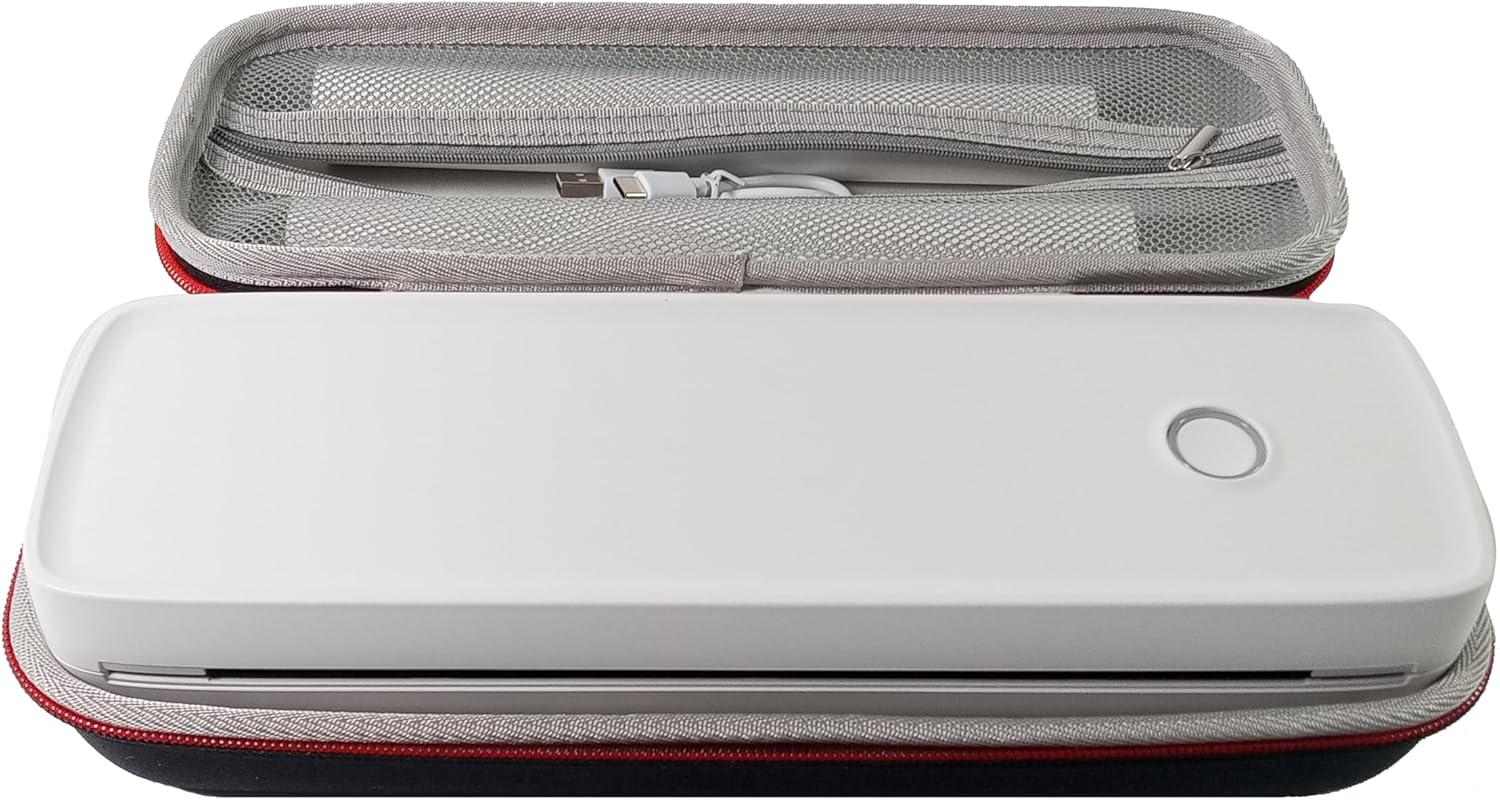
- IOOIOO A80 پورٽيبل پرنٽر
- کڻڻ وارو ڪيس
- 3 Rolls of A4 or Letter Thermal Paper
- 3 Pages of Continuous Folded Thermal Paper
- USB ڪيبل
- QR Code for Manual Download (Digital Manual)

3. سيٽ اپ
3.1 شروعاتي چارجنگ
Before first use, fully charge the printer using the provided USB cable. The LED indicator will show charging status.
3.2 Software/Driver Installation
To use the printer with your devices, appropriate software or drivers are required:
- For Mobile Phones (iPhone/Android): Download the "SharpFox" application from your device's app store.
- For Desktop PCs (Windows/Mac/Linux/Raspberry Pi): Download the necessary drivers from the official IOOIOO website. A QR code is provided in the box for quick access to the manual and driver download links.
3.3 ٿرمل پيپر لوڊ ڪندي
The IOOIOO A80 uses inkless thermal paper. To load paper:
- ڪاغذ جي دٻي جو ڍڪ کوليو.
- Insert the thermal paper roll or folded stack, ensuring the printable side is facing the print head.
- ڪپڙا محفوظ طور تي بند ڪريو.

4. آپريٽنگ هدايتون
4.1 پاور آن/آف
- پاور آن ڪرڻ: Press and hold the power button until the LED indicator illuminates.
- پاور آف ڪرڻ: پاور بٽڻ کي دٻايو ۽ رکو جيستائين LED اشارو بند نه ٿئي.
4.2 ڪنيڪشن
The IOOIOO A80 offers both Bluetooth wireless and USB wired connectivity options.
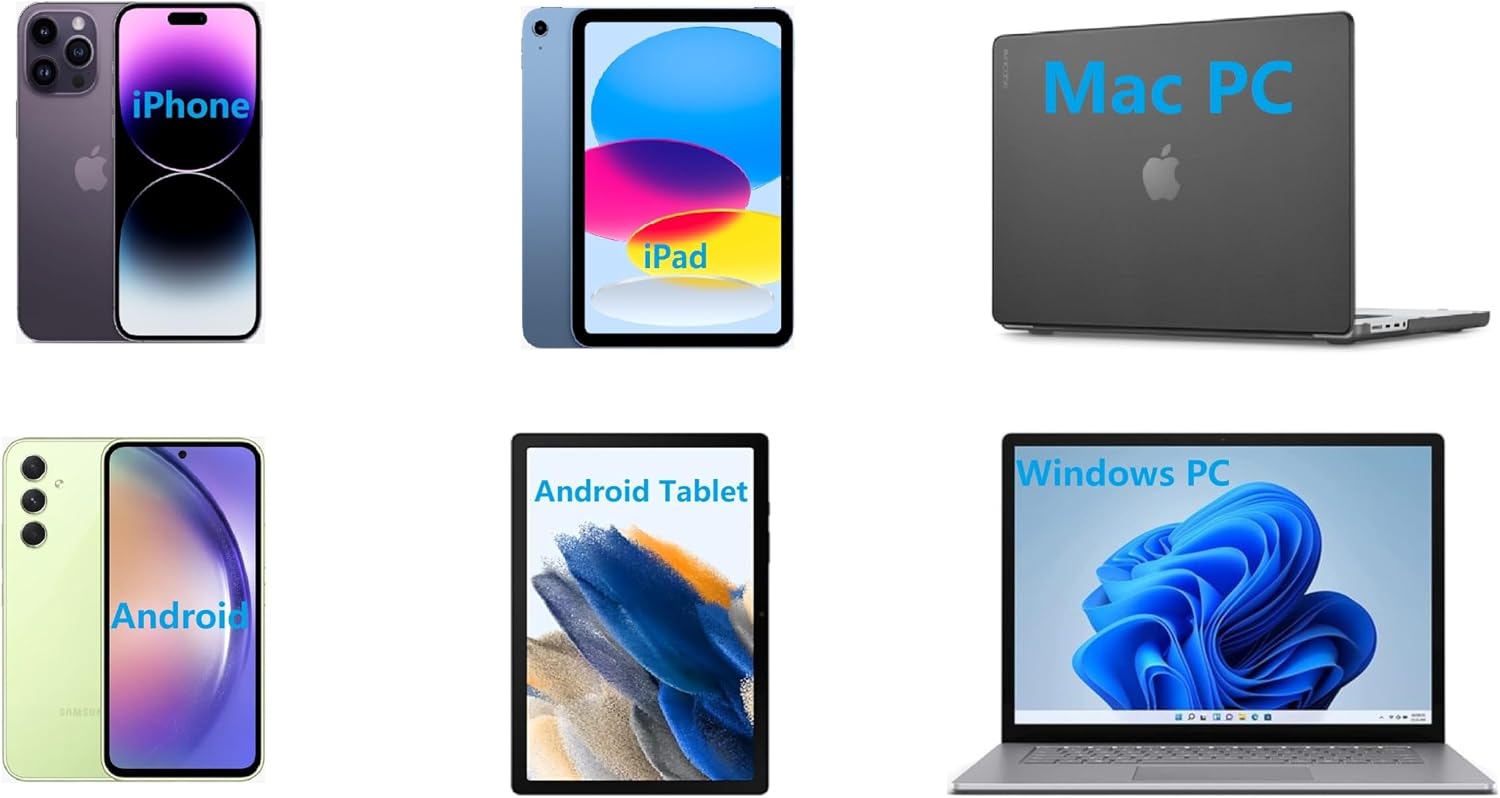
4.2.1 Bluetooth Connection (for Phones and Windows PC)
- Ensure the printer is powered on and the LED is green.
- On your phone, open the "SharpFox" app. On your Windows PC, ensure Bluetooth is enabled.
- Within the app or PC Bluetooth settings, search for and select the "IOOIOO A80" printer to pair.
- جوڙڻ جي عمل کي مڪمل ڪرڻ لاءِ ڪنهن به آن-اسڪرين اشارن تي عمل ڪريو.
4.2.2 USB Connection (for Windows PC, Mac PC, Linux, Raspberry Pi)
- Ensure the printer is powered on and the LED is green. If the LED is not green, the printer will not print via USB.
- مهيا ڪيل USB ڪيبل استعمال ڪندي پرنٽر کي پنهنجي ڪمپيوٽر سان ڳنڍيو.
- Install the appropriate drivers as described in Section 3.2.
- Once drivers are installed, the printer should be recognized by your computer.
4.3 ڇپائي
After connecting your printer, you can initiate printing from your chosen application (e.g., SharpFox app, word processor, PDF viewer).
- پنھنجي ايپليڪيشن ۾ پرنٽ آپشن چونڊيو.
- Choose "IOOIOO A80" from the list of available printers.
- Adjust print settings (e.g., paper size: US letter/legal/A4/A5, 2", 3", 4" sticky/non-sticky, flat folded/rolled thermal paper, tattoo stencil transfer paper) as needed.
- پرنٽ شروع ڪرڻ لاءِ "پرنٽ" تي ڪلڪ ڪريو.
Note on Tattoo Stencil Printing: This printer is suitable for normal tattoo lines only. It is not recommended for sharp lines, large blocks, gradients, or color patterns.
5. سار سنڀال
Proper maintenance ensures the longevity and optimal performance of your IOOIOO A80 printer.
5.1 پرنٽ هيڊ کي صاف ڪرڻ
Regularly clean the print head to maintain print quality.
- پرنٽر بند ڪريو ۽ ان کي بجلي کان ڌار ڪريو.
- ڪاغذ جو دٻو کوليو.
- پرنٽ هيڊ کي لِنٽ فري ڪپڙي سان هلڪي هلڪي صاف ڪريو.ampisopropyl شراب سان ختم.
- پرنٽر کي بند ڪرڻ ۽ پاور آن ڪرڻ کان اڳ پرنٽ هيڊ کي مڪمل طور تي سڪي وڃڻ ڏيو.
5.2 ڪاغذن جو ذخيرو
Store thermal paper in a cool, dry place away from direct sunlight and heat to preserve its quality and ensure prints last for the expected duration (2 to 15 years depending on paper type).
6. مسئلا حل ڪرڻ
If you encounter issues with your IOOIOO A80 printer, please refer to the official Troubleshooting Guide for detailed solutions.
مسئلو حل ڪرڻ واري گائيڊ (PDF) ڊائون لوڊ ڪريو
Common issues and quick checks:
- Printer not powering on: پڪ ڪريو ته بيٽري چارج آهي.
- ڪابه پرنٽ آئوٽ پُٽ ناهي: Check paper loading, ensure the LED is green (for USB connection), and verify connectivity (Bluetooth/USB).
- خراب پرنٽ معيار: Clean the print head, ensure you are using compatible thermal paper.
- ڪنيڪشن جا مسئلا: Restart both the printer and the device you are trying to connect from. Re-pair Bluetooth or re-plug the USB cable.
7. وضاحتون
| خاصيت | تفصيل |
|---|---|
| برانڊ | آئي او او او |
| ماڊل نالو | A80 |
| پيداوار جي ماپ | 3.6"ڊي x 11.4"ڊي x 2.4"ايڇ |
| شيءِ جو وزن | 1.8 پائونڊ |
| ڇپائي ٽيڪنالاجي | حرارتي |
| وڌ ۾ وڌ ڪارو ۽ اڇو پرنٽ ريزوليوشن | 200 ڊي پي آئي |
| وڌ ۾ وڌ پرنٽ اسپيڊ (مونوڪروم) | 4 ppm (approx. 10mm/s) |
| وڌ ۾ وڌ ميڊيا سائيز | A4 (supports US Letter/Legal/A4/A5) |
| رابطي ٽيڪنالاجي | Bluetooth for Phone, USB for PC |
| اڇو رنگ | Black (Monochrome) |
| پرنٽ سر زندگي | Approx. 170,000 letter pages |
| بيٽري | 1 ليتيم آئن بيٽري (شامل) |
8. وارنٽي ۽ سپورٽ
For any questions, technical assistance, or warranty inquiries, please contact IOOIOO customer service.
- يو ايس فون سپورٽ: Available for direct assistance.
- WhatsApp سپورٽ: Available for convenient messaging support.
Please refer to your product packaging or the official IOOIOO webجديد ترين رابطي جي معلومات لاءِ سائيٽ.


