1. تعارف
Thank you for choosing the SUNOL GS08 Smart Glasses. These open-ear audio glasses combine stylish eyewear with advanced audio technology, allowing you to enjoy music, make calls, and access navigation while remaining aware of your surroundings. This manual provides detailed instructions for the proper use and maintenance of your device.
اهم خاصيتون شامل آهن:
- کليل ڪن آڊيو: Enjoy sound without blocking your ears, maintaining situational awareness.
- بلوٽوت 5.3 ڪنيڪشن: Stable and efficient wireless connection to your smart devices.
- مربوط مائڪروفون: For clear hands-free calls and voice assistant interaction.
- پولرائزڊ لينس: 100% UV protection to shield your eyes from harmful rays and reduce glare.
- IPX4 پاڻي جي مزاحمت: Designed to resist sweat and light rain, suitable for various activities.
- اي آءِ وائيس ڪنٽرول: Access navigation, phone calls, and music without needing to pull out your phone.
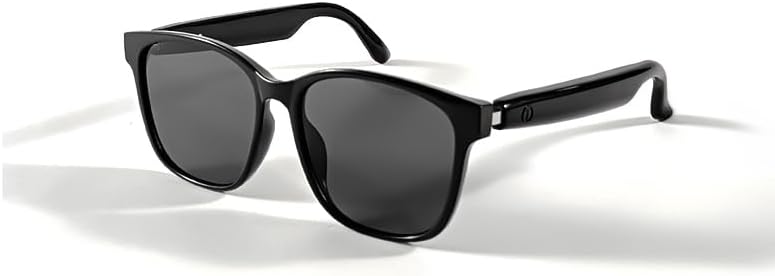
Image 1.1: The SUNOL GS08 Smart Glasses in gray, showcasinانهن جي سهڻي ڊيزائن.
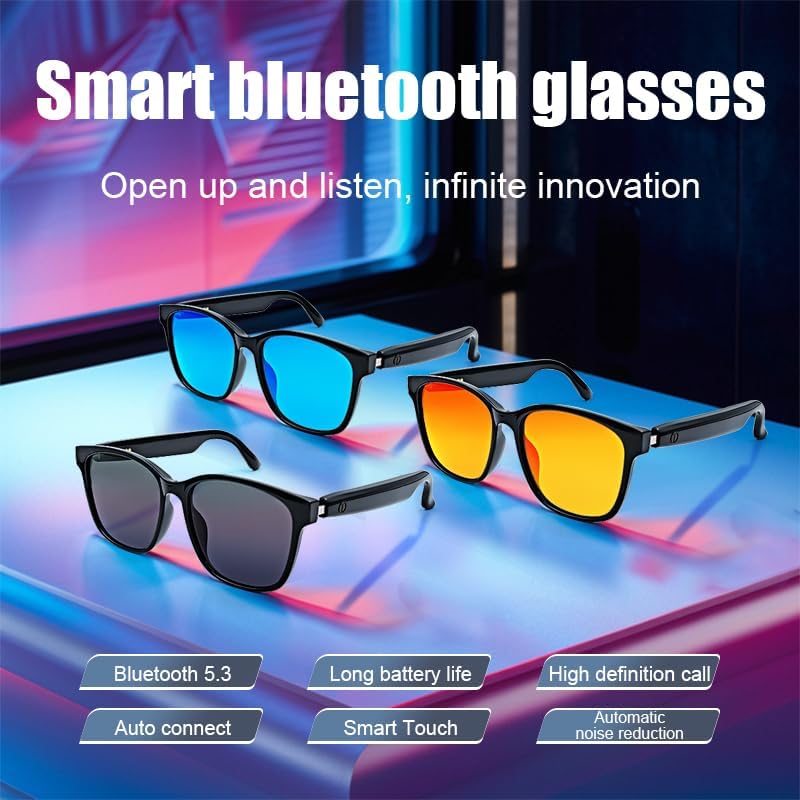
Image 1.2: Multiple color variants of the smart glasses highlighting features like Bluetooth 5.3, long battery life, high-definition calls, auto-connect, smart touch, and automatic noise reduction.
2. سيٽ اپ
2.1. پيڪيج مواد
اڳتي وڌڻ کان اڳ، مھرباني ڪري پڪ ڪريو ته سڀئي شيون پيڪيج ۾ موجود آھن:
- SUNOL GS08 Smart Glasses
- چارج ڪيبل
- استعمال ڪندڙ دستي
- Cleaning Cloth (may vary by package)
2.2. شيشي کي چارج ڪرڻ
For optimal performance, fully charge your smart glasses before first use.
- Connect the charging cable to the charging port on the glasses.
- چارجنگ ڪيبل جي ٻئي ڇيڙي کي USB پاور اڊاپٽر (شامل نه آهي) يا ڪمپيوٽر جي USB پورٽ ۾ لڳايو.
- The indicator light on the glasses will illuminate during charging and turn off or change color when fully charged.
- مڪمل چارج ٿيڻ ۾ عام طور تي لڳ ڀڳ 1.5 کان 2 ڪلاڪ لڳن ٿا.
2.3. بلوٽوٽ جوئر
Follow these steps to pair your SUNOL GS08 Smart Glasses with your smartphone or other Bluetooth-enabled device:
- Ensure the glasses are charged and powered off.
- Press and hold the power button on the glasses until the indicator light flashes rapidly (usually blue and red), indicating pairing mode.
- On your smart device, go to Bluetooth settings and turn Bluetooth on.
- ڳولھيو available devices. You should see "GS08" or "SUNOL GS08" in the list.
- Select "GS08" to connect. Once connected, the indicator light on the glasses will typically stop flashing and remain solid blue or turn off.
- The glasses will automatically connect to the last paired device when powered on, if the device's Bluetooth is active and within range.
3. آپريٽنگ هدايتون
3.1. پاور آن/آف
- پاور آن: Press and hold the power button for approximately 3 seconds until you hear a power-on prompt or see the indicator light.
- بجلي بند: Press and hold the power button for approximately 5 seconds until you hear a power-off prompt or the indicator light turns off.
3.2. ميوزڪ پلے بیک
Control your music directly from the smart glasses:
- راند/روڪ: Single press the multi-function button (often the power button or a dedicated button).
- اڳيون ٽريڪ: ملٽي فنڪشن بٽڻ کي ٻٽي دٻايو.
- پويون ٽريڪ: ملٽي فنڪشن بٽڻ کي ٽي ڀيرا دٻايو.
3.3. ڪال مينيجمينٽ
Manage phone calls hands-free:
- جواب ڏيو ڪال: Single press the multi-function button when a call comes in.
- ڪال ختم ڪريو: Single press the multi-function button during a call.
- ڪال رد ڪريو: جڏهن ڪال اچي ته ملٽي فنڪشن بٽڻ کي 2 سيڪنڊن لاءِ دٻايو ۽ رکو.
3.4. Voice Assistant (AI Voice Control)
Activate your device's voice assistant for navigation, information, and more:
- چالو ڪريو: Press and hold the multi-function button for 2 seconds (when not on a call) to activate your smartphone's voice assistant (e.g., Siri, Google Assistant).
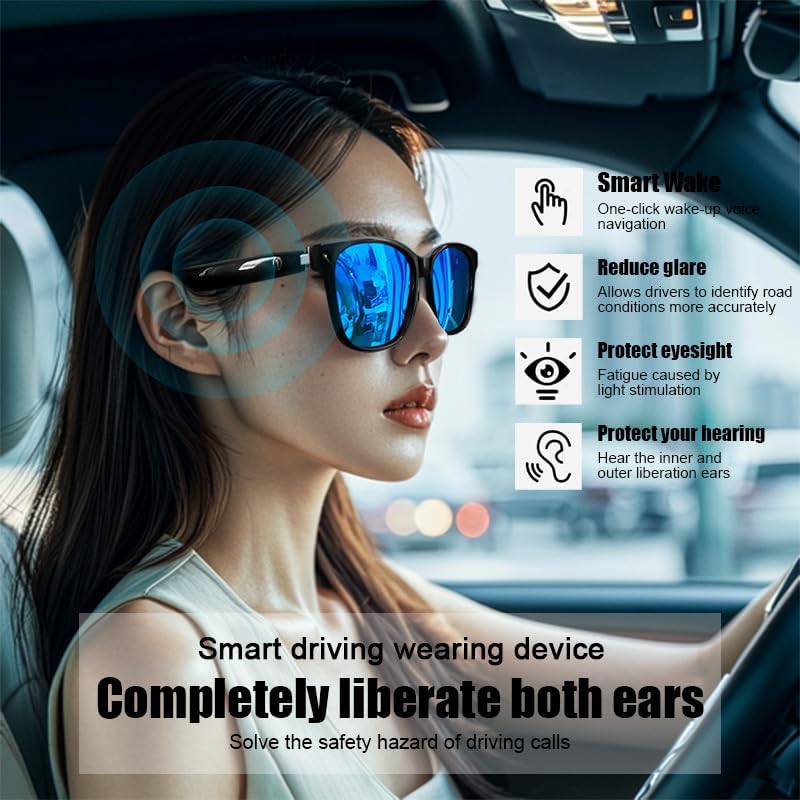
Image 3.1: The smart glasses in use while driving, demonstrating features such as Smart Wake for voice navigation, reduced glare, eye protection, and open-ear audio for hearing protection.
3.5. حجم ڪنٽرول
Adjust the audio volume using the dedicated volume buttons on the glasses (if available) or directly from your connected smart device.

تصوير 3.2: اڳوڻيamples of the smart glasses being used in various activities such as cycling, hiking, driving, and fishing, highlighting their versatility.
4. سار سنڀال
4.1. Cleaning the Glasses
To maintain clarity and hygiene:
- Use the provided cleaning cloth or a soft, lint-free cloth to gently wipe the lenses and frame.
- ضدي داغن لاءِ، هلڪو ڊيampen the cloth with water or a lens cleaning solution specifically designed for eyewear.
- Avoid using harsh chemicals, abrasive materials, or paper towels, as these can scratch the lenses or damage the frame.
4.2. اسٽوريج
When not in use, store your smart glasses in their protective case to prevent scratches and damage. Avoid exposing them to extreme temperatures, direct sunlight for prolonged periods, or high humidity.
4.3. پاڻي جي مزاحمت (IPX4)
The SUNOL GS08 Smart Glasses are rated IPX4, meaning they are resistant to splashing water from any direction. This makes them suitable for use during workouts or in light rain. However, they are not designed for submersion in water. Do not wear them while swimming, showering, or in heavy rain.
5. مسئلا حل ڪرڻ
If you encounter issues with your smart glasses, please refer to the following common solutions:
| مسئلو | ممڪن سبب | حل |
|---|---|---|
| Glasses won't power on. | گھٽ بيٽري. | چشمي کي مڪمل طور تي چارج ڪريو. |
| ڊوائيس سان جوڙو نه ٿو ٺاهي سگهجي. | Bluetooth off on device; glasses not in pairing mode; too far from device. | Ensure Bluetooth is on. Put glasses in pairing mode (see Section 2.3). Move glasses closer to the device. Try unpairing and re-pairing. |
| ڪابه آواز يا گهٽ آواز ناهي. | Volume too low on glasses or device; glasses not connected; audio source paused. | Increase volume on both glasses and connected device. Verify Bluetooth connection. Check if audio is playing on the source device. |
| وقفي وقفي سان ڳنڍڻ. | مداخلت؛ ڊوائيس تمام پري؛ گهٽ بيٽري. | Move closer to the connected device. Avoid areas with strong Wi-Fi or other Bluetooth interference. Ensure glasses are charged. |
جيڪڏهن انهن حلن جي ڪوشش ڪرڻ کان پوءِ به مسئلو برقرار رهي، مهرباني ڪري ڪسٽمر سپورٽ سان رابطو ڪريو.
6. وضاحتون
| خاصيت | تفصيل |
|---|---|
| ماڊل نمبر | F06 |
| بلوٽوت ورزن | 5.3 |
| بيٽري جو قسم | 1 ليتيم پوليمر بيٽري (شامل) |
| پاڻي جي مزاحمت | IPX4 (سپلاش مزاحمتي) |
| لينس جو قسم | Polarized, 100% UV Protection |
| آڊيو پلے بیک وقت | Approximately 3 hours (on a full charge) |
| ڊپارٽمينٽ | يونيسيڪس- بالغ |
| تاريخ پهرين دستياب | 24 جون 2024 |
| اصليت | درآمد ٿيل |
7. وارنٽي ڄاڻ
SUNOL products are manufactured to the highest quality standards. This product is covered by a limited warranty against defects in materials and workmanship from the date of original purchase. Please retain your proof of purchase for warranty claims.
The warranty does not cover damage caused by misuse, accident, unauthorized modification, or normal wear and tear. For specific warranty terms and conditions, please refer to the warranty card included with your product or contact customer support.
8. ڪسٽمر سپورٽ
If you have any questions, require technical assistance, or need to make a warranty claim, please contact our customer support team:
- اي ميل: support@sunol.com
- Webسائيٽ: www.sunol.com/support
Please have your product model number (F06) and purchase date ready when contacting support.


