1. تعارف
The XOSS NAV Plus GPS Bike Computer is an advanced device designed to enhance your cycling experience. It features a large 2.4-inch full lamination glass screen for clear data visibility and robust waterproofing. This manual provides detailed instructions for setting up, operating, and maintaining your NAV Plus bike computer.

Figure 1.1: XOSS NAV Plus GPS Bike Computer displaying navigation and cycling data.
2. پيڪيج مواد
مھرباني ڪري تصديق ڪريو ته ھيٺ ڏنل سڀ شيون توھان جي پيڪيج ۾ موجود آھن:
- NAV+ Smart GPS Cycling Computer *1
- Rubber Band *2
- Protection Rubber Pad *1
- Cycling Computer Mount *1
- ٽائپ-سي USB ڪيبل *1
- يوزر مينوئل *1

Figure 2.1: Contents of the XOSS NAV Plus package.
3. سيٽ اپ ۽ تنصيب
Follow these steps to install your XOSS NAV Plus GPS Bike Computer on your bicycle:
- جبل کي ڳنڍيو: Cross-tie the cycling computer mount base to your handlebar using the provided rubber bands. Ensure it is securely fastened and does not rotate freely.
- Install the Computer: Align the XOSS NAV Plus computer with the mount and rotate it 90 degrees clockwise until it clicks securely into place.

Figure 3.1: Easy installation steps for the XOSS NAV Plus.
3.1 شروعاتي چارجنگ
Before first use, fully charge the device using the supplied USB-C cable. Connect the cable to the device's USB-C port and a standard USB power source (e.g., computer, wall adapter, power bank). A full charge provides approximately 33 hours of battery life.
4. آپريٽنگ هدايتون
4.1 پاور آن/آف
Press and hold the power button (typically located on the side or bottom) to turn the device on or off.
4.2 Connecting to XOSS App
For advanced features like quick route generation and data synchronization, connect your NAV Plus to the XOSS app on your smartphone via Bluetooth. Follow the in-app instructions for pairing.
4.3 Navigation and Route Generation
The NAV Plus supports quick route generation on demand. Once connected to the XOSS app, you can easily create and upload routes to the device for turn-by-turn navigation during your rides.
4.4 Data Display and Customization
The device offers up to 6 dial settings and supports 17 layout designs, allowing you to customize how data is displayed. It can show up to 49 types of cycling data, including speed, distance, calories, time, and temperature.
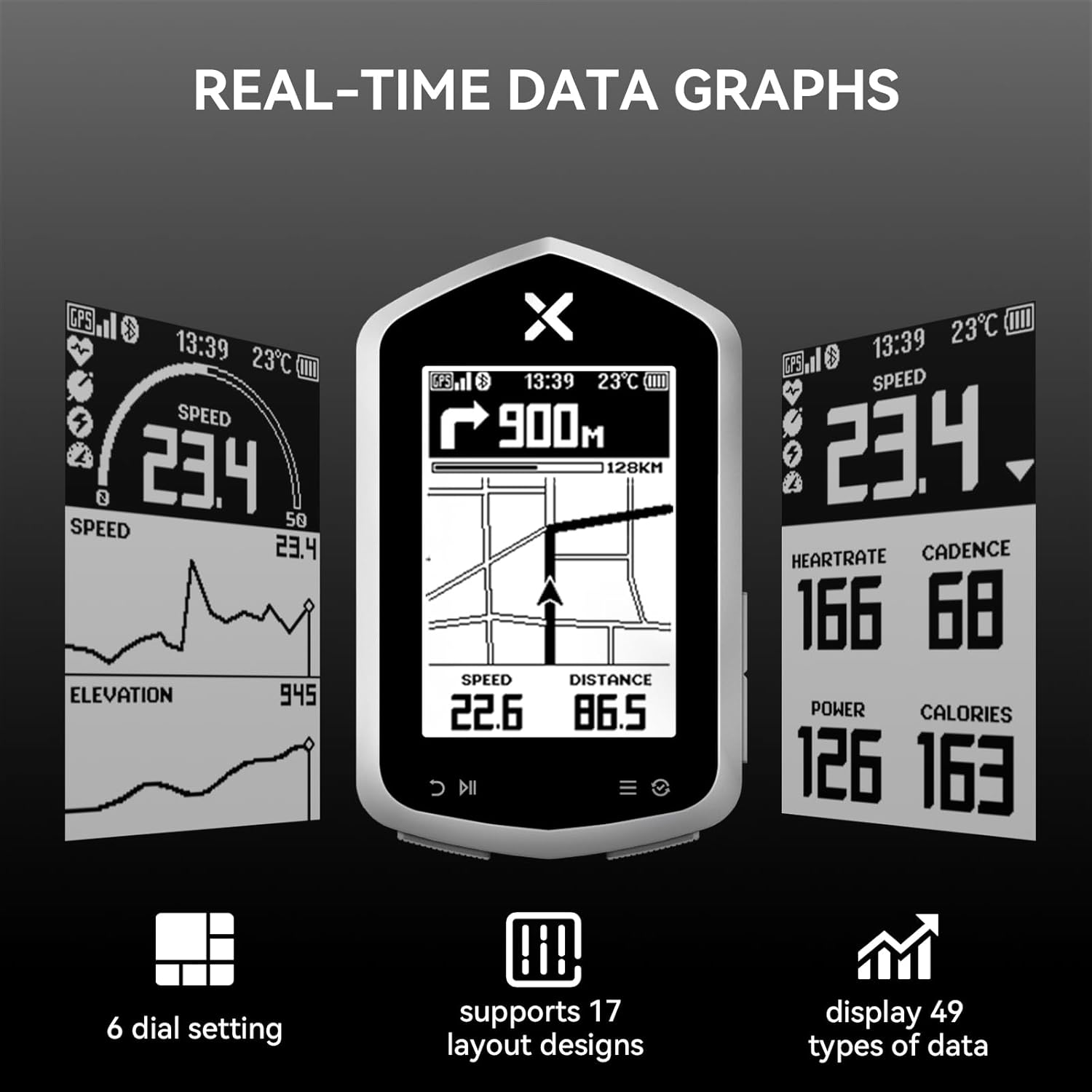
Figure 4.1: Real-time data graphs and customizable display options.
4.5 Sensor Compatibility
The XOSS NAV Plus is compatible with various external sensors via ANT+ and Bluetooth, including heart rate monitors (e.g., X2 PRO, X2, BBP Heart Rate Monitor Armband) and speed sensors (e.g., VORTEX Speed Sensor). This allows for a more comprehensive data collection during your rides.

Figure 4.2: Sensor compatibility of NAV Plus.
4.6 Satellite System Support
The device supports multiple global navigation satellite systems (GNSS) including GPS, GLONASS, and QZSS, ensuring accurate and reliable positioning data for your rides.

Figure 4.3: Support for multiple satellite systems.
5. اهم خاصيتون
- Full Lamination Glass Screen: The 2.4-inch screen provides clear data visibility and enhanced durability with its fully laminated glass construction, improving waterproofing.
- Quick Route Generation: Generate routes on demand through the XOSS app for convenient navigation.
- Customizable Dials & Data: Offers 6 dial settings, 17 layout designs, and displays 49 types of cycling data (speed, distance, calories, time, temperature, etc.).
- Ampاسٽوريج جي گنجائش: Features 4GB storage capacity and 10,000 hours of memory, allowing you to record data from multiple rides.
- ڊگھي بيٽري زندگي: Equipped with a 600mAh Type-C rechargeable Lithium Battery, providing up to 33 hours of operation on a single charge.
- IPX7 Waterproof & Dustproof: Designed to withstand water immersion up to 1 meter for 30 minutes, making it suitable for various weather conditions.
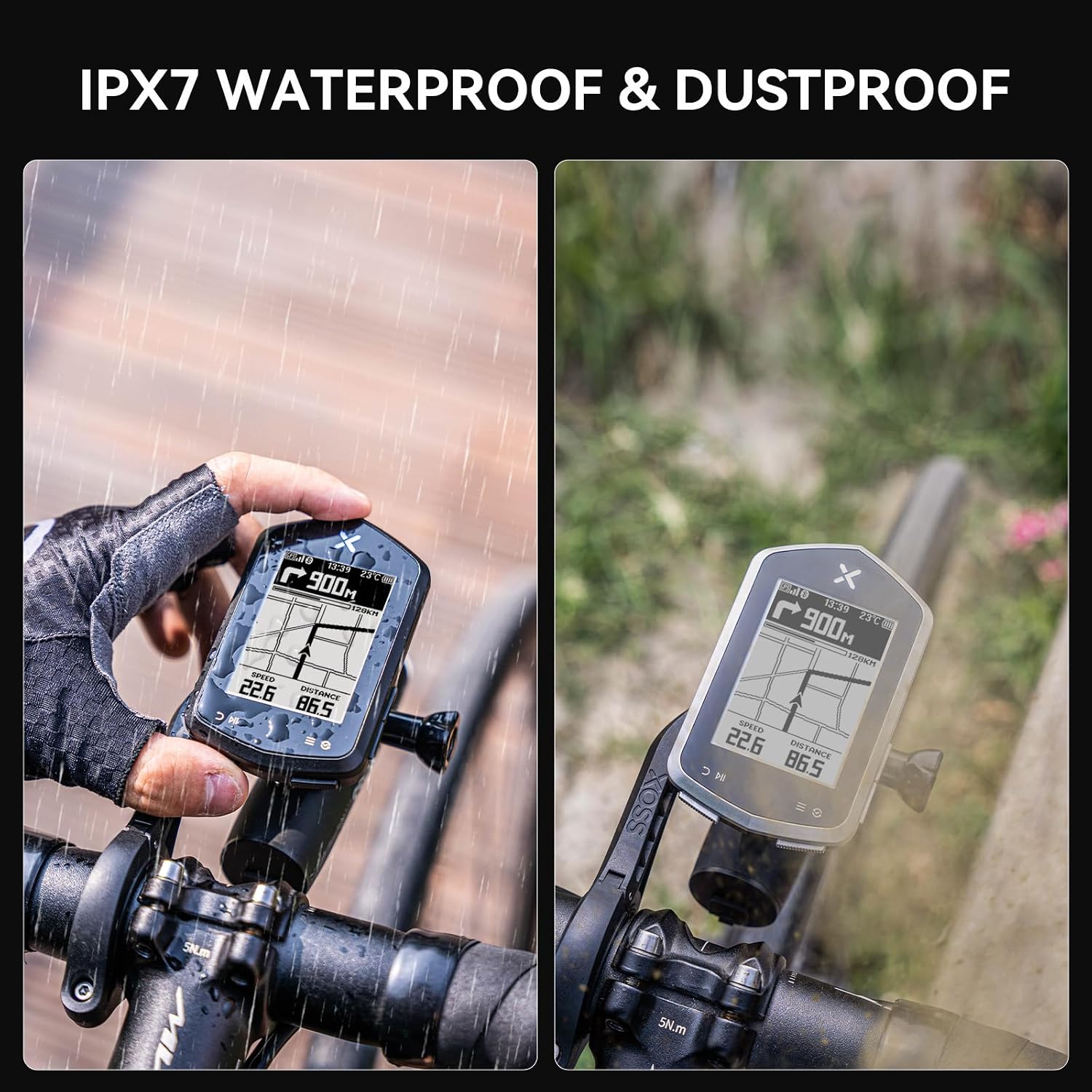
Figure 5.1: IPX7 Waterproof and Dustproof design.

Figure 5.2: Compact size and extended battery life.
6. وضاحتون
| خاصيت | وصف |
|---|---|
| برانڊ | XOSS |
| ماڊل نالو | XOSS NAV+ |
| رنگ | ڪارو |
| اسڪرين جي ماپ | 2.4 انچ |
| ڊسپلي جو قسم | ايل سي ڊي |
| بيٽري جي زندگي | 33 ڪلاڪ |
| بيٽري جو قسم | 600mAh TYPE-C rechargeable Lithium Battery |
| سينسر جو قسم | GLONASS Sensor, Speed Sensor, GPS |
| رابطي ٽيڪنالاجي | ANT, Bluetooth |
| اندروني اسٽوريج | 4GB (10,000h memory capacity) |
| بين الاقوامي تحفظ جي درجه بندي | IPX7 |
| چڙهڻ جو قسم | هينڊل بار جبل |
| انساني انٽرفيس ان پٽ | بٽڻ |
| مواد | پلاسٽڪ |
7. سار سنڀال
- صفائي: ڊوائيس کي نرم سان مسح ڪريو، ڊيamp ڪپڙو. سخت ڪيميائي استعمال ڪرڻ کان پاسو ڪريو يا صاف ڪندڙ صاف ڪندڙ.
- اسٽوريج: جڏهن استعمال ۾ نه هجي ته ڊوائيس کي ٿڌي، سڪل جاءِ تي رکو. انتهائي گرمي پد کان پاسو ڪريو.
- چارج ڪرڻ: Use only the provided USB-C cable or a certified equivalent for charging. Do not expose the charging port to moisture.
- پاڻي جي مزاحمت: While IPX7 rated, avoid prolonged submersion or high-pressure water jets. Ensure the USB-C port cover is securely closed before exposure to water.
8. مسئلا حل ڪرڻ
8.1 ڊوائيس آن نه ٿي رهيو آهي
- پڪ ڪريو ته ڊوائيس مڪمل طور تي چارج ٿيل آهي. ان کي پاور سورس سان ڳنڍيو ۽ ٻيهر پاور آن ڪرڻ جي ڪوشش ڪرڻ کان پهريان ڪجهه منٽ انتظار ڪريو.
- گهٽ ۾ گهٽ 5-10 سيڪنڊن لاءِ پاور بٽڻ کي دٻايو ۽ رکو.
8.2 جي پي ايس سگنل جا مسئلا
- پڪ ڪريو ته توهان هڪ کليل علائقي ۾ آهيو جتي صاف پاڻي هجي view آسمان جو.
- Allow sufficient time for the device to acquire satellite signals (first fix may take longer).
- Ensure the device's firmware is up to date via the XOSS app.
8.3 Cannot Connect to XOSS App/Sensors
- Ensure Bluetooth is enabled on your smartphone and the NAV Plus.
- Make sure the XOSS app is updated to the latest version.
- Restart both the device and your smartphone.
- For sensors, ensure they are awake and within range. Check their batteries.
8.4 Inaccurate Data Readings
- Ensure all sensors are properly paired and calibrated (if applicable).
- Check for any physical obstructions or interference.
- Verify that the correct wheel circumference is set in the device settings (if using a speed sensor).
9. وارنٽي ۽ سپورٽ
9.1 وارنٽي ڄاڻ
The XOSS NAV Plus GPS Bike Computer comes with a هڪ سال وارنٽي خريداري جي تاريخ کان. هي وارنٽي عام استعمال هيٺ پيداوار جي خرابين ۽ خرابين کي ڍڪيندي آهي. اهو غلط استعمال، حادثن، غير مجاز ترميمن، يا نامناسب سار سنڀال جي ڪري ٿيندڙ نقصان کي ڍڪي نه ٿو ڏئي.
مھرباني ڪري وارنٽي دعوائن لاءِ خريد ڪرڻ جو پنھنجو ثبوت رکو.
9.2 ڪسٽمر سپورٽ
For further assistance, technical support, or warranty inquiries, please contact XOSS customer service through the official XOSS website or the XOSS app. You can also visit the XOSS Store on Amazon وڌيڪ معلومات لاءِ.


