Y10-2X Motorcycle Helmet Bluetooth Headset User Manual
Model: Y10-2X | Brand: BTQILEYOO
1. تعارف
Thank you for choosing the BTQILEYOO Y10-2X Motorcycle Helmet Bluetooth Headset. This device is designed to enhance your riding experience with advanced communication and audio features. It offers dual 300m intercom capabilities, Bluetooth 5.3 connectivity, smart noise reduction, HiFi level sound quality, and IPX6 waterproof rating, making it compatible with all helmet types.
This manual provides detailed instructions on how to set up, operate, maintain, and troubleshoot your headset to ensure optimal performance and longevity.
2. پراڊڪٽ ختمview
The Y10-2X headset features a robust design with intuitive controls and high-quality audio components. Below is an overview ان جي مکيه خاصيتن ۽ اجزاء جي.
شڪل 2.1: مکيه view of the Y10-2X Bluetooth Headset.
Figure 2.2: Detailed description of the headset's function buttons and interfaces.
Figure 2.3: The Y10-2X headset highlighting its dual 300m intercom, long range, and IPX6 waterproof features.
Figure 2.4: The split installation design of the headset for easy and secure mounting.
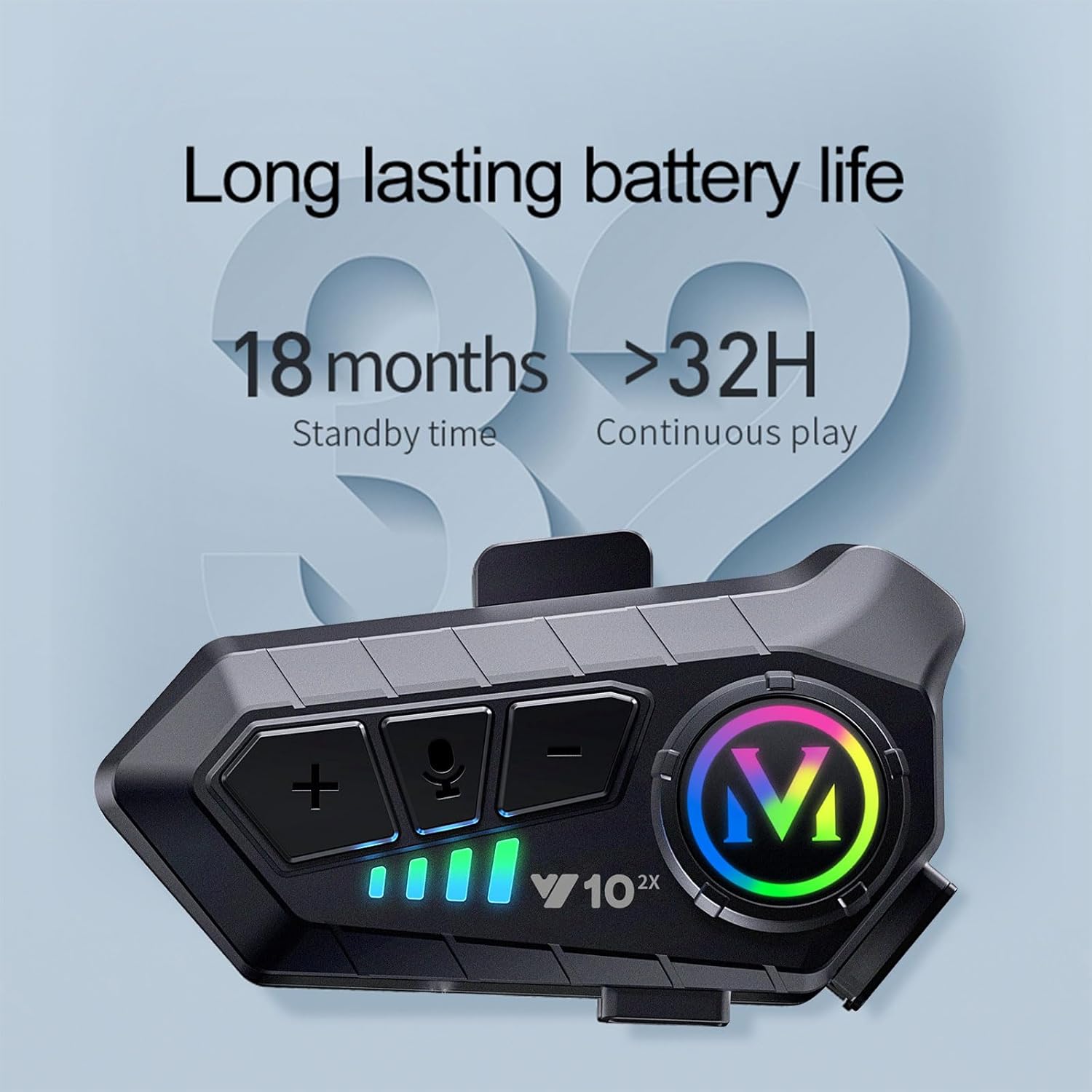
Figure 2.5: The headset boasts long-lasting battery life, offering over 32 hours of continuous play and 18 months of standby time.
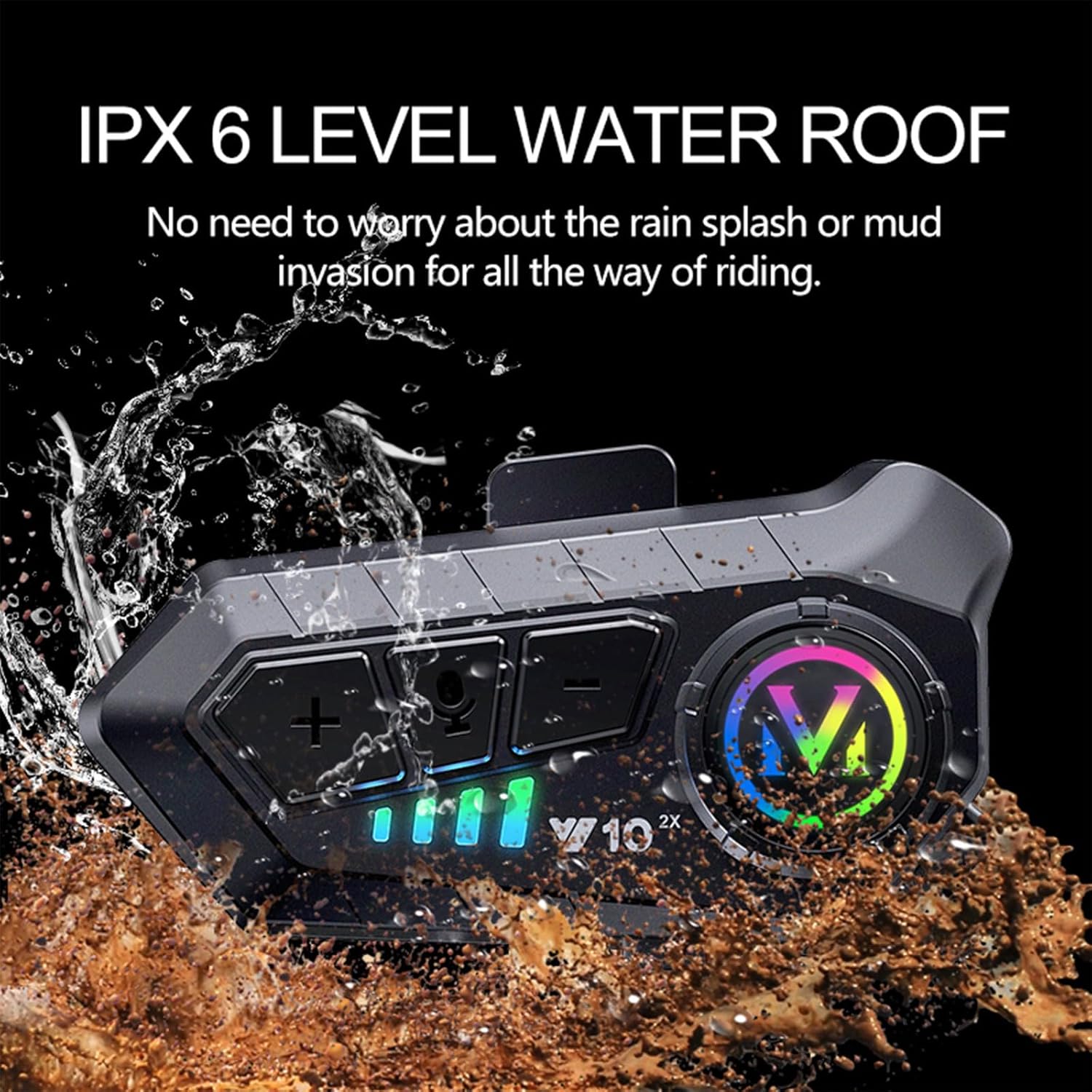
Figure 2.6: The IPX6 waterproof rating ensures the headset is protected against rain and mud splashes.
Figure 2.7: Enjoy high-fidelity sound quality and intelligent noise reduction for clear audio.
Figure 2.8: The headset supports dual 300m intercom, allowing easy communication and call answering while riding.
3. سيٽ اپ گائيڊ
3.1. تنصيب
Mounting the Headset: The Y10-2X features a split mount design with a back clip for easy installation. Securely attach the mounting clip to the side of your helmet.
Attaching the Main Unit: Slide the main headset unit onto the mounted clip until it clicks into place.
Connecting Speakers and Microphone: Plug the speaker and microphone cable into the designated interface on the headset unit. Ensure the connection is firm. The package includes both soft and hard microphones to suit different helmet types and preferences.
3.2. شروعاتي جوڙو (بلوٽوٿ)
Follow these steps to pair your Y10-2X headset with your mobile phone:
پاور آن: Press and hold the power button (usually the main large button) on the headset until the indicator light illuminates, indicating it's powered on and in connection mode.
Activate Phone Bluetooth: On your mobile phone, go to Settings > Bluetooth and turn on Bluetooth.
ڳولھيو ڊوائيس: Your phone will scan for available Bluetooth devices. Look for "QINLIFE Y10 2x" in the list.
ڳنڍڻ: Tap on "QINLIFE Y10 2x" to initiate the pairing process. Confirm any pairing requests on your phone.
ڪنيڪشن جي تصديق: Once successfully paired, the headset's indicator light will blink slowly, confirming the Bluetooth connection.
3.3. Intercom Pairing
To use the intercom function between two Y10-2X headsets:
Disconnect Phone Bluetooth: Before connecting the intercom, ensure Bluetooth is turned OFF on both phones connected to the headsets. The headset's Bluetooth off indicator will blink quickly.
Enter Intercom Mode: On both headsets, press the intercom key (microphone button) to enter intercom mode. One headset will enter receive mode (slow blinking), and the other will enter transmit mode (flash blinking).
جوڙي جي تصديق: When the intercom is successfully paired, the light in the grid on both headsets will flash once every one second, indicating a stable intercom connection.
Video 3.1: A demonstration of the Y10-2X headset's features, installation, and pairing processes.
4. آپريٽنگ هدايتون
4.1. بٽڻ افعال
Power On/Off Button (Main 'M' button): Press and hold to power on/off. Short press to play/pause music, answer/hang up calls.
Intercom Button / Voice Key (Microphone icon): Short press to activate voice assistant. Long press to initiate/end intercom communication.
4.2. Key Features in Operation
بلوٽوٿ 5.3 چپ: The new upgraded Bluetooth 5.3 chip provides stable signal transmission and intelligent noise reduction, effectively reducing interference from the 2.4GHz band.
40MM Graphene Diaphragm: Equipped with a custom speaker featuring a 40MM graphene diaphragm, the headset delivers balanced single-frequency, full medium-frequency, clean low-frequency, and soft high-frequency sound for a HiFi audio experience.
ذھني شور جي گھٽتائي: Multi-layer intelligent noise reduction ensures clear call communication by filtering noise and effectively reducing decibels.
ملٽي ڊيوائس ڪنيڪٽوٽي: You can connect two mobile phones to one device simultaneously, allowing seamless switching between music, navigation, and phone calls.
5. سار سنڀال
5.1. چارج ڪرڻ
The Y10-2X supports USB Type-C fast charging. A 20-minute charge provides approximately 2 hours of battery life. A full charge takes about 2.5 hours and offers up to 32 hours of continuous play.
Use the provided USB Type-C cable to connect the headset to a compatible power source.
پاڻي جي مزاحمت کي برقرار رکڻ لاءِ چارجنگ پورٽ ڪَوَر کي چارج ڪرڻ کان پوءِ محفوظ طور تي بند ڪريو.
5.2. صفائي ۽ اسٽوريج
هيڊ سيٽ کي نرم، ڊي سان صاف ڪريوamp ڪپڙو. استعمال نه ڪريو سخت ڪيميائي يا گھڻائي صاف ڪندڙ.
The headset is IPX6 waterproof, meaning it can withstand strong jets of water. However, avoid submerging it in water.
هيڊ سيٽ کي سڌي سج جي روشني ۽ انتهائي گرمي پد کان پري ٿڌي، سڪل جاءِ تي رکو.
6. مسئلا حل ڪرڻ
If you encounter issues with your Y10-2X headset, please refer to the following common problems and solutions:
Unstable Connection / Intermittent Sound: Ensure the headset is fully charged. Move closer to your paired device (phone or other headset) to reduce interference. Restart both the headset and the paired device.
Poor Waterproofing: While rated IPX6, ensure all port covers (especially the charging port) are securely sealed before exposure to water. Avoid prolonged exposure to heavy rain or submersion.
Low Sound Quality / Volume: Check the volume levels on both the headset and your connected device. Ensure the speakers are correctly positioned within your helmet, close to your ears. Verify that the microphone is not obstructed.
Intercom Pairing Issues: Ensure both headsets are powered on and their phone Bluetooth connections are turned off before attempting intercom pairing. Follow the intercom pairing steps precisely.
Device Not Found During Bluetooth Search: Ensure the headset is in pairing mode (indicator blinking quickly after power on). Turn off and on your phone's Bluetooth. Try restarting the headset.
20 minutes for 2 hours use; 2.5 hours for full charge
بيٽري جي زندگي
32 Hours (Continuous Play)
مطابقت رکندڙ ڊوائيسز
Cellphones, Motorcycles
ڪيبل خصوصيت
ڪيبل کان سواء
پاڻي جي مزاحمت جي سطح
IPX6 پنروڪ
تعدد جي حد
20 هرٽز - 20,000 هرٽز
ڪنٽرول جو طريقو
ٽچ ، آواز
آڊيو ڊرائيور جو قسم
متحرڪ ڊرائيور
ڪن جي شڪل
Ear hook or wing
شيءِ جو وزن
6.3 اونس
رنگ
ڪارو
رڪاوٽ
30 اوم
8. وارنٽي ۽ سپورٽ
For warranty information, technical support, or any inquiries regarding your BTQILEYOO Y10-2X Motorcycle Helmet Bluetooth Headset, please refer to the product packaging or contact BTQILEYOO customer service directly. Contact details can typically be found on the manufacturer's official webسائيٽ يا پراڊڪٽ جو پرچون صفحو.
لاڳاپيل دستاويز - Y10-2X
Y10-2X موٽرسائيڪل هيلمٽ انٽرڪام سسٽم: هدايت نامو Y10-2X موٽرسائيڪل هيلمٽ انٽرڪام سسٽم لاءِ جامع هدايت نامو، جيڪو پراڊڪٽ کي ڍڪيندو آهيview، فون جون خاصيتون، وائيس اسسٽنٽ، ميوزڪ انٽرڪام مڪسنگ، انسٽاليشن، پيئرنگ، ميوزڪ ڪنٽرول، ۽ ٽيڪنيڪل وضاحتون. FCC تعميل جي معلومات ۽ استعمال جي احتياط شامل آهن.
BTQILEYOO T1 Helmet Headset: User Manual and Operation Guide Comprehensive user manual for the BTQILEYOO T1 helmet headset, covering setup, Bluetooth pairing, music control, hands-free calling, voice assistant, EQ settings, charging, and troubleshooting.