تعارف
هي دستور العمل توهان جي سيٽ اپ، آپريشن ۽ سار سنڀال لاءِ ضروري معلومات فراهم ڪري ٿو HP وائرڊ ماؤس 105. Designed for reliability and comfort, this optical mouse offers precise control with its 1600 DPI sensor and a versatile ambidextrous design. It connects via a standard USB-A cable, ensuring a stable and uninterrupted connection for your computing needs.
سيٽ اپ ڪريو
The HP Wired Mouse 105 is designed for quick and easy plug-and-play setup.
- مائوس کوليو: احتياط سان مائوس کي ان جي پيڪنگ مان هٽايو.
- Connect to a USB Port: Locate an available USB Type A port on your computer (PC or Mac). Insert the mouse's USB connector firmly into the port.
- ڊرائيور لڳائڻ: Your operating system (Windows 7, 8, 10, 11, or Mac OS) should automatically detect and install the necessary drivers. No additional software installation is typically required.
- ڪارڪردگي جي تصديق ڪريو: Once connected, the optical sensor on the underside of the mouse will emit a red light. Move the mouse to confirm cursor movement on your screen.
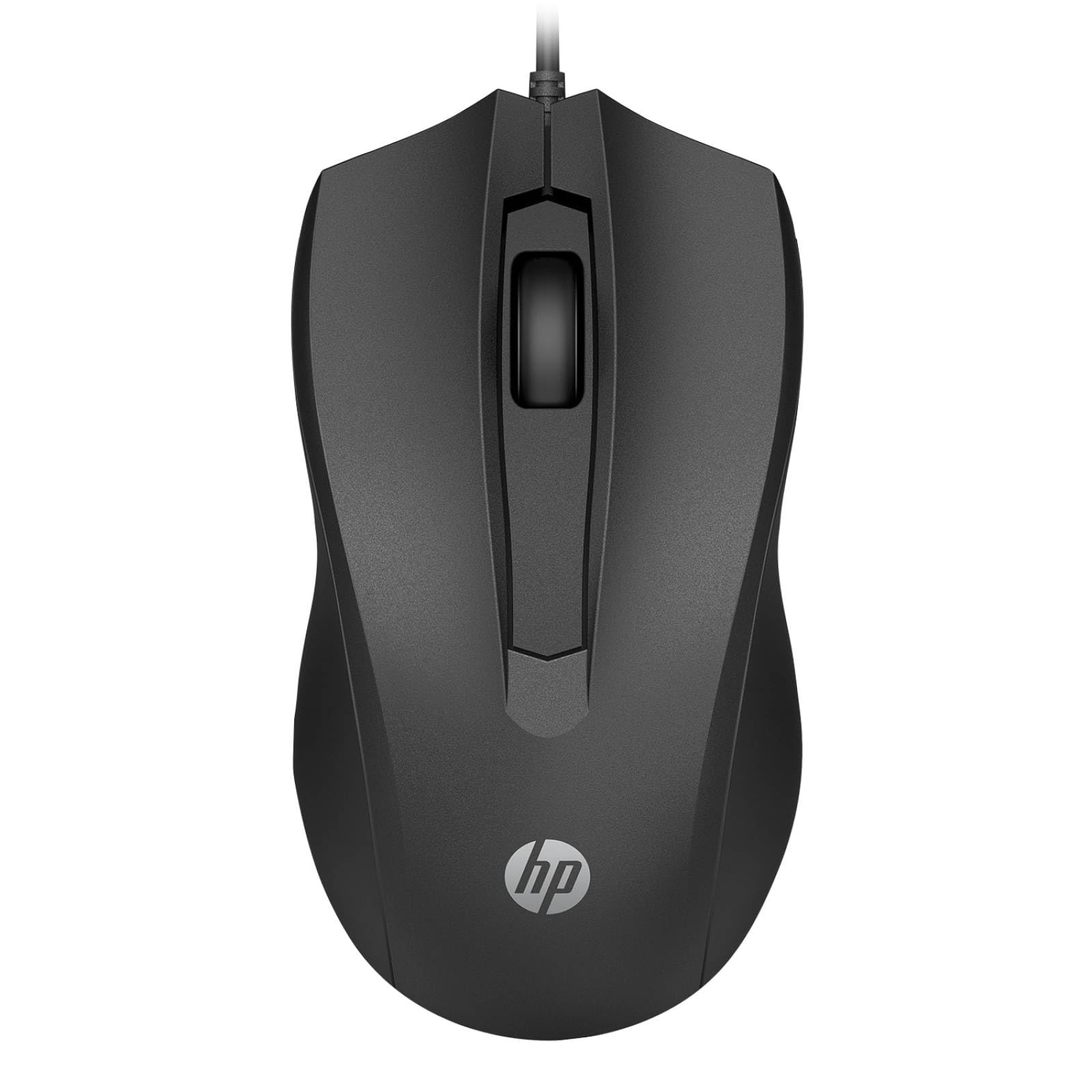
Image: The HP Wired Mouse 105 features a sleek black design and connects via a USB cable for reliable performance.
آپريٽنگ هدايتون
The HP Wired Mouse 105 is a standard 3-button optical mouse, offering intuitive control for everyday computing tasks.
- کاٻي بٽڻ: شيون چونڊڻ، کولڻ لاءِ استعمال ٿيندڙ files، ۽ حڪمن تي عمل ڪرڻ.
- ساڄي بٽڻ: Used to open context-sensitive menus, providing quick access to options.
- اسڪرول ويل (وچولي بٽڻ):
- سکرولنگ: دستاويزن ذريعي نيويگيٽ ڪرڻ لاءِ ڦيٿي کي مٿي يا هيٺ ڪريو ۽ web صفحا.
- وچين ڪلڪ: Pressing the scroll wheel can open links in new tabs or activate other functions depending on the application.
- آپٽيڪل سينسر: The 1600 DPI optical sensor provides precise and responsive cursor tracking on most surfaces.
- وسيع ڊيزائن: The symmetrical design ensures comfortable use for both left-handed and right-handed users.
سار سنڀال
To ensure optimal performance and longevity of your HP Wired Mouse 105, follow these simple maintenance guidelines:
- مائوس جي صفائي:
- نرم، لِنٽ کان خالي ڪپڙو استعمال ڪريو ٿورڙو ڊيampمائوس جي ٻاهرئين حصي کي صاف ڪرڻ لاءِ پاڻي يا هلڪي صفائي واري محلول سان ٻوڙيو وڃي.
- سخت ڪيميڪل يا رگڙيندڙ مواد استعمال ڪرڻ کان پاسو ڪريو، ڇاڪاڻ ته اهي مٿاڇري کي نقصان پهچائي سگهن ٿا.
- For the optical sensor, use a dry cotton swab to gently remove any dust or debris. Do not spray liquids directly onto the sensor.
- ڪيبل جي سنڀال:
- Avoid bending or twisting the USB cable sharply, as this can damage the internal wires.
- Do not pull the mouse by its cable; always grasp the USB connector when plugging or unplugging.
- اسٽوريج: جڏهن استعمال ۾ نه هجي، ته مائوس کي انتهائي گرمي پد کان پري صاف، سڪل ماحول ۾ رکو.
مشڪلاتون
If you encounter issues with your HP Wired Mouse 105, try the following troubleshooting steps:
- مائوس جواب نه ڏئي رهيو آهي:
- پڪ ڪريو ته USB ڪيبل توهان جي ڪمپيوٽر تي ڪم ڪندڙ USB پورٽ ۾ محفوظ طور تي لڳل آهي.
- مائوس کي ڪنهن ٻئي USB پورٽ ۾ لڳائڻ جي ڪوشش ڪريو.
- پنهنجي ڪمپيوٽر کي ٻيهر شروع ڪريو.
- بي ترتيب ڪرسر حرڪت:
- Clean the optical sensor on the underside of the mouse to remove any dust or debris.
- Ensure you are using the mouse on a suitable surface. Highly reflective or transparent surfaces may interfere with optical tracking. A mouse pad is recommended.
- بٽڻ يا اسڪرول ويل ڪم نه ڪري رهيا آهن:
- بٽڻن يا اسڪرول ويل جي چوڌاري ڪنهن به جسماني رڪاوٽ جي جانچ ڪريو.
- Test the mouse on another computer to determine if the issue is with the mouse or the computer's software/drivers.
وضاحتون
| پيداوار جو قسم | مائوس |
| برانڊ | HP |
| ماڊل نمبر | 105 (Manufacturer Part Number: 822M9UT#ABA) |
| رابطي ٽيڪنالاجي | Cable (USB Type A) |
| حرڪت جي چڪاس | بصري |
| تحريڪ جي قرارداد | 1600 ڊي پي آئي |
| بٽڻن جو ڪُل تعداد | 3 |
| ـ ارگومونڪ فِٽ | Symmetrical, Ambidextrous |
| طول و عرض (H x W x D) | 1.5" x 4.6" x 2.5" (3.8 سينٽي ميٽر x 11.7 سينٽي ميٽر x 6.4 سينٽي ميٽر) |
| وزن | 3.17 اوز (90 گ) |
| آپريٽنگ سسٽم مطابقت | ونڊوز 7، ونڊوز 8، ونڊوز 10، ونڊوز 11، ميڪ او ايس |
| پليٽ فارم سپورٽ | PC، Mac |
وارنٽي ۽ سپورٽ
The HP Wired Mouse 105 comes with an HP standard one-year limited warranty. For detailed warranty terms and conditions, please refer to the documentation included with your product or visit the official HP support website. If you require technical assistance or have questions not covered in this manual, please contact HP customer support.