1. تعارف
Thank you for choosing the Claiks Electric Standing Desk. This manual provides essential information for the safe and efficient assembly, operation, and maintenance of your new adjustable height desk. Please read these instructions carefully before use and retain them for future reference.
2. حفاظتي هدايتون
- اسيمبليءَ کان اڳ پڪ ڪريو ته سڀئي جزا موجود آهن ۽ انهن کي ڪو نقصان نه پهتو آهي.
- زخم کان بچڻ لاءِ آپريشن دوران ٻارن ۽ پالتو جانورن کي ڊيسڪ کان پري رکو.
- ڊيسڪ کي اوورلوڊ نه ڪريو. وڌ ۾ وڌ وزن جي گنجائش لاءِ وضاحتن واري حصي جو حوالو ڏيو.
- مائع کي سڌو سنئون ڪنٽرول پينل تي يا بجلي جي حصن جي ويجهو رکڻ کان پاسو ڪريو.
- پڪ ڪريو ته پاور هارڊ پنچ يا خراب نه آهي.
- If any unusual noise, smell, or malfunction occurs, immediately unplug the desk and contact customer support.
- Assembly may require two people due to the weight of some components.
3. پيڪيج مواد
Please verify that all the following parts are included in your package:
- Desk tabletop (black, 120cm x 60cm)
- Desk frame (black)
- Lifting columns (2 units)
- Control panel with memory presets
- پاور اڊاپٽر ۽ ڪيبل
- اسيمبلي هارڊويئر (اسڪرو، بولٽ، ايلن رنچ)
- ھدايت وارو دستور
Note: A screwdriver (not included) is recommended for assembly, although pre-drilled holes may allow for use with a regular screwdriver.
4. سيٽ اپ ۽ اسيمبلي
Follow these steps for assembling your Claiks Electric Standing Desk. Clear instructions are provided in the included manual.

Image: A screwdriver and the instruction manual, illustrating the assembly process.
- انپيڪ اجزاء: پيڪنگ مان سڀني حصن کي احتياط سان هٽايو ۽ انهن کي صاف، نرم مٿاڇري تي رکو ته جيئن ڇڪڻ کان بچي سگهجي.
- فريم گڏ ڪرڻ: Attach the lifting columns to the desk feet using the provided hardware.
- Attach Crossbar: Connect the crossbar between the two lifting columns.
- مائونٽ ڪنٽرول باڪس: Secure the control box to the designated area on the frame.
- ٽيبل ٽاپ لڳايو: Carefully place the tabletop onto the assembled frame. Align the pre-drilled holes and secure the tabletop with the screws.
- ڪنٽرول پينل ڳنڍيو: Attach the control panel to the underside of the desk and connect its cable to the control box.
- پاور Connectنيو: Plug the power adapter into the control box and then into a wall outlet.

Image: A visual guide depicting the step-by-step assembly process of the desk frame and tabletop.
5. آپريٽنگ هدايتون
Your Claiks Electric Standing Desk offers smooth and quiet height adjustment with memory presets.

تصوير: هڪ ويجهو تصوير view of the desk's control panel, showing the digital height display and buttons for up, down, and memory presets (1, 2, 3).
5.1. اونچائي کي ترتيب ڏيڻ
- استعمال ڪريو مٿي (▲) ۽ هيٺ (▼) buttons on the control panel to manually adjust the desk height. The current height will be displayed on the digital screen.
- The desk can be adjusted between 72cm and 118cm.
5.2. ياداشت جا اڳواٽ سيٽ
The desk allows you to save up to three preferred heights for quick adjustment.
- مٿي/هيٺ بٽڻن کي استعمال ڪندي ڊيسڪ کي پنهنجي گهربل اوچائي تي ترتيب ڏيو.
- کي دٻايو "م" button (or similar memory button) followed by one of the numbered preset buttons (1، 2، يا 3). The display will confirm the height has been saved.
- To recall a saved height, simply press the corresponding numbered preset button (1، 2، يا 3). The desk will automatically move to that height.

Image: A person's hand interacting with the desk's control panel, adjusting the height. The digital display shows '072'.
5.3. خاموش آپريشن
The Claiks Electric Standing Desk is designed for quiet operation, ensuring minimal disturbance in your workspace.
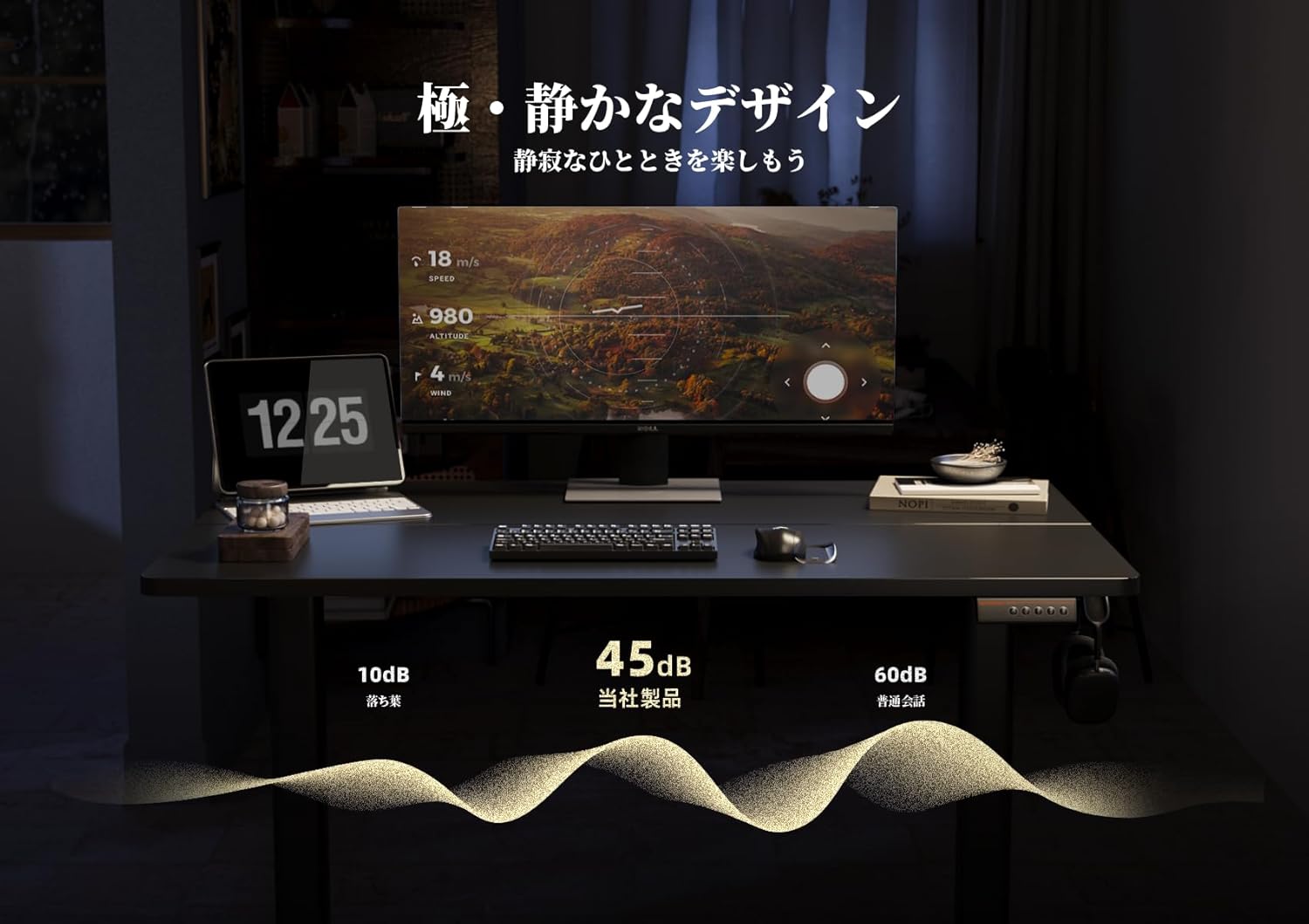
Image: A graphic representation showing the desk's noise level at approximately 45dB, significantly lower than typical office noise (60dB).
6. سار سنڀال
Proper maintenance ensures the longevity and optimal performance of your desk.
- ٽيبل ٽاپ جي صفائي: The tabletop is made with melamine resin, which is resistant to water, heat, and dirt. Clean with a soft, damp ڪپڙو ۽ نرم صابڻ. صاف ڪرڻ وارن کان پاسو ڪريو.
- فريم جي سار سنڀال: وقت بوقت سڀني اسڪرو ۽ بولٽن کي چيڪ ڪريو ته جيئن پڪ ڪري سگهجي ته اهي تنگ آهن. جيڪڏهن ضروري هجي ته ٻيهر مضبوط ڪريو.
- برقي اجزاء: Keep the control panel and power adapter dry and free from dust. Do not attempt to open or repair electrical components yourself.
7. مسئلا حل ڪرڻ
If you encounter any issues with your Claiks Electric Standing Desk, please refer to the following common solutions:
- ڊيسڪ نه حرڪت: Ensure the power cable is securely plugged into both the desk and the wall outlet. Check if the outlet is functional.
- غير معمولي تحريڪ: Unplug the desk for 30 seconds, then plug it back in. This may reset the system. If the issue persists, ensure the desk is on a level surface and that no objects are obstructing the lifting columns.
- ڊسپلي تي غلطي ڪوڊ: Note down any error codes displayed and refer to the full troubleshooting guide (if available) or contact customer support.
- آپريشن دوران شور: A slight hum is normal. If you hear loud or unusual noises, stop operation and inspect the desk for any loose parts or obstructions.
If these steps do not resolve the issue, please contact Claiks customer support for further assistance.
8. وضاحتون
| خاصيت | تفصيل |
|---|---|
| برانڊ | ڪليڪس |
| ماڊل | اليڪٽرڪ اسٽينڊنگ ڊيسڪ |
| طول و عرض (W x D x H) | 120 سينٽي x 60 سينٽي x 72-118 سينٽي ميٽر |
| اونچائي جي ترتيب جي حد | 72 سينٽي کان 118 سينٽي ميٽر |
| کڻڻ جي رفتار | 20mm/s |
| رنگ | Black (Frame and Tabletop) |
| ٽيبل ٽاپ مواد | Melamine Resin |
| ياداشت جي اڳڪٿي | 3 پروگرام لائق اوچائيون |
| اسيمبلي گهربل | ها |
| پيڪيج جي ماپ | 125 x 33 x 16 سينٽي |
| پيڪيج جو وزن | 20 ڪلو |

Image: A diagram illustrating the dimensions of the Claiks Electric Standing Desk, including its width (120cm), depth (60.9cm), and adjustable height range (72cm to 118cm).
9. وارنٽي ۽ سپورٽ
Claiks is committed to providing high-quality products and excellent customer service.
- ٺاهيندڙ جي وارنٽي: All Claiks products come with a 1 سالن جي ٺاهيندڙ جي وارنٽي. During this period, free repair or replacement services are provided for any manufacturing defects.
- ڪسٽمر سپورٽ: Our customer support team is available to assist you with any questions or issues. We offer support in multiple languages, including English and Japanese. Please feel free to contact us at any time.
For warranty claims or support inquiries, please refer to the contact information provided on your purchase receipt or the official Claiks webسائيٽ.


