1. تعارف
This manual provides detailed instructions for the E-YOOSO X-45 Ergonomic Vertical Mouse. Designed for comfort and versatility, this mouse offers multiple connectivity options and adjustable sensitivity to enhance your computing experience. Please read this manual thoroughly before using the product to ensure proper operation and longevity.
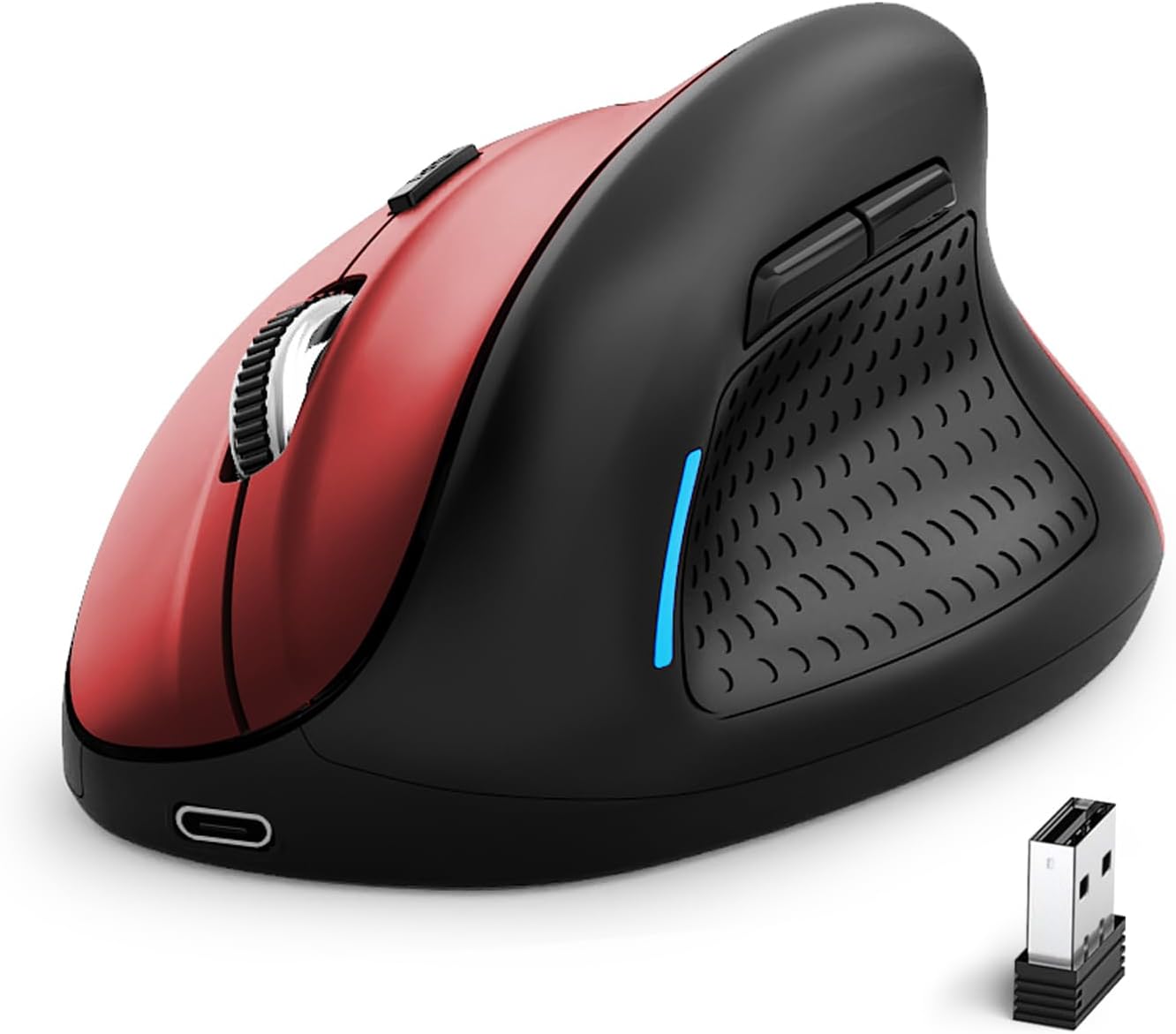
Image 1: E-YOOSO X-45 Ergonomic Vertical Mouse (Red Black)
2. پيڪيج مواد
پڪ ڪريو ته سڀئي شيون توهان جي پيڪيج ۾ موجود آهن:
- 1 x E-YOOSO X-45 Ergonomic Vertical Mouse
- 1 x USB رسيور (2.4G)
- 1 x USB-C چارجنگ ڪيبل
- 1 x استعمال ڪندڙ دستياب (هي دستاويز)
3. پراڊڪٽ ختمview
Familiarize yourself with the various components of your E-YOOSO X-45 mouse:

Image 2: Labeled components of the E-YOOSO X-45 Vertical Mouse
- کاٻي بٽڻ: معياري کاٻي ڪلڪ فنڪشن.
- ڊي پي آءِ سوئچ بٽڻ: Adjusts cursor sensitivity (DPI levels).
- اسڪرول ويل: For vertical scrolling and middle-click.
- ساڄي بٽڻ: معياري ساڄي ڪلڪ فنڪشن.
- USB وصول ڪندڙ: Stores the 2.4G wireless dongle (located on the bottom of the mouse).
- فارورڊ بٽڻ: اڳتي نيويگيٽ ڪري ٿو web برائوزر يا file ڳولا ڪندڙ
- پوئتي بٽڻ: پوئتي نيويگيٽ ڪري ٿو web برائوزر يا file ڳولا ڪندڙ
- Power/Mode Switch Button: Turns the mouse on/off and switches between connection modes.
- جوڙي جو بٽڻ بلوٽوٿ پيئرنگ موڊ شروع ڪري ٿو.
4. سيٽ اپ
4.1 مائوس کي چارج ڪرڻ
The E-YOOSO X-45 mouse features a rechargeable battery. Use the provided USB-C cable to charge the mouse. A full charge typically takes 2-3 hours and can provide power for 2-3 months of usage, depending on usage patterns.
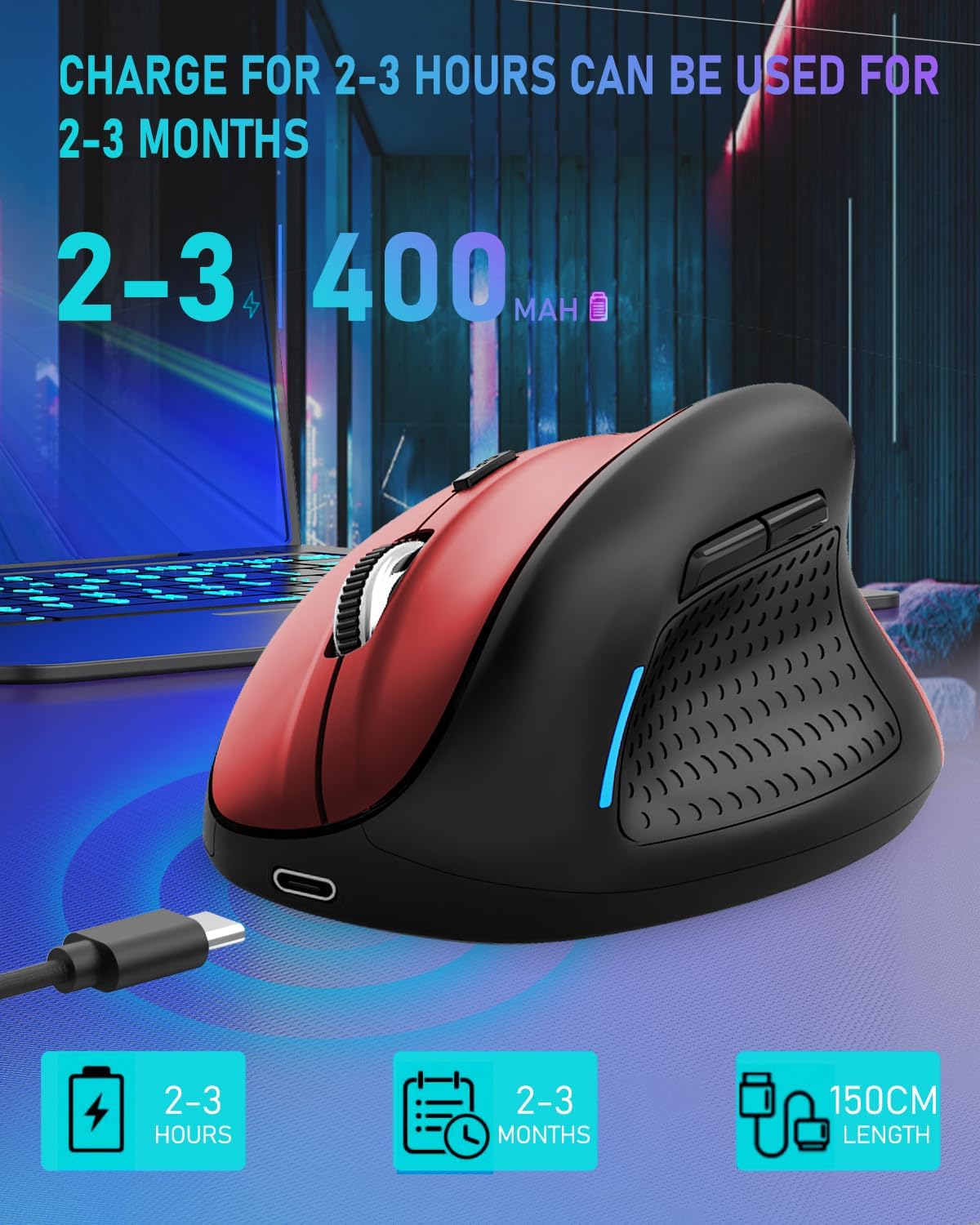
Image 3: Charging the E-YOOSO X-45 mouse
4.2 ڪنيڪٽوٽي موڊس
The mouse supports three connection modes: 2.4G Wireless, Bluetooth, and Wired.

Image 4: Tri-Mode Connection Options
4.2.1 2.4G وائرليس ڪنيڪشن
- مائوس جي تري ۾ ڪمپارٽمينٽ ۾ ذخيرو ٿيل USB رسيور ڳوليو.
- USB رسيور کي توهان جي ڪمپيوٽر تي موجود USB پورٽ ۾ پلگ ان ڪريو.
- Turn on the mouse using the Power/Mode Switch button on the bottom. Select the 2.4G mode.
- مائوس کي خودڪار طريقي سان ڳنڍڻ گهرجي.
4.2.2 بلوٽوٿ ڪنيڪشن
- Turn on the mouse using the Power/Mode Switch button on the bottom. Select one of the Bluetooth modes (BT1 or BT2).
- Press and hold the Pairing Button (9) on the bottom of the mouse until the indicator light flashes, indicating it is in pairing mode.
- On your device (computer, tablet, smartphone), go to Bluetooth settings and search for new devices.
- Select "E-YOOSO X-45" (or similar name) from the list of available devices to pair.
- هڪ ڀيرو جوڙيو ويو، اشاري جي روشني چمڪائڻ بند ٿي ويندي.
4.2.3 وائرڊ ڪنيڪشن
- Connect the USB-C end of the charging cable to the mouse and the USB-A end to your computer.
- The mouse will automatically switch to wired mode and function without needing a battery or wireless connection.
5. آپريٽنگ هدايتون
5.1 ڊي پي آئي ايڊجسٽمينٽ
The mouse features 5 adjustable DPI (Dots Per Inch) levels, allowing you to customize cursor sensitivity. Press the DPI Switch Button (2) to cycle through the following settings:
- 800 ڊي پي آئي
- 1200 ڊي پي آئي
- 1600 ڊي پي آئي
- 2000 ڊي پي آئي
- 4800 ڊي پي آئي
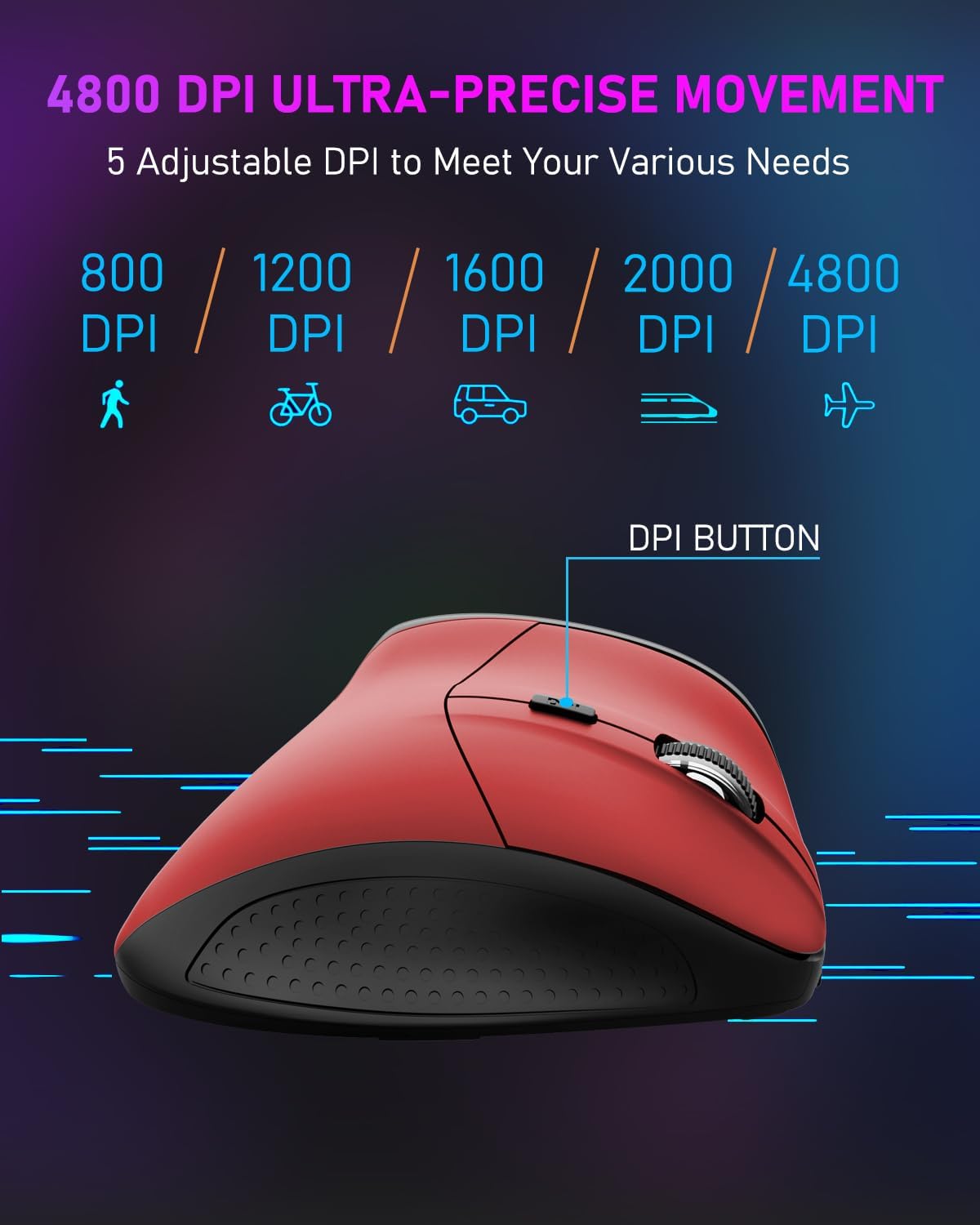
Image 5: DPI Adjustment Levels
5.2 بٽڻ جا ڪم
In addition to standard left and right clicks, the mouse includes:
- Scroll Wheel (3): For smooth vertical scrolling. Pressing it acts as a middle-click button.
- اڳتي بٽڻ (6): ۾ اڳتي وڌڻ لاءِ استعمال ٿيندو آهي web برائوزر يا file ڳولا ڪندڙ
- پوئتي بٽڻ (7): Used for navigating backward in web برائوزر يا file ڳولا ڪندڙ
5.3 Ergonomic Design Benefits
The vertical design of the E-YOOSO X-45 mouse promotes a natural 'handshake' wrist and arm posture, which can help reduce wrist strain and discomfort during prolonged use compared to traditional horizontal mice.
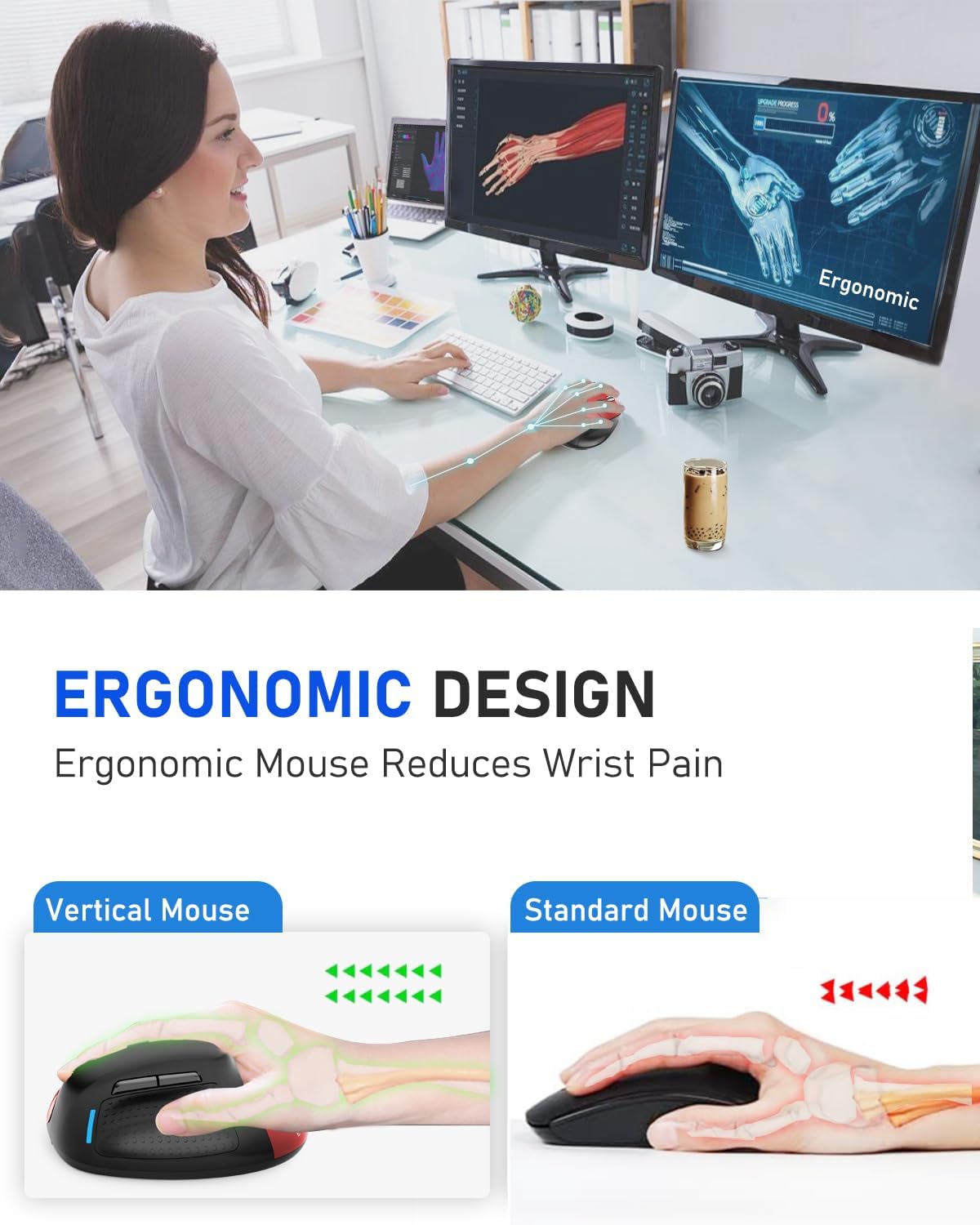
Image 6: Ergonomic Design Reduces Wrist Pain
6. سار سنڀال
To ensure optimal performance and longevity of your E-YOOSO X-45 mouse:
- صفائي: مائوس کي صاف ڪرڻ لاءِ نرم، سڪل ڪپڙو استعمال ڪريو. سخت ڪيميڪلز يا رگڙيندڙ مواد استعمال ڪرڻ کان پاسو ڪريو.
- اسٽوريج: جڏهن گهڻي وقت تائين استعمال ۾ نه هجي، ته بيٽري جي زندگي بچائڻ لاءِ مائوس کي بند ڪريو. ٿڌي، سڪل جاءِ تي ذخيرو ڪريو.
- بيٽري جي سنڀال: Avoid fully discharging the battery frequently. Charge the mouse when the battery indicator is low.
7. مسئلا حل ڪرڻ
If you encounter issues with your E-YOOSO X-45 mouse, refer to the following common solutions:
| مسئلو | ممڪن سبب | حل |
|---|---|---|
| مائوس جواب نه ڏئي رهيو آهي (2.4G) | Low battery; USB receiver not properly connected; Incorrect mode selected. | Charge the mouse; Re-insert the USB receiver; Ensure the mouse is in 2.4G mode. |
| مائوس جواب نه ڏئي رهيو آهي (بلوٽوٿ) | Low battery; Not paired; Incorrect mode selected; Device Bluetooth off. | Charge the mouse; Re-pair the mouse; Ensure the mouse is in BT mode; Enable Bluetooth on your device. |
| ڪرسر بي ترتيب يا غير جوابده | گندو آپٽيڪل سينسر؛ غير مناسب مٿاڇري؛ گهٽ بيٽري. | Clean the optical sensor; Use on a mouse pad or smooth, opaque surface; Charge the mouse. |
| بٽڻ ڪم نه ڪري رهيا آهن | Software conflict; Low battery. | Restart your computer; Charge the mouse. |
8. وضاحتون
Key technical specifications for the E-YOOSO X-45 Ergonomic Vertical Mouse:
- ماڊل: X-45
- رابطي: 2.4G Wireless, Bluetooth (BT 5.1), Wired (USB)
- ڊي پي آئي سطح: 800 / 1200 / 1600 / 2000 / 4800 (Adjustable)
- بٽڻ: 6 (کاٻي، ساڄي، اسڪرول ويل، ڊي پي آءِ سوئچ، اڳتي، پوئتي)
- حرڪت جي چڪاس: بصري
- خاص خصوصيت: بي آواز ڪلڪون
- پيداوار جي ماپ: 4.63 x 3.22 x 0.1 inches (Note: The provided dimension 0.1 inches for height seems incorrect for a vertical mouse, typically it would be larger. Please refer to actual product for accurate height.)
- شيء جو وزن: 6.4 اونس
- ٺاهيندڙ: E-YOOSO
- مطابقت: Windows, Mac OS, Linux, Android, Chromebook, Laptops, Desktops
9. وارنٽي ۽ سپورٽ
E-YOOSO products are designed for reliability and performance. For warranty information, technical support, or customer service inquiries, please refer to the contact details provided on the product packaging or the official E-YOOSO webسائيٽ. وارنٽي دعوائن لاءِ خريداري جي ثبوت طور پنهنجي خريداري جي رسيد رکو.


