1. تعارف
This manual provides essential information for setting up, operating, maintaining, and troubleshooting your Apple iPad Air 5th Generation. Please read this guide thoroughly to ensure optimal use and longevity of your device.
2. پراڊڪٽ ختمview
The Apple iPad Air 5th Generation is a versatile tablet designed for performance and portability. It features a 10.9-inch Liquid Retina display and is powered by the Apple M1 chip. Key features include:
- ڏيکاريو: Stunning 10.9-inch Liquid Retina Display with True Tone and P3 Wide Color.
- پروسيسر: Apple M1 Chip with Neural Engine for powerful performance.
- رابطي: 802.11AX Wi-Fi 6 for fast wireless connections.
- آڊيو: Stereo Landscape Audio for immersive sound.
- ڪئميرا: 12MP Wide Camera (rear) and 12MP Ultra Wide Front Camera with Center Stage for enhanced video calls.
- سيڪيورٽي: Touch ID for secure authentication.
- بيٽري جي زندگي: 10 ڪلاڪن تائين بيٽري جي زندگي.
- Accessories Support: Compatible with Apple Pencil (2nd generation) and Magic Keyboard.
- پورٽ: USB-C port for versatile connectivity.

تصوير: اڳيان ۽ پاسي view of the Apple iPad Air 5th Gen in Pink.
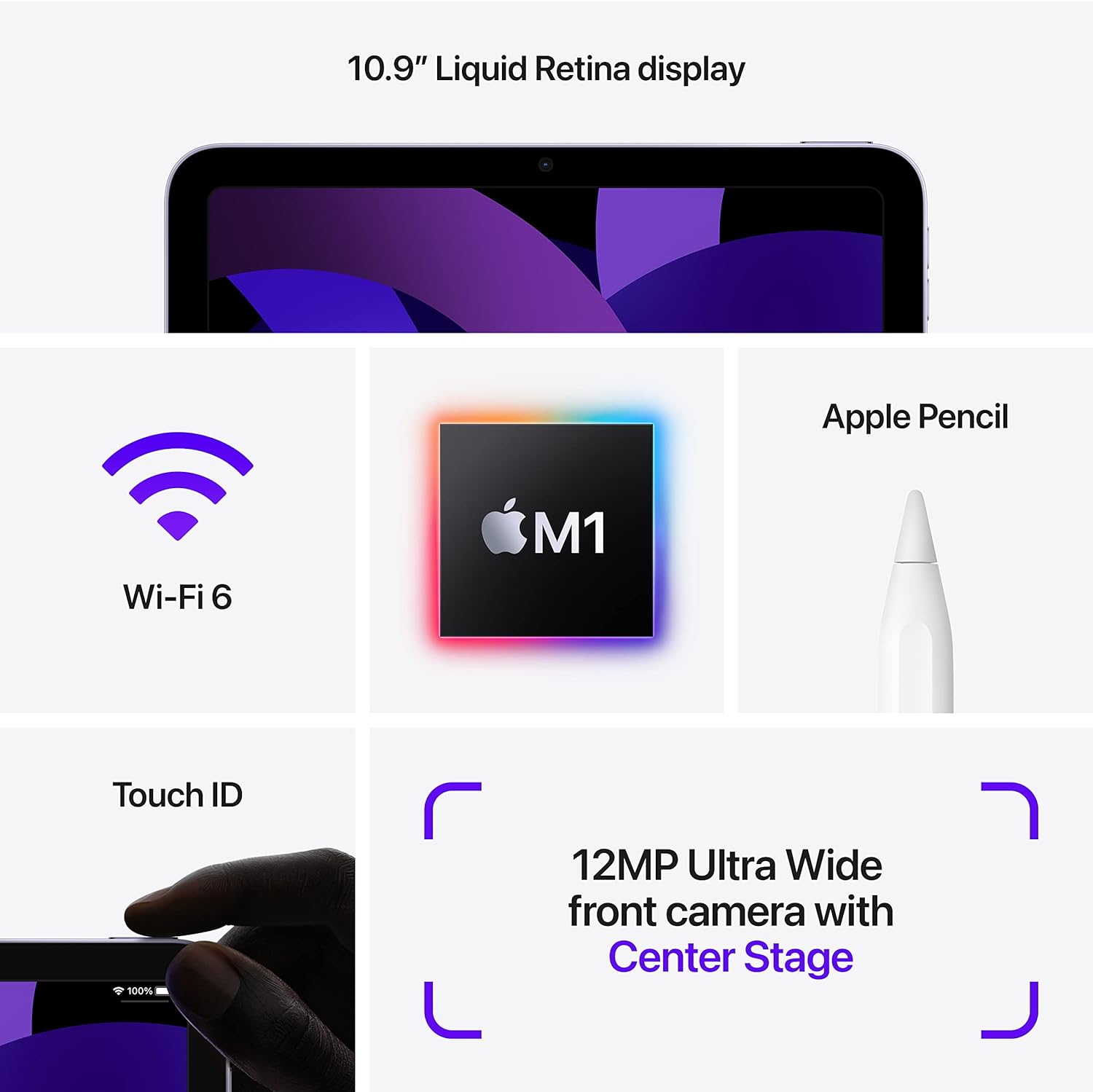
Image: Diagram highlighting key features including 10.9" Liquid Retina display, Wi-Fi 6, M1 chip, Apple Pencil support, Touch ID, and 12MP Ultra Wide front camera with Center Stage.
3. دٻي ۾ ڇا آهي
Upon unboxing your Apple iPad Air 5th Gen, you should find the following items:
- Apple 10.9-inch iPad Air 5th Gen
- USB-C چارجنگ ڪيبل
Note: A USB-C Power Adapter may or may not be included depending on the specific package.

Image: Illustration showing the iPad Air, a USB-C Charge Cable, and a USB-C Power Adapter.
4. سيٽ اپ
4.1 شروعاتي چارج
Before first use, it is recommended to fully charge your iPad. Connect the provided USB-C charging cable to the iPad's USB-C port and plug the other end into a compatible USB-C power adapter (sold separately or included depending on package) or a computer's USB-C port.
4.2 پاور آن/آف
- پاور آن ڪرڻ: Press and hold the Top button until the Apple logo appears.
- پاور آف ڪرڻ: Press and hold the Top button and either Volume button simultaneously until the power off slider appears. Drag the slider to power off.
4.3 شروعاتي ترتيب
Follow the on-screen instructions to set up your iPad. This includes selecting your language and region, connecting to a Wi-Fi network, setting up Touch ID, and signing in with your Apple ID. You can also restore data from a previous device or set up as a new iPad.
5. آپريٽنگ هدايتون
5.1 Navigating iPadOS
The iPad Air 5th Gen runs on iPadOS, offering an intuitive touch interface. Use gestures to navigate:
- گھر جي اسڪرين: اسڪرين جي ھيٺئين پاسي کان مٿي سوائپ ڪريو.
- ايپ سوئچر: Swipe up from the bottom edge and pause in the middle of the screen.
- ڪنٽرول سينٽر: Swipe down from the top-right corner of the screen.
- نوٽيفڪيشن: Swipe down from the top-left corner of the screen.
5.2 Using Apple Pencil (2nd Gen)
The iPad Air 5th Gen supports the Apple Pencil (2nd generation) for drawing, note-taking, and marking up documents. To pair, attach the Apple Pencil magnetically to the right side of your iPad. It will automatically pair and charge.

Image: A person sketching on the iPad Air 5th Gen with an Apple Pencil.
The following video demonstrates the responsiveness of the Apple Pencil on the iPad Air 5th Gen:
Video: A user demonstrating writing and drawing on the iPad Air 5th Gen with an Apple Pencil.
5.3 Using Magic Keyboard
Attach the Magic Keyboard magnetically to the back of your iPad. The iPad will automatically connect and adjust its display angle. The Magic Keyboard provides a comfortable typing experience and a trackpad for precise control.
5.4 ملٽي ٽاسڪنگ
iPadOS supports various multitasking features:
- ورهائڻ View: Open two apps side-by-side. Drag an app from the Dock or App Library to the side of the screen.
- Slide Over: Keep an app open in a smaller floating window over another app.
- Stage Manager: Organize apps and windows automatically, allowing you to resize, overlap, and group them.
5.5 ڪئميرا جو استعمال
The iPad Air 5th Gen features a 12MP Wide rear camera and a 12MP Ultra Wide front camera with Center Stage. Open the Camera app to take photos, record videos, or use features like Panorama and Time-lapse. Center Stage automatically keeps you in the frame during video calls.
6. سار سنڀال
- صفائي: اسڪرين ۽ ٻاهرين حصي کي صاف ڪرڻ لاءِ نرم، لِنٽ کان پاڪ ڪپڙو استعمال ڪريو. رگڙيندڙ مواد يا سخت ڪيميڪلز کان پاسو ڪريو.
- سافٽ ويئر اپڊيٽ: Regularly update iPadOS to the latest version to ensure optimal performance and security. Go to سيٽنگون > جنرل > سافٽ ويئر اپڊيٽ.
- بيٽري جي سنڀال: To prolong battery life, avoid exposing the iPad to extreme temperatures. For long-term storage, charge the battery to about 50%.
- اسٽوريج جو انتظام: وقتي طور تي ٻيهرview ۽ غير ضروري ختم ڪريو files, apps, and media to free up storage space.
7. مسئلا حل ڪرڻ
7.1 ڊوائيس جواب نه ڏئي رهيو آهي
If your iPad is unresponsive, try a force restart:
- Press and quickly release the Volume Up button.
- Press and quickly release the Volume Down button.
- Press and hold the Top button until the Apple logo appears.
7.2 وائي فائي ڪنيڪٽيويٽي جا مسئلا
- پڪ ڪريو ته وائي فائي فعال آهي سيٽنگون > وائي فائي.
- پنهنجو وائي فائي روٽر ٻيهر شروع ڪريو.
- Forget the network and reconnect: Settings > Wi-Fi > [Network Name] > Forget This Network.
7.3 بيٽري جو جلدي ختم ٿيڻ
- بيٽري جي استعمال کي چيڪ ڪريو سيٽنگون > بيٽري بجلي استعمال ڪندڙ ايپس جي سڃاڻپ ڪرڻ لاءِ.
- اسڪرين جي روشني کي گھٽايو.
- Disable Background App Refresh for non-essential apps.
8. وضاحتون
| خاصيت | تفصيل |
|---|---|
| ماڊل نالو | iPad ايئر 5th Gen |
| شيون ماڊل نمبر | A2588 |
| ڊسپلي سائيز | 10.9 انچ |
| اسڪرين جي قرارداد | 2360 x 1640 پکسلز |
| پروسيسر | Apple M1 Chip (3.2 GHz) |
| فليش ميموري سائيز | 64 جي بي |
| آپريٽنگ سسٽم | iPadOS (initially 15.4, upgradable) |
| ريڙهه Webڪئميرا جي قرارداد | 12 ايم پي |
| سراسري بيٽري جي زندگي | 10 ڪلاڪ |
| شيءِ جو وزن | 1.02 پائونڊ |
| پيداوار جي ماپ | 9.74 x 7.02 x 0.24 انچ |
9. وارنٽي ۽ سپورٽ
This Apple iPad Air 5th Gen is a Renewed Premium product. For specific warranty details and support, please refer to the documentation provided with your purchase or contact Amazon Renewed customer service. General Apple support resources can be found on the official Apple webسائيٽ.
وڌيڪ مدد لاء، دورو ڪريو جي Apple iPad Support page.


