تعارف
This manual provides detailed instructions for the installation, operation, and maintenance of your Chieftec AZ-01B-OP Mini Tower Computer Case. Please read this manual thoroughly before beginning any installation or operation to ensure proper use and to prevent damage to the product or other components.
The Chieftec AZ-01B-OP is an m-ATX Mini-Tower PC case designed for optimal hardware and cooling compatibility, featuring a brushed front panel and soundproofing material for reduced noise levels.
حفاظت جي ڄاڻ
انسٽاليشن ۽ آپريشن دوران ھيٺ ڏنل حفاظتي احتياطن تي عمل ڪريو:
- ڪنهن به جزو کي انسٽال ڪرڻ يا هٽائڻ کان اڳ هميشه وال آئوٽليٽ مان بجلي جي فراهمي کي ڊسڪنيڪٽ ڪريو.
- حساس حصن کي اليڪٽرو اسٽيٽڪ ڊسچارج (ESD) نقصان کان بچائڻ لاءِ اينٽي اسٽيٽڪ کلائي پٽي پائڻ.
- Handle components carefully, avoiding contact with pins or circuit boards.
- Ensure all cables are properly routed and secured to prevent interference with cooling fans or moving parts.
- Do not operate the computer case in environments with excessive dust, humidity, or extreme temperatures.
پيڪيج مواد
پڪ ڪريو ته سڀئي شيون پيڪيج ۾ موجود آهن:
- Chieftec AZ-01B-OP Mini Tower Computer Case
- لوازمات جو ڪٽ (اسڪرو، اسٽينڊ آف، ڪيبل ٽائيز)
- استعمال ڪندڙ جو دستياب (ھي دستاويز)
- 1 x 120 mm PWM fan (pre-installed)
سيٽ اپ ۽ تنصيب
1. ڪيس کولڻ
Remove the side panels to access the interior of the case. Typically, this involves unscrewing thumbscrews at the rear of the case and sliding the panels backward.

شڪل 1: اندروني view of the Chieftec AZ-01B-OP, showing the main compartment for motherboard and components.
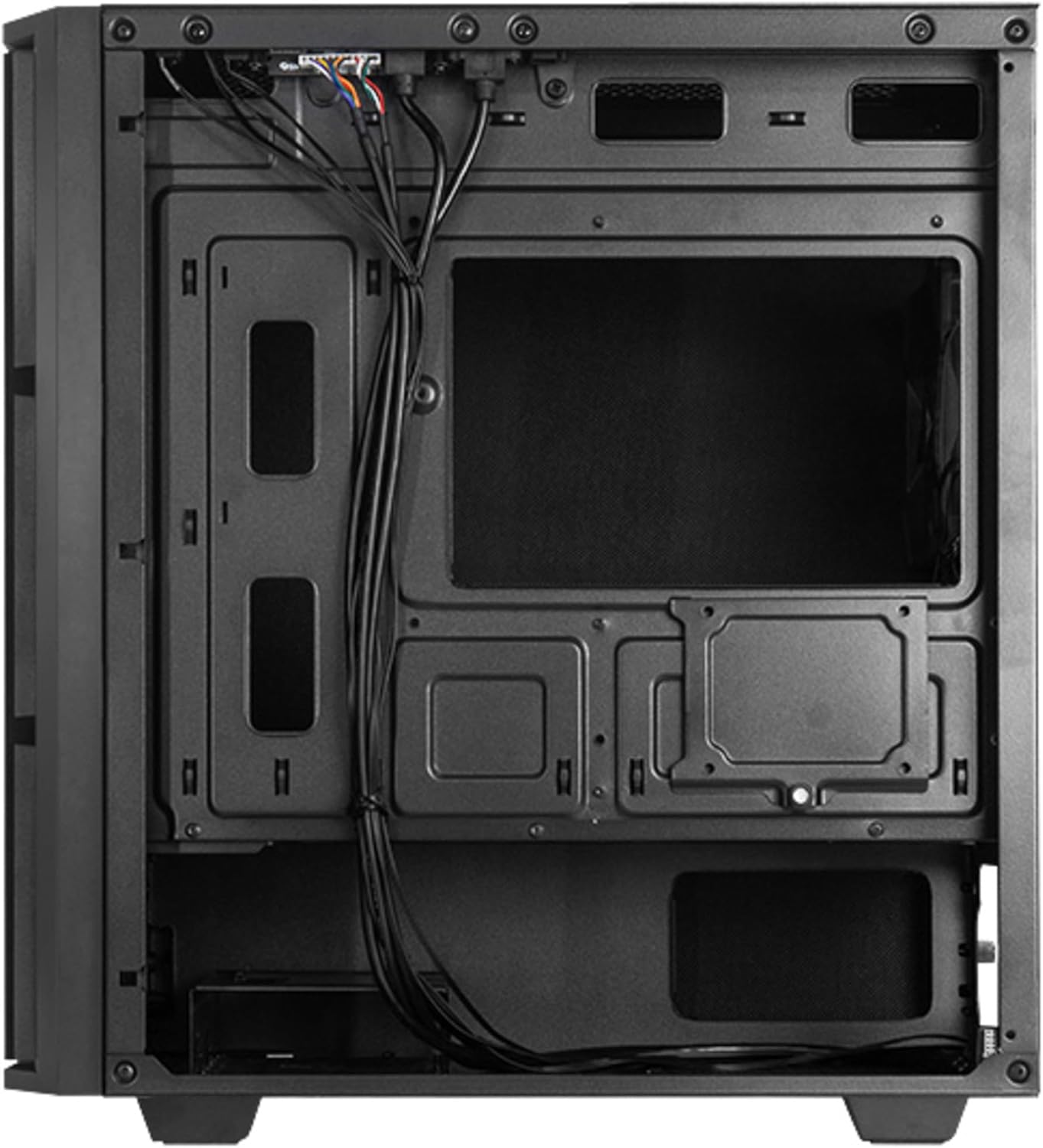
Figure 2: Rear interior view, illustrating cable management space and additional drive mounts.
2. Motherboard لڳائڻ
- ڪيس جي پوئين اوپننگ ۾ I/O شيلڊ نصب ڪريو.
- Align the motherboard with the standoffs inside the case. Ensure the standoffs match the motherboard's form factor (Micro ATX).
- مهيا ڪيل اسڪرو سان مدر بورڊ کي محفوظ ڪريو.
3. پاور سپلائي جي تنصيب
- Position the power supply unit (PSU) in the designated bottom-mount area.
- Secure the PSU to the rear of the case with screws.
- Route the necessary power cables through the cable management cutouts.

شڪل 3: پوئتي view of the case, indicating the PSU mounting location.
4. اسٽوريج ڊرائيو جي انسٽاليشن (HDD/SSD)
The case supports multiple drive configurations. Refer to the internal layout for specific mounting points.
- For 3.5" HDDs: Mount drives in the drive cage, typically located at the bottom front or behind the motherboard tray.
- For 2.5" SSDs: Mount drives on dedicated SSD trays or directly onto the motherboard tray using screws.

شڪل 4: هيٺيون view, showing potential HDD/SSD mounting areas and the PSU dust filter.
5. ايڪسپينشن ڪارڊ جي انسٽاليشن
- ڪيس جي پوئين پاسي کان ضروري ايڪسپينشن سلاٽ ڪَورز هٽايو.
- Insert the expansion card (e.g., graphics card) into the appropriate PCIe slot on the motherboard.
- Secure the card with a screw or the case's retention mechanism.
6. ڪيبل جو انتظام
ڪيبلز کي منظم ڪرڻ لاءِ مدر بورڊ ٽري جي پويان ڪيبل روٽنگ ڪٽ آئوٽ ۽ ٽائي ڊائون پوائنٽس استعمال ڪريو. اهو هوا جي وهڪري ۽ جمالياتيات کي بهتر بڻائي ٿو.
7. Closing the Case
Once all components are installed and cables are managed, reattach the side panels. Ensure they are properly aligned and secured with the thumbscrews.

شڪل 5: سامهون view of the assembled case.
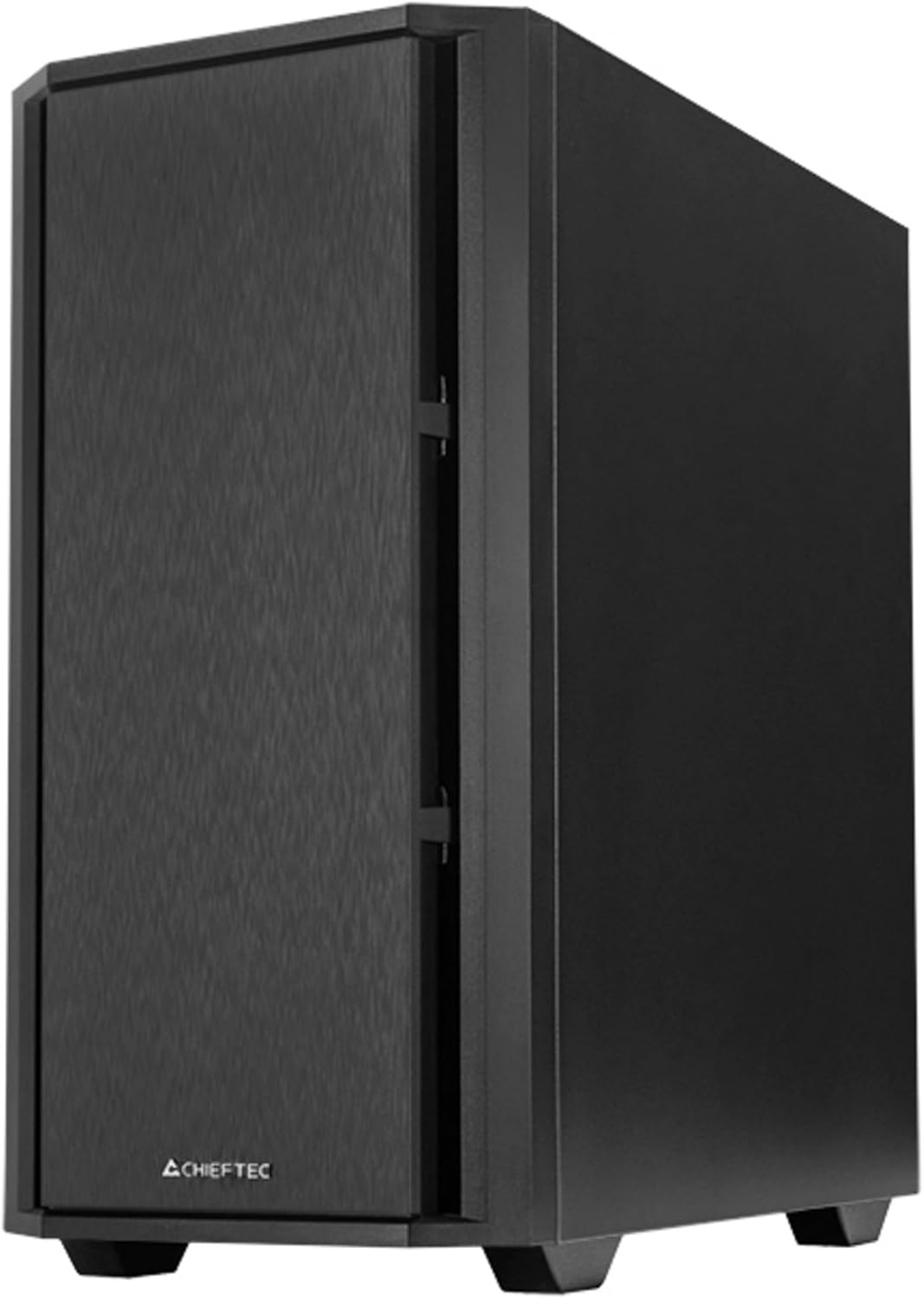
شڪل 6: ڪنڊ وارو اڳيون view of the assembled case.
آپريٽنگ
1. پردي کي ڳنڍڻ
Connect your monitor, keyboard, mouse, and other peripherals to the appropriate ports on your motherboard's I/O panel and any installed expansion cards.

Figure 7: Top I/O panel for easy access to USB and audio ports.
2. First Power-On
- Connect the power cable to the PSU and a wall outlet.
- پي ايس يو تي پاور سوئچ کي 'آن' پوزيشن ڏانهن ڦيرايو.
- Press the power button on the front of the case to start your computer.
سار سنڀال
1. ڪيس صاف ڪرڻ
باقاعدي طور تي ڪيس جي ٻاهرين حصي کي نرم، ڊي سان صاف ڪريوamp ڪپڙو. گھڙڻ وارا صاف ڪندڙ يا محلولن کان پاسو ڪريو.
2. ڊسٽ فلٽر جي سار سنڀال
The Chieftec AZ-01B-OP includes dust filters to prevent dust buildup inside the system. Periodically remove and clean these filters (e.g., with compressed air or by washing with water and allowing to dry completely) to maintain optimal airflow and cooling performance.
مشڪلاتون
جيڪڏهن توهان کي مسئلا درپيش اچن ٿا، ته هيٺ ڏنل عام حلن تي غور ڪريو:
- طاقت ناهي: Ensure the power cable is securely connected to both the PSU and the wall outlet. Check that the PSU switch is in the 'ON' position. Verify all internal power cables (24-pin ATX, 8-pin CPU, GPU power) are correctly seated.
- ڪابه ڊسپلي: Confirm the monitor is connected to the graphics card (not the motherboard's integrated graphics ports, unless you are using integrated graphics). Reseat the graphics card and RAM modules.
- گهڻو گرم ٿيڻ: Check that all case fans and CPU cooler fans are spinning. Ensure dust filters are clean and not obstructing airflow. Verify proper thermal paste application on the CPU.
- غير معمولي شور: Identify the source of the noise. It could be a loose cable hitting a fan, a faulty fan, or a hard drive. Secure loose components or replace faulty fans.
وضاحتون
| خاصيت | تفصيل |
|---|---|
| برانڊ | چيفٽيڪ |
| ماڊل نالو | AZ-01B-OP |
| ڪيس جو قسم | ميني ٽاور |
| Motherboard مطابقت | مائڪرو ATX |
| مواد | مصر جو اسٽيل |
| رنگ | ڪارو |
| شيءِ جو وزن | 5.15 ڪلوگرام (11.33 پائونڊ) |
| پيداوار جي ماپ (LxWxH) | 18.9 x 18.9 x 10.63 انچ |
| پاور سپلائي ماؤنٽنگ جو قسم | هيٺيون جبل |
| کولڻ جو طريقو | هوا |
| اڳ ۾ نصب ٿيل پرستار | 1 x 120 mm PWM fan |
| خاص خاصيتون | Sound-absorbing material, Elegant and modern design |
وارنٽي ڄاڻ
Chieftec products are manufactured to high-quality standards. This product is covered by a limited warranty against defects in materials and workmanship. The specific warranty period and terms may vary by region and retailer. Please retain your proof of purchase for warranty claims.
For detailed warranty information, please refer to the official Chieftec webسائيٽ تي وڃو يا پنهنجي مقامي پرچون ڪندڙ سان رابطو ڪريو.
حمايت
For technical assistance, troubleshooting, or further inquiries, please visit the official Chieftec support webسائيٽ يا انهن جي ڪسٽمر سروس کاتي سان رابطو ڪريو.
- سرڪاري Webسائيٽ: www.chieftec.eu
- سپورٽ رابطو: ڏانهن رجوع ڪريو webعلائقائي رابطي جي معلومات لاءِ سائيٽ.


