تعارف
Thank you for choosing the pTron Bassbuds Neo TWS Earbuds. This manual provides essential information for setting up, operating, and maintaining your new wireless earbuds. Please read it carefully to ensure proper use and to maximize your listening experience.

تصوير: مٿانview of pTron Bassbuds Neo TWS Earbuds showcasing features like ENC, 50ms Game Mode, 35 hours playtime, touch controls, 13mm dynamic drivers, Bluetooth 5.3, Type-C fast charging, and IPX5 water resistance.
1. سيٽ اپ
1.1 شروعاتي چارجنگ
پهرين استعمال کان اڳ، ائربڊس ۽ چارجنگ ڪيس کي مڪمل طور تي چارج ڪريو.
- مهيا ڪيل ٽائپ-سي چارجنگ ڪيبل کي چارجنگ ڪيس ۽ پاور سورس سان ڳنڍيو.
- The charging case has a 300mAh battery and takes approximately 1.2 hours to fully charge.
- The earbuds have a 40mAh battery each and take approximately 1 hour to fully charge when placed in the charging case.
- A fully charged case provides up to 35 hours of total playback time with the earbuds.

Image: Illustration of the pTron Bassbuds Neo earbuds and charging case, highlighting the 13mm dynamic drivers, 35 hours total battery life, 10-150 minutes charging time, and Type-C fast charging.
1.2 ڊوائيس سان جوڙڻ
The Bassbuds Neo utilize Bluetooth 5.3 technology for a fast and stable connection.
- چارجنگ ڪيس کوليو. ائربڊس پاڻمرادو پيئرنگ موڊ ۾ داخل ٿي ويندا.
- پنهنجي اسمارٽ فون، ٽيبليٽ، يا ليپ ٽاپ تي، بلوٽوٿ کي فعال ڪريو.
- ڳولھيو available devices and select "pTron Bassbuds Neo" from the list.
- هڪ ڀيرو ڳنڍيل، توهان کي هڪ تصديق وارو آواز ٻڌڻ ۾ ايندو، ۽ ائربڊس استعمال لاءِ تيار هوندا.
- The earbuds support 1-step pairing for convenience and have a wireless range of up to 10 meters.

Image: Visual representation of pTron Bassbuds Neo's wireless connectivity, featuring Bluetooth 5.3, 1-step pairing, 10m wireless range, stereo/mono bud use, wide compatibility, and 50ms low-latency for music and game modes.
2. آپريٽنگ هدايتون
2.1 ٽچ ڪنٽرول
The pTron Bassbuds Neo feature intuitive touch controls for easy management of music and calls. Specific touch gestures are detailed below:
- راند/روڪ: ٻنهي ائربڊ تي هڪ ڀيرو ٽيپ ڪريو.
- اڳيون ٽريڪ: ساڄي ائربڊ تي ٻٽي ٽيپ ڪريو.
- پويون ٽريڪ: کاٻي ائربڊ تي ٻٽي ٽيپ ڪريو.
- جواب/آخر ڪال: ٻنهي ائربڊ تي هڪ ڀيرو ٽيپ ڪريو.
- ڪال رد ڪريو: ٻنهي ائربڊ تي ڊگهو دٻايو.
- وائس اسسٽنٽ کي فعال ڪريو. ٻنهي مان ڪنهن به ائربڊ تي ٽي ڀيرا ٽيپ ڪريو.
- راند/ميوزڪ موڊ سوئچ: ساڄي ائربڊ کي 2 سيڪنڊن لاءِ ڊگھو دٻايو.

Image: A user wearing pTron Bassbuds Neo earbuds, demonstrating the intuitive touch controls and voice assistant activation. The image also highlights the IPX5 splash and sweat resistance.
2.2 ڪالنگ ڪارڪردگي
The earbuds are equipped with built-in HD microphones and TruTalk AI-ENC (Environmental Noise Cancellation) technology for clear voice calls.
- TruTalk AI-ENC actively reduces environmental noise, ensuring your voice is heard clearly by the recipient.
- Both earbuds can be used for stereo phone calls.
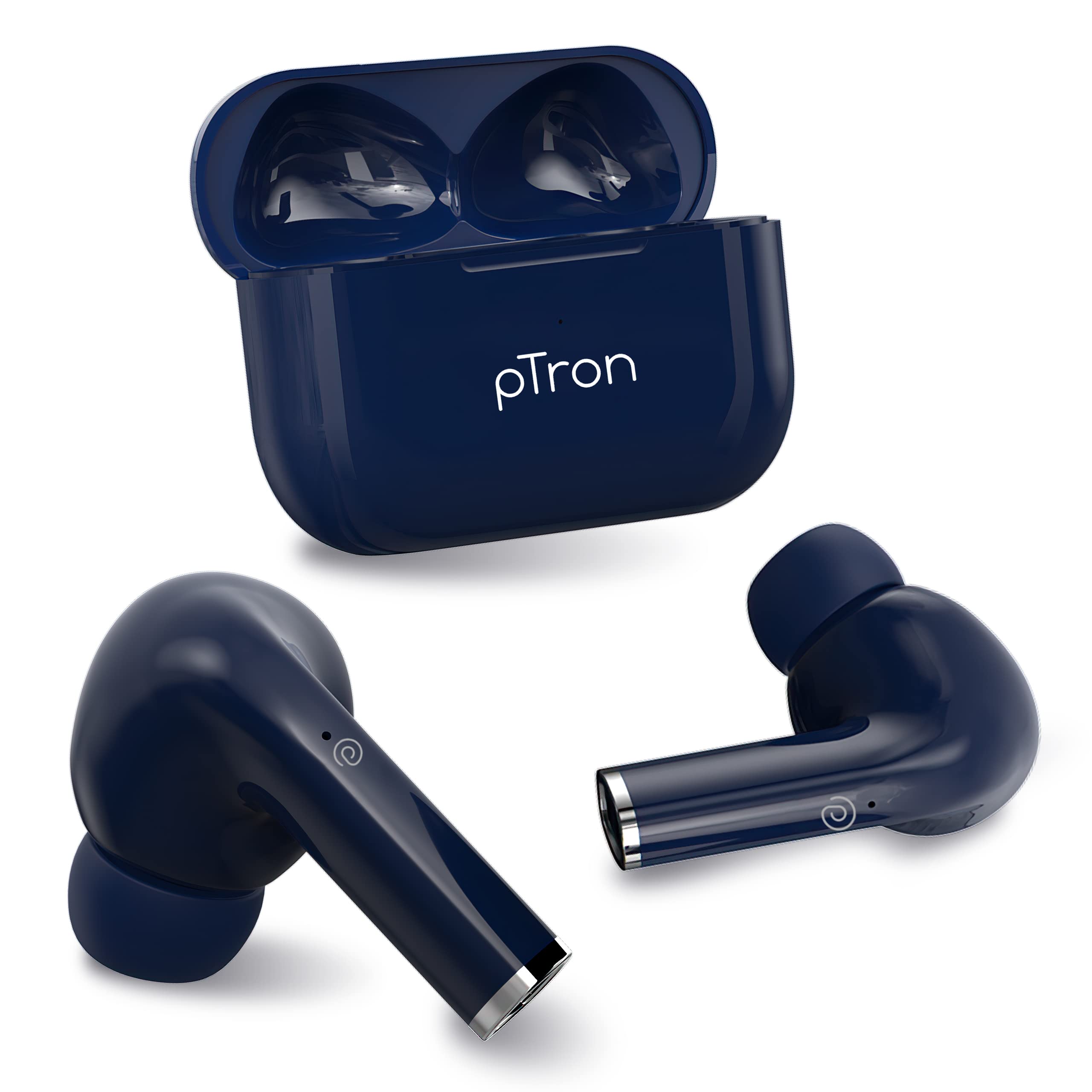
Image: Diagram illustrating the TruTalk AI-ENC technology in pTron Bassbuds Neo, showing how it filters out noise to enhance voice clarity during calls.
2.3 Game/Music Modes
Switch between Game Mode and Music Mode to optimize your audio experience.
- راند جو طريقو: Provides 50ms low-latency audio, reducing delay between in-game actions and sound, ideal for gaming.
- موسيقي موڊ: Delivers pristine audio quality with enhanced bass, suitable for general listening.
- To switch modes, long press the right earbud for 2 seconds.
2.4 ائربڊس پائڻ
The Bassbuds Neo are designed for a secure and comfortable fit.
- هر ائربڊ کي پنهنجي ڪن جي ڪينال ۾ نرميءَ سان داخل ڪريو.
- Rotate the earbud slightly until it feels snug and stable.
- The ergonomic design and lightweight nature (3.2g per earbud) ensure comfort during extended use and physical activities.
3. سار سنڀال
3.1 صفائي
باقاعده صفائي آواز جي معيار ۽ صفائي کي برقرار رکڻ ۾ مدد ڪري ٿي.
- ائربڊس ۽ چارجنگ ڪيس کي صاف ڪرڻ لاءِ نرم، سڪل، لِنٽ فري ڪپڙو استعمال ڪريو.
- ڪنن جي ڪنن لاءِ، انهن کي هٽايو ۽ جيڪڏهن ضروري هجي ته نرم صابڻ جي محلول سان صاف ڪريو، پوءِ ٻيهر ڳنڍڻ کان اڳ چڱي طرح ڌوئي ۽ سڪايو.
- گھڙڻ وارا ڪلينر استعمال نه ڪريو يا ائربڊس يا ڪيس کي پاڻيءَ ۾ نه ٻوڙيو.
3.2 پاڻي جي مزاحمت (IPX5)
The pTron Bassbuds Neo earbuds are IPX5 water-resistant.
- This rating means they can withstand light rain and sweat during workouts.
- They are not designed for swimming, showering, or submersion in water.
- Ensure the earbuds are dry before placing them back in the charging case to prevent damage.
4. مسئلا حل ڪرڻ
If you encounter issues with your pTron Bassbuds Neo, refer to the following common solutions:
| مسئلو | حل |
|---|---|
| ائربڊس نه ملائي رهيا آهن |
|
| صرف هڪ ائربڊ ڪم ڪري رهيو آهي |
|
| گهٽ آواز يا خراب آواز جو معيار |
|
| چارج ڪرڻ جا مسئلا |
|
5. وضاحتون
Detailed technical specifications for the pTron Bassbuds Neo TWS Earbuds:
- ماڊل نالو: بيسودس
- رابطي ٽيڪنالاجي: بلوٽوٿ 5.3، وائرليس
- آڊيو ڊرائيور جو قسم: متحرڪ ڊرائيور
- آڊيو ڊرائيور سائيز: 13 ملي ميٽر
- اسپيڪر تعدد جواب: 20Hz-20kHz
- اسپيڪر جي رڪاوٽ: 32 اومس
- Earbud جي بيٽري: 40mAh (هر هڪ)
- ڪيس جي بيٽري: 300mAh
- ائربڊ چارج ڪرڻ جو وقت: 1 ڪلاڪ
- ڪيس چارج وقت: 1.2 ڪلاڪ
- Total Playback Time (with case): 35 ڪلاڪ تائين
- ڪنٽرول جو طريقو: ڇڪڻ
- مائڪروفون: Built-in HD Mic with TruTalk AI-ENC
- Low-Latency: 50 ايم ايس (گيم موڊ)
- پاڻي جي مزاحمت: IPX5
- مواد: Acrylonitrile Butadiene Styrene (ABS)
- شيء جو وزن: 34 گرام (ڪل)
- پيداوار جي ماپ: 6 x 4.5 x 2.5 سينٽي
- شامل اجزاء: ڪيبل، ڪن جا کشن، استعمال ڪندڙ دستي
6. وارنٽي ۽ سپورٽ
The pTron Bassbuds Neo TWS Earbuds come with a manufacturer's warranty and dedicated customer support.
- وارنٽي: 1-Year manufacturer warranty from the date of purchase.
- ڪسٽمر سنڀال: For any support or warranty claims, please contact:
- فون: 040-67138888
- اي ميل: support@ptron.in
- ٺاهيندڙ: PALRED ELECTRONICS PVT. LTD., SY.NO. 56, 1ST FLOOR, GUNDLAPOCHAMPALLY VILLAGE, TECH PARK MTP, TSIIC-IALA NACHARAM, HYDERABAD - 500076, TELANGANA, INDIA.


