تعارف
Thank you for choosing the OnePlus Nord Buds 3 Pro wireless earbuds. These earbuds are designed to provide an immersive audio experience with features like Hybrid Active Noise Cancellation, deep bass, and extended battery life. This manual provides detailed instructions for setting up, operating, maintaining, and troubleshooting your device to ensure optimal performance.
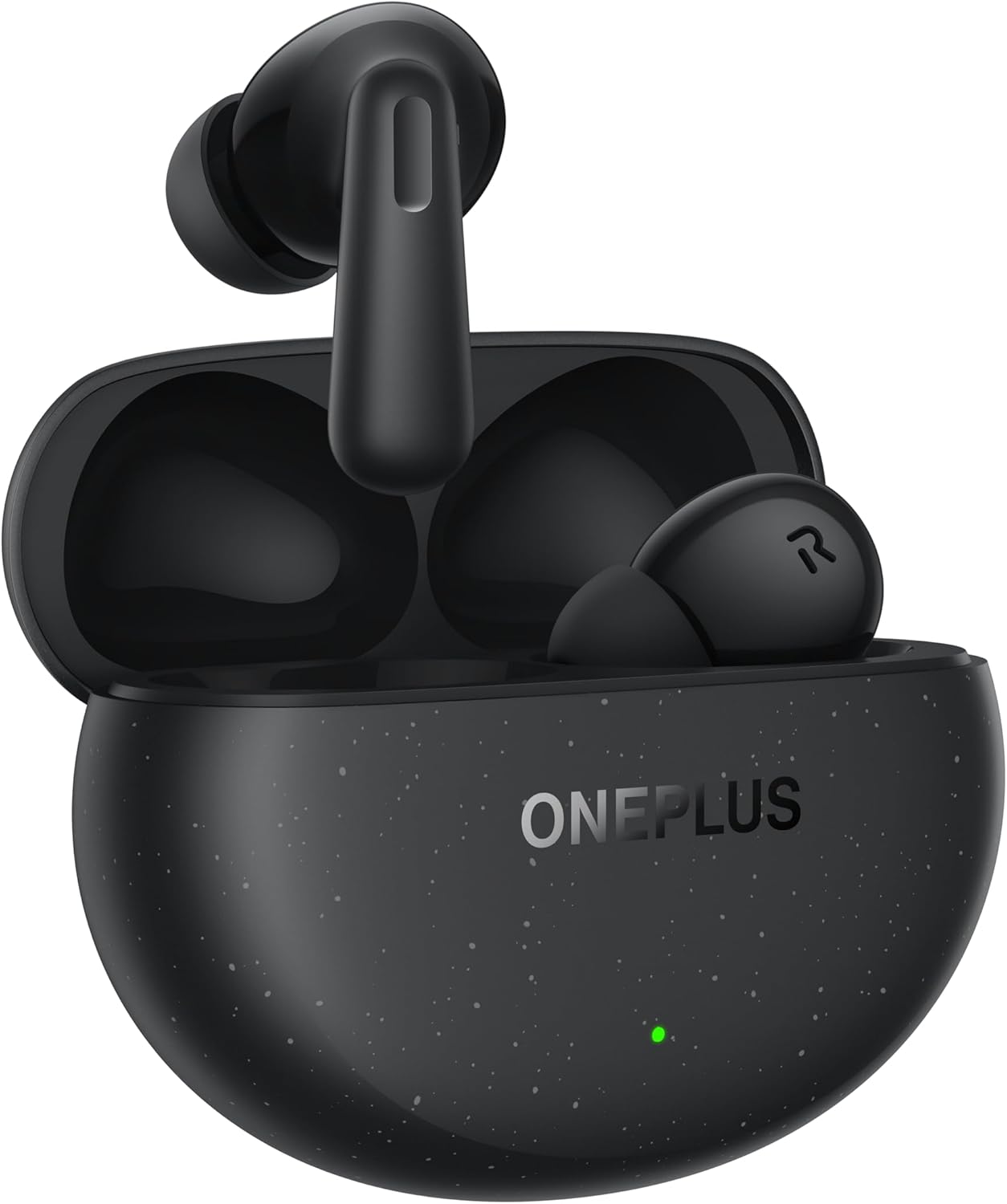
Image: The OnePlus Nord Buds 3 Pro earbuds, in Starry Black, are shown inside their open charging case. The case has a speckled finish and the OnePlus logo. A small green LED indicator is visible on the front of the case.
دٻي ۾ ڇا آهي
Carefully unpack your OnePlus Nord Buds 3 Pro and ensure all items are present:
- OnePlus Nord Buds 3 Pro earbuds (1 pair)
- OnePlus Nord Buds 3 Pro charging case (1 unit)
- Silicon eartips (3 pairs: S, M, L)
- USB Type-C charging cable (1 unit)
- User guide (1 unit)
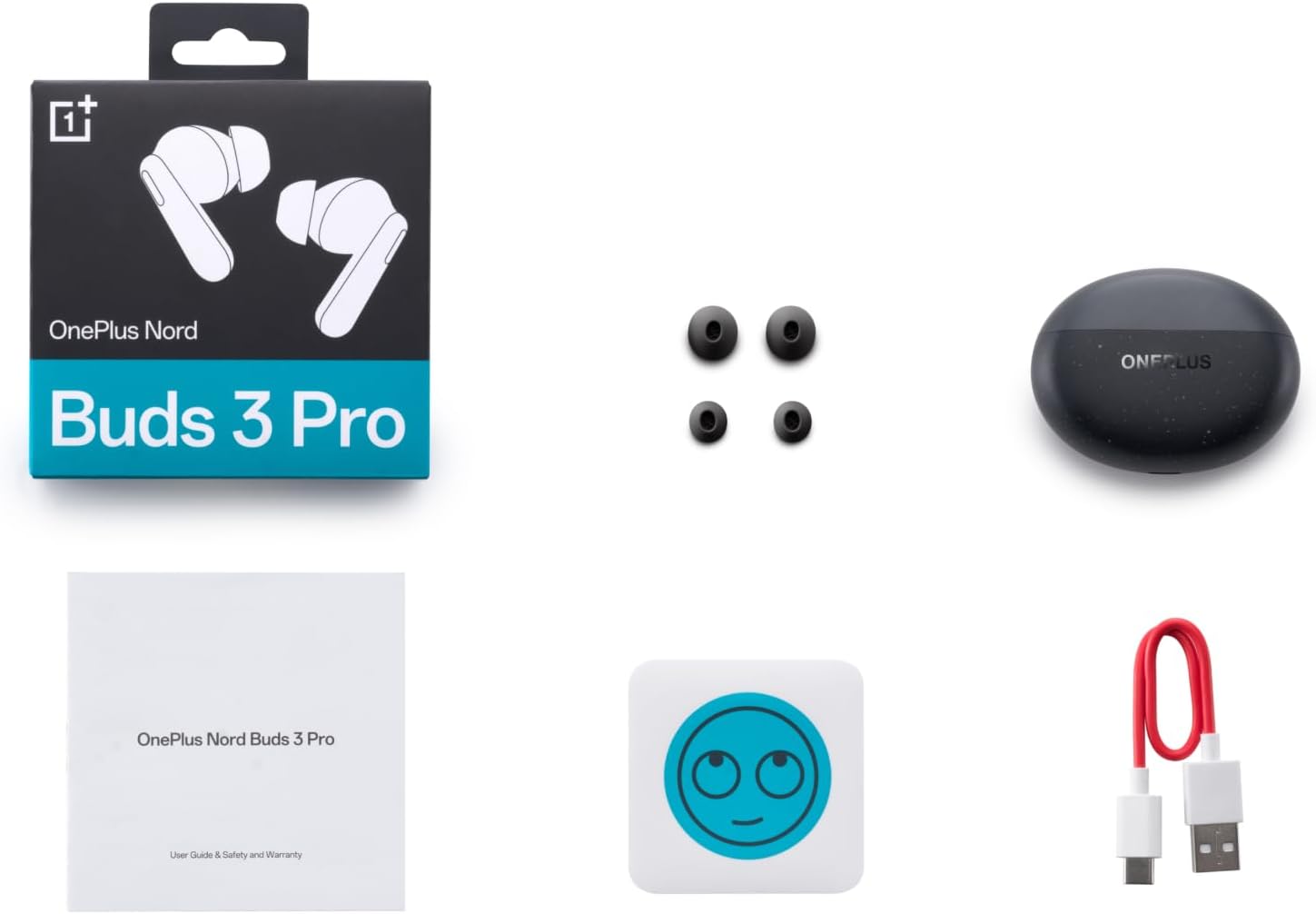
Image: A flat lay of the OnePlus Nord Buds 3 Pro package contents, including the retail box, the charging case, three pairs of silicone eartips, a USB Type-C charging cable, and the user guide.
سيٽ اپ ڪريو
1. شروعاتي چارجنگ
پهرين استعمال کان اڳ، ائربڊس ۽ چارجنگ ڪيس کي مڪمل طور تي چارج ڪريو. مهيا ڪيل USB ٽائپ-سي ڪيبل کي ڪيس تي چارجنگ پورٽ ۽ پاور سورس سان ڳنڍيو. ڪيس تي انڊيڪيٽر لائيٽ چارجنگ اسٽيٽس ڏيکاريندي.
2. توهان جي ڊوائيس سان جوڙو ٺاهڻ
- پڪ ڪريو ته ائربڊس چارجنگ ڪيس ۾ آهن ۽ ڪيس جو ڍڪ کليل آهي.
- Press and hold the function button on the charging case for 2 seconds until the indicator light flashes white, indicating pairing mode.
- On your device (smartphone, tablet, etc.), go to Bluetooth settings and select "OnePlus Nord Buds 3 Pro" from the list of available devices.
- For Android devices, the earbuds support Google Fast Pair for quick connection. Simply open the case near your Android device and follow the on-screen prompts.

Image: A person holding a OnePlus Nord Buds 3 Pro charging case and a smartphone. The smartphone screen displays a prompt for Google Fast Pair, showing the earbuds ready to connect, illustrating the pairing process.
3. HeyMelody App
For enhanced features and customization, download the HeyMelody app from your device's app store. The app allows you to manage settings, update firmware, and locate your earbuds.
آپريٽنگ هدايتون
ٽچ ڪنٽرول
The OnePlus Nord Buds 3 Pro feature intuitive touch controls on each earbud. Default controls are as follows, but can often be customized via the HeyMelody app:
- سنگل ٽيپ: موسيقي هلايو/روڪيو، ڪال جو جواب ڏيو/ختم ڪريو.
- ٻٽي ٽيپ: ايندڙ ٽريڪ، ڪال رد ڪريو.
- ٽرپل ٽيپ: اڳوڻو رستو.
- Press and Hold (1 second): Switch between Active Noise Cancellation (ANC) and Transparency mode.
فعال شور منسوخي (ANC) ۽ شفافيت موڊ
The earbuds offer Hybrid Active Noise Cancellation up to 49dB to minimize ambient noise. Transparency mode allows you to hear your surroundings without removing the earbuds. Toggle between these modes by pressing and holding the earbud touch area.

Image: An infographic detailing key features of the OnePlus Nord Buds 3 Pro, including up to 44 hours listening time, 49dB Hybrid Active Noise Cancellation, 12.4mm Titanized Diaphragm, and Basswave 2.0 technology.
آواز جي معيار
Equipped with a 12.4mm titanium-coated diaphragm and Basswave 2.0 technology, the Nord Buds 3 Pro deliver rich bass, clear vocals, and an immersive sound experience.
بيٽري ۽ چارج
- Earbud جي بيٽري جي زندگي: Up to 44 hours with ANC off, up to 20 hours with ANC on (including charging case).
- تيز چارجنگ: 10 minutes of charging provides up to 11 hours of playtime.
- چارج ڪيس: Recharge the case using the provided USB Type-C cable.
سار سنڀال
- صفائي: ائربڊس ۽ چارجنگ ڪيس کي باقاعدي طور تي نرم، سڪل، لِنٽ فري ڪپڙي سان صاف ڪريو. سخت ڪيميڪل يا رگڙيندڙ مواد استعمال نه ڪريو.
- اِرٽيپس: Remove and clean the silicone eartips with water and mild soap if necessary. Ensure they are completely dry before reattaching.
- رابطا چارج ڪرڻ: Keep the charging contacts on both the earbuds and inside the case clean and free of debris to ensure proper charging.
- اسٽوريج: جڏهن استعمال ۾ نه هجي، ته ائربڊس کي انهن جي چارجنگ ڪيس ۾ محفوظ ڪريو ته جيئن انهن جي حفاظت ٿئي ۽ انهن کي چارج رکيو وڃي. انتهائي گرمي پد کان بچو.
مشڪلاتون
ائربڊس جوڙو يا ڳنڍجي نه رهيا آهن:
- پڪ ڪريو ته earbuds چارج ٿيل آهن.
- Place earbuds in the case, close the lid, then open it again to re-enter pairing mode.
- Check your device's Bluetooth settings and ensure Bluetooth is enabled.
- Try forgetting the device in your Bluetooth settings and re-pairing.
- پنهنجي ڊوائيس کي ٻيهر شروع ڪريو.
ڪابه آواز ناهي يا خراب آواز جي معيار:
- پنهنجي ڊوائيس ۽ ائربڊس ٻنهي تي واليوم ليول چيڪ ڪريو.
- Ensure the earbuds are properly seated in your ears and the correct size eartips are used.
- ائربڊ اسپيڪرن ۽ چارجنگ ڪانٽيڪٽس مان ڪنهن به ملبي کي صاف ڪريو.
- مداخلت کان بچڻ لاءِ پنهنجي ڳنڍيل ڊوائيس جي ويجهو وڃو.
ائربڊس چارج نه ٿي رهيا آهن:
- پڪ ڪريو ته چارجنگ ڪيبل ڪيس ۽ پاور سورس ٻنهي سان محفوظ طور تي ڳنڍيل آهي.
- پڪ ڪريو ته پاور سورس فعال آهي.
- ائربڊس ۽ ڪيس جي اندر چارجنگ ڪانٽيڪٽس کي صاف ڪريو.
وضاحتون
| خاصيت | تفصيل |
|---|---|
| ماڊل نالو | Nord Buds 3 Pro (E511A) |
| برانڊ | OnePlus |
| رابطي ٽيڪنالاجي | بلوٽوٿ |
| بلوٽوت ورزن | 5.4 |
| شور ڪنٽرول | هائبرڊ ايڪٽو شور ڪينسليشن (49 ڊي بي تائين) |
| ڊرائيور جي ماپ | 12.4mm Titanized Diaphragm |
| تعدد جي حد | 20 هرٽز - 20,000 هرٽز |
| حساسيت | 38 ڊي بي |
| رڪاوٽ | 32 اوم |
| بيٽري جي زندگي (ايربڊس + ڪيس) | 44 ڪلاڪن تائين (ANC بند)، 20 ڪلاڪن تائين (ANC آن) |
| ريپڊ انچارج | 10 منٽ چارج ڪرڻ سان 11 ڪلاڪ راند جو وقت |
| چارجنگ انٽرفيس | USB قسم-سي |
| ڪن جي جڳهه | ڪن ۾ |
| شيءِ جو وزن | 3.52 اونس (0.1 ڪلوگرام) |
| پيداوار جي ماپ | 1.09 x 0.92 x 0.82 انچ |
وارنٽي ۽ سپورٽ
The OnePlus Nord Buds 3 Pro are covered by a limited warranty. Please refer to the warranty card included in your package for specific terms and conditions, or visit the official OnePlus webتفصيلي وارنٽي معلومات لاءِ سائيٽ.
ٽيڪنيڪل سپورٽ، مسئلو حل ڪرڻ ۾ مدد، يا خدمت جي پڇا ڳاڇا لاءِ، مھرباني ڪري دورو ڪريو ون پلس سپورٽ webسائيٽ يا سڌو سنئون انهن جي ڪسٽمر سروس سان رابطو ڪريو.


