1. تعارف
This manual provides detailed instructions for the proper use and maintenance of your GOWENIC 4K HD Digital Camera. Please read this manual thoroughly before operating the camera to ensure optimal performance and longevity. This compact and lightweight camera is designed for capturing high-quality photos and videos, making it suitable for various occasions including travel, gatherings, and personal recording.

Image 1.1: The GOWENIC 4K HD Digital Camera is compact and portable, ideal for capturing moments on the go.
2. پراڊڪٽ ختمview
The GOWENIC 4K HD Digital Camera features advanced capabilities for capturing high-resolution images and videos. Key components and features are outlined below.
2.1 اهم خاصيتون
- 40MP تصويري قرارداد: Capture still images with exceptional detail.
- 4K وڊيو رڪارڊنگ: Record videos in high definition for clear, vibrant footage.
- 8x ڊجيٽل زوم: Magnify subjects for closer shots.
- AF Auto Focus: Ensures fast and stable focusing on subjects.
- ٻٽي ڪئميرا: Facilitates easy self-portraits.
- CMOS سينسر Provides superior light sensitivity for clearer images and videos.
- 2.4 انچ اسڪرين: Offers a clear display for viewتصويرون ۽ وڊيوز.
- Rechargeable بيٽري: Integrated lithium-ion battery for convenient power.
- 32GB Card Support: Expandable storage for extensive photo and video capture (memory card not included).
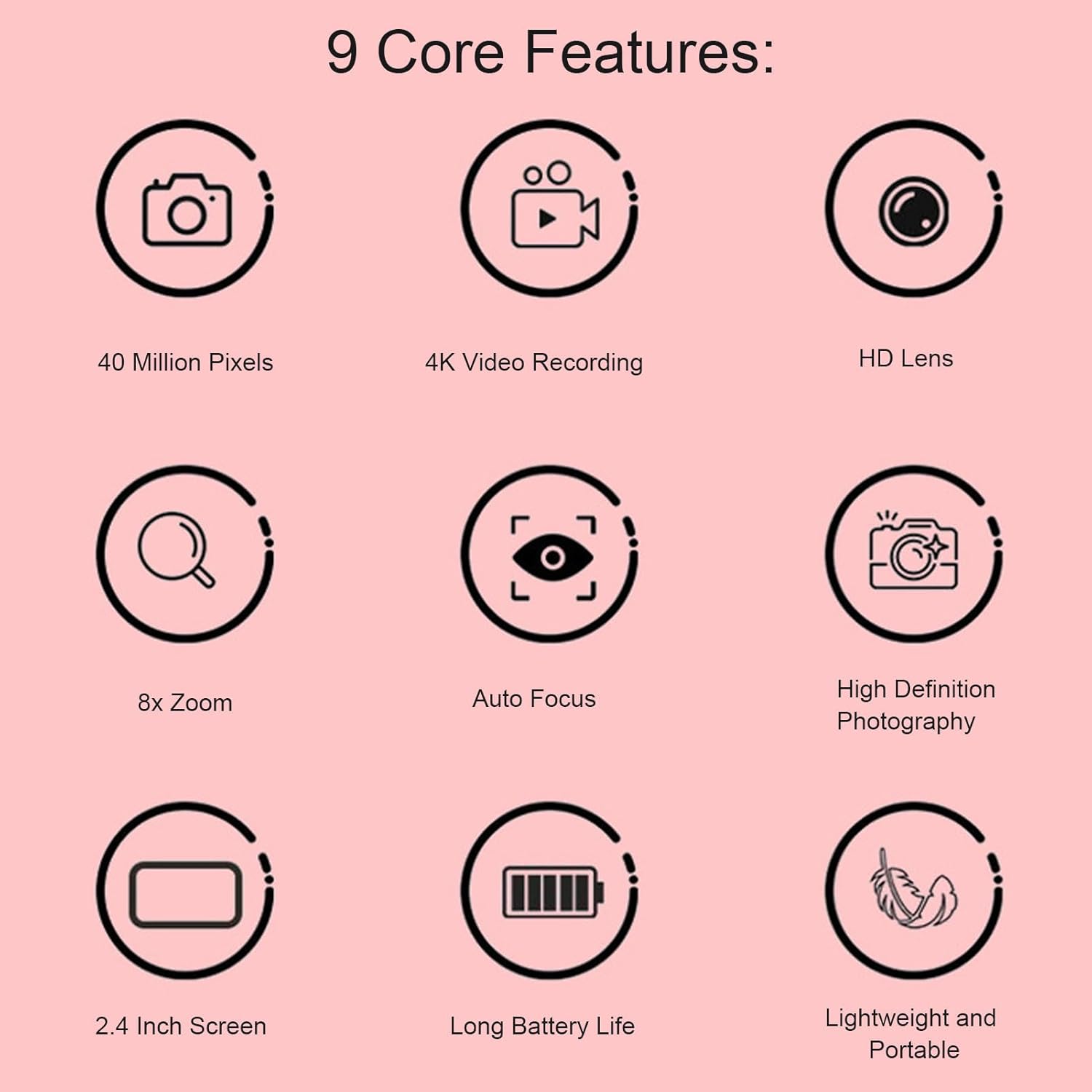
Image 2.1: Visual representation of the camera's core features.
2.2 ڪئميرا جا حصا
Familiarize yourself with the camera's physical components.

تصوير 2.2: سامهون view of the camera, highlighting the lens and flash.

تصوير 2.3: مٿي view of the camera, indicating button placement.
3. سيٽ اپ
3.1 بيٽري کي چارج ڪرڻ
The camera is equipped with a built-in 600mAh lithium battery. Before first use, fully charge the battery.
- Connect the provided USB charging cable to the camera's USB port.
- USB ڪيبل جي ٻئي ڇيڙي کي USB پاور اڊاپٽر (شامل نه آهي) يا ڪمپيوٽر جي USB پورٽ سان ڳنڍيو.
- The charging indicator light will illuminate. Once charging is complete, the light will change or turn off.
3.2 ميموري ڪارڊ لڳائڻ
The camera supports small memory cards up to 32GB (not included). A memory card is required to save photos and videos.
- ڪئميرا تي ميموري ڪارڊ سلاٽ ڳوليو.
- Insert the memory card into the slot with the metal contacts facing the correct direction (refer to the diagram near the slot).
- Push the card gently until it clicks into place. To remove, push the card again until it springs out.
4. آپريٽنگ هدايتون
4.1 پاور آن/آف
- To power on, press and hold the Power button located on the top of the camera.
- پاور آف ڪرڻ لاءِ، پاور بٽڻ کي ٻيهر دٻايو ۽ رکو.
4.2 تصويرون ڪڍڻ
The camera supports up to 40MP image pixels and features 8x digital zoom and AF auto focus.
- ڪئميرا آن ڪريو.
- Frame your shot using the 2.4-inch screen.
- The AF auto focus system will automatically adjust for clarity.
- Press the Shutter button to capture the photo.

Image 4.1: The camera's auto-focus system quickly and stably focuses on subjects.
4.3 رڪارڊنگ وڊيوز
Record videos in 4K resolution.
- ڪئميرا آن ڪريو.
- Switch to video recording mode (refer to on-screen icons or mode button).
- رڪارڊ شروع ڪرڻ لاءِ رڪارڊ جو بٽڻ دٻايو.
- رڪارڊ بٽڻ کي Pressيهر د Pressايو رڪارڊنگ بند ڪرڻ لاءِ.
4.4 پلے بیک
View your captured photos and videos directly on the camera's screen.
- ڪئميرا آن ڪريو.
- Switch to playback mode (usually indicated by a play icon).
- Use the navigation buttons to browse through your media.
- Press the OK/Enter button to view هڪ فوٽو يا وڊيو کيڏيو.

تصوير 4.2: Viewing captured media on the camera's 2.4-inch display.
4.5 Connecting to a Computer (Data Transfer)
Transfer photos and videos to your computer for storage or sharing.
- پڪ ڪريو ته ڪئميرا فعال آهي.
- مهيا ڪيل USB ڪيبل استعمال ڪندي ڪئميرا کي پنهنجي ڪمپيوٽر سان ڳنڍيو.
- The camera should appear as a removable disk or device on your computer.
- Open the camera's folder to access and transfer your files.
5. سار سنڀال
5.1 ڪئميرا صاف ڪرڻ
- ڪئميرا جي باڊي کي صاف ڪرڻ لاءِ نرم، سڪل ڪپڙو استعمال ڪريو.
- لينس لاءِ، ڇڪڻ کان بچڻ لاءِ هڪ خاص لينس صاف ڪرڻ وارو ڪپڙو ۽ محلول استعمال ڪريو.
- سخت ڪيميائي يا رگڻ واري مواد استعمال نه ڪريو.
5.2 اسٽوريج
- ڪئميرا کي سڌي سج جي روشني ۽ انتهائي گرمي پد کان پري ٿڌي، سڪل جاءِ تي رکو.
- If storing for an extended period, ensure the battery is partially charged (around 50%) and remove the memory card.
6. مسئلا حل ڪرڻ
6.1 عام مسئلا ۽ حل
| مسئلو | ممڪن سبب | حل |
|---|---|---|
| ڪئميرا آن نٿو ٿئي. | بيٽري ختم ٿي وئي آهي. | پوري بيٽري چارج ڪريو. |
| تصويرون/ وڊيوز نه ٿا ڪڍي سگهجن. | No memory card inserted or card is full. | Insert a memory card or delete unnecessary files. |
| تصويرون blurry آهن. | Lens is dirty; insufficient light; subject too close. | Clean the lens; ensure adequate lighting; maintain proper distance from subject. |
| ڪمپيوٽر ڪئميرا کي سڃاڻي نٿو سگهي. | Loose USB connection; camera not in data transfer mode. | Ensure USB cable is securely connected; check camera settings for USB mode. |
7. وضاحتون
| خاصيت | تفصيل |
|---|---|
| شيء جو قسم | ڪئميرا |
| مواد | ABS |
| تصويري قرارداد | Up to 40MP (maximum) |
| وڊيو قرارداد | 1080P (maximum), supports 4K recording |
| اسڪرين جي ماپ | 2.4 انچ |
| ڊجيٽل زوم | 8x |
| ذخيرو | Supports up to 32GB small memory card (not included) |
| بيٽري | 1 x Lithium battery, 600mAh (built-in) |
| شيءِ جو وزن | 4.7 اونس |
| پيڪيج جي ماپ | 3.94 x 3.54 x 2.76 انچ |
| ماڊل نمبر | GOWENICs856v3zqwo-13 |
8. وارنٽي ۽ سپورٽ
For warranty information or technical support, please refer to the documentation included with your purchase or contact GOWENIC customer service directly. Keep your purchase receipt as proof of purchase for any warranty claims.


