1. تعارف
خريد ڪرڻ لاءِ مهربانيasing the Karlsson Alarm Clock Duo. This manual provides detailed instructions for setting up, operating, and maintaining your new alarm clock. Please read this manual thoroughly before use and retain it for future reference.
2. حفاظت جي ڄاڻ
- ڊوائيس کي پاڻي ۽ اعلي نمي کان پري رکو.
- ڊوائيس کي سڌو سورج جي روشني يا انتهائي گرمي پد ڏانهن نه وڌايو.
- پاڻ ڊوائيس کي ڌار ڪرڻ يا مرمت ڪرڻ جي ڪوشش نه ڪريو. سڀني سروسنگ کي قابل اهلڪارن جي حوالي ڪريو.
- صرف مخصوص بيٽري جو قسم استعمال ڪريو. بيٽريون داخل ڪرڻ وقت صحيح پولارٽي کي يقيني بڻايو.
- جيڪڏهن ڊوائيس گهڻي عرصي تائين استعمال نه ٿيندي ته بيٽريون هٽايو.
3. پيڪيج مواد
مھرباني ڪري چيڪ ڪريو ته سڀ شيون موجود آھن:
- Karlsson Alarm Clock Duo (Model KA5954BK)
- استعمال ڪندڙ جو دستياب (ھي دستاويز)
نوٽ: بيٽريون شامل نه آهن ۽ الڳ الڳ خريد ڪرڻ گهرجن.
4. پراڊڪٽ ختمview
The Karlsson Alarm Clock Duo features a classic analog clock face combined with a modern digital display for temperature and humidity. Its compact design makes it suitable for various settings.

شڪل 1: سامهون view of the Karlsson Alarm Clock Duo. The top section features an analog clock with a white face and black numbers, while the bottom section has a digital display showing temperature (e.g., 22.0 °C) and relative humidity (e.g., 58%).

شڪل 2: The alarm clock viewed from the side, demonstrating its compact size and matte black finish. It is shown on a surface next to a white desk lamp, indicating its suitability for bedside tables or desks.
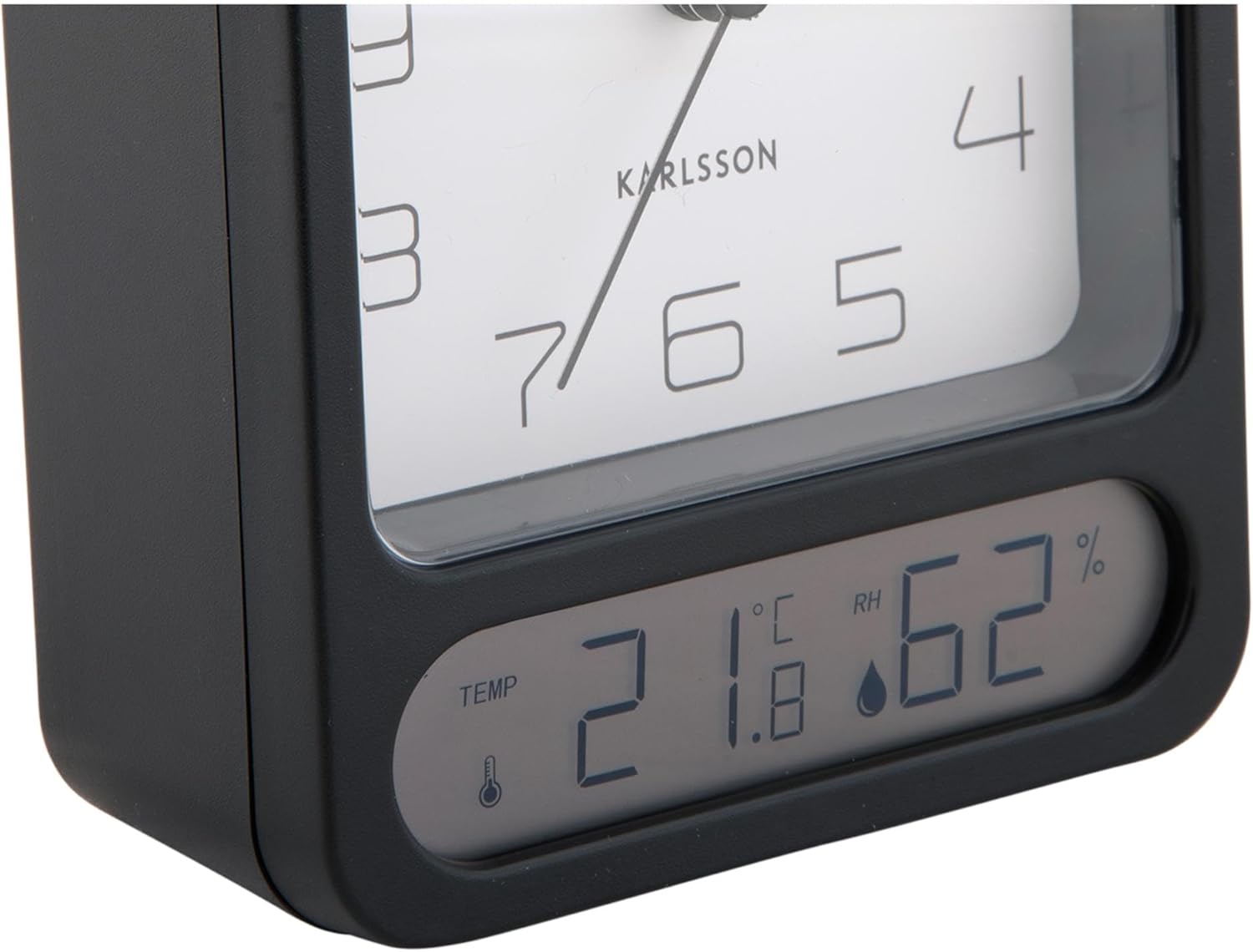
شڪل 3: A detailed close-up of the digital display, clearly showing the temperature in Celsius (e.g., 21.8 °C) and the relative humidity percentage (e.g., 62% RH). Small icons for temperature and humidity are also visible.

شڪل 4: An angled perspective of the alarm clock, providing a comprehensive view of its design, including the square analog clock face and the rectangular digital display below it, all encased in a matte black frame.
5. سيٽ اپ
5.1. بيٽري لڳائڻ
- الارم ڪلاڪ جي پوئين پاسي بيٽري جي ڪمپارٽمينٽ ڪَوَر کي ڳوليو.
- Remove the cover by sliding or lifting it according to the markings.
- Insert the required batteries (typically 1x AA for the analog clock and 2x AAA for the digital display, though specific types may vary - refer to the compartment markings) ensuring correct polarity (+ and -).
- بيٽري جي ڪمري واري ڍڪ کي محفوظ طور تي تبديل ڪريو.
5.2. وقت مقرر ڪرڻ
- On the back of the clock, locate the time setting knob (usually labeled "TIME SET" or similar).
- Rotate the knob in either direction to adjust the hour and minute hands to the current time.
5.3. الارم جوڙڻ
- Locate the alarm setting knob (usually labeled "ALARM SET" or similar) on the back of the clock.
- Rotate this knob to set the alarm hand to your desired alarm time.
- Locate the alarm ON/OFF switch (often a small slider or button). Slide it to the "ON" position to activate the alarm.
6. آپريٽنگ هدايتون
6.1. وقت پڙهڻ
The current time is displayed on the analog clock face with hour, minute, and second hands.
6.2. Reading Temperature and Humidity
The digital display at the bottom of the clock shows the current room temperature (in Celsius or Fahrenheit, depending on model) and relative humidity percentage. There may be a button (e.g., "°C/°F") to switch between temperature units if applicable.
6.3. الارم فنڪشن
- When the alarm is set to "ON", it will sound at the designated alarm time.
- To stop the alarm, slide the alarm ON/OFF switch to the "OFF" position.
- سست جو ڪم: If your model includes a snooze button (often a large button on top), pressing it during an active alarm will temporarily silence the alarm for a few minutes before it sounds again.
7. سار سنڀال
7.1. صفائي
Wipe the clock with a soft, dry cloth. Do not use abrasive cleaners or solvents, as these may damage the finish or display.
7.2. بيٽري مٽائڻ
Replace batteries when the clock hands slow down, the alarm becomes weak, or the digital display fades or stops working. Follow the battery installation steps in Section 5.1.
8. مسئلا حل ڪرڻ
| مسئلو | ممڪن سبب | حل |
|---|---|---|
| Clock not working / Digital display off | مئل يا غلط طور تي داخل ڪيل بيٽريون. | بيٽريون تبديل ڪريو، صحيح پولارٽي کي يقيني بڻايو. |
| الارم نه ٿو لڳي | Alarm is not activated (OFF position) or set incorrectly. | Ensure alarm switch is ON and alarm time is set correctly. |
| غلط وقت ڏيکاريل آهي | Time was not set correctly or batteries are low. | Reset the time. Replace batteries if necessary. |
| غلط درجه حرارت / نمي | Sensor obstruction or extreme environmental conditions. | Ensure the clock is in a well-ventilated area, away from direct heat sources or drafts. Allow time for readings to stabilize. |
9. وضاحتون
| ماڊل نمبر | KA5954BK |
| برانڊ | ڪارلسن |
| طول و عرض (L x W x H) | 9.7 x 4.5 x 12 سينٽي |
| وزن | 600 جي |
| طاقت جو ذريعو | بيٽري (شامل نه آهي) |
| ASIN | B0DHL8TMB6 |
10. وارنٽي ۽ سپورٽ
This Karlsson product is covered by a manufacturer's warranty. Please refer to the warranty card included with your purchase or visit the official Karlsson webتفصيلي وارنٽي شرطن ۽ ضابطن لاءِ سائيٽ.
For technical support, troubleshooting assistance, or inquiries regarding your product, please contact Karlsson customer service through their official webسائيٽ يا توهان جي خريداري دستاويزن سان مهيا ڪيل رابطي جي معلومات.


