1. تعارف
The 3M Speedglas G5-03 Pro Welding Helmet is engineered with advanced technology to provide dynamic protection for welders. This helmet is designed to meet the challenges of various welding tasks, offering intuitive features such as a haptic tapping function for activating grind or cut modes. It is highly customizable, allowing users to adjust settings for optimal weld pool visibility and enhanced protection against radiation, sparks, and spatter. The G5-03 Pro incorporates 3M Speedglas Natural Color Technology and a Tack Welding Mode (with G5-01/03TW ADF). Optional accessories like a task light and helmet adapter system for hard hat integration further enhance its versatility.

Figure 1.1: The 3M Speedglas G5-03 Pro Welding Helmet, showcasing its robust design and integrated auto-darkening filter.
2. اهم خاصيتون
- Robust, Compact Design: Engineered for durability and ease of use in demanding environments.
- Ergonomic, Adjustable Head Suspension: ڊگهي پائڻ لاءِ آرامده ۽ محفوظ فٽ فراهم ڪري ٿو.
- GRIND and CUT Mode Functionality: Easily switch between welding and grinding/cutting tasks using the G5 auto-darkening filters.
- Available in Two Auto-Darkening Lens Options (VC/TW): Choose between Variable Color (VC) or Tack Weld (TW) auto-darkening filters to suit specific welding needs.
- Suitable for Most Types of Arc Welding: Versatile for a wide range of arc welding applications.
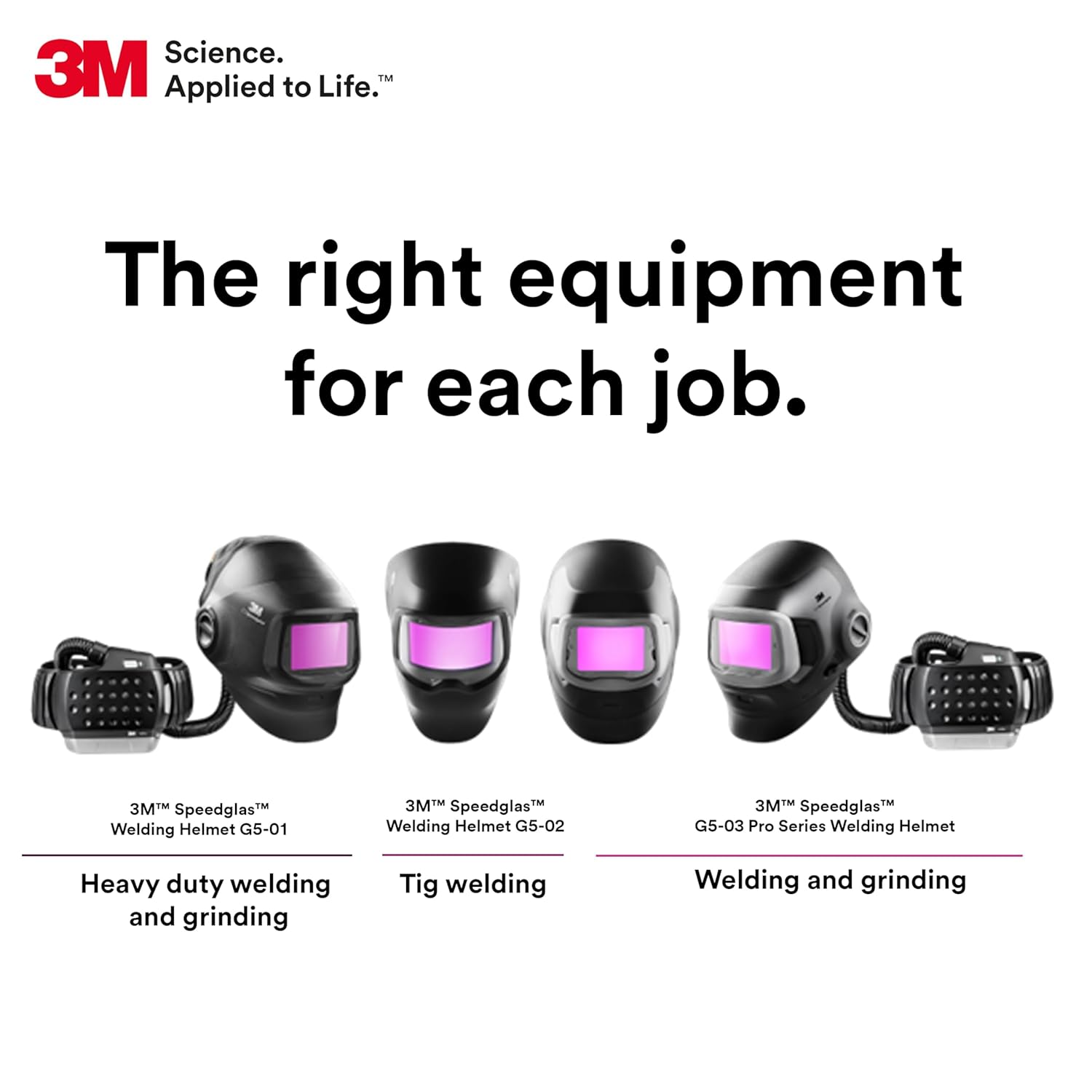
شڪل 2.1: هڪ اوورview of different 3M Speedglas welding helmets, highlighting the G5-03 Pro's suitability for welding and grinding tasks.
3. دٻي ۾ ڇا آهي
انباڪسنگ ڪرڻ تي، تصديق ڪريو ته سڀئي جزا موجود آهن:
- 3M Speedglas Welding Helmet G5-03 Pro
- G5TW Auto-Darkening Filter (ADF)
4. اهم حفاظتي ڄاڻ
3M industrial and occupational products are intended, labeled, and packaged for sale to trained industrial and occupational customers for workplace use. These products are not intended, labeled, or packaged for sale to or use by consumers (e.g., for home, personal, primary or secondary school, recreational/sporting, or other uses not described in the applicable product packaging or literature), and must be selected and used in compliance with applicable health and safety regulations and standards (e.g., U.S. OSHA, ANSI), as well as all product literature, user instructions, warnings, and other limitations, and the user must take any action required under any recall, field action, or other product use notice. Misuse of 3M industrial and occupational products may result in injury, sickness, death, or property damage. For help with product selection and use, consult your on-site safety professional, industrial hygienist, or other subject matter expert. For additional product information, visit www.3M.com.
Always wear appropriate personal protective equipment (PPE) in conjunction with the welding helmet, such as safety glasses and respirators, as required by your specific welding application and workplace safety regulations.

Figure 4.1: A welder utilizing the 3M Speedglas helmet in a professional setting, emphasizing the importance of proper usage and safety protocols.
5. سيٽ اپ ۽ ترتيب
5.1 Head Suspension Adjustment
The G5-03 Pro features an ergonomic and adjustable head suspension system for a comfortable and secure fit. Adjust the headband to ensure the helmet sits firmly and balanced on your head without causing pressure points. Use the ratcheting mechanism at the back to tighten or loosen the fit. Adjust the top straps to control the helmet's height and angle relative to your face.

شڪل 5.1: پاسي view of the helmet showing the adjustable head suspension system, crucial for a personalized and stable fit.
5.2 Auto-Darkening Filter (ADF) Installation and Settings
Ensure the G5TW ADF is correctly installed in the helmet. The ADF is powered by a Lithium Metal battery (included). Familiarize yourself with the controls on the ADF for shade, sensitivity, and delay settings. The G5TW ADF offers a light state of 2.5 and variable dark shades from 5/8-13, with 4 arc sensors for reliable detection.

Figure 5.2: Close-up of the G5-01/03TW Auto-Darkening Filter (ADF), illustrating its controls for shade, sensitivity, and delay, along with the tack welding mode feature.
6. آپريٽنگ هدايتون
6.1 Natural Color Technology
The 3M Speedglas G5-03 Pro features Natural Color Technology, which provides a more realistic view of your work area in both light and dark states. This technology enhances clarity and contrast, allowing for better visibility of the weld puddle and surrounding environment.

Figure 6.1: Visual representation of 3M Speedglas Natural Color Technology, demonstrating improved clarity in both light and dark states during welding.

Figure 6.2: An illustration highlighting the enhanced clarity provided by Natural Color Technology throughout the welding process.
6.2 TAP Function for Grind/Cut Mode
The G5-03 Pro introduces a haptic TAP function for quick and easy switching between welding and grind/cut modes without removing the helmet. This feature is particularly useful for welders who frequently alternate between tasks.
- Set Filter to GRIND (or CUT) Mode: Ensure the ADF is set to the desired grind or cut mode.
- Activate TAP Function: Press the + and - buttons on the ADF simultaneously to activate the TAP function.
- مٽائڻ جا طريقا: Tap the side of the helmet 3 times to toggle between GRIND (or CUT) mode and WELD mode.
- Deactivate TAP Function: Press the + and - buttons simultaneously again to deactivate the TAP function.
Note: Additional settings and customization options for the TAP function and other helmet features can be accessed via the 3M Connected Equipment App.

Figure 6.3: A step-by-step guide illustrating the operation of the TAP function for seamless mode switching on the 3M Speedglas G5-03 Pro helmet.

Figure 6.4: A user demonstrating interaction with the 3M Connected Equipment App, which allows for advanced customization of the helmet's settings.
7. سار سنڀال ۽ سنڀال
7.1 صفائي
- هيلمٽ شيل: Clean the helmet shell with a mild soap and water solution. Avoid abrasive cleaners or solvents that could damage the material.
- ADF and Lenses: Gently wipe the auto-darkening filter and protective lenses with a soft, lint-free cloth. Use a specialized lens cleaning solution if necessary. Do not use harsh chemicals or abrasive materials that could scratch the lenses.
7.2 اسٽوريج
Store the welding helmet in a clean, dry place away from direct sunlight, extreme temperatures, and corrosive substances. Protect the ADF from impact and scratches when not in use.
7.3 بيٽري مٽائڻ
The ADF is powered by a Lithium Metal battery. Refer to the specific instructions provided with your ADF for battery replacement procedures. Ensure proper polarity when installing new batteries.
8. مسئلا حل ڪرڻ
| مسئلو | ممڪن سبب | حل |
|---|---|---|
| ADF not darkening | Low battery; Sensors obstructed; Incorrect sensitivity setting; Too little light. | Replace battery; Clean sensors; Adjust sensitivity; Ensure sufficient arc light. |
| Poor visibility through ADF | Dirty outer/inner lens; Scratched lens; Incorrect shade setting. | Clean lenses; Replace scratched lenses; Adjust shade setting. |
| Helmet feels uncomfortable or loose | Head suspension not properly adjusted. | Adjust headband and top straps for a snug and balanced fit. |
| TAP function not responding | Function not activated; Incorrect tapping motion. | Ensure TAP function is activated (press + and - simultaneously); Tap firmly and consistently on the side of the helmet. |
9. ٽيڪنيڪل وضاحتون
| تفصيل | تفصيل |
|---|---|
| ماڊل نمبر | جي 5-03 |
| پيڪيج جي ماپ | 15 x 10 x 10 انچ |
| شيءِ جو وزن | 2.9 پائونڊ |
| ڊپارٽمينٽ | Safety and Industrial |
| بيٽريون | 1 Lithium ڌاتو جي بيٽري گھربل (شامل) |
| ٺاهيندڙ | 3M |
| مواد | Polycarbonate (PC) |
| رنگ | ڪارو |
| انداز | جديد |
| وضاحت ميٽر | ANSI Z87.1، CSA Z94.3 |
10. وارنٽي ۽ سپورٽ
For specific warranty information regarding your 3M Speedglas G5-03 Pro Welding Helmet, please refer to the warranty card included with your product or visit the official 3M website. For technical support, product inquiries, or to purchase replacement parts, please contact 3M customer service or an authorized 3M distributor.
You can find more information and contact details on the official 3M webسائيٽ: www.3m.com.