
تعارف
Thank you for choosing the ODK L-Shaped Reversible Computer Desk. This manual provides essential information for the safe assembly, operation, and maintenance of your new desk. Designed for versatility and functionality, this desk features ample storage, an integrated power outlet, and a reversible configuration to suit various home and office layouts.
حفاظت جي ڄاڻ
- اسيمبليءَ ۽ استعمال کان اڳ سڀ هدايتون احتياط سان پڙهو.
- سڀني ننڍڙن حصن ۽ پيڪنگنگ مواد کي ٻارن ۽ پالتو جانورن کان پري رکو ته جيئن دم گھڙڻ جي خطرن کان بچي سگهجي.
- ڊيسڪ کي نرم، صاف مٿاڇري تي گڏ ڪريو ته جيئن ڇڪڻ کان بچي سگهجي.
- استعمال کان اڳ پڪ ڪريو ته سڀئي اسڪرو ۽ فاسٽنرز محفوظ طور تي مضبوط ڪيا ويا آهن. وقت بوقت چيڪ ڪريو ۽ ضرورت مطابق ٻيهر سخت ڪريو.
- Do not overload the desk or drawers. Refer to specifications for weight limits.
- For electrical components (power outlet), ensure proper grounding and do not exceed the rated electrical load. Avoid contact with water.
- جيڪڏهن ڪو به پرزو غائب يا خراب آهي، ته اسيمبلي سان اڳتي نه وڌو. ڪسٽمر سپورٽ سان رابطو ڪريو.
پيڪيج مواد
Before beginning assembly, verify that all components are present. The package typically includes:
- Desk panels (main desktop, side panels, drawer panels)
- ڌاتو فريم جا حصا (ٽنگون، سپورٽ بار)
- 4 Fabric drawers
- Integrated power outlet unit with power cord
- Host stand
- 2 Iron hooks
- Assembly hardware (screws, bolts, nuts, adjustable feet)
- اسيمبلي جا اوزار (مثال طور، ايلن رنچ، اسڪرو ڊرايور)
- ھدايت وارو دستور
Note: An extra set of fittings is usually provided.
سيٽ اپ ۽ اسيمبلي جون هدايتون
Assembly typically takes approximately 1.5 hours for one person. Follow the numbered steps in the included diagrammatic instructions. Ensure you identify the correct orientation for reversible components.
- پيڪ کوليو ۽ منظم ڪريو: Carefully unpack all components and lay them out on a clean, soft surface. Group similar parts and hardware.
- Identify Reversible Design: The desk is designed to be reversible, allowing the drawer unit and shorter desk section to be placed on either the left or right side. Decide your preferred orientation before starting.
- مکيه فريم کي گڏ ڪريو: Attach the metal legs and support bars according to the diagrams. Ensure all connections are finger-tight initially.
- Install Desk Panels: Secure the main desktop and side panels to the assembled frame. Pay close attention to alignment for the L-shape configuration.
- Assemble Drawer Unit: Construct the frame for the drawer unit. Insert the fabric drawers into their respective slots.
- پاور آئوٽليٽ کي ضم ڪريو: Carefully place the integrated power outlet into its designated slot on the desktop and secure it.
- Attach Host Stand and Hooks: Position the host stand under the desk as desired. Attach the iron hooks to the side of the desk for headphones or other accessories.
- آخري سختي: Once all components are in place and aligned, fully tighten all screws and fasteners using the provided tools. Do not overtighten.
- ليولنگ فوٽ کي ترتيب ڏيو: Adjust the leveling feet at the bottom of the desk legs to ensure stability on uneven floors.

Image: Desk dimensions and reversible configuration options.
آپريٽنگ هدايتون
انٽيگريٽيڊ پاور آئوٽليٽ

Image: Integrated power outlet with AC and USB ports.
The desk features a built-in power strip for convenient device charging and power supply. It includes:
- 2 AC آئوٽليٽ: 110V-240V/6A. Use for standard electronic devices.
- 2 USB بندرگاهن: 5V/2A. Ideal for charging smartphones, tablets, and other USB-powered devices.
احتياط: Do not exceed the maximum power rating of the outlet. Ensure the power cord is properly connected to a wall socket.
دراز ۽ اسٽوريج
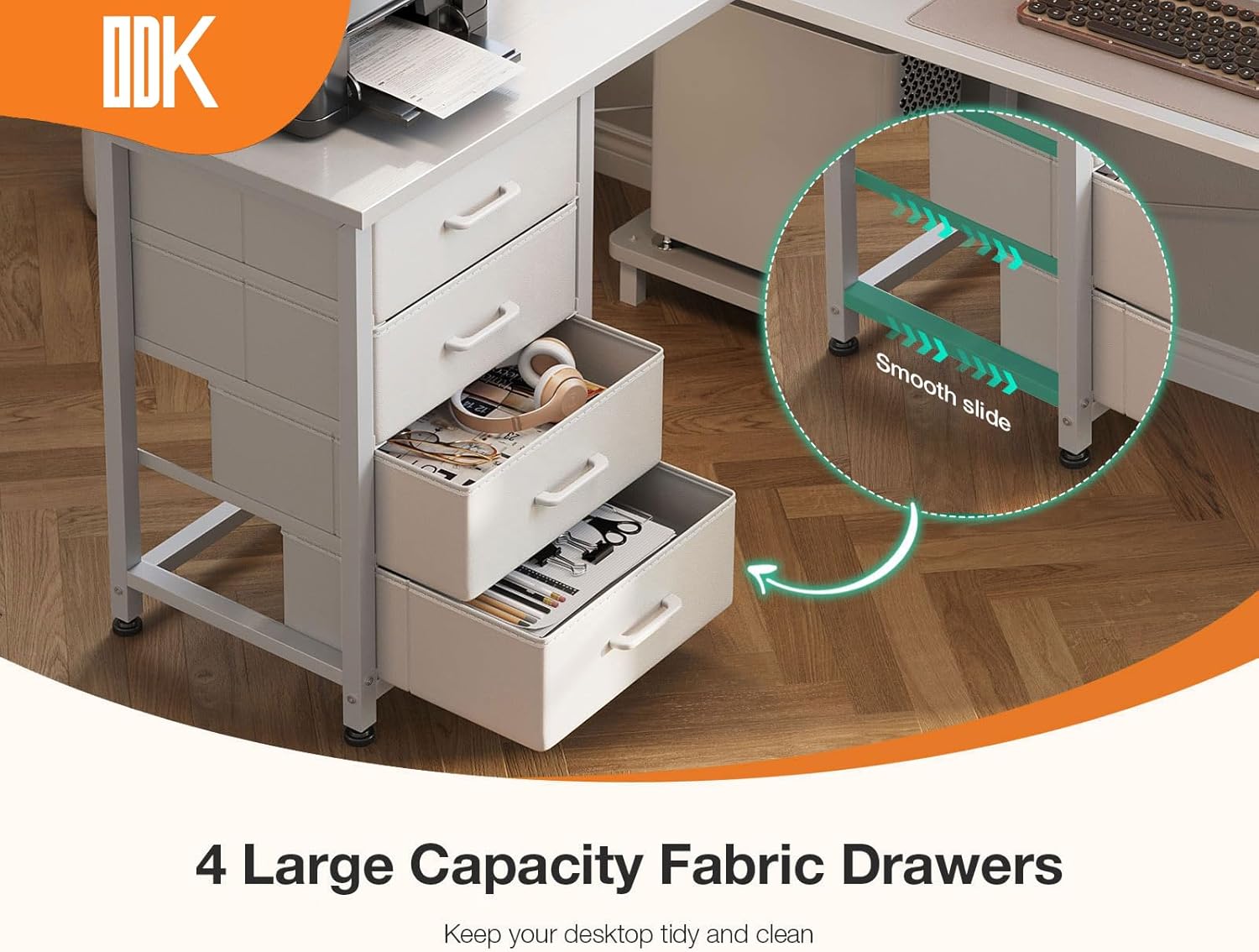
Image: Four large capacity fabric drawers.
The desk includes four large capacity fabric drawers for organized storage of documents, stationery, and personal items. These drawers are designed for smooth operation and help maintain a tidy workspace.
- To open, gently pull the handle.
- To close, push the drawer back until it is fully seated.
- Avoid placing excessively heavy items in the drawers to ensure longevity.
Host Stand and Legroom

تصوير: Ample legroom and dedicated host stand.
A dedicated host stand is provided to keep your computer tower off the floor, protecting it from dust and improving airflow. The desk also offers generous legroom (approximately 100 cm) for comfortable use.
- Place your computer host on the stand to free up desktop space.
- استعمال ڪريو ample legroom for comfortable seating and movement.
سار سنڀال
To ensure the longevity and appearance of your ODK desk, follow these maintenance guidelines:
- صفائي: مٿاڇري کي نرم سان صاف ڪريو، ڊيamp cloth. Avoid harsh chemicals or abrasive cleaners that may damage the finish. For the fabric drawers, spot clean with a mild detergent if necessary.
- illsرندڙ: Immediately wipe up any spills to prevent staining or damage to the wood and electrical components.
- فاسٽنرز: وقت بوقت سڀني اسڪرو ۽ بولٽن کي چيڪ ڪريو ته جيئن پڪ ڪري سگهجي ته اهي تنگ رهن. جيڪڏهن ڪا ڍِلي ملي ته ٻيهر سخت ڪريو.
- ماحول: Avoid exposing the desk to extreme temperatures, direct sunlight, or high humidity, which can cause warping or discoloration.
مشڪلاتون
| مسئلو | ممڪن سبب | حل |
|---|---|---|
| ڊيسڪ لڏپلاڻ ڪندڙ / غير مستحڪم آهي. | اڻ برابر فرش؛ ڍِلا بند. | پيرن جي تري ۾ ليولنگ فوٽن کي ترتيب ڏيو. سڀني اسيمبلي اسڪرو کي چيڪ ڪريو ۽ سخت ڪريو. |
| پاور آئوٽ ڪم نه ڪري رهيو آهي. | بجلي جي تار پلگ ان نه ٿيل آهي؛ وال آئوٽليٽ جو مسئلو؛ اوور لوڊ ٿيل سرڪٽ. | Ensure the desk's power cord is securely plugged into a functional wall outlet. Check the wall outlet with another device. Reduce the number of devices plugged into the desk's outlet. |
| دراز آساني سان نه سلائڊ ڪندا آهن. | Overloaded drawer; obstruction; misaligned frame. | Remove some items from the drawer. Check for any objects blocking the slide mechanism. Verify the drawer unit frame is assembled correctly and not warped. |
| Parts missing or damaged. | پيداوار جي غلطي؛ شپنگ نقصان. | Do not proceed with assembly. Contact ODK customer support immediately for replacement parts. |
وضاحتون
- برانڊ: او ڊي ڪي
- ماڊل: بي 02021501002
- رنگ: اڇو
- پيداوار جي ماپ: 100P x 135L x 76H cm (Depth x Length x Height)
- مواد: انجنيئر ٿيل ڪاٺ، لوهه
- شيء جو وزن: 17.8 ڪلو
- درازن جو تعداد: 4
- خاص خاصيتون: Integrated Power Outlet (2 AC, 2 USB), Host Stand, Multiple Storage Options, Reversible Design
- AC Outlet Rating: 110V-240V / 6A
- USB Port Rating: 5V/2A
وارنٽي ۽ سپورٽ
ODK provides professional after-sales service. If you encounter any issues with your product, require replacement parts, or have questions regarding assembly or operation, please contact ODK customer support. Our team aims to respond to inquiries within 24 hours to ensure your satisfaction.
Please refer to your purchase documentation or the ODK official webمخصوص وارنٽي شرطن ۽ رابطي جي معلومات لاءِ سائيٽ.


