تعارف
The Thermalright Aqua Elite 240 ARGB V4 is an all-in-one liquid CPU cooler designed to provide efficient and quiet cooling for a wide range of Intel and AMD processors. This manual provides detailed instructions for installation, operation, and maintenance to ensure optimal performance and longevity of your cooler.
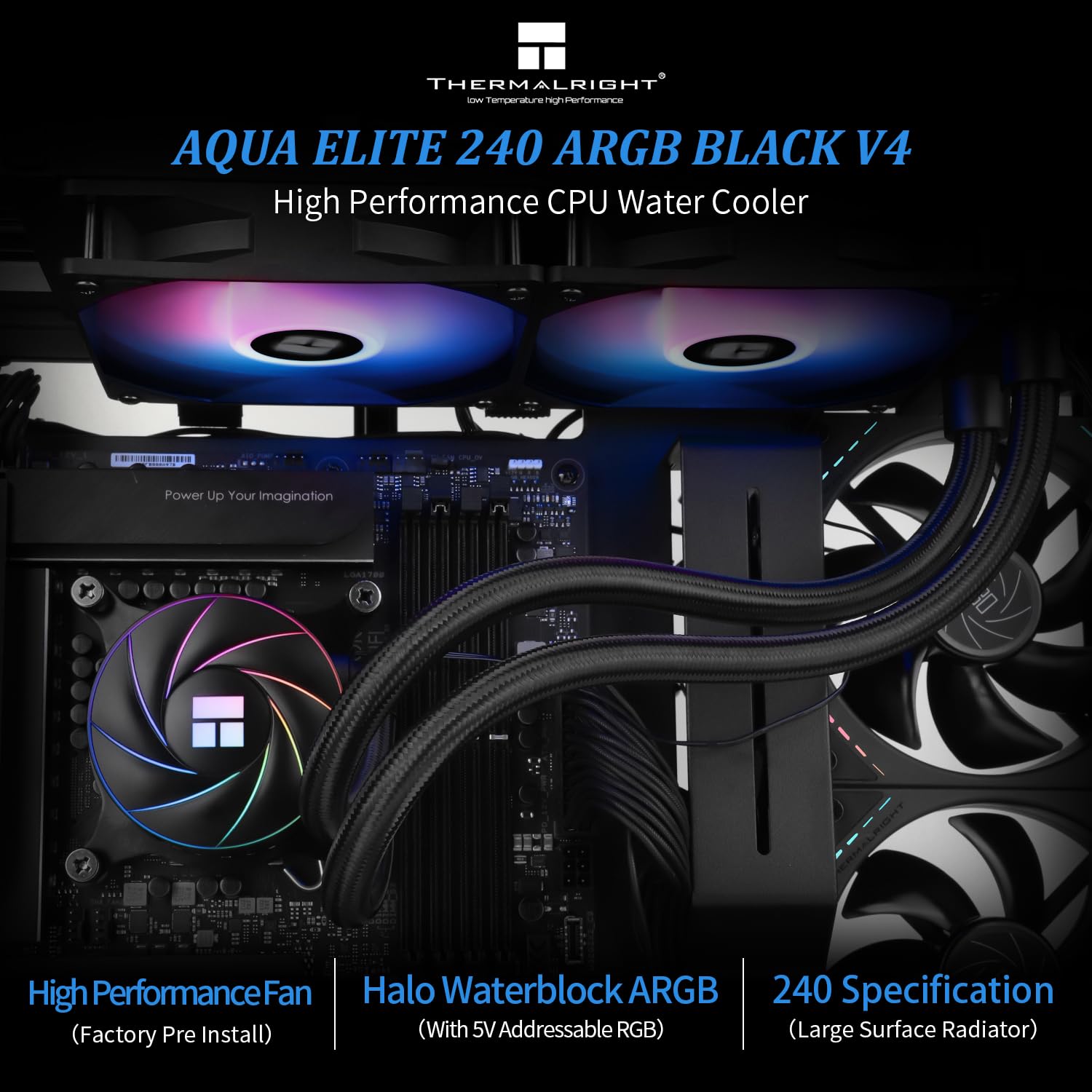
Image: The Thermalright Aqua Elite 240 ARGB V4 CPU AIO Cooler, showcasing its dual-fan radiator and illuminated water block.
پيڪيج مواد
مھرباني ڪري تصديق ڪريو ته انسٽاليشن شروع ڪرڻ کان اڳ سڀئي جزا موجود آھن:
- AIO Water Cooler (Radiator with two 120mm ARGB fans, pump/water block, and tubing)
- Intel Mounting Brackets and Hardware (for LGA1851/1700/1150/1151/1155/1156/1200/2011/2066)
- AMD Mounting Brackets and Hardware (for AM4/AM5)
- حرارتي مرڪب
- فين ورهائيندڙ ڪيبل
- ARGB Lighting Cables
- استعمال ڪندڙ دستي

تصوير: مٿانview of the Thermalright Aqua Elite ARGB V4 CPU Cooler Series components, including the radiator, fans, pump, and various mounting hardware for Intel and AMD platforms.
وضاحتون
| جزو | تفصيل |
|---|---|
| پاڻي جي بلاڪ جي ماپ | 72mm * 72mm * 48mm |
| ريڊيٽرٽر آئيون | 282mm * 120mm * 27mm |
| پمپ جي رفتار | 6400 RPM ±10% |
| پمپ ڪنيڪٽر | 4-Pin PWM |
| RGB سپورٽ | +5V Addressable RGB (3-Pin) |
| فين ماڊل | TL-C12C-S ARGB (x2) |
| فين جي ڪاما | 120mm * 120mm * 25mm |
| Fan Rated Speed | 1550 RPM ±10% |
| فين شور جي سطح | ≤25.6 ڊي بي اي |
| فين ايئر فلو | 66.17 سي ايف ايم (وڌ ۾ وڌ) |
| فين جامد دٻاءُ | 1.53 mmH2O (MAX) |
| فين بيئرنگ جو قسم | ايس-ايف ڊي بيئرنگ |
| مطابقت رکندڙ ساکٽ | Intel: LGA1851/1700/1150/1151/1155/1156/1200/2011/2066; AMD: AM4/AM5 |
انسٽاليشن ھدايت
Follow these steps to properly install your Thermalright Aqua Elite 240 ARGB V4 CPU AIO Cooler. Refer to the video below for visual guidance.
Video: Detailed installation guide for the Thermalright Aqua Elite ARGB V4 CPU Cooler Series, covering both AMD and Intel platforms.
AMD AM4/AM5 تنصيب
- Prepare Water Block: Remove the protective sticker from the coldplate. Align the arrow on the AMD bracket with the water block and rotate to install it.
- حرارتي مرڪب لاڳو ڪريو: سي پي يو انٽيگريٽيڊ هيٽ اسپريڊر (IHS) تي مناسب مقدار ۾ ٿرمل ڪمپائونڊ لڳايو.
- ماؤنٽ واٽر بلاڪ: Place the water block onto the CPU, ensuring the buckles on the AMD bracket engage with the motherboard's stock retention module.
- محفوظ پاڻي بلاڪ: Tighten both screws on the bracket with a screwdriver to apply even mounting pressure.
Intel LGA1700 تنصيب
- Prepare Backplate: Adjust the mounting hole position on the Intel backplate to 1700.
- بيڪ پليٽ انسٽال ڪريو: Install the backplate from the backside of the motherboard.
- اسٽينڊ آف انسٽال ڪريو: Install the 1700 standoffs onto the backplate screws from the front side of the motherboard.
- Prepare Water Block: Remove the protective sticker from the coldplate. Align the arrow on the Intel bracket with the water block and rotate to lock it in place.
- حرارتي مرڪب لاڳو ڪريو: Apply an appropriate amount of thermal compound onto the CPU IHS.
- ماؤنٽ واٽر بلاڪ: Align the mounting holes on the bracket to the standoffs and install the water block.
- محفوظ پاڻي بلاڪ: Secure the metal brackets and water block with four nuts, applying appropriate mounting pressure.
Cable Connections (Common for all platforms)
- پمپ پاور: Connect the pump power cable to the CPU_OPT or AIO_PUMP header on your motherboard.
- فين پاور: Connect the fan PWM cables to the fan splitter cable. Then, connect the PWM splitter cable to the motherboard's CPU_FAN socket to power the fans.
- ARGB روشني: Remove the protective caps from the ARGB 3-pin connectors. Connect the fan ARGB cables to sync the lighting signal. Connect the ARGB lighting cable to the motherboard's 3-pin +5V ARGB socket for lighting control. نوٽ: This cooler supports 5V 3-pin ARGB only, NOT 12V 4-pin RGB.
آپريشن
The Thermalright Aqua Elite 240 ARGB V4 is designed for automatic and efficient operation. Once installed and connected, the cooler will manage CPU temperatures and fan speeds based on system load.
- PWM Fans: The included TL-C12C-S ARGB fans utilize PWM (Pulse Width Modulation) control, allowing their speed to automatically adjust according to the CPU temperature. This ensures optimal cooling performance while minimizing noise during lighter loads.
- ARGB روشني: The addressable RGB lighting on both the water block and fans can be controlled and synchronized via compatible motherboard software (e.g., ASUS Aura Sync, MSI Mystic Light, Gigabyte RGB Fusion, ASRock Polychrome Sync). Ensure your motherboard has a 3-pin +5V ARGB header for this functionality.
- High Performance Pump: The pump operates at speeds up to 6400 RPM ±10%, ensuring consistent and effective liquid circulation for superior heat dissipation.

Image: Diagram showing the ARGB 5V 3-pin lighting interface and the +12V DC/4-pin water pump connection for the cooler.
سار سنڀال
باقاعده سار سنڀال توهان جي AIO مائع ڪولر جي ڊگهي عمر ۽ بهترين ڪارڪردگي کي يقيني بڻائڻ ۾ مدد ڪري ٿي.
- مٽي صاف ڪرڻ: وقتي طور تي ريڊيئيٽر جي پنن ۽ پنن جي بليڊن مان مٽي کي دٻيل هوا سان صاف ڪريو. نقصان کان بچڻ لاءِ صفائي دوران پنن کي نه گھمائڻ جي پڪ ڪريو.
- Check Tubing: Inspect the tubing for any signs of kinks, leaks, or damage. While the polymer compilation protection water pipe is designed for durability, regular checks are recommended.
- حرارتي پيسٽ: If you ever need to remove and re-install the water block, it is recommended to clean off the old thermal paste and apply a fresh layer for optimal heat transfer.
- سافٽ ويئر اپڊيٽ: Keep your motherboard's BIOS and ARGB control software updated to ensure compatibility and access to the latest features and performance improvements.
مشڪلاتون
If you encounter issues with your cooler, consider the following common troubleshooting steps:
- اعليٰ سي پي يو گرمي پد:
- Ensure the water block is securely mounted and making full contact with the CPU.
- پڪ ڪريو ته ٿرمل پيسٽ صحيح ۽ هڪجهڙائي سان لاڳو ڪيو ويو آهي.
- Check that the pump is running (listen for a faint hum or check monitoring software).
- Confirm that radiator fans are spinning and are not obstructed by dust or cables.
- پنهنجي پي سي ڪيس اندر مناسب هوا جي وهڪري کي يقيني بڻايو.
- پنکڙا نه ڦرڻ / ARGB نه روشن ٿيڻ:
- Check all power and ARGB connections to the motherboard and between components.
- Verify that the motherboard's fan and ARGB headers are enabled in the BIOS/UEFI.
- Ensure you are using a 3-pin +5V ARGB header, not a 4-pin +12V RGB header.
- Update or reinstall your motherboard's ARGB control software.
- غير معمولي آواز:
- A slight gurgling sound initially is normal as air settles in the loop. If persistent, try gently tilting your PC case to help trapped air move to the radiator.
- Ensure fan cables are not hitting fan blades.
- If the pump is making excessive noise, ensure it is receiving adequate power and is not running dry (though unlikely in a sealed AIO).
If issues persist, please contact Thermalright customer support for further assistance.
وارنٽي ۽ سپورٽ
For warranty information, technical support, or service inquiries, please refer to the official Thermalright webسائيٽ تي وڃو يا انهن جي ڪسٽمر سروس ڊپارٽمينٽ سان رابطو ڪريو. وارنٽي دعوائن لاءِ خريداري جو ثبوت رکو.
The water cooling head has a life span of up to 40,000 hours, and the S-FDB bearings in the fans are designed for extended life.


