تعارف
This manual provides detailed instructions for the safe and effective use of your Ourlife 5K30FPS WiFi Action Camera. Please read this manual thoroughly before operating the device to ensure optimal performance and longevity.
اوurlife M40TR is a versatile action camera designed to capture high-quality video and photos in various environments, including underwater, thanks to its robust waterproof casing. It features 5K 30fps video recording, a dual-screen display, a 170-degree wide-angle lens, and Wi-Fi connectivity.
دٻي ۾ ڇا آهي
انباڪسنگ ڪرڻ تي، مھرباني ڪري تصديق ڪريو ته سڀئي جزا موجود آھن:
- Ourlife M40TR Action Camera
- پنروڪ ڪيس
- چڙهڻ جو سامان
- USB چارجنگ ڪيبل
- استعمال ڪندڙ جو دستياب (ھي دستاويز)
- Remote Control (if included with specific package)

Image: The Ourlife M40TR Action Camera shown with its waterproof housing and a small remote control. This image illustrates the primary components included with the camera.
پيداوار ختمview
Familiarize yourself with the camera's main components and interfaces.
- سامهون اسڪرين: 1.3-inch display for quick status checks.
- Rear Screen: 2.0-inch IPS touch screen for menu navigation and playback.
- لينس: 170-degree wide-angle lens.
- پاور / موڊ بٽڻ: Used to power on/off and switch between modes.
- شٽر/ٺيڪ بٽڻ: Used to start/stop recording or take photos, and confirm selections.
- مائڪروفون پورٽ: ٻاهرين مائڪرو فون سان ڳنڍڻ لاءِ.
- USB پورٽ: چارج ڪرڻ ۽ ڊيٽا جي منتقلي لاء.
- مائڪرو ايس ڊي ڪارڊ سلاٽ: ميموري ڪارڊ داخل ڪرڻ لاءِ.
- بيٽري جو خانو: For battery insertion.

تصوير: هڪ ويجهو تصوير view او جوurlife Action Camera highlighting its 2-inch responsive touch screen. This screen is used for controlling camera functions and reviewفو فوtage.
سيٽ اپ ڪريو
1. بيٽري کي چارج ڪرڻ
Before first use, fully charge the camera battery. Connect the camera to a USB power source (e.g., computer, wall adapter) using the provided USB cable. The charging indicator light will illuminate during charging and turn off when complete.
2. مائڪرو ايس ڊي ڪارڊ داخل ڪرڻ
A MicroSD card (not included) is required for recording. Use a Class 10 or higher MicroSD card, up to 128GB. Insert the card into the MicroSD card slot with the contacts facing the correct direction until it clicks into place.
نوٽ: For optimal performance, format the MicroSD card within the camera before first use and periodically thereafter.
3. Attaching the Waterproof Case
The camera comes with a waterproof case for underwater use and protection against impacts. Ensure the camera is securely placed inside the case and the latch is firmly closed before submerging or exposing to harsh conditions.
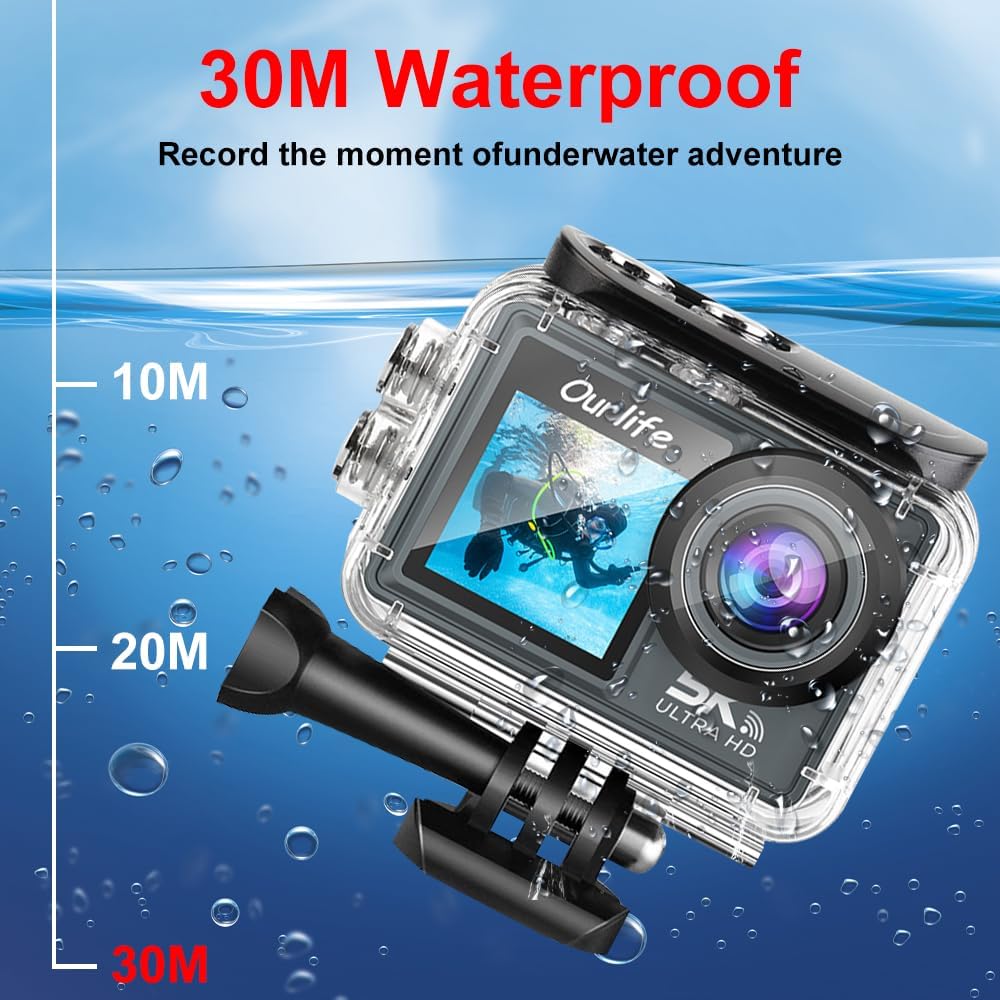
Image: The Ourlife Action Camera enclosed in its waterproof case, depicted underwater with depth markers indicating its 30-meter waterproof capability. This highlights the camera's suitability for aquatic activities.
4. پاور آن/آف
To power on, press and hold the Power/Mode button for a few seconds. To power off, press and hold the Power/Mode button again until the screen turns off.
ڪئميرا هلائڻ
1. بنيادي ڪنٽرول ۽ نيويگيشن
Use the Power/Mode button to cycle through different shooting modes (Video, Photo, Playback, Settings). Use the touch screen for menu navigation and selecting options. The Shutter/OK button initiates recording or takes a photo in the respective modes.
2. وڊيو رڪارڊنگ
In Video mode, press the Shutter/OK button to start recording. Press it again to stop. The camera supports resolutions up to 5K at 30 frames per second (fps), as well as 4K, 2.7K, 1080P, and 720P options. Adjust resolution in the settings menu.
3. فوٽو ڪيپچر
In Photo mode, press the Shutter/OK button to take a single photo. The camera offers various photo modes including single shot, automatic shooting, burst mode, and timed photography.
4. وائي فائي ۽ ايپ ڪنيڪٽوٽي
Enable Wi-Fi in the camera's settings. Download the official Ourlife app on your smartphone or tablet. Connect your device to the camera's Wi-Fi network. The app allows for remote control, live preview, playback, and sharing of your footage.
5. ٻاهرين مائڪروفون سپورٽ
For enhanced audio quality, connect a compatible external microphone to the camera's microphone port. Ensure the microphone is securely connected before recording.
6. Enhanced Image Stabilization (EIS)
The camera features Electronic Image Stabilization (EIS) to reduce blur and shake in your videos, especially during action-packed activities. This feature can be toggled On or Off in the camera settings.

Image: A side-by-side comparison demonstrating the effect of Enhanced Image Stabilization (EIS). The left image shows a clear, stable shot with EIS enabled, while the right image shows a blurred shot with EIS disabled, illustrating the benefit of the feature.
7. وائڊ اينگل لينس
170 ڊگري وائڊ اينگل لينس هڪ وسيع ميدان کي قبضو ڪري ٿو view, ideal for landscapes, group shots, and immersive action footage. Be aware that wide-angle lenses may exhibit some distortion at the edges of the frame.

تصوير: هڪ مثال ڏيکاري ٿوasing the 170-degree ultra wide-angle capability of the Ourlife Action Camera, demonstrating how it captures a significantly broader scene compared to narrower angles, ideal for expansive views.
سار سنڀال
- صفائي: ڪئميرا لينس ۽ اسڪرين کي صاف ڪرڻ لاءِ نرم، لِنٽ فري ڪپڙو استعمال ڪريو. واٽر پروف ڪيس لاءِ، لوڻ واري پاڻي جي استعمال کان پوءِ تازي پاڻي سان ڌوئو ۽ هوا ۾ سڪي وڃڻ ڏيو.
- اسٽوريج: ڪئميرا کي سڌي سج جي روشني ۽ انتهائي گرمي پد کان پري ٿڌي، سڪل جاءِ تي رکو. جيڪڏهن گهڻي وقت تائين ذخيرو ڪري رهيا آهيو ته بيٽري هٽايو.
- بيٽري جي سنڀال: Avoid fully discharging the battery frequently. Charge the battery regularly, even if not in use, to maintain its lifespan.
مشڪلاتون
| مسئلو | ممڪن حل |
|---|---|
| ڪئميرا آن نٿو ٿئي. | Ensure the battery is charged. Reinsert the battery. |
| وڊيو رڪارڊ نه ٿو ڪري سگھجي/فوٽو نه ٿو ڪڍي سگھجي. | Check if a MicroSD card is inserted and formatted. Ensure sufficient storage space. |
| خراب وڊيو/فوٽو معيار. | لينس صاف ڪريو. ريزوليوشن سيٽنگون چيڪ ڪريو. مناسب روشني کي يقيني بڻايو. |
| وائي فائي ڪنيڪشن جا مسئلا. | Ensure Wi-Fi is enabled on the camera and your device. Restart both devices. Check app permissions. |
| ڪئميرا منجمد ٿي وڃي ٿو يا غير جوابده ٿي وڃي ٿو. | هارڊ ري سيٽ ڪرڻ لاءِ بيٽري ڪڍو ۽ ٻيهر لڳايو. |
وضاحتون
| خاصيت | تفصيل |
|---|---|
| ماڊل نمبر | M40TR |
| وڊيو قرارداد | Up to 5K 30fps (also 4K, 2.7K, 1080P, 720P) |
| پنروڪ کوٽائي | 30 ميٽر تائين (پاڻيءَ کان بچاءُ واري ڪيس سان) |
| مکيه اسڪرين جي سائيز | 2.0 انچ IPS |
| Secondary Screen Size | 1.3 انچ |
| لينس زاويه | 170-degree Wide-Angle |
| رابطي | وائي فائي، يو ايس بي |
| ذخيرو | MicroSD Card (Class 10 or higher, up to 128GB) |
| ٻاهرين مائڪروفون سپورٽ | ها |
| تصوير جي استحڪام | اليڪٽرانڪ تصويري استحقاق (EIS) |
| رنگ | ڪارو |
وارنٽي ۽ سپورٽ
For warranty information and technical support, please refer to the official Ourlife webسائيٽ تي وڃو يا سڌو سنئون انهن جي ڪسٽمر سروس سان رابطو ڪريو. وارنٽي دعوائن لاءِ خريداري جي ثبوت طور پنهنجي خريداري جي رسيد رکو.
Official Ourlife Store: Visit the Ourlife Store on Amazon


