1. تعارف
This user manual provides detailed instructions for the setup, operation, and maintenance of your AOBOCAM 4K Mini Wireless WiFi Security Camera (Model A12). Please read this manual thoroughly before using the product to ensure proper functionality and safety. This camera is designed for indoor home security and surveillance, offering high-definition video, motion detection, and app control.
2. پراڊڪٽ ختمview
2.1 پيڪيج مواد
پيڪيج کولڻ تي، مھرباني ڪري تصديق ڪريو ته ھيٺ ڏنل سڀ شيون شامل آھن:
- AOBOCAM 4K Mini Wireless WiFi Security Camera (Model A12)
- USB ڪيبل
- استعمال ڪندڙ دستي
2.2 اهم خاصيتون
- ڪمپيڪٽ ڊيزائن: Small and unobtrusive, allowing for discreet placement in various indoor environments.
- 4K HD Video Quality: Provides clear and vivid images with precise detail capture.
- خودڪار رات جو نظارو: Automatically switches to night vision mode in low-light conditions, ensuring continuous monitoring.
- موبائل ايپ ڪنٽرول: Manage camera settings, view live feeds, and control recording remotely via a smartphone application.
- ڊگھي بيٽري زندگي: Built-in 1500mAh battery for extended continuous operation, reducing the need for frequent recharging.
- حرڪت جي چڪاس: Sends instant notifications to your phone upon detecting movement within its range.
- ورسٽائل لڳائڻ: Can be placed freestanding, wall-mounted, or attached via its magnetic body.

Figure 2.1: AOBOCAM 4K Mini Camera and its 4K live feed on a smartphone.
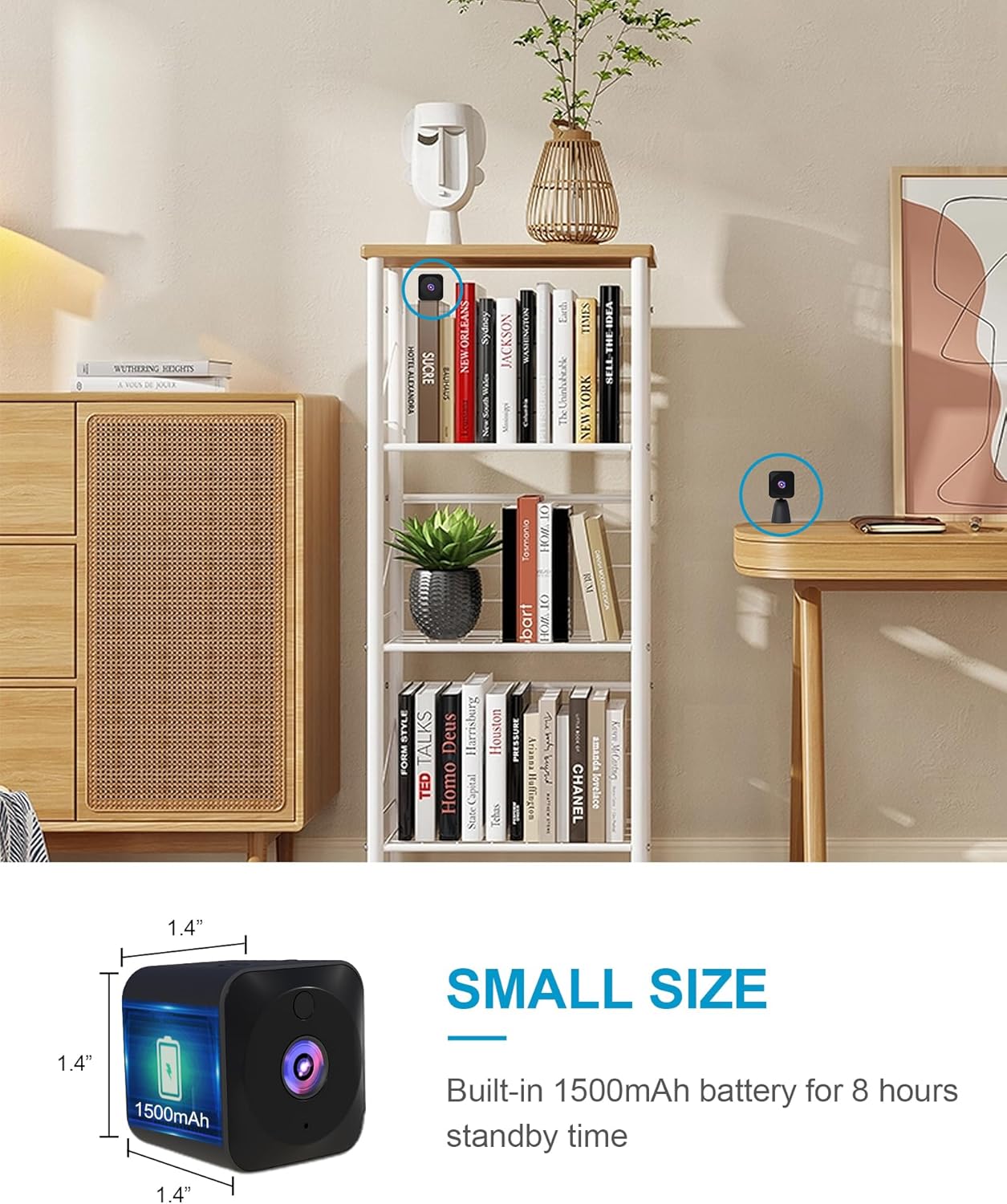
Figure 2.2: The compact dimensions of the AOBOCAM Mini Camera, approximately 1.4 x 1.4 x 0.91 inches.
3. سيٽ اپ گائيڊ
Follow these steps to set up your AOBOCAM 4K Mini Wireless WiFi Security Camera:
- ڪئميرا چارج ڪريو: Before first use, fully charge the camera using the provided USB cable. Connect the USB cable to the camera's charging port and a standard USB power adapter (not included). The charging indicator light will show the charging status.
- ايپ ڊائون لوڊ ڪريو: ڳولھيو the official AOBOCAM application in your smartphone's app store (iOS or Android) and install it.
- پاور آن: Press and hold the power button on the camera until the indicator light turns on.
- وائي فائي سان ڳنڍيو: Open the AOBOCAM app on your smartphone. Follow the in-app instructions to add a new device and connect the camera to your 2.4GHz Wi-Fi network. Ensure your phone is connected to the same Wi-Fi network during the initial setup.
- لڳائڻ: Position the camera in your desired indoor location. Its small size and included bracket allow for versatile placement options, such as on a shelf, desk, or wall-mounted.

شڪل 3.1: مثالamples of camera placement in different indoor environments.
4. آپريٽنگ هدايتون
4.1 App Control and Live Viewing
Once connected, you can control and monitor your camera remotely through the AOBOCAM app:
- لائيو فيڊ: Access the live video stream from your camera anytime, anywhere.
- سيٽنگون ترتيب ڏيڻ: Modify camera settings such as video resolution, recording modes, and notification preferences.
- Zoom and Angle: Adjust the digital zoom and viewing angle directly from the app.
- رڪارڊنگ: Start or stop video recording manually, or set up continuous recording or event-triggered recording.
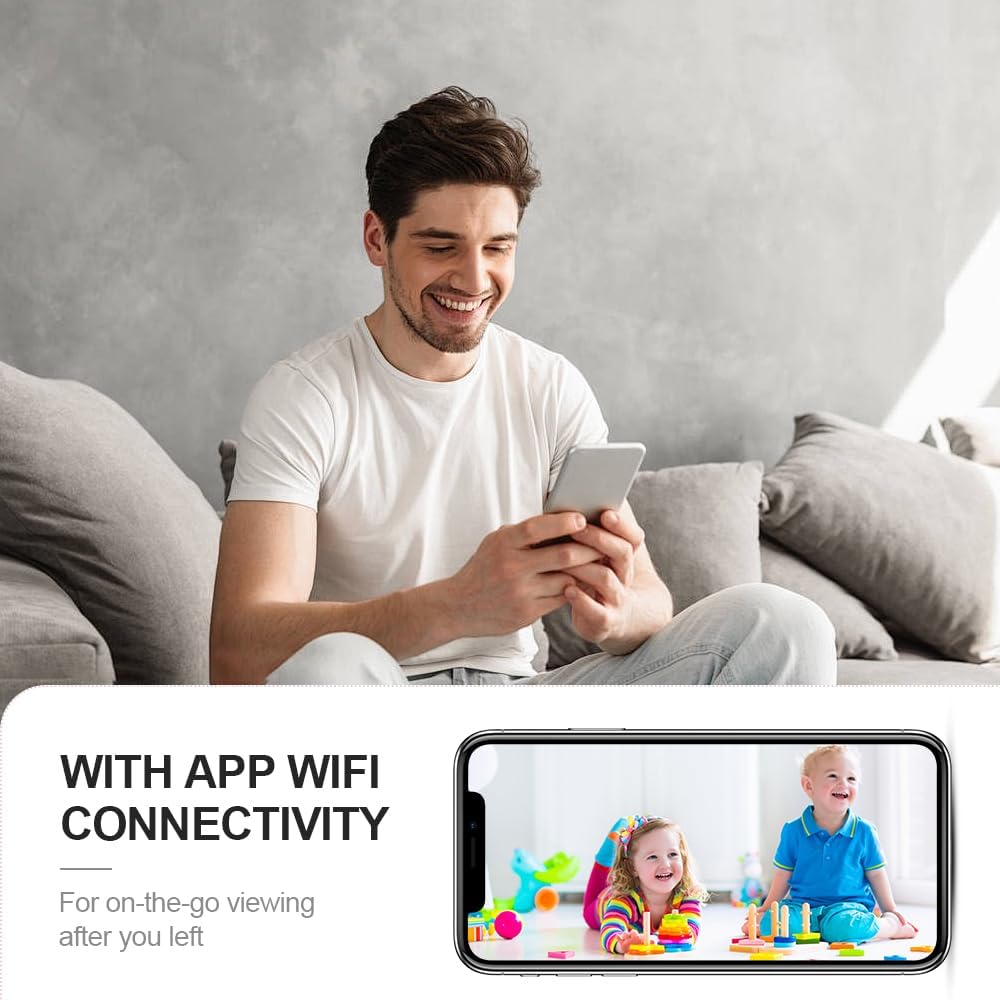
شڪل 4.1: ريموٽ viewing of live camera feed via the mobile app.
4.2 حرڪت جي ڳولا ۽ خبرداريون
The camera features an advanced motion detection system:
- Automatic Alerts: When motion is detected, the camera will automatically send a notification to your smartphone.
- واقعي جي رڪارڊنگ: Motion-triggered events can be recorded and stored, allowing you to review واقعا.
- حساسيت جي ترتيب: Adjust the motion detection sensitivity in the app to minimize false alarms.

Figure 4.2: Motion detection alerts sent to your smartphone.
4.3 رات جو خواب
The camera is equipped with automatic night vision for 24-hour surveillance:
- Infrared LEDs: Integrated infrared lights enable clear black-and-white video recording in complete darkness.
- خودڪار سوئچنگ: The camera automatically switches between day and night modes based on ambient light conditions.

شڪل 4.3: ڏينهن ۽ رات جي نظر جو مقابلو.
4.4 Video Playback and Storage
The camera supports local storage via a MicroSD card (up to 128GB, not included) and cloud storage (subscription may be required):
- MicroSD ڪارڊ: Insert a formatted MicroSD card into the designated slot for continuous or event-based recording.
- پلے بیک: View رڪارڊ ٿيل footage directly from the app.
4.5 سرڪاري پراڊڪٽ وڊيو
Video 4.1: An official product video demonstrating the AOBOCAM Mini Home Security Camera's features, including its compact design, ease of use, battery life, app connectivity for live viewing of pets and babies, alarm messages, and various customer usage scenarios.
5. سار سنڀال
To ensure optimal performance and longevity of your AOBOCAM camera, follow these maintenance guidelines:
- صفائي: ڪئميرا لينس ۽ باڊي کي صاف ڪرڻ لاءِ نرم، سڪل ڪپڙو استعمال ڪريو. مائع صاف ڪندڙ يا رگڙيندڙ مواد استعمال ڪرڻ کان پاسو ڪريو.
- بيٽري جي سنڀال: Recharge the camera regularly, especially if it will be stored for an extended period. Avoid extreme temperatures that can affect battery life.
- فرم ويئر اپڊيٽس: Check the app periodically for available firmware updates to ensure your camera has the latest features and security enhancements.
- لڳائڻ: Ensure the camera is placed in a stable location to prevent accidental falls. Avoid direct exposure to water or excessive humidity.
6. مسئلا حل ڪرڻ
If you encounter issues with your AOBOCAM camera, refer to the following common problems and solutions:
| مسئلو | ممڪن سبب | حل |
|---|---|---|
| ڪئميرا وائي فائي سان ڳنڍڻ ۾ ناڪام ٿيو. | Incorrect Wi-Fi password, 5GHz network, weak signal, or router issues. | Ensure correct password. Verify your Wi-Fi is 2.4GHz. Move camera closer to router. Restart router and camera. |
| غريب وڊيو معيار. | Insufficient lighting, dirty lens, or weak Wi-Fi signal. | Ensure adequate lighting. Clean the camera lens. Improve Wi-Fi signal strength. |
| Motion detection not working or too many false alarms. | Incorrect sensitivity settings, or camera placement. | Adjust motion detection sensitivity in the app. Ensure camera is placed correctly to avoid unnecessary triggers. |
| بيٽري جلدي ختم ٿئي ٿي. | بار بار لائيو viewing, continuous recording, or extreme temperatures. | Reduce live viewing time. Use event-triggered recording instead of continuous. Avoid extreme temperatures. |
| ايپ جواب نه ڏئي رهي آهي. | Outdated app version, network issues, or phone memory. | Update the app to the latest version. Check your phone's network connection. Close other apps to free up memory. |
If the issue persists after trying these solutions, please contact AOBOCAM customer support for further assistance.
7. وضاحتون
Detailed technical specifications for the AOBOCAM 4K Mini Wireless WiFi Security Camera (Model A12):
| خاصيت | تفصيل |
|---|---|
| ماڊل نالو | Q18 Pro (A12) |
| اندروني / ٻاهران استعمال | اندريون |
| رابطي ٽيڪنالاجي | 2.4G وائي فائي |
| طاقت جو ذريعو | بيٽري سان هلندڙ (1 A بيٽري شامل آهي) |
| وڊيو ڪيپچر ريزوليوشن | 4K (Effective Video Resolution: 4000) |
| Viewزاويه | 120 درجا |
| نائيٽ ويزن رينج | 20 ميٽر |
| فليش ميموري سپورٽ ٿيل سائيز وڌ ۾ وڌ | 128 جي بي |
| ڪنٽرول جو طريقو | ايپ |
| انتباہ جو قسم | صرف حرڪت |
| مواد | پلاسٽڪ |
| شيون طول و عرض (L x W x H) | 1.73 x 1.73 x 0.91 انچ |
| شيءِ جو وزن | 5.9 اونس |
8. وارنٽي ۽ سپورٽ
For warranty information and customer support, please refer to the contact details provided with your product packaging or visit the official AOBOCAM webسائيٽ. ڪنهن به وارنٽي دعوائن لاءِ خريداري جي ثبوت طور پنهنجي خريداري جي رسيد رکو.


