تعارف
The Technoline WT175 is a compact and versatile quartz alarm clock designed for convenience and portability. It features a clear digital display and offers multiple functions including time, date, temperature, humidity, and various alarm settings. Its magnetic casing makes it suitable for travel and everyday use.

شڪل 1: سامهون view of the Technoline WT175 Mini Travel Alarm Clock, displaying the time and control buttons.
اهم خاصيتون
- 12/24 ڪلاڪ ڊسپلي
- تاريخ ڏيکاري
- Temperature display (in Celsius)
- نمي ڊسپلي
- اسنوز فنڪشن سان الارم
- Configurable alarm settings: Weekday, Weekend, or Daily
- Timer with countdown and stop function
- گھٽ بيٽري جو اشارو
- مقناطيسي جasing for versatile placement
پيڪيج مواد
- Technoline WT175 Mini Travel Alarm Clock
- استعمال ڪندڙ جو دستياب (ھي دستاويز)
- نوٽ: بيٽريون شامل نه آهن ۽ الڳ الڳ خريد ڪرڻ گهرجن.

شڪل 2: Product packaging for the Technoline WT175, detailing specifications and features.
سيٽ اپ ڪريو
1. بيٽري لڳائڻ
- الارم ڪلاڪ جي پوئين پاسي بيٽري جي خاني کي ڳوليو.
- بيٽري جي ڪمري واري ڍڪ کي کوليو.
- Insert 1x AAA Micro LR03 battery, ensuring correct polarity (+/-).
- بيٽري جي ڪمري واري ڍڪ کي محفوظ طور تي بند ڪريو.
2. شروعاتي پاور آن
Upon successful battery installation, the display will activate. You may need to press the سيٽ button to begin initial time and date configuration.
آپريٽنگ هدايتون
The Technoline WT175 features several control buttons: سيٽ, START/STOP/RESET, ZZ (Snooze/Light), AL SET ON-OFF, +, ۽ موڊ.
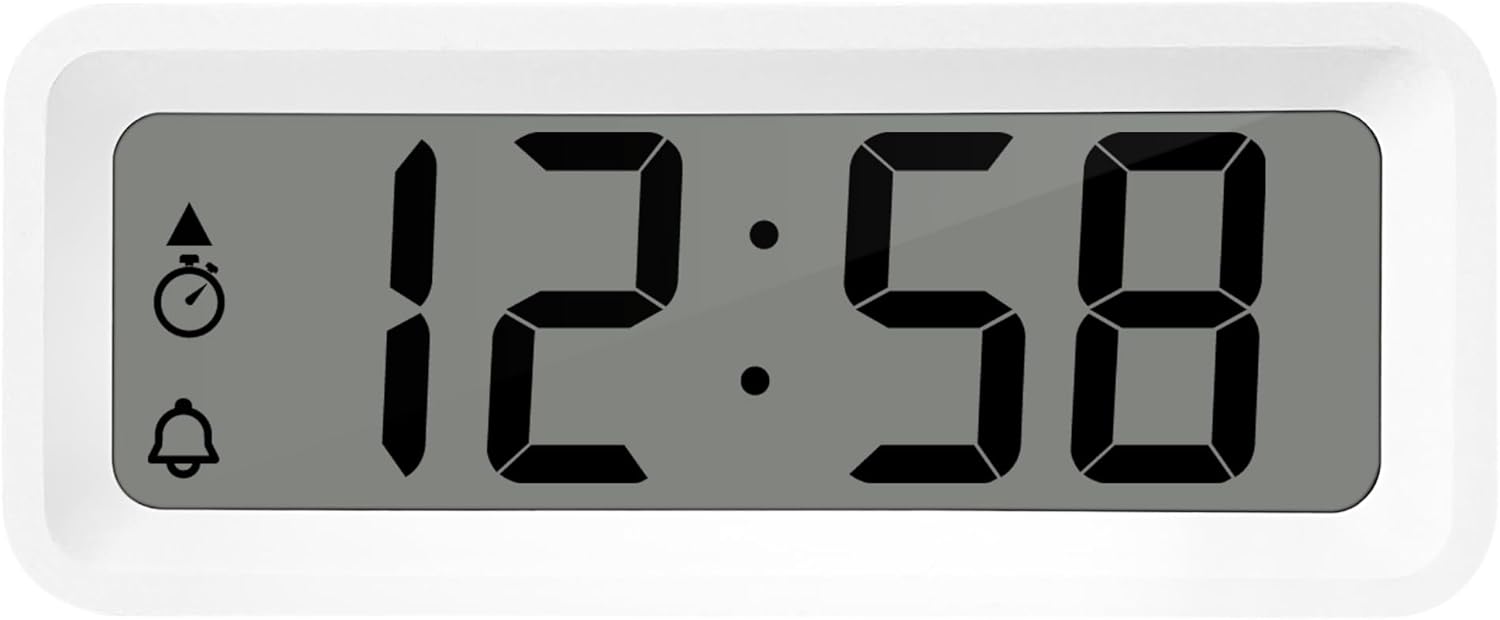
شڪل 3: تفصيلي view of the alarm clock's display and control buttons.
1. وقت ۽ تاريخ مقرر ڪرڻ
- کي دٻايو ۽ رکو سيٽ بٽڻ دٻايو جيستائين وقت جي ڊسپلي چمڪائڻ شروع نه ٿئي.
- استعمال ڪريو + or - ڪلاڪ کي ترتيب ڏيڻ لاء بٽڻ.
- دٻايو سيٽ again to confirm the hour and move to minutes.
- استعمال ڪريو + or - منٽ کي ترتيب ڏيڻ
- دٻائڻ جاري رکو سيٽ to cycle through and set the year, month, and day using the + or - بٽڻ
- دٻايو سيٽ سيٽنگ موڊ مان نڪرڻ لاءِ آخري ڀيرو.
2. 12/24 ڪلاڪ فارميٽ جي چونڊ
عام وقت جي ڊسپلي موڊ ۾، دٻايو موڊ 12-ڪلاڪ ۽ 24-ڪلاڪ ٽائيم فارميٽ جي وچ ۾ ٽوگل ڪرڻ لاءِ بٽڻ.
3. الارم جوڙڻ
- کي دٻايو AL SET ON-OFF button once to enter alarm setting mode. The alarm time will flash.
- استعمال ڪريو + or - الارم ڪلاڪ کي ترتيب ڏيڻ لاءِ بٽڻ.
- دٻايو AL SET ON-OFF again to confirm the hour and move to alarm minutes.
- استعمال ڪريو + or - الارم منٽن کي ترتيب ڏيڻ لاءِ.
- دٻايو AL SET ON-OFF again to confirm and exit alarm setting mode.
4. Activating/Deactivating Alarm and Snooze
- الارم کي ڦيرائڻ لاءِ ON or بند، دٻايو AL SET ON-OFF button while in normal time display mode. An alarm icon will appear/disappear on the display.
- جڏهن الارم ل soundsندو آهي ، کي دايو ZZ (Snooze) button to activate the snooze function. The alarm will temporarily stop and sound again after a few minutes.
- To stop the alarm completely, press any other button (e.g., سيٽ or موڊ).
5. Weekday/Weekend/Daily Alarm Settings
The WT175 allows for flexible alarm scheduling. While in alarm setting mode (after pressing AL SET ON-OFF), you can cycle through alarm types by pressing the + or - buttons after setting the alarm time. Look for indicators on the display for:
- روزاني الارم: Alarm sounds every day.
- Weekday Alarm: سومر کان جمعي تائين الارم وڄندو آهي.
- Weekend Alarm: Alarm sounds Saturday and Sunday.
6. Timer and Countdown Function
- کي دٻايو موڊ button repeatedly until the timer display appears (often indicated by a stopwatch icon).
- To set the countdown timer, press and hold سيٽ. استعمال ڪريو + or - to set the desired hours, minutes, and seconds. Press سيٽ هر حصي جي تصديق ڪرڻ لاءِ.
- دٻايو START/STOP/RESET countڻپ شروع ڪرڻ لاءِ.
- دٻايو START/STOP/RESET ٻيهر ڳڻپ کي روڪڻ/ٻيهر شروع ڪرڻ لاءِ.
- ٽائمر کي ري سيٽ ڪرڻ لاءِ، دٻايو ۽ رکو START/STOP/RESET.
7. Temperature and Humidity Display
The Technoline WT175 continuously displays the current indoor temperature (in Celsius) and humidity levels. These readings are typically shown alongside the time and date on the main display.

شڪل 4: The WT175 alarm clock displaying time, temperature, and humidity in a bedroom setting.
سار سنڀال
1. بيٽري مٽائڻ
When the low battery indicator appears on the display, it is time to replace the battery. Follow the battery installation steps outlined in the سيٽ اپ ڪريو section. Ensure to dispose of old batteries responsibly according to local regulations.
2. صفائي
To clean the alarm clock, use a soft, dry cloth. Do not use abrasive cleaners, solvents, or immerse the device in water. Avoid spraying cleaning solutions directly onto the unit.
مشڪلاتون
- ڊسپلي خالي يا مدھم آهي:
- چيڪ ڪريو ته بيٽري صحيح طرح سان نصب ٿيل آهي.
- بيٽري کي نئين سان تبديل ڪريو.
- الارم نٿو وڄي:
- Ensure the alarm is activated (alarm icon visible on display).
- پڪ ڪريو ته الارم جو وقت صحيح طرح سان مقرر ڪيو ويو آهي.
- Check the alarm type (Daily, Weekday, Weekend) matches your desired schedule.
- غلط وقت يا تاريخ:
- Re-enter the time and date following the instructions in the آپريٽنگ هدايتون سيڪشن.
- Ensure the 12/24 hour format is set as desired.
- بٽڻ غير جوابي آهن:
- نرم ري سيٽ ڪرڻ لاءِ بيٽري کي هٽايو ۽ ٻيهر داخل ڪريو.
- Ensure the device is not in a specific setting mode that locks other buttons.
وضاحتون
| خاصيت | تفصيل |
|---|---|
| ماڊل | WT175 |
| برانڊ | ٽيڪنولون |
| طول و عرض (L x W x H) | 8.8 x 3.81 x 3.7 سينٽي |
| وزن | 120 گرام |
| طاقت جو ذريعو | 1x AAA Micro LR03 Battery (not included) |
| ڊسپلي جو قسم | ڊجيٽل |
| خاص خاصيتون | Alarm, Snooze, Temperature, Humidity, Date, Timer, Countdown, Magnetic Casing, Low Battery Indicator |
| رنگ | White (as per current product variant) |
| اندروني / ٻاهرين استعمال | اندريون |

شڪل 5: Dimensions of the Technoline WT175 alarm clock.
وارنٽي ۽ سپورٽ
For warranty information or technical support regarding your Technoline WT175 Mini Travel Alarm Clock, please refer to the warranty card included with your purchase or visit the official Technoline webسائيٽ.
Official Technoline Webسائيٽ: http://www.technoline.de


