تعارف
This manual provides detailed instructions for setting up, operating, and maintaining your PXN P5 Wireless Gaming Controller. The PXN P5 is a versatile controller designed for a wide range of gaming platforms, including PC, Nintendo Switch, Android, and iOS devices, offering multiple connection modes and advanced features for an enhanced gaming experience.
پيداوار ختمview
The PXN P5 controller incorporates several advanced technologies to deliver precision and responsiveness. Key features include:
- هال افيڪٽ جوائس اسٽڪ: Provides precise, drift-free control with enhanced durability.
- Hall Effect Triggers: Offers smooth and accurate linear input for racing and precise actions.
- POM Rings: Ensures smooth joystick movement and reduces wear.
- 2-ايسtage Trigger Travel Control: Allows switching between short travel for quick response (FPS) and long travel for linear precision (racing).
- 4 Programmable Back Buttons: Customizable M1, M2, M3, M4 buttons for macro functions.
- Dual Vibrators: Provides immersive haptic feedback.
- ٽرپل موڊ ڪنيڪشن: Supports 2.4G wireless, Bluetooth, and wired connections.
- PXN Nexus App: For advanced customization of button mapping, macros, vibration, and more.
- ڊگھي بيٽري زندگي: Built-in 1000mAh battery for extended gaming sessions.

تصوير: تفصيلي view of the PXN P5 controller's internal components, highlighting the Hall Effect Joystick, Hall Effect Trigger, POM Ring, 2-Stagاي ٽرگر ٽريول ڪنٽرول، 4 پروگرامنگ بٽڻ، ۽ ڊسڪ اسٽائل ڪراس ڪيز.
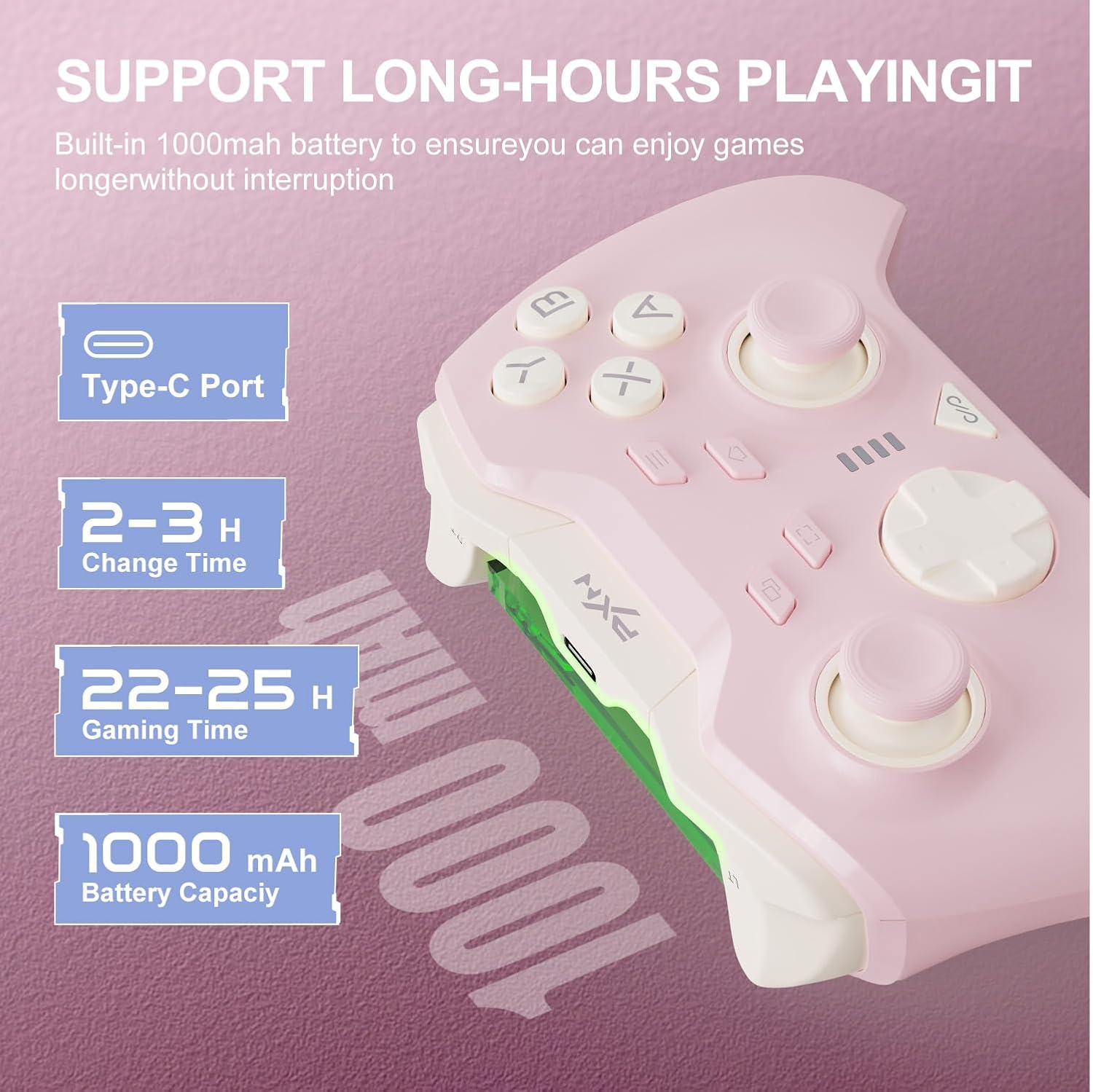
تصوير: Information regarding the PXN P5 controller's 1000mAh built-in battery, showing Type-C port, 2-3 hours charging time, and 22-25 hours gaming time.
سيٽ اپ ۽ ڪنيڪشن
The PXN P5 controller supports three primary connection modes: 2.4G Wireless, Bluetooth, and Wired. Ensure the controller is charged before initial use.
1. 2.4G Wireless Connection (for PC/Laptop, Android TV, Android TV Box)
- Insert the 2.4G USB receiver into an available USB port on your device.
- Turn on the controller. The controller will automatically attempt to connect to the receiver.
- Once connected, the indicator light on the controller will stabilize.
2. Bluetooth Connection (for MAC OS, Phone/Android/Tablet, Steam Deck, Tesla, Switch/Switch OLED/Switch Lite)
- پڪ ڪريو ته توهان جي ڊوائيس تي بلوٽوت فعال آهي.
- On the controller, switch to the Bluetooth mode (refer to the mode switch on the back of the controller).
- On your device, search for available Bluetooth devices and select "PXN P5" to pair.
- For Nintendo Switch, navigate to "Controllers" -> "Change Grip/Order" and then follow the pairing steps.
- Once paired, the indicator light on the controller will stabilize.
3. Wired Connection (for PC/Laptop, Android TV, Android TV Box)
- Connect the controller to your device using the provided USB-C cable.
- The controller will automatically be recognized by your device.
- This mode is plug-and-play and does not require additional pairing.

تصوير: Visual representation of the three connection modes (2.4G, Bluetooth, Wired) and compatible devices for the PXN P5 controller.
آپريٽنگ هدايتون
ميڪرو پروگرامنگ فنڪشن
The PXN P5 controller features four programmable back buttons (M1, M2, M3, M4) that can be customized with up to 32 macro combinations. This function can be configured directly on the controller or through the PXN Nexus App.
- On-Controller Programming: Refer to the detailed instructions in the included quick start guide for specific button combinations to record and assign macros.
- PXN Nexus App: For more advanced customization, download the PXN Nexus App. The app allows you to easily map buttons, create complex macro sequences, and adjust timing.

تصوير: Illustration of the macro programming function, showing the location of the M1, M2, M3, M4 buttons and examples of programmable button combinations.
Adjustable Trigger Travel Settings
The controller offers two distinct trigger travel settings to optimize performance for different game genres:
- موڊ 1 (مختصر سفر تڪڙو ٽرگر جواب): Ideal for rapid-fire actions in FPS games. This mode provides a shorter trigger press for faster input.
- موڊ 2 (256 ليولز جي لڪير واري درستگي سان ڊگهو سفر): Suitable for racing games and other genres requiring fine-tuned acceleration or braking. This mode captures subtle finger pressure changes for precise control.
Use the physical switch located on the back of the controller to toggle between these two modes.

تصوير: Visual explanation of the two adjustable trigger travel settings, showing the short travel mode for quick response and the long travel mode with 256 levels of linear precision.
PXN Nexus Application
The PXN Nexus App provides comprehensive customization options for your controller. It is available for download on Google Play and the App Store.
- ميڪرو سيٽنگون: Create and manage complex macros for the back buttons.
- Button Testing: Verify button functionality and calibration.
- وائبريشن سيٽنگون: Adjust the intensity of the dual vibrators.
- فرم ويئر اپڊيٽس: Keep your controller's firmware up-to-date for optimal performance and new features.
- سبق: Access product tutorials and support.

تصوير: Screenshots of the PXN Nexus App interface, demonstrating macro settings, device information, function settings, and vibration adjustments.
سرڪاري پراڊڪٽ وڊيو
وڊيو: هڪ سرڪاري پراڊڪٽ وڊيو شوasing the PXN P5 PC Gaming Controller's features, including Hall Effect joysticks, 2-stage trigger lock, adjustable dead zones, asymmetric dual motors, and triple mode connection. This video provides a dynamic overview of the controller's capabilities.
سار سنڀال
Proper maintenance ensures the longevity and optimal performance of your PXN P5 controller.
- صفائي: ڪنٽرولر کي صاف ڪرڻ لاءِ نرم، سڪل ڪپڙو استعمال ڪريو. ضدي مٽيءَ لاءِ، ٿورو ڊيampڪپڙو پاڻي سان ڍڪيو. سخت ڪيميڪل يا رگڙيندڙ مواد استعمال ڪرڻ کان پاسو ڪريو.
- اسٽوريج: ڪنٽرولر کي سڌي سج جي روشني ۽ انتهائي گرمي پد کان پري ٿڌي، سڪل جاءِ تي ذخيرو ڪريو.
- چارج ڪرڻ: Use the provided USB-C cable for charging. Avoid overcharging or completely draining the battery frequently to prolong its lifespan.
- سنڀالڻ: ڪنٽرولر کي ڇڏڻ يا ان کي تمام گهڻو زور ڏيڻ کان پاسو ڪريو، جيڪو اندروني حصن کي نقصان پهچائي سگھي ٿو.
مشڪلاتون
If you encounter issues with your PXN P5 controller, refer to the following common solutions:
| مسئلو | حل |
|---|---|
| Controller does not connect via 2.4G/Bluetooth. |
|
| بٽڻ يا جوائس اسٽڪ غير جوابده آهن. |
|
| ڪنٽرولر بار بار ڊسڪنيڪٽ ٿئي ٿو. |
|
| Vibration is too weak or too strong. | Adjust vibration intensity through the PXN Nexus App settings. |
وضاحتون
- ماڊل: PXN-P5
- ڪنيڪشن جا طريقا: 2.4G وائرليس، بلوٽوٿ، وائرڊ (USB-C)
- مطابقت: PC, Nintendo Switch, Android, iOS, MAC OS, Steam Deck, Tesla
- Joystick Type: هال جو اثر
- ٽريگر جو قسم: Hall Effect with 2-Stage Travel Control
- پروگرام لائق بٽڻ: 4 (M1, M2, M3, M4)
- وائبريشن: ڊبل موٽر
- بيٽري جي گنجائش: 1000mAh
- چارج ڪرڻ وقت: لڳ ڀڳ 2-3 ڪلاڪ
- Gaming Time: لڳ ڀڳ 22-25 ڪلاڪ
- شيء جو وزن: 0.48 آونس (تقريبن 13.6 گرام)
وارنٽي ۽ سپورٽ
For warranty information and technical support, please refer to the warranty card included with your product or visit the official PXN website. You can also contact PXN customer service for assistance with any product-related inquiries.
Official PXN Webسائيٽ: پي ايڪس اين گيمنگ اسٽور


