1. تعارف
This manual provides detailed instructions for the setup, operation, maintenance, and troubleshooting of your Phomemo D520BT Bluetooth Thermal Label Printer. Please read this manual thoroughly before using the device to ensure proper functionality and to extend the product's lifespan.

Figure 1: Phomemo D520BT printer in purple, printing a shipping label, with a smartphone displaying a label design connected via Bluetooth. This image illustrates the printer's compact design and wireless printing capability.
2. پيڪيج مواد
پڪ ڪريو ته هيٺ ڏنل سڀئي شيون توهان جي پيڪيج ۾ شامل آهن. جيڪڏهن ڪا به شيءِ غائب يا خراب آهي، مهرباني ڪري ڪسٽمر سپورٽ سان رابطو ڪريو.
- Phomemo D520BT Thermal Printer
- Roll Label (sampلي)
- تڪڙو شروع ھدايت
- يوزر گائيڊ (هي دستاويز)
- پاور ڪنڊ
- USB ڪيبل
- ٽائپ-سي اڊاپٽر
- پاور اڊاپٽر

Figure 2: All components included in the Phomemo D520BT product package.
3. سيٽ اپ گائيڊ
3.1 کولڻ
- احتياط سان پرنٽر ۽ سڀني لوازمات کي پيڪنگ مان هٽايو.
- Remove any protective films or packing materials from the printer.
3.2 ليبل لوڊ ڪرڻ
The Phomemo D520BT supports both roll paper and folding paper labels.
- Open the printer cover by gently lifting it.
- For Roll Paper: Place the label roll into the internal paper holder, ensuring the labels feed from the bottom and the printing side faces upwards. Guide the first label through the output slot until it is slightly visible.
- For Folding Paper: Place the stack of folding labels behind the printer, ensuring the labels feed smoothly into the rear input slot and the printing side faces upwards. Guide the first label through the output slot until it is slightly visible.
- پرنٽر جي ڍڪ کي محفوظ طور تي بند ڪريو.

Figure 3: The Phomemo D520BT printer supports both folding paper and roll paper labels.
3.3 پرنٽر کي ڳنڍڻ
The D520BT offers both USB and Bluetooth connectivity.
3.3.1 USB Connection (Windows, Mac, Chrome OS, Linux)
- Connect one end of the USB cable to the printer and the other end to your computer.
- پاور اڊاپٽر کي پرنٽر سان ڳنڍيو ۽ ان کي پاور آئوٽليٽ ۾ لڳايو.
- پرنٽر کي چالو ڪريو.
- Install the necessary printer drivers for your operating system. Drivers can typically be found on the official Phomemo webسائيٽ.
3.3.2 Bluetooth Connection (Android, iOS, iPad)
- پاور اڊاپٽر کي پرنٽر سان ڳنڍيو ۽ ان کي پاور آئوٽليٽ ۾ لڳايو.
- پرنٽر کي چالو ڪريو.
- ڊائون لوڊ ۽ انسٽال ڪريو “Labelife” توهان جي ڊوائس جي ايپ اسٽور تان ايپ.
- Open the Labelife app and follow the in-app instructions to pair your device with the D520BT printer via Bluetooth.

Figure 4: The Phomemo D520BT supports both Bluetooth and USB connectivity for various devices and operating systems.
4. آپريٽنگ هدايتون
4.1 پاور آن/آف
- پاور آن: Press the power button located on the printer. The indicator light will illuminate.
- بجلي بند: پاور بٽڻ کي دٻايو ۽ رکو جيستائين اشاري جي روشني بند نه ٿئي.
4.2 ليبل ڇپائڻ
- Ensure the printer is powered on and connected to your device (computer via USB or mobile device via Bluetooth).
- اهو دستاويز يا ايپليڪيشن کوليو جنهن مان توهان پرنٽ ڪرڻ چاهيو ٿا.
- Select the Phomemo D520BT as your printer.
- Adjust print settings as needed (e.g., label size, orientation). The printer supports a width range of 1 to 4.6 inches.
- Initiate the print command.
The Labelife app provides various free templates for customizing shipping labels, address labels, barcode labels, and thank-you stickers.
4.3 اهم خاصيتون
- تيز رفتار پرنٽنگ: The D520BT can print up to 72 labels per minute (150mm/s), suitable for high-volume printing tasks.
- اعلي قرارداد: Prints at 203 DPI, ensuring sharp and precise details on each label.
- Wide Printing Range: Supports label widths from 1 inch to 4.6 inches, accommodating various label types including 4x6 inch shipping labels.
- مس کان پاڪ حرارتي ٽيڪنالاجي: Utilizes direct thermal printing, eliminating the need for ink or toner cartridges.
- خلائي بچت ڊيزائن: Features a built-in paper holder, reducing the need for external label racks and optimizing desktop space.
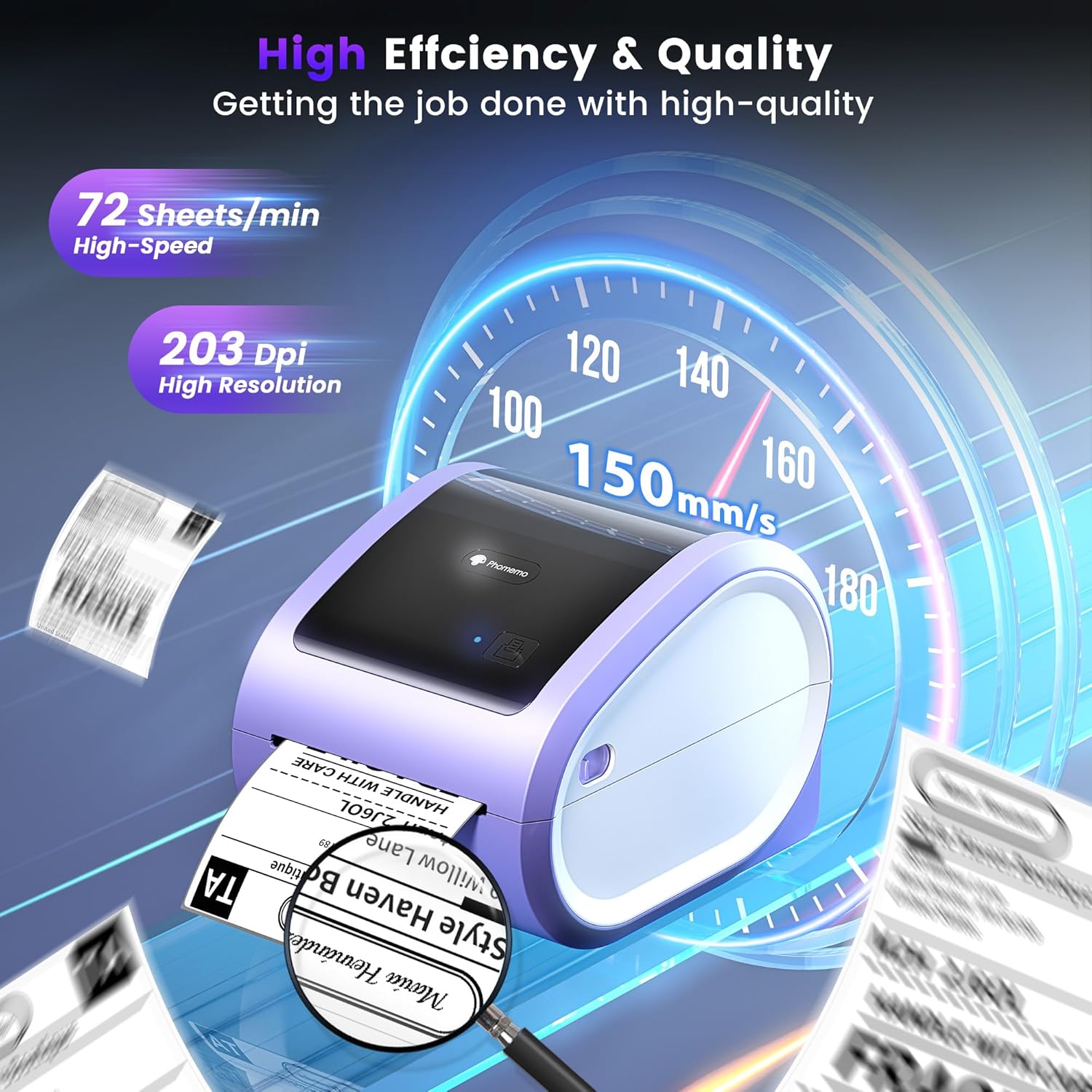
Figure 5: The Phomemo D520BT offers high efficiency and quality with a print speed of 150mm/s and 203 DPI resolution.

Figure 6: The Phomemo D520BT is compatible with various label sizes, from 1 inch to 4.6 inches wide.

Figure 7: The Phomemo D520BT supports multi-scenario applications for various labeling needs.

Figure 8: The Phomemo D520BT is compatible with all major shipping and sales platforms.
5. سار سنڀال
5.1 پرنٽ هيڊ کي صاف ڪرڻ
Regular cleaning of the print head ensures optimal print quality and extends the printer's life.
- پرنٽر کي بند ڪريو ۽ پاور ڪنڊ کي ختم ڪريو.
- پرنٽر ڪپڙا کوليو.
- پرنٽ هيڊ کي الڪوحل سواب يا نرم، لِنٽ فري ڪپڙي سان هلڪي هلڪي صاف ڪريو.ampisopropyl شراب سان ختم.
- پرنٽر کي بند ڪرڻ ۽ پاور آن ڪرڻ کان اڳ پرنٽ هيڊ کي مڪمل طور تي سڪي وڃڻ ڏيو.
5.2 اسٽوريج
Store the printer in a cool, dry place away from direct sunlight and extreme temperatures. Avoid exposing the printer to dust or moisture.
6. مسئلا حل ڪرڻ
If you encounter issues with your Phomemo D520BT printer, refer to the following common problems and solutions:
- Printer not powering on:
- پڪ ڪريو ته پاور اڊاپٽر پرنٽر ۽ ڪم ڪندڙ پاور آئوٽليٽ ٻنهي سان محفوظ طور تي ڳنڍيل آهي.
- چيڪ ڪريو ته پاور بٽڻ کي مضبوطيءَ سان دٻايو ويو آهي يا نه.
- Labels not printing or feeding incorrectly:
- Verify that labels are loaded correctly with the printing side facing up.
- Ensure there are no obstructions in the label path.
- Check if the label roll or stack is depleted.
- Poor print quality (faded, streaky, or blank labels):
- پرنٽ هيڊ کي صاف ڪريو جيئن سيڪشن 5.1 ۾ بيان ڪيو ويو آهي.
- پڪ ڪريو ته توهان اعليٰ معيار جا ٿرمل ليبل استعمال ڪري رهيا آهيو.
- Check print density settings in your printer preferences.
- بلوٽوٿ ڪنيڪشن جا مسئلا:
- Ensure Bluetooth is enabled on your mobile device and the printer.
- پرنٽر ۽ پنهنجي موبائل ڊوائس ٻئي ٻيهر شروع ڪريو.
- Ensure you are within the Bluetooth range.
- Re-pair the printer through the Labelife app.
- USB ڪنيڪشن مسئلا:
- Verify the USB cable is securely connected to both the printer and the computer.
- Ensure the correct printer drivers are installed.
- ڪو ٻيو USB پورٽ يا ڪيبل آزمايو.
For further assistance, refer to the detailed video tutorials and user manuals available online, or contact Phomemo customer support.
7. وضاحتون
| خاصيت | تفصيل |
|---|---|
| برانڊ | فومو |
| ماڊل نالو | ڊي 520 بي ٽي |
| رابطي ٽيڪنالاجي | بلوٽوٿ، يو ايس بي |
| ڇپائي ٽيڪنالاجي | حرارتي |
| خاص خصوصيت | Portable, Built-in Holder |
| پرنٽر آئوٽ | مونوڪروم |
| وڌ ۾ وڌ پرنٽ اسپيڊ | 150 ملي ميٽر/ايسڪنڊ (72 ليبل/منٽ) |
| پرنٽ ريزوليوشن | 203 ڊي پي آئي |
| وڌ ۾ وڌ پرنٽ ويڪر | 4.6 انچ |
| شيءِ جو وزن | 2.4 پائونڊ |
| پيداوار جي ماپ | 10.31"ڊي x 10.31"ڊي x 7.87"ايڇ |
8. وارنٽي ۽ سپورٽ
Phomemo provides customer support to assist with any questions or issues you may encounter. For detailed warranty information, please refer to the warranty card included with your product or visit the official Phomemo website. Our customer support team is available via phone, email, or remote support.
For additional resources, including video tutorials and updated user manuals, please visit the Phomemo support page.


