تعارف
Thank you for choosing the OSCAL Hibuds 6 Wireless Earbuds. This manual provides detailed instructions for setting up, operating, and maintaining your earbuds to ensure optimal performance and longevity. Please read this manual thoroughly before use.
دٻي ۾ ڇا آهي
پڪ ڪريو ته سڀئي شيون توهان جي پيڪيج ۾ موجود آهن:
- OSCAL Hibuds 6 Wireless Earbuds (Left and Right)
- وائرليس چارجنگ ڪيس
- USB-C چارجنگ ڪيبل
- استعمال ڪندڙ دستي
- Two Extra Pairs of Eartips (Small, Medium, Large)

Image: Contents of the OSCAL Hibuds 6 package, showing the earbuds, charging case, USB-C cable, user manual, and additional eartips.
پيداوار ختمview
The OSCAL Hibuds 6 are designed for comfort and high-fidelity audio. Key features include 13mm dynamic drivers, Bluetooth 5.4 connectivity, and an IPX7 water-resistant rating.
Earbuds ۽ چارجنگ ڪيس

Image: The OSCAL Hibuds 6 wireless earbuds resting in their charging case. The case features an LED display indicating the battery percentage for both the case and individual earbuds.
هلڪو ڊيزائن

Image: A person wearing the OSCAL Hibuds 6 earbuds, demonstrating their lightweight and comfortable fit. The image also shows the compact charging case, emphasizing portability.
Dynamic Driver and Noise Cancelling Mic

تصوير: هڪ ڌماڪو ٿيو view diagram of an earbud, highlighting the 13mm dynamic driver responsible for rich bass and crisp mids. Text also indicates the use of DNS algorithms for clearer calls.
سلائيون ڪن جا ٽوٽڪا

Image: A visual representation of an earbud with three different sizes of silicone ear tips (Small, Medium, Large) to ensure a comfortable and secure fit for various ear shapes.
سيٽ اپ ڪريو
1. ائربڊس ۽ ڪيس کي چارج ڪرڻ
Before first use, fully charge the earbuds and the charging case. Connect the USB-C charging cable to the charging port on the case and to a power source. The LED display on the case will show the charging status and battery levels.
- A full charge provides up to 8 hours of playtime for the earbuds and a total of 40 hours with the charging case.
- A 10-minute quick charge can provide approximately 50 minutes of listening time.

Image: The OSCAL Hibuds 6 charging case with its LED display showing a full charge (100%), illustrating the extended 40-hour total playtime capability.
2. هڪ ڊوائيس سان جوڙڻ
The OSCAL Hibuds 6 utilize Bluetooth 5.4 for stable and fast connections.
- چارجنگ ڪيس کوليو. ائربڊس پاڻمرادو پيئرنگ موڊ ۾ داخل ٿي ويندا.
- پنهنجي ڊوائيس (اسمارٽ فون، ٽيبليٽ، ليپ ٽاپ) تي، بلوٽوٿ کي فعال ڪريو ۽ موجود ڊوائيسز جي ڳولا ڪريو.
- Select "OSCAL Hibuds 6" from the list of found devices to connect.
- هڪ ڀيرو جوڙيو ويندو، ائربڊس ڪيس مان ڪڍڻ تي خودڪار طريقي سان توهان جي ڊوائيس سان ڳنڍجي ويندا.

Image: The OSCAL Hibuds 6 earbuds and charging case shown connecting to both a tablet and a smartphone, demonstrating the multipoint connection feature.
آپريٽنگ هدايتون
Smart Tap Control
The earbuds feature touch controls for easy management of audio playback and calls:
- راند/روڪ: ٻنهي ائربڊ تي هڪ ڀيرو ٽيپ ڪريو.
- اڳيون ٽريڪ: ساڄي ائربڊ تي ٻٽي ٽيپ ڪريو.
- پويون ٽريڪ: کاٻي ائربڊ تي ٻٽي ٽيپ ڪريو.
- جواب/آخر ڪال: ٻنهي ائربڊ تي هڪ ڀيرو ٽيپ ڪريو.
- ڪال رد ڪريو: 2 سيڪنڊن لاءِ ٻئي ائربڊ کي دٻايو ۽ رکو.
- وائس اسسٽنٽ کي فعال ڪريو. Press and hold the right earbud for 2 seconds (in standby or music mode).
ڪال فنڪشنلٽي
The integrated AI-enhanced ENC microphones suppress ambient noise, ensuring clear voice transmission during calls, gaming chats, or voice recordings.
ملٽي پوائنٽ ڪنيڪشن
The Hibuds 6 can connect to two devices simultaneously, allowing for seamless switching between them without manual re-pairing.

Image: A visual representation of the OSCAL Hibuds 6 maintaining simultaneous connections to both a tablet and a smartphone, illustrating the multipoint connection feature for seamless device switching.
سار سنڀال ۽ سنڀال
صفائي
بهترين ڪارڪردگي ۽ صفائي برقرار رکڻ لاءِ پنهنجا ائربڊس ۽ چارجنگ ڪيس باقاعدي صاف ڪريو.
- ائربڊس ۽ چارجنگ ڪيس کي صاف ڪرڻ لاءِ نرم، سڪل، لِنٽ فري ڪپڙو استعمال ڪريو.
- ننڍڙي، نرم برش يا ڪپهه جي سواب جي مدد سان ڪنن جي ڪنن ۽ اسپيڪر ميش مان ڪنهن به ڪن جي موم يا ملبي کي نرميءَ سان هٽايو.
- گھڙڻ وارا صاف ڪندڙ، الڪوحل، يا ڪيميائي محلول استعمال نه ڪريو.
پاڻي جي مزاحمت (IPX7)
The earbuds are IPX7 rated, meaning they are protected against immersion in water up to 1 meter for 30 minutes. This makes them suitable for use during sports, light rain, or sweating.
- The charging case is نه water-resistant. Avoid exposing the charging case to liquids.
- نقصان کان بچڻ لاءِ چارجنگ ڪيس ۾ واپس رکڻ کان اڳ پڪ ڪريو ته ائربڊ مڪمل طور تي سڪي ويا آهن.
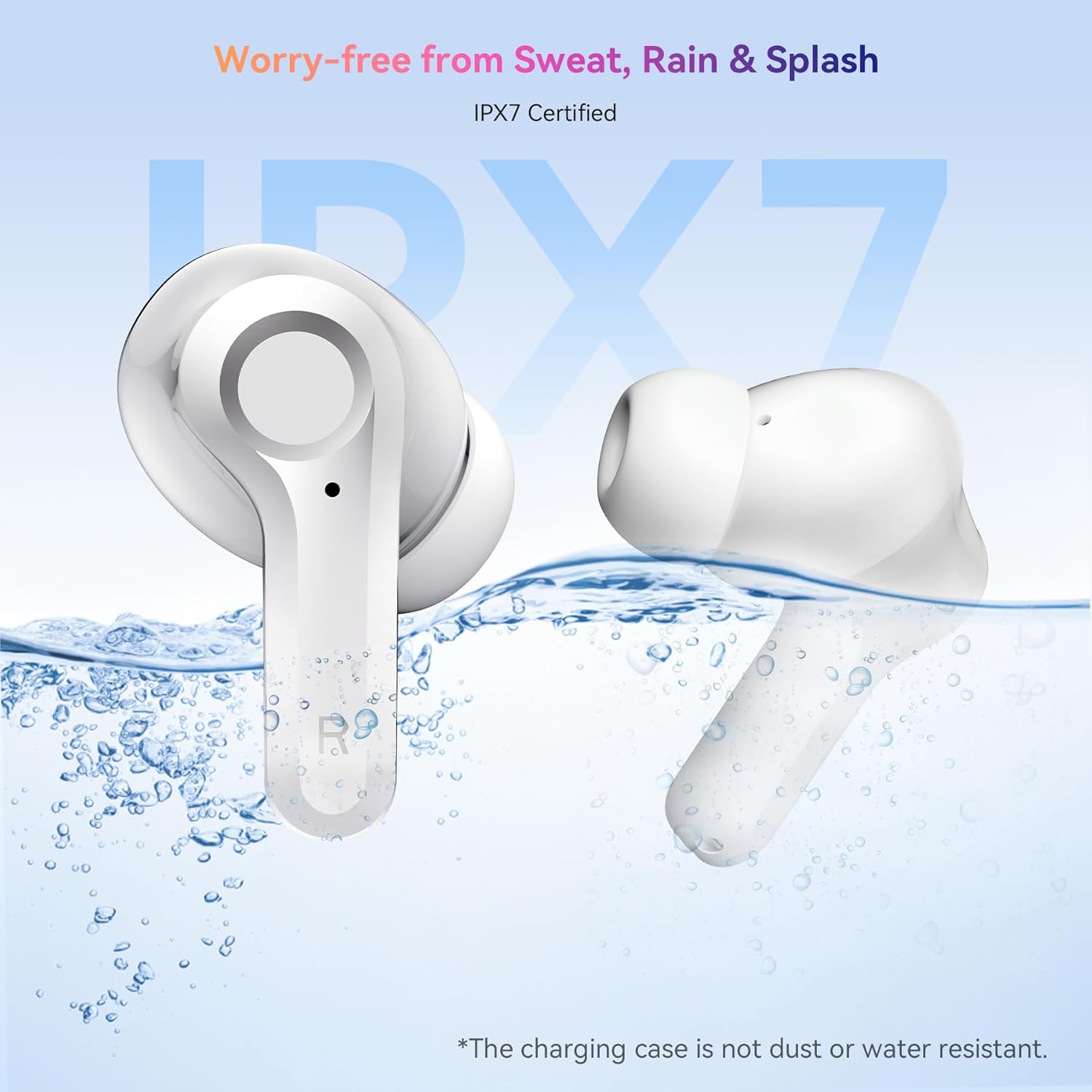
Image: The OSCAL Hibuds 6 earbuds shown partially submerged in water, visually confirming their IPX7 water-resistant certification. A note clarifies that the charging case is not water-resistant.
مشڪلاتون
If you encounter issues with your OSCAL Hibuds 6, refer to the following common solutions:
| مسئلو | حل |
|---|---|
| ائربڊس نه ملائي رهيا آهن | پڪ ڪريو ته ائربڊس چارج ٿيل آهن. انهن کي واپس ڪيس ۾ رکو، بند ڪريو، پوءِ ٻيهر کوليو. پنهنجي ڊوائيس جي بلوٽوٿ سيٽنگز چيڪ ڪريو ۽ ٻيهر جوڙڻ جي ڪوشش ڪريو. |
| صرف هڪ ائربڊ ڪم ڪري رهيو آهي | Ensure both earbuds are charged. Try placing both back in the case, closing it, and then taking them out again to re-establish the connection. |
| گهٽ آواز يا خراب آواز جو معيار | Adjust volume on your device. Clean ear tips and speaker mesh. Ensure ear tips provide a good seal in your ear. |
| چارج ڪيس چارج نه ڪرڻ | USB-C ڪيبل ۽ پاور اڊاپٽر چيڪ ڪريو. پڪ ڪريو ته ڪيبل ڪيس ۽ پاور سورس ٻنهي سان محفوظ طور تي ڳنڍيل آهي. |
| جيڪڏهن ڪن ۾ ائربڊ چارج نه ٿي رهيا آهن | Ensure the charging case has power. Clean the charging contacts on both the earbuds and inside the case. |
وضاحتون
Detailed technical specifications for the OSCAL Hibuds 6 Wireless Earbuds:
| خاصيت | تفصيل |
|---|---|
| ماڊل نالو | Hibuds 6 |
| بلوٽوت ورزن | 5.4 |
| آڊيو ڊرائيور جي ماپ | 13 ملي ايم ڊائنامڪ ڊرائيور |
| شور ڪنٽرول | AI-enhanced ENC Microphones |
| پاڻي جي مزاحمت | IPX7 (صرف ائربڊ) |
| بيٽري جي زندگي (ايربڊس) | 8 ڪلاڪن تائين في چارج |
| ڪُل راند جو وقت (ڪيس سان) | 40 ڪلاڪ تائين |
| چارجنگ پورٽ | USB-C |
| ڪنٽرول قسم | ٽچ ڪنٽرول |
| ائيربود وزن | Approximately 4.15g (0.15oz) each |
| چارج ڪيس وزن | تقريبن 35 گرام |
| مطابقت | iOS، Android، ونڊوز ڊوائيسز |
| يو پي سي | 810175529004 |
وارنٽي ۽ سپورٽ
OSCAL products are designed for reliability and performance. For specific warranty details, please refer to the warranty card included in your product packaging or visit the official OSCAL webسائيٽ.
If you require technical assistance or have questions not covered in this manual, please contact OSCAL customer support through their official channels.


