تعارف
This user manual provides detailed instructions for the operation, maintenance, and troubleshooting of your Hiicam Speed 50 Action Camera. Please read this manual thoroughly before using the camera to ensure proper functionality and to maximize your experience.
دٻي ۾ ڇا آهي
پڪ ڪريو ته هيٺ ڏنل سڀئي شيون توهان جي پيڪيج ۾ شامل آهن:
- هاءِ ڪيم اسپيڊ 50 ايڪشن ڪيمرا
- Waterproof Case (for depths up to 131ft / 40m)
- ريموٽ ڪنٽرول
- 2 x 1550mAh ريچارجبل بيٽريون
- بيٽري چارجر
- USB چارجنگ ڪيبل
- Various Mounting Accessories (e.g., helmet mount, bicycle mount, adhesive mounts)
- ڪپڙي جي صفائي
- استعمال ڪندڙ دستي

Image: Hiicam Speed 50 Action Camera with all standard accessories laid out.
پيداوار ختمview
The Hiicam Speed 50 is a versatile action camera designed for capturing high-quality video and photos in various environments. It features 4K 60FPS video recording, 30MP photo resolution, a 2-inch touch screen, Electronic Image Stabilization (EIS), and 5X digital zoom.

Image: The Hiicam Speed 50 camera's 2-inch touchscreen displaying 4K video, highlighting 4K resolution, 50MP pixel count, and 5X zoom capabilities.
The camera is designed to be waterproof up to 33 feet (10 meters) without an additional case, and up to 131 feet (40 meters) with the included waterproof housing.
سيٽ اپ ڪريو
1. بيٽري لڳائڻ ۽ چارج ڪرڻ
The camera comes with two 1550mAh rechargeable batteries. Ensure batteries are fully charged before first use.
- ڪئميرا جي تري ۾ بيٽري جي ڪمپارٽمينٽ جو ڍڪ کوليو.
- بيٽري داخل ڪريو اهڙي طرح ته رابطا صحيح طرف هجن، جيئن ڪمري جي اندر ڏيکاريل آهي.
- بيٽري جي ڪمري واري ڍڪ کي محفوظ طور تي بند ڪريو.
- To charge, connect the camera to a USB power source using the provided USB cable, or use the external battery charger. The charging indicator light will show charging status.
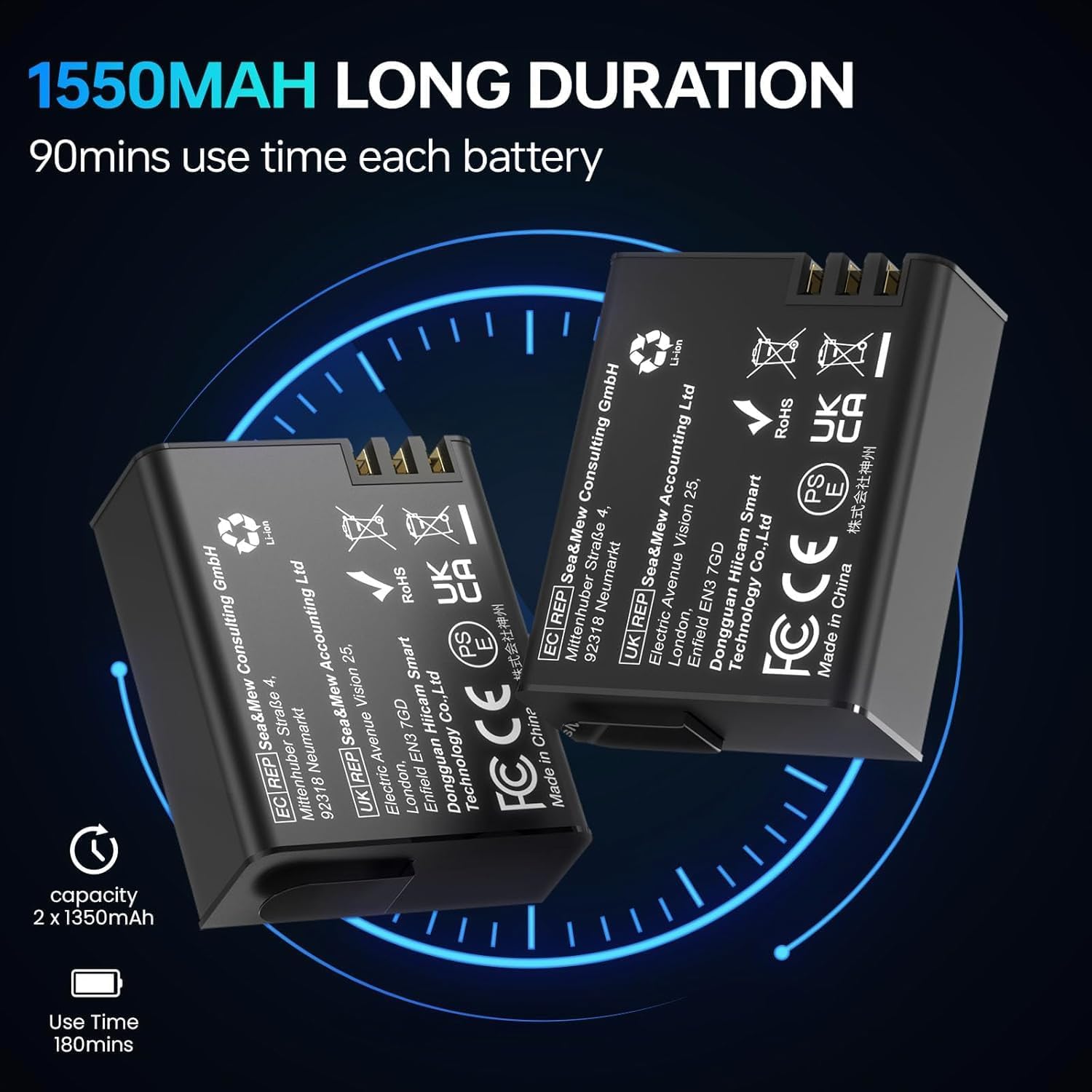
Image: Two 1550mAh rechargeable batteries for the Hiicam Speed 50 camera.

Image: An illustration showing the Hiicam Speed 50 camera connected via USB for charging.
2. ميموري ڪارڊ جي انسٽاليشن
A MicroSD card (not included) is required for storing videos and photos. The camera supports up to 128GB MicroSD cards (U3 or higher recommended).
- ڪئميرا جي پاسي تي مائڪرو ايس ڊي ڪارڊ سلاٽ ڳوليو.
- مائڪرو ايس ڊي ڪارڊ کي ڪئميرا جي پوئين پاسي سون جي رابطن سان داخل ڪريو جيستائين اهو جاءِ تي ڪلڪ نه ڪري.
- ڪڍڻ لاءِ، ڪارڊ کي نرميءَ سان دٻايو جيستائين اهو ٻاهر نه اچي.
3. Waterproof Case Usage
For underwater activities beyond 33 feet (10 meters) or in harsh environments, use the included waterproof case.
- Ensure the camera is dry before placing it into the case.
- Close the case securely, ensuring the latch is fully engaged and the rubber seal is clean and free of debris.
- Always test the waterproof case without the camera in water before use to ensure it is sealed properly.
4. ريموٽ ڪنٽرول Pairing
ريموٽ ڪنٽرول هڪ فاصلي کان آسان آپريشن جي اجازت ڏئي ٿو.
- ڪئميرا تي پاور.
- Press and hold the Wi-Fi button on the camera until the Wi-Fi icon appears.
- On the remote control, press and hold the video button and photo button simultaneously until the remote indicator light flashes.
- The remote control should automatically pair with the camera.
5. ايپ ڪنيڪشن (وائي فائي)
Connect your camera to a smartphone or tablet via Wi-Fi for live preview، ريموٽ ڪنٽرول، ۽ file منتقلي
- Download the official Hiicam app from your device's app store.
- Power on the camera and enable Wi-Fi by pressing the Wi-Fi button. The Wi-Fi name (SSID) and password will display on the camera screen.
- On your smartphone/tablet, go to Wi-Fi settings and connect to the camera's Wi-Fi network.
- Open the Hiicam app. The camera feed should appear, allowing you to control the camera and access files.

Image: The Hiicam Speed 50 camera screen alongside a smartphone displaying the camera's companion app interface, showing options for photo, recording, download, and preview.

Image: An illustration demonstrating the wireless transfer of media files from the Hiicam Speed 50 camera to a smartphone application.
آپريٽنگ هدايتون
1. پاور آن/آف
- To power on, press and hold the Power/Mode button until the screen turns on.
- To power off, press and hold the Power/Mode button until the screen turns off.
2. موڊ سوئچنگ
Press the Power/Mode button repeatedly to cycle through different modes: Video, Photo, Playback, and Settings.
3. Video Recording (4K 60FPS)
- Ensure the camera is in Video mode.
- Press the Shutter/OK button to start recording. A red recording indicator will flash.
- رڪارڊنگ بند ڪرڻ لاءِ ٻيهر شٽر/ٺيڪ بٽڻ دٻايو.

Image: A screen capture from the Hiicam Speed 50 camera showing a 4K 60FPS video recording in progress.
4. Photo Capture (30MP)
- Switch the camera to Photo mode.
- تصوير ڪڍڻ لاءِ شٽر/ٺيڪ بٽڻ کي دٻايو.
5. اليڪٽرانڪ تصويري استحڪام (EIS)
The 6-axis EIS feature helps to stabilize footage, reducing blur and shakiness, especially during motion activities.
- EIS can be enabled or disabled in the camera's settings menu.
- It is recommended to enable EIS for activities involving significant movement, such as cycling or motorcycling.

Image: The Hiicam Speed 50 camera mounted on bicycle and motorcycle handlebars, illustrating its use in motion with 6-axis stabilization.

Image: A side-by-side comparison of video footage, demonstrating the effect of Electronic Image Stabilization (EIS) when turned on versus off, showing reduced shakiness.
6. زوم فنڪشن
The camera supports up to 5X digital zoom.
- In Video or Photo mode, use the Up/Down buttons (or touch screen controls) to adjust the zoom level.

Image: A visual comparison demonstrating the different zoom levels (1x, 3x, and 5x) achievable with the Hiicam Speed 50 camera.
7. پاڻي هيٺ استعمال
The Hiicam Speed 50 is designed for use in water, with different depth capabilities depending on whether the waterproof case is used.
- Bare Machine: Waterproof up to 33 feet (10 meters). Suitable for shallow water activities like snorkeling or light swimming.
- With Waterproof Case: Waterproof up to 131 feet (40 meters). Essential for diving and deeper underwater exploration.

Image: A person using the Hiicam Speed 50 camera directly in water without its waterproof case, demonstrating its 33ft bare machine waterproof capability.

Image: The Hiicam Action Camera partially submerged in water, illustrating its waterproof capabilities: 20ft for the bare camera and 133ft with the waterproof case.
8. پلے بیک ۽ File منتقلي
- In Playback mode, use the Up/Down buttons or touch screen to navigate through your recorded videos and photos.
- Files can be transferred to a computer by connecting the camera via USB, or wirelessly to a smartphone/tablet using the Hiicam app (see Setup section).
سار سنڀال
1. ڪئميرا ۽ لينس جي صفائي
Regular cleaning ensures optimal performance and longevity.
- لينس ۽ اسڪرين کي نرميءَ سان صاف ڪرڻ لاءِ مهيا ڪيل صفائي واري ڪپڙي کي استعمال ڪريو.
- ضدي داغن لاءِ، لينس جي صفائي جو حل استعمال ڪريو جيڪو خاص طور تي آپٽيڪل سطحن لاءِ ٺهيل آهي.
- The camera features a detachable wide-angle lens protector for added durability against dust and scratches.
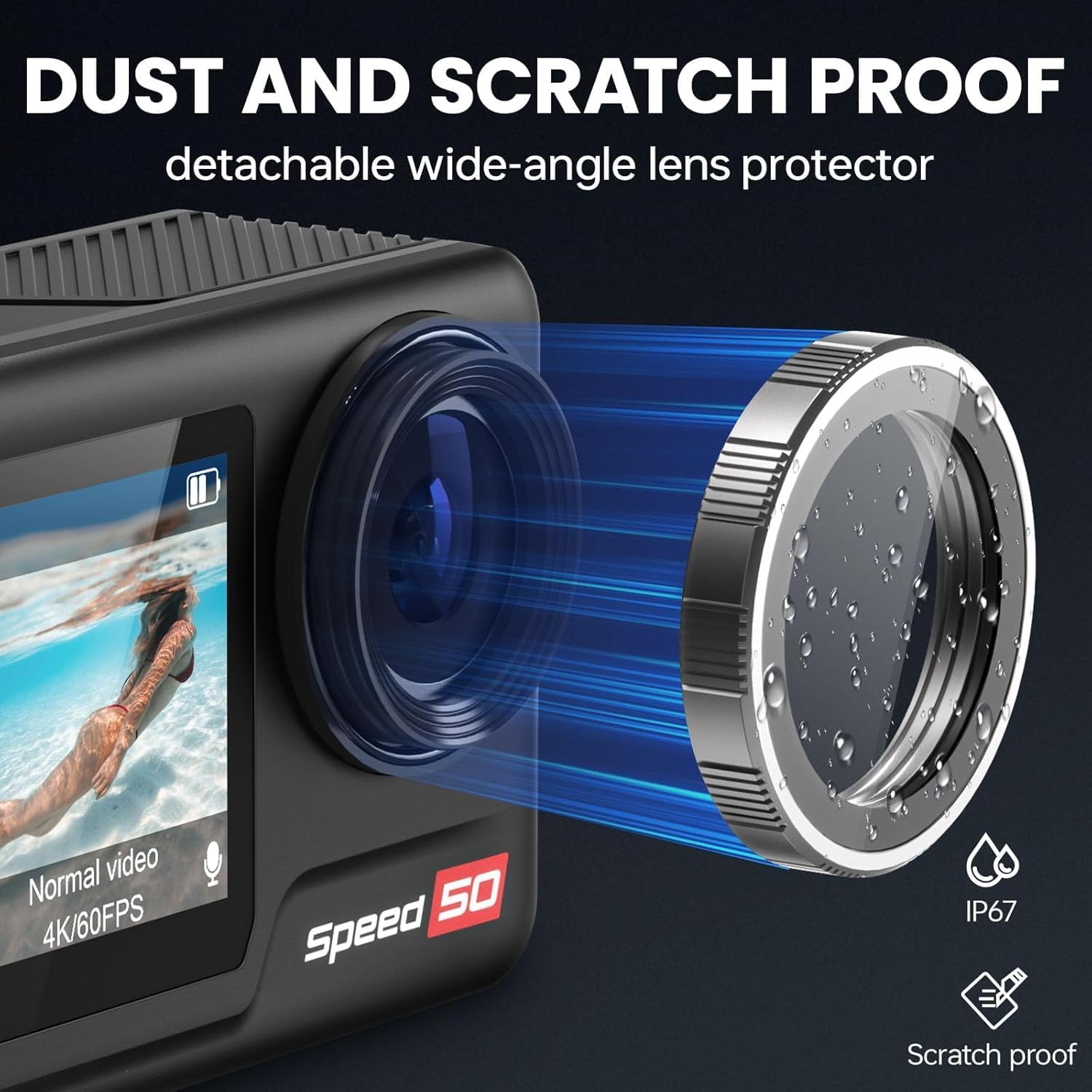
Image: The Hiicam Speed 50 camera highlighting its detachable wide-angle lens protector, which provides dust and scratch resistance.

Image: An illustration showing the detachable wide-angle lens protector being attached to the Hiicam Speed 50 camera.
2. اسٽوريج
ڪئميرا کي سڌي سج جي روشني ۽ انتهائي گرمي پد کان پري ٿڌي، سڪل جاءِ تي رکو. جيڪڏهن گهڻي وقت تائين ذخيرو ڪري رهيا آهيو ته بيٽريون ڪڍي ڇڏيو.
3. بيٽري جي سنڀال
بيٽري جي زندگي کي وڌائڻ لاء:
- Avoid fully discharging batteries before recharging.
- Do not expose batteries to high temperatures.
- If storing for a long time, charge batteries to about 50% capacity.
مشڪلاتون
If you encounter issues with your Hiicam Speed 50 camera, refer to the following common problems and solutions:
| مسئلو | ممڪن سبب | حل |
|---|---|---|
| ڪئميرا آن نٿو ٿئي. | Low or dead battery; improperly inserted battery. | Charge the battery; ensure battery is inserted correctly. |
| وڊيو رڪارڊ نه ٿو ڪري سگھجي/فوٽو نه ٿو ڪڍي سگھجي. | No MicroSD card; MicroSD card full or corrupted; card not supported. | Insert a MicroSD card; delete files or use a new card; format the card in camera; use a U3 or higher card. |
| وائي فائي ڪنيڪشن جا مسئلا. | Incorrect password; too far from camera; app issues. | Re-enter password; move closer to camera; restart camera and app. |
| Poor video quality (shaky). | EIS is off; extreme vibration. | Enable EIS in settings; use appropriate mounts to minimize vibration. |
| ڪئميرا منجمد ٿي وڃي ٿو. | Software glitch; corrupted MicroSD card. | Remove and reinsert battery to reset; format MicroSD card. |
وضاحتون
| خاصيت | تفصيل |
|---|---|
| ماڊل نمبر | رفتار 50 |
| وڊيو قرارداد | 4K 60FPS تائين |
| فوٽو حل | 30MP تائين |
| اسڪرين جي ماپ | 2 انچ ٽچ اسڪرين |
| تصوير جي استحڪام | 6-Axis Electronic Image Stabilization (EIS) |
| ڊجيٽل زوم | 5X |
| Waterproof (Bare Machine) | 33 فوٽ (10 ميٽر) تائين |
| Waterproof (With Case) | 131 فوٽ (40 ميٽر) تائين |
| بيٽري جي گنجائش | 2 X 1550mAh |
| بيٽري جي زندگي | Approximately 90 minutes per battery (5 hours total with 2 batteries) |
| ذخيرو | MicroSD card, up to 128GB (U3 or higher recommended) |
| رابطي | وائي فائي، يو ايس بي |
| طول و عرض | 2.28 x 0.95 x 1.57 انچ |
| وزن | 1.41 پائونڊ (0.64 ڪلوگرام) |
| سپورٽ آڊيو فارميٽ | AAC، MP3 |

Image: An illustration highlighting the 1/1.3-inch sensor size of the camera.
وارنٽي ۽ سپورٽ
Hiicam products are covered by a standard manufacturer's warranty. For specific warranty terms and conditions, please refer to the documentation included with your purchase or visit the official Hiicam webسائيٽ.
For technical support, troubleshooting assistance, or inquiries about replacement parts, please contact Hiicam customer service. You can often find support contact information on the brand's official Amazon store page or webسائيٽ.
No official seller videos were found for embedding in this manual.


