تعارف
The SYNCO G1(A1) is a compact 2.4GHz wireless lavalier microphone system designed for clear audio capture across various devices. Utilizing 2.4GHz frequency spectrum and Syncoder technology, it ensures a stable and seamless audio transmission. This system is compatible with DSLR cameras, mobile phones, camcorders, laptops, and tablets, making it a versatile tool for content creators.
دٻي ۾ ڇا آهي
- Receiver (RX) & Transmitter (TX) x 1
- 3.5mm TRRS Smartphone Cable x 1
- 3.5mm TRS Camera Cable x 1
- 2-in-1 Charging Cable x 1
- Lavalier Microphone (with Foam Wind Muffy) x 1
- Furry Windshield x 1
- کڻڻ وارو بيگ x 1

پيداوار ختمview
The G1(A1) system is designed for portability and ease of use, weighing only 35g per unit and measuring 52x42x16mm. It supports both built-in and external microphones, offering flexibility for various recording scenarios. The system boasts a transmission range of up to 150m (429ft) in line-of-sight conditions with a low latency of 12.5ms, ensuring reliable audio capture.


سيٽ اپ ڪريو
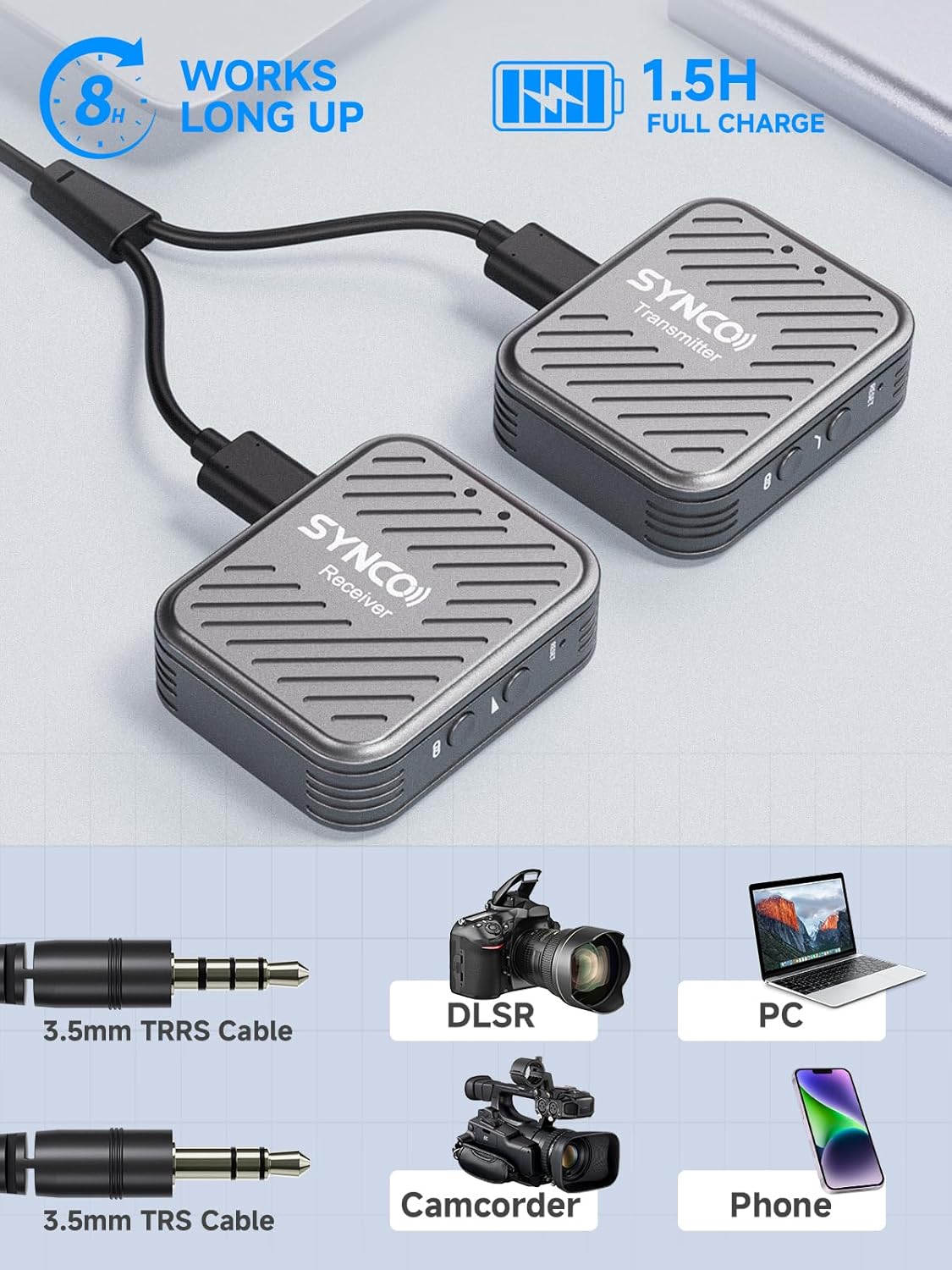
The G1(A1) system supports automatic connection between the transmitter (TX) and receiver (RX) upon power-on. Manual pairing is also possible if needed. The RX features a 3.5mm TRS audio output, making it widely compatible with devices using 3.5mm interfaces. Use the provided 3.5mm TRRS cable for smartphones and the 3.5mm TRS cable for cameras.
- پاور آن: Press and hold the power button on both the TX and RX units until the indicator lights illuminate. They should automatically pair.
- ڊوائيس سان ڳنڍيو:
- For Smartphones: Use the 3.5mm TRRS cable to connect the RX to your smartphone's audio jack. An adapter (not included) may be required for phones without a 3.5mm jack.
- For DSLR Cameras/Camcorders: Use the 3.5mm TRS cable to connect the RX to your camera's microphone input.
- For Laptops/Tablets: Use the appropriate 3.5mm cable. A USB-C to 3.5mm adapter might be needed for devices with only USB-C ports.
- Attach Lavalier Microphone: Plug the lavalier microphone into the MIC input on the TX unit. Secure the microphone to clothing using the clip.
- Attach Windshield: For outdoor use or windy conditions, attach the furry windshield to the lavalier microphone to reduce wind noise.
آپريٽنگ هدايتون
The SYNCO G1(A1) integrates DSP technology for instant audio optimization. It offers real-time audio monitoring and adjustable volume levels for precise control over your recordings.
- شور منسوخي: The system features a one-touch noise cancellation function. Press the dedicated button on the TX unit to activate or deactivate it, reducing unwanted background noise.
- حقيقي وقت جي نگراني: Connect headphones to the 3.5mm TRS headphone jack on the RX unit to monitor your audio in real-time during recording.
- حجم ڪنٽرول: Adjust the audio input level directly on the TX unit to optimize signal levels and prevent distortion.


سار سنڀال
To ensure the longevity and optimal performance of your SYNCO G1(A1) wireless microphone system, follow these maintenance guidelines:
- صفائي: يونٽن کي صاف ڪرڻ لاءِ نرم، سڪل ڪپڙو استعمال ڪريو. سخت ڪيميڪلز يا رگڙيندڙ مواد استعمال ڪرڻ کان پاسو ڪريو.
- اسٽوريج: Store the microphone system in its provided carrying bag when not in use to protect it from dust, moisture, and physical damage. Keep it in a cool, dry place.
- بيٽري جي سنڀال: Fully charge the units before extended storage. If storing for a long period, periodically charge the batteries to maintain their health. The system provides up to 8 hours of working time on a 1.5-hour full charge.
- ڪيبل جو انتظام: Avoid sharp bends or kinks in the cables to prevent internal wire damage.
مشڪلاتون
If you encounter issues with your SYNCO G1(A1) system, refer to the following common troubleshooting steps:
- آواز ناهي:
- Ensure both TX and RX units are powered on and successfully paired (indicated by solid blue lights).
- Check all cable connections between the RX unit and your recording device. Ensure they are securely plugged in and the correct cable type (TRRS for smartphones, TRS for cameras) is used.
- Verify the volume levels on both the TX unit and your recording device are not muted or set too low.
- Test with another recording device or cable to rule out device-specific issues.
- Poor Sound Quality/Distortion:
- Adjust the volume level on the TX unit. If the level is too high, it can cause distortion.
- Ensure the lavalier microphone is positioned correctly and not rubbing against clothing.
- Activate the noise cancellation feature if recording in a noisy environment.
- Check for obstructions or excessive distance between the TX and RX units that might interfere with the signal.
- ڪنيڪشن جا مسئلا:
- If units do not pair automatically, perform manual pairing as per the full user manual.
- Ensure there are no other 2.4GHz devices causing interference nearby.
وضاحتون
| برانڊ | SYNCO |
| ماڊل نمبر | GPUSY-G2A2 |
| رابطي ٽيڪنالاجي | وائرليس (2.4GHz) |
| مائڪروفون فارم فيڪٽر | لاوليئر |
| چينلن جو تعداد | 1 |
| ڪنيڪٽر جو قسم | 3.5 مليڪ جيڪ |
| طاقت جو ذريعو | بيٽري سان هلندڙ |
| شيءِ جو وزن | 9.6 اونس |
| پيڪيج جي ماپ | 7.17 x 3.9 x 2.52 انچ |
| خاص خصوصيت | ڪلپ |
| تجويز ڪيل استعمال | وهڻ |
وارنٽي ۽ سپورٽ
SYNCO products typically come with a standard manufacturer's warranty. For detailed warranty information, product support, or service inquiries, please refer to the official SYNCO webسائيٽ تي وڃو يا سڌو سنئون انهن جي ڪسٽمر سروس سان رابطو ڪريو. ڪنهن به وارنٽي دعوائن لاءِ خريداري جي ثبوت طور پنهنجي خريداري جي رسيد رکو.


