پيداوار ختمview
The Gravity C28 Rugged Smartwatch is designed for durability and comprehensive health and fitness tracking. It features a 2.02-inch TFT high-resolution display, AI-generated watch faces, and over 100 sports modes. This device also includes Bluetooth calling, smart notifications, and robust water, shock, and dust resistance.

تصوير: سامهون view of the Gravity C28 Rugged Smartwatch, showcasing ان جي مضبوط ڊيزائن ۽ ڊجيٽل ڊسپلي جي ڪري.
اهم خاصيتون
- 2.02 انچ ايڇ ڊي ڊسپلي: Clear visuals with 320x390 resolution and customizable watch faces.
- جامع صحت جي ٽريڪنگ: Monitors heart rate, sleep patterns, step count, and calories.
- 100+ راندين جا طريقا: Tracks various activities including running, cycling, and hiking.
- Bluetooth Calling & Smart Alerts: Answer calls and receive notifications directly from the wrist.
- پائيدار ۽ موسم جي مزاحمتي: 1 ATM waterproof, shockproof, and dustproof design.
- ڊگھي بيٽري زندگي: Up to 25 days standby time with a 410mAh battery.
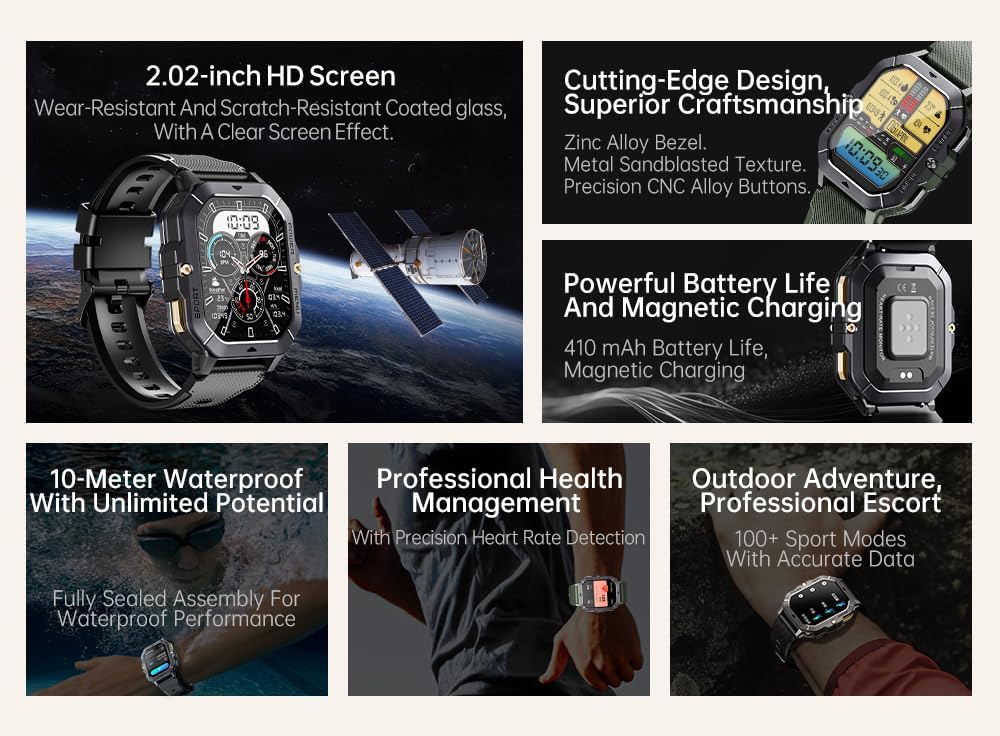
Image: Visual summary of the smartwatch's features, including HD screen, craftsmanship, battery life, waterproofing, health management, and sports modes.
دٻي ۾ ڇا آهي
Upon unboxing your Gravity C28 Smartwatch, please ensure all components are present:
- Gravity C28 Smartwatch
- چارج ڪيبل
- استعمال ڪندڙ جو دستياب (ھي دستاويز)
سيٽ اپ ڪريو
1. ڊوائيس کي چارج ڪرڻ
Before first use, fully charge your Gravity C28 Smartwatch. Connect the magnetic charging cable to the charging points on the back of the watch and plug the USB end into a compatible power adapter (not included) or a computer USB port.

Image: Close-up of the smartwatch's rear, showing the magnetic charging pins and the charging cable attached.
2. پاور آن/آف
- پاور آن: Press and hold the 'POWER' button (typically the top right button) until the screen illuminates.
- بجلي بند: Press and hold the 'POWER' button, then select 'Power Off' on the screen, or continue holding until the device shuts down.
3. ايپ انسٽاليشن ۽ جوڙو ٺاهڻ
The Gravity C28 Smartwatch uses the ڊي فٽ application for full functionality and data synchronization. The app is compatible with both Android and iOS devices.
- Download the 'Da Fit' app from your device's app store (Google Play Store for Android, Apple App Store for iOS).
- Da Fit ايپ کوليو ۽ اڪائونٽ ٺاهڻ يا لاگ ان ڪرڻ لاءِ اسڪرين تي ڏنل هدايتن تي عمل ڪريو.
- پڪ ڪريو ته توهان جي اسمارٽ فون تي بلوٽوت فعال آهي.
- In the Da Fit app, navigate to 'Add Device' or 'Bind Device'.
- Select 'C28' from the list of available devices.
- پنهنجي اسمارٽ فون ۽ اسمارٽ واچ ٻنهي تي جوڙي جي درخواست جي تصديق ڪريو.
اسمارٽ واچ هلائڻ
نيويگيشن
- ٽچ اسڪرين: Swipe left, right, up, or down to navigate through menus and access different functions. Tap to select.
- 'POWER' Button: Short press to return to the watch face or wake the screen. Long press for power options.
- 'MENU' Button: Short press to access the main menu.
- 'SPORT' Button: راندين جي طريقن تائين جلدي رسائي حاصل ڪرڻ لاءِ مختصر پريس.

تصوير: Examples of different menu display modes available on the smartwatch, such as Grid View, Surface, Parallel, and Helm.
Bluetooth Calling and Smart Alerts
Once paired with your smartphone, the Gravity C28 allows you to manage calls and notifications directly from your wrist.
- ڪالن جو جواب ڏيڻ: When an incoming call is received, the watch will display the caller ID. Tap the green phone icon to answer.
- ڪال ڪرڻ: Access the dial pad or contact list through the watch's menu to initiate calls.
- نوٽيفڪيشن: Receive alerts for messages, social media, and other app notifications. Swipe down from the watch face to view تازيون اطلاعون.

Image: Two Gravity C28 smartwatches displaying an incoming call and a message alert, demonstrating the Bluetooth call and message alert features.
AI Watch Face and DA GPT
The smartwatch supports AI-generated watch faces for personalization and integrates with DA GPT for interactive features.
- AI Watch Face: Customize your watch face by providing text prompts to the AI, which will generate unique designs.
- DA GPT: Interact with the DA GPT feature to explore new ideas or learn new things directly from your watch.

Image: Diagram illustrating the DA GPT interaction flow and the AI Watch Face generation process, showing how users can request custom watch face backgrounds.
راندين جا طريقا
The Gravity C28 offers over 100 sports modes to accurately track your physical activities. Access these modes via the 'SPORT' button or the main menu.
- Select your desired sport (e.g., running, cycling, swimming).
- The watch will begin tracking relevant metrics such as duration, distance, calories burned, and heart rate.
- End your workout by following the on-screen prompts. Data will sync with the Da Fit app.
صحت جي نگراني
The smartwatch provides continuous monitoring of various health metrics.
- دل جي شرح: حقيقي وقت ۾ دل جي شرح جي نگراني.
- سمهڻ جي نگراني: ننڊ جي نمونن جو تجزيو ڪري ٿو، جنهن ۾ گهري ننڊ، هلڪي ننڊ، ۽ جاڳڻ جا وقت شامل آهن.
- قدم ڪائونٽر ۽ ڪيلوريون: Tracks daily steps and estimated calories burned.
- SpO2, Blood Pressure, Stress: Provides readings for blood oxygen saturation, blood pressure, and stress levels.

Image: Screenshots of the smartwatch display showing various health metrics: Heart Rate, SpO2, Blood Pressure, Stress, Sleep, and Cycle Tracking.
سار سنڀال
صفائي
Regular cleaning helps maintain the smartwatch's appearance and functionality.
- اسڪرين ۽ جسم کي نرم، لِنٽ فري ڪپڙي سان صاف ڪريو.
- ضدي مٽيءَ لاءِ، ٿورو ڊيampپاڻي سان ڪپڙو. سخت ڪيميڪلز يا رگڙيندڙ مواد کان پاسو ڪريو.
- چارج ڪرڻ کان اڳ پڪ ڪريو ته چارجنگ رابطا صاف ۽ سڪل آهن.
پاڻي جي مزاحمت
The Gravity C28 is 1 ATM waterproof, meaning it can withstand splashes, rain, and brief immersion in shallow water. It is suitable for daily cleaning, sweating, and getting wet by rain.

Image: The smartwatch being used underwater, illustrating its 1 ATM waterproof capability for activities like snorkeling, and icons for daily cleaning, sweat, and rain resistance.
اهم: While waterproof, avoid prolonged exposure to hot water, steam, or high-pressure water jets. Do not operate buttons underwater.
ذخيرو
Store the smartwatch in a cool, dry place away from direct sunlight and extreme temperatures when not in use for extended periods.
مشڪلاتون
- واچ آن نه ٿي رهي آهي: پڪ ڪريو ته گھڙي مڪمل طور تي چارج ٿيل آهي. ان کي گهٽ ۾ گهٽ 30 منٽن لاءِ چارجر سان ڳنڍيو.
- فون سان جوڙو نه ٿو ٺاهي سگهجي:
- پڪ ڪريو ته توهان جي فون ۽ واچ تي بلوٽوٿ فعال آهي.
- پڪ ڪريو ته واچ بلوٽوٿ رينج (تقريبن 10 ميٽر) اندر آهي.
- واچ ۽ فون ٻئي ٻيهر شروع ڪريو.
- Clear Bluetooth cache on your phone (Android) or forget the device and re-pair (iOS).
- صحت جي غلط ڊيٽا:
- پڪ ڪريو ته گھڙي توهان جي کلائي تي مضبوطيءَ سان پائڻي آهي، نه ته تمام گهڻي ڍلي يا تمام گهڻي تنگ.
- گھڙي جي پوئين پاسي واري سينسر کي صاف ڪريو.
- ماپ دوران گهڻي حرڪت کان پاسو ڪريو.
- نوٽيفڪيشن ظاهر نه ٿي رهيا آهن:
- Check notification permissions in the Da Fit app and your phone's settings.
- Ensure the Da Fit app is running in the background.
- پڪ ڪريو ته واچ بلوٽوٿ ذريعي ڳنڍيل آهي.
- مختصر بيٽري جي زندگي:
- اسڪرين جي روشني کي گھٽايو.
- جيڪڏهن ضرورت نه هجي ته مسلسل دل جي شرح جي نگراني کي بند ڪريو.
- فعال اطلاعن جي تعداد کي محدود ڪريو.
- Ensure background app refresh for Da Fit is enabled on your phone.
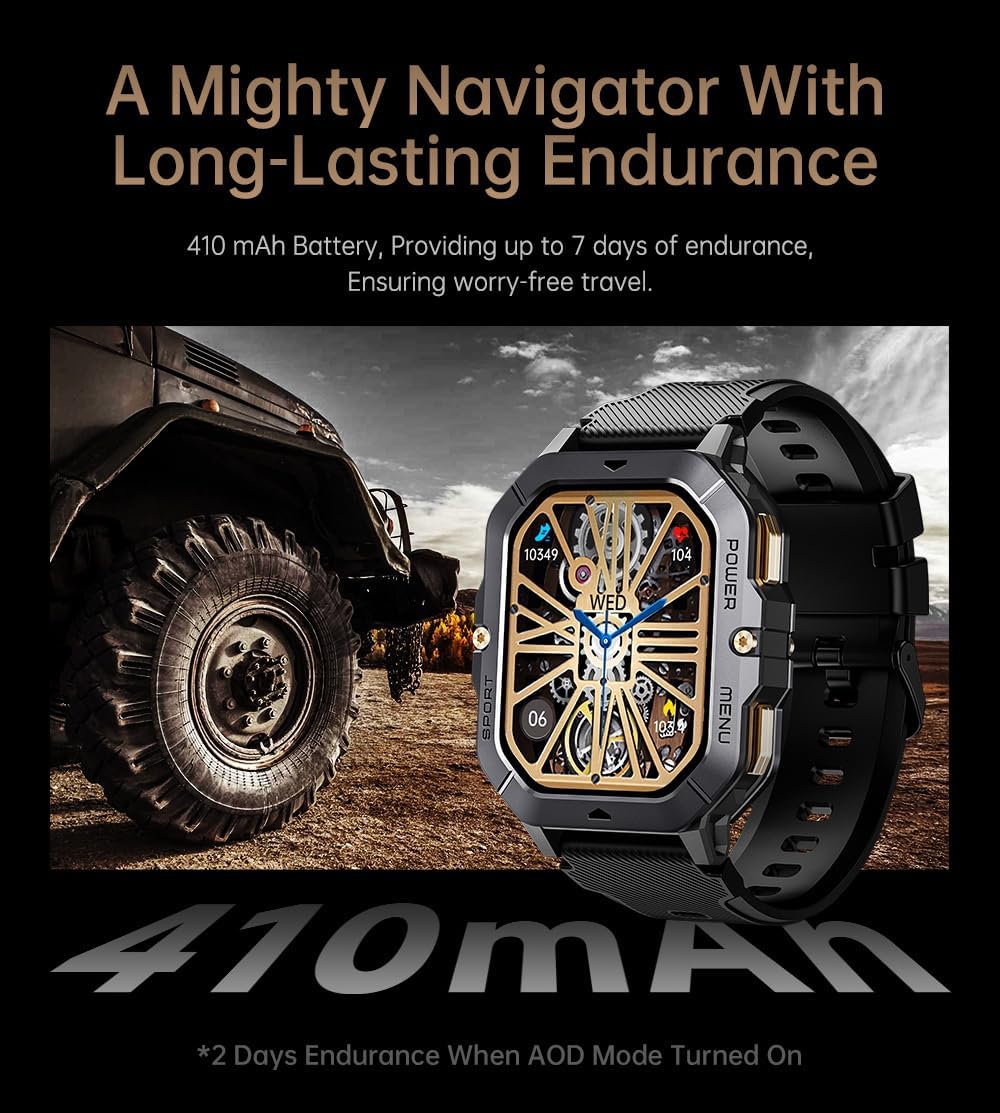
Image: The smartwatch displayed next to a large tire, emphasizing its ruggedness and long-lasting 410 mAh battery, providing up to 7 days of endurance (2 days with AOD mode).
وضاحتون
| خاصيت | تفصيل |
|---|---|
| ماڊل نمبر | W4-C28 |
| ڊسپلي سائيز | 2.02 انچ TFT |
| بيٽري جي گنجائش | 410 mAh |
| آپريٽنگ سسٽم | Android OS (compatible with Android & iOS via Da Fit app) |
| رابطي | بلوٽوٿ |
| پاڻي جي مزاحمت | 1 ATM |
| شيءِ جو وزن | 1 پائونڊ |
| طول و عرض | 9 x 4 x 1 انچ (پيڪيج) |
| بيٽري جو قسم | ليتيم پوليمر |
وارنٽي ۽ سپورٽ
وارنٽي ڄاڻ
Warranty details for the Gravity C28 Smartwatch are typically provided with your purchase documentation. Please refer to the warranty card or contact your retailer for specific terms and conditions regarding coverage and duration.
ڪسٽمر سپورٽ
For technical assistance, troubleshooting not covered in this manual, or inquiries regarding your device, please contact Gravity customer support through the contact information provided on the product packaging or the official Gravity webسائيٽ.


