تعارف
This manual provides instructions for the WINFLIKE Replacement Remote Control, designed for various Skyworth Android TV and Coocaa Smart LED TV models. This is an infrared remote control that requires no programming; simply insert batteries to begin use.
مطابقت
This remote control is compatible with the following television series and models:
- Skyworth Android TV UB5 Series: UB5000, UB5550, UB5560 series, including 43UB5500, 43UB5550, 43UB5560, 50UB5500, 50UB5550, 50UB5560, 55UB5500, 55UB5550, 55UB5560.
- Skyworth Android TV TB5000 Series: TB5000, TB5050 series, including 32TB5000, 40TB5000, 43TB5000, 32TB5050, 40TB5050, 43TB5050.
- Coocaa Smart LED TV S3N Series: 32S3N, 40S3N, 43S3N, 55S3N.
- Coocaa Smart LED TV S3N-E Series: 43S3N-E, 50S3N-E, 55S3N-E, 65S3N-E.
- Coocaa Smart LED TV S6G Series: 43S6G, 50S6G, 55S6G, 65S6G.
- Other compatible models include 32E20-7M41G, S3U Series, S3M Series (32S3M, 42S3M, 55S3M), and 55U20-9M42G.
سيٽ اپ ڪريو
To prepare your remote control for use, follow these simple steps:
- بيٽري ڪمپارٽمينٽ کوليو: Locate the battery compartment cover on the back of the remote control. Slide or press the latch to open it.
- بيٽري داخل ڪريو: Insert two (2) AAA alkaline batteries into the compartment. Ensure the positive (+) and negative (-) terminals of the batteries match the indicators inside the compartment.
- بيٽري جي ڪمري کي بند ڪريو: بيٽري جي ڪمپارٽمينٽ جي ڍڪ کي تبديل ڪريو جيستائين اهو محفوظ طور تي جاءِ تي نه اچي.
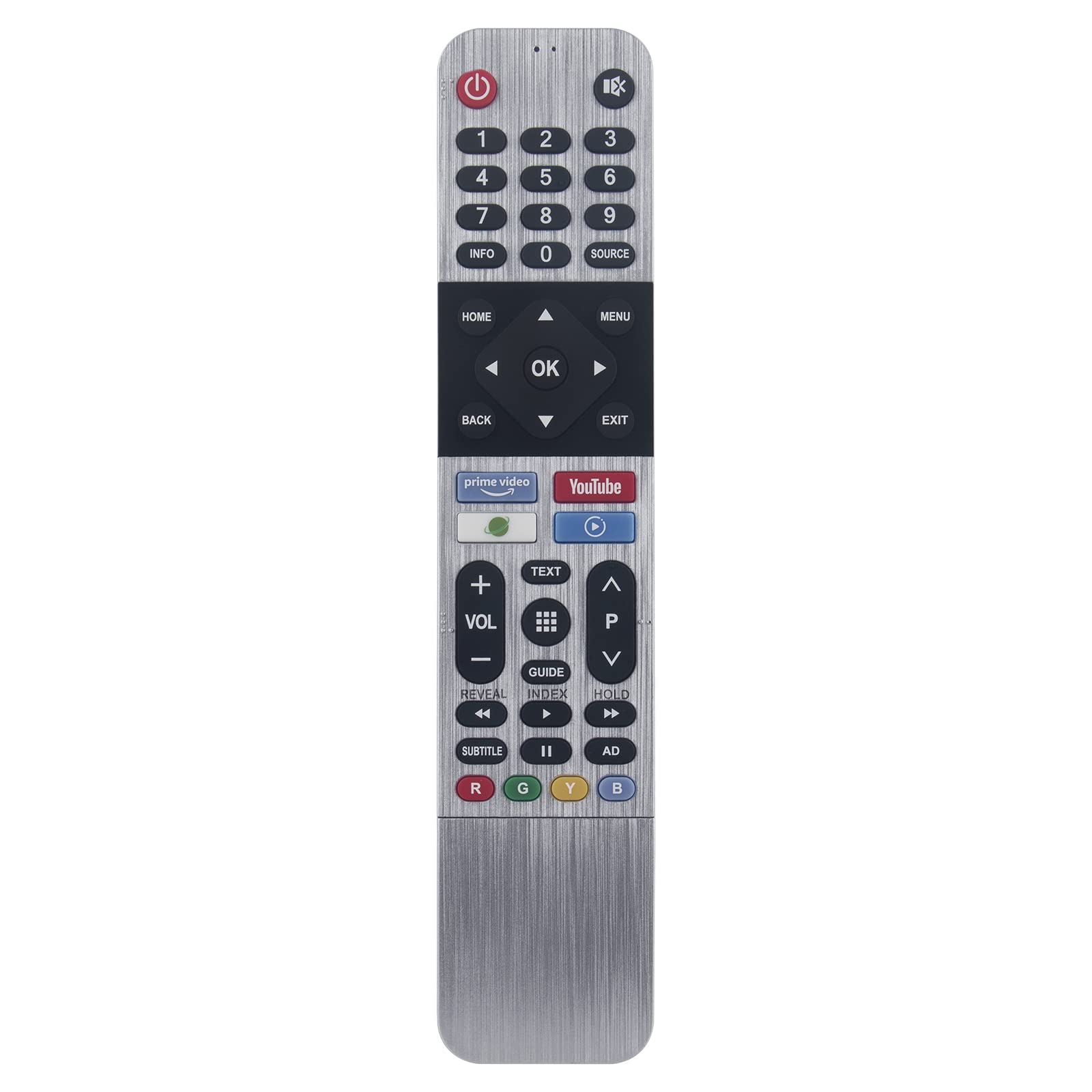
Image: Back of the remote control with the battery compartment open, illustrating where to insert two AAA batteries.
The remote control is now ready for use. No additional programming is required.
آپريٽنگ هدايتون
This infrared remote control provides full functionality for your compatible television. Point the remote directly towards your TV's infrared receiver for optimal performance.
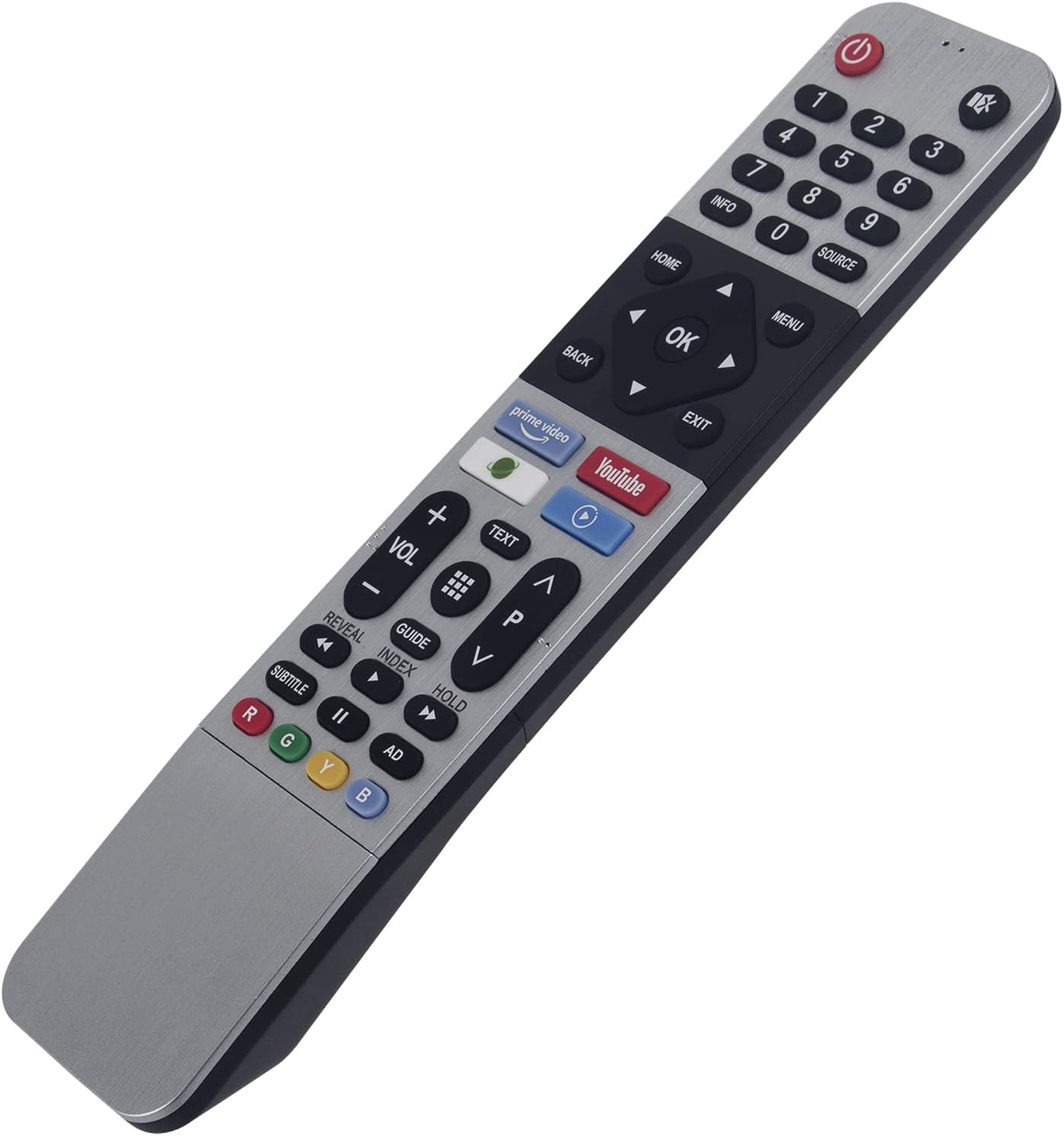
تصوير: سامهون view of the remote control, highlighting the layout of all functional buttons.
اهم ڪم:
- پاور بٽڻ (🏻): ٽي وي کي آن يا بند ڪري ٿو.
- نمبر پيڊ (0-9): سڌو چينل چونڊ.
- حجم مٿي/گهٽ (VOL +/-): آواز جي سطح کي ترتيب ڏئي ٿو.
- چينل مٿي/هيٺ (CH +/-): ٽي وي چينلز بدلائي ٿو.
- نيويگيشن بٽڻ (مٿي، هيٺ، کاٻي، ساڄي، ٺيڪ): مينيو کي نيويگيٽ ڪرڻ ۽ چونڊن جي تصديق ڪرڻ لاءِ استعمال ڪيو ويندو آهي.
- هوم بٽڻ: Accesses the TV's main smart interface or home screen.
- پوئتي بٽڻ: پوئين اسڪرين يا مينيو ڏانھن واپسي.
- مينيو/سيٽنگون بٽڻ: ٽي وي جي سيٽنگون يا آپشن مينيو کوليندو آهي.
- ذريعو بٽن: ان پٽ ذريعن کي چونڊيندو آهي (HDMI، AV، وغيره).
- App Buttons (e.g., Prime Video, YouTube): Provides quick access to pre-programmed streaming applications.
- رنگ جا بٽڻ (لال، سائو، پيلو، نيرو): Functionality varies by TV model and application, often used for interactive features.
سار سنڀال
مناسب خيال توهان جي ريموٽ ڪنٽرول جي زندگي وڌائيندو:
- صفائي: ريموٽ کي نرم، سڪل ڪپڙي سان صاف ڪريو. مائع صاف ڪندڙ يا رگڙيندڙ مواد استعمال نه ڪريو.
- اسٽوريج: ريموٽ کي سڪي جاءِ تي رکو، سڌي سج جي روشني ۽ انتهائي گرمي پد کان پري.
- بيٽري مٽائڻ: Replace batteries promptly when the remote's performance degrades. If the remote will not be used for an extended period, remove the batteries to prevent leakage.
- قطرن کان پاسو ڪريو: ريموٽ کي جسماني اثر کان بچايو، ڇاڪاڻ ته ڦڙا اندروني حصن کي نقصان پهچائي سگهن ٿا.
مشڪلاتون
جيڪڏهن توهان کي پنهنجي ريموٽ ڪنٽرول سان مسئلا درپيش اچن ٿا، ته هيٺ ڏنل حل آزمايو:
- ريموٽ جواب نه ڏيڻ:
- Ensure there is a clear line of sight between the remote and the TV's infrared sensor.
- چيڪ ڪريو ته بيٽريون صحيح پولارٽي سان صحيح طرح سان داخل ڪيون ويون آهن.
- بيٽرين کي تازي AAA الڪائن بيٽرين سان تبديل ڪريو.
- محدود ڪارڪردگي:
- Verify that your TV model is listed in the compatibility section of this manual.
- Some advanced smart TV features or specific app functions may require the original TV remote or a smart remote with voice/pointer capabilities. This remote is an infrared replacement.
- بٽڻ ڪم نه ڪري رهيا آهن:
- پڪ ڪريو ته ريموٽ صاف آهي ۽ ملبي کان پاڪ آهي جيڪو بٽڻ دٻائڻ ۾ رڪاوٽ بڻجي سگهي ٿو.
- If only specific buttons are not working, it might indicate internal damage; consider replacing the remote.
وضاحتون
| ماڊل نمبر | 43UB5500-43UB5550-IR |
| برانڊ | WINFLIKE |
| پيداوار جي ماپ | 5 x 1 x 0.5 انچ (12.7 x 2.54 x 1.27 سينٽي) |
| شيءِ جو وزن | 0.7 آونس (19.8 گرام) |
| بيٽرين جي ضرورت آهي | 2 x AAA بيٽريون (شامل نه آهن) |
| خاص خصوصيت | ايرگونومڪ، ڪابه پروگرامنگ گهربل ناهي |
| مطابقت رکندڙ ڊوائيسز | ٽيليويزن |


