1. تعارف
Thank you for choosing the DOOGEE Tab A9 PRO Tablet. This manual provides essential information for setting up, operating, and maintaining your device. Please read it carefully before using the tablet to ensure proper functionality and longevity.
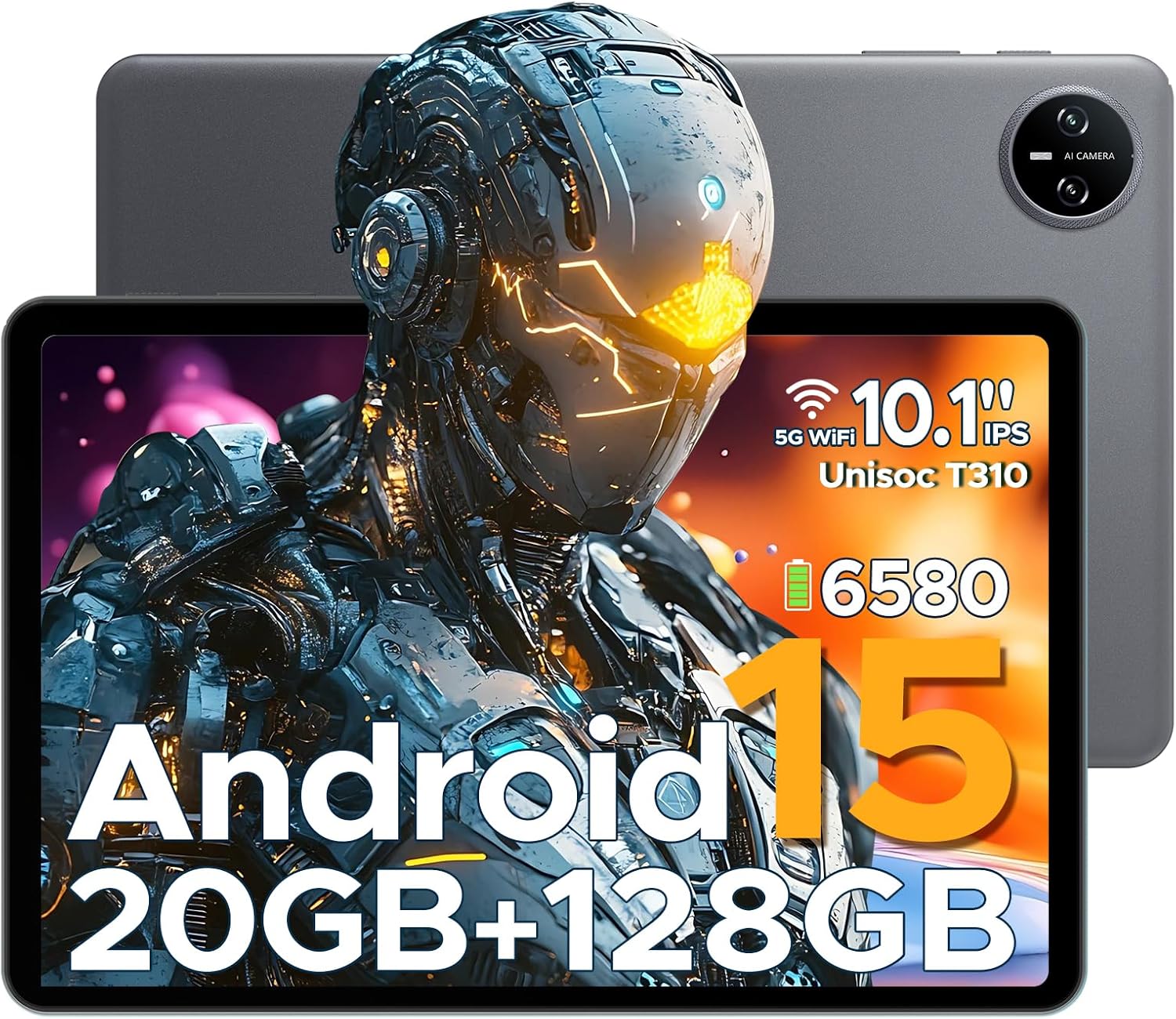
Figure 1.1: DOOGEE Tab A9 PRO Tablet. This image displays the tablet from both the front, highlighting its display, and the back, showing the camera module and overall grey finish.
2. دٻي ۾ ڇا آهي
پڪ ڪريو ته سڀئي شيون پيڪيج ۾ موجود آهن:
- DOOGEE Tab A9 PRO Tablet
- چارجر
- قسم-سي USB ڪيبل
- Tool for taking card (SIM/SD card tray ejector)
3. سيٽ اپ
3.1 شروعاتي چارجنگ
Before first use, fully charge the tablet using the provided charger and Type-C USB cable. Connect the Type-C cable to the tablet's charging port and the charger to a power outlet.
3.2 پاور آن/آف
- To power on: Press and hold the power button until the DOOGEE logo appears.
- To power off: Press and hold the power button, then select "Power off" from the options.
3.3 شروعاتي سيٽ اپ مددگار
Upon first power-on, the tablet will guide you through an initial setup process. This includes selecting your language, connecting to Wi-Fi, setting up your Google account, and configuring security options like face recognition.

Figure 3.1: Android 15 System Interface. This image illustrates the clean and intuitive interface of the Android 15 operating system, showing various application icons and system settings.
3.4 مائڪرو ايس ڊي ڪارڊ داخل ڪرڻ (اختياري)
The tablet supports expandable memory up to 2TB via a MicroSD card (purchased separately). Use the provided tool to open the card tray and insert the MicroSD card as indicated.

Figure 3.2: Storage Capabilities. This image highlights the tablet's 20GB Max RAM (composed of 4GB Basic and 16GB Virtual RAM) and 128GB internal storage, with the option to expand up to 2TB using a TF card.
4. ٽيبليٽ هلائڻ
4.1 ڊسپلي ۽ نيويگيشن
The DOOGEE Tab A9 PRO features a 10.1-inch IPS HD+ display with a resolution of 1280x800 pixels, offering clear visuals and a wide field of view.

Figure 4.1: Display Specifications. This image details the 10.1-inch IPS HD display, including its 1280x800 resolution, 80.2% screen-to-body ratio, and 16.7 million colors.
4.2 ڪئميرا جا ڪم
The tablet is equipped with an 8MP main camera and a 5MP front camera, suitable for capturing photos, videos, and video calls.

Figure 4.2: Camera Features. This image highlights the tablet's 8MP main camera and 5MP front camera, demonstrating their use for capturing moments and video calls.
4.3 آڊيو
The tablet features 1217 BOX Dual Speakers for enhanced audio experience. It also includes a 3.5mm headphone jack for private listening.

Figure 4.3: Dual Speaker System. This image illustrates the tablet's 1217 BOX Dual Speakers, designed to provide clear and immersive audio.
4.4 ڪنيڪشن
- وائي فائي: سيٽنگون > نيٽ ورڪ ۽ انٽرنيٽ > وائي فائي ذريعي موجود وائي فائي نيٽ ورڪن سان ڳنڍيو.
- بلوٽوٽ 5.0: سيٽنگون > ڳنڍيل ڊوائيسز > بلوٽوٿ ذريعي بلوٽوٿ ڊوائيسز (هيڊ فون، اسپيڪر، وغيره) سان جوڙيو.
- او ٽي جي (هلندي): Supports connecting USB peripherals like flash drives or keyboards via a compatible OTG adapter (not included).
- Wireless Screencasting: Easily connect to a large TV or display for screen mirroring.
5. سار سنڀال
5.1 صفائي
ٽيبليٽ جي اسڪرين ۽ باڊي کي صاف ڪرڻ لاءِ نرم، لِنٽ فري ڪپڙو استعمال ڪريو. سخت ڪيميڪلز يا رگڙيندڙ مواد استعمال ڪرڻ کان پاسو ڪريو.
5.2 بيٽري جي سنڀال
The tablet is equipped with a 6580mAh Lithium Polymer battery. To prolong battery life:
- انتهائي گرمي پد کان بچاء.
- بيٽري کي بار بار مڪمل طور تي ختم نه ٿيڻ ڏيو.
- مهيا ڪيل چارجر استعمال ڪريو.
- Enable power saving mode when needed.
5.3 سافٽ ويئر اپڊيٽ
بهتر ڪارڪردگي، سيڪيورٽي، ۽ نون خاصيتن تائين رسائي کي يقيني بڻائڻ لاءِ باقاعدي طور تي سسٽم اپڊيٽس جي جانچ ڪريو ۽ انسٽال ڪريو. سيٽنگون > سسٽم > سسٽم اپڊيٽ ڏانهن وڃو.
6. مسئلا حل ڪرڻ
6.1 عام مسئلا ۽ حل
| مسئلو | حل |
|---|---|
| ٽيبليٽ آن نٿو ٿئي | Ensure the battery is charged. Press and hold the power button for 10-15 seconds to force a restart. |
| سست ڪارڪردگي | Close unused applications. Clear cache. Restart the tablet. Check for system updates. |
| وائي فائي ڪنيڪشن جا مسئلا | Restart the tablet and your Wi-Fi router. Forget and reconnect to the network. |
| ائپس خراب ٿيڻ | Clear the app's cache and data (Settings > Apps > [App Name] > Storage). Reinstall the app. |
7. وضاحتون
| خاصيت | تفصيل |
|---|---|
| ماڊل | DOOGEE Tab A9 PRO |
| آپريٽنگ سسٽم | Android 15 |
| پروسيسر | Quad-Core (Unisoc T310) |
| رام | 12 جي بي |
| اندروني اسٽوريج | 128GB روم |
| وسعت وارو اسٽوريج | 2 ٽي بي تائين (مائڪرو ايس ڊي، الڳ سان وڪرو ڪيو ويندو) |
| ڏيکاريو | 10.1-inch IPS HD+ (1280x800) |
| مکيه ڪئميرا | 8MP |
| سامهون ڪئميرا | 5MP |
| بيٽري | 6580mAh ليتيم پوليمر |
| رابطي | Wi-Fi, Bluetooth 5.0, OTG, Type-C USB |
| آڊيو | 1217 BOX Dual Speakers, 3.5mm headphone jack |
| طول و عرض | 25.7 x 16.88 x 0.79 سينٽي |
| وزن | 400 جي |

Figure 7.1: Unisoc T310 Processor. This image details the specifications of the Unisoc T310 processor, highlighting its powerful quad-core architecture, 2.0GHz ultimate frequency, and 12nm advanced process technology.
8. وارنٽي ۽ سپورٽ
For warranty information and technical support, please refer to the official DOOGEE webسائيٽ تي وڃو يا انهن جي ڪسٽمر سروس سان رابطو ڪريو. وارنٽي دعوائن لاءِ پنهنجي خريداري جي رسيد رکو.
ڊوگي آفيشل Webسائيٽ: www.doogee.cc


