تعارف
This manual provides detailed instructions for the assembly, operation, and maintenance of your ODK L-Shaped Gaming Desk. Please read this manual thoroughly before assembly and use to ensure proper function and longevity of the product. Keep this manual for future reference.

تصوير: مٿانview of the ODK L-Shaped Gaming Desk, showcasing its design with two monitors and various gaming accessories.
پيداوار جون خاصيتون
The ODK L-Shaped Gaming Desk is designed for versatility and functionality, offering several key features:
- ريورسيبل ايل-شڪل ڊيزائن: The L-shaped gaming desk features a reversible configuration, allowing adaptation to various space requirements. It can be assembled as either a left or right-hand corner desk, suitable for gaming or home office use.
- مربوط بجلي جي فراهمي: The desk includes 2 AC outlets and 2 USB charging ports, providing convenient power access for smartphones, tablets, printers, and gaming devices.
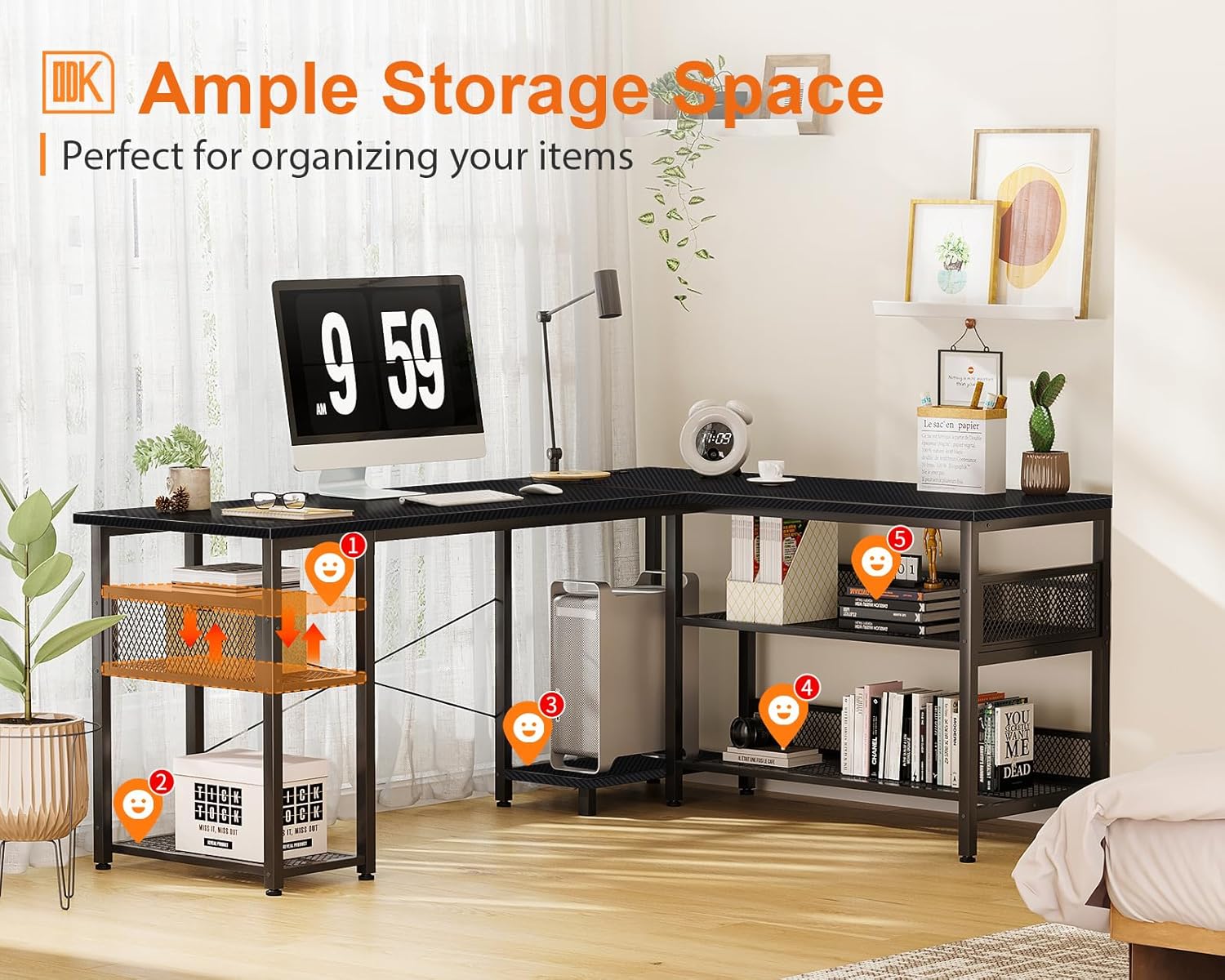
- Ampاسٽوريج جي گنجائش: The L-shaped desk features 2-tier book shelves and additional 2-tier storage compartments. These provide space for gaming accessories, books, and other items. The shelves offer individual height adjustment for customized storage.
- Spacious Desktop Surface: This L-shaped gaming desk provides a large work surface, accommodating multiple monitors and gaming equipment for an enhanced user experience.

Image: Illustration demonstrating the reversible design of the L-shaped desk, allowing for left or right corner configurations.
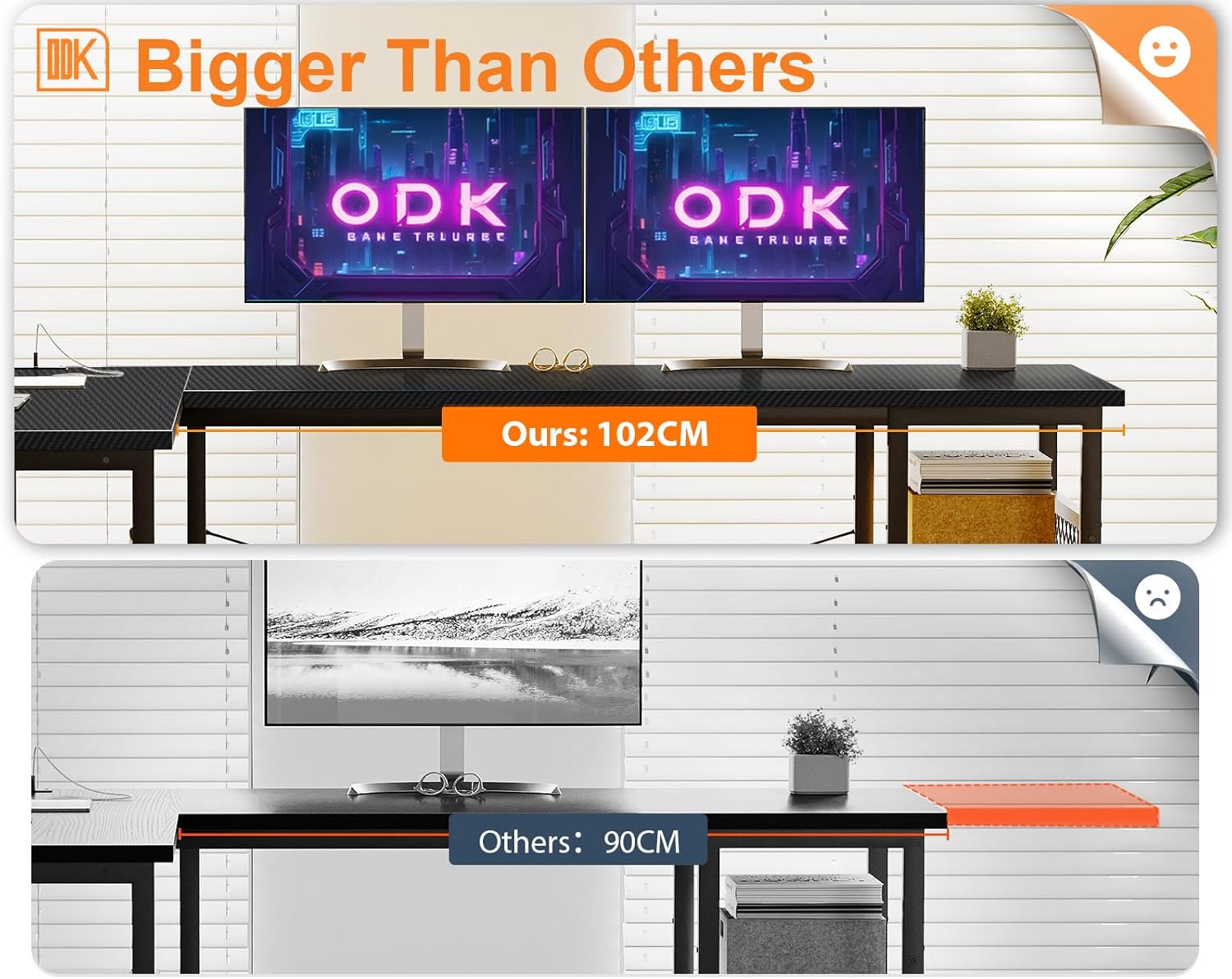
Image: The ODK L-shaped desk in a home office setting, highlighting the ample storage shelves for books and office supplies.
سيٽ اپ ۽ اسيمبلي
Assembly of the ODK L-Shaped Gaming Desk requires careful attention to detail. It is recommended that two people assemble the desk to ensure stability and ease of construction. All necessary tools and hardware are included.
جنرل اسيمبلي جا مرحلا:
- سڀني حصن کي کوليو ۽ پيڪنگ ۾ ڏنل حصن جي فهرست جي خلاف تصديق ڪريو.
- Identify the main frame components and begin assembling the desk legs and support structures.
- ڊيسڪ ٽاپ پينلز کي ڳنڍيو، پڪ ڪريو ته اهي محفوظ طور تي مضبوط ٿيل آهن.
- Install the storage shelves, adjusting their height as desired.
- Integrate the power strip into the designated recess on the desktop.
- پڪ ڪريو ته سڀئي اسڪرو ۽ فاسٽنرز استحڪام لاءِ سخت آهن.
Refer to the detailed graphical instructions included in your product packaging for specific step-by-step guidance, especially for the reversible configuration.
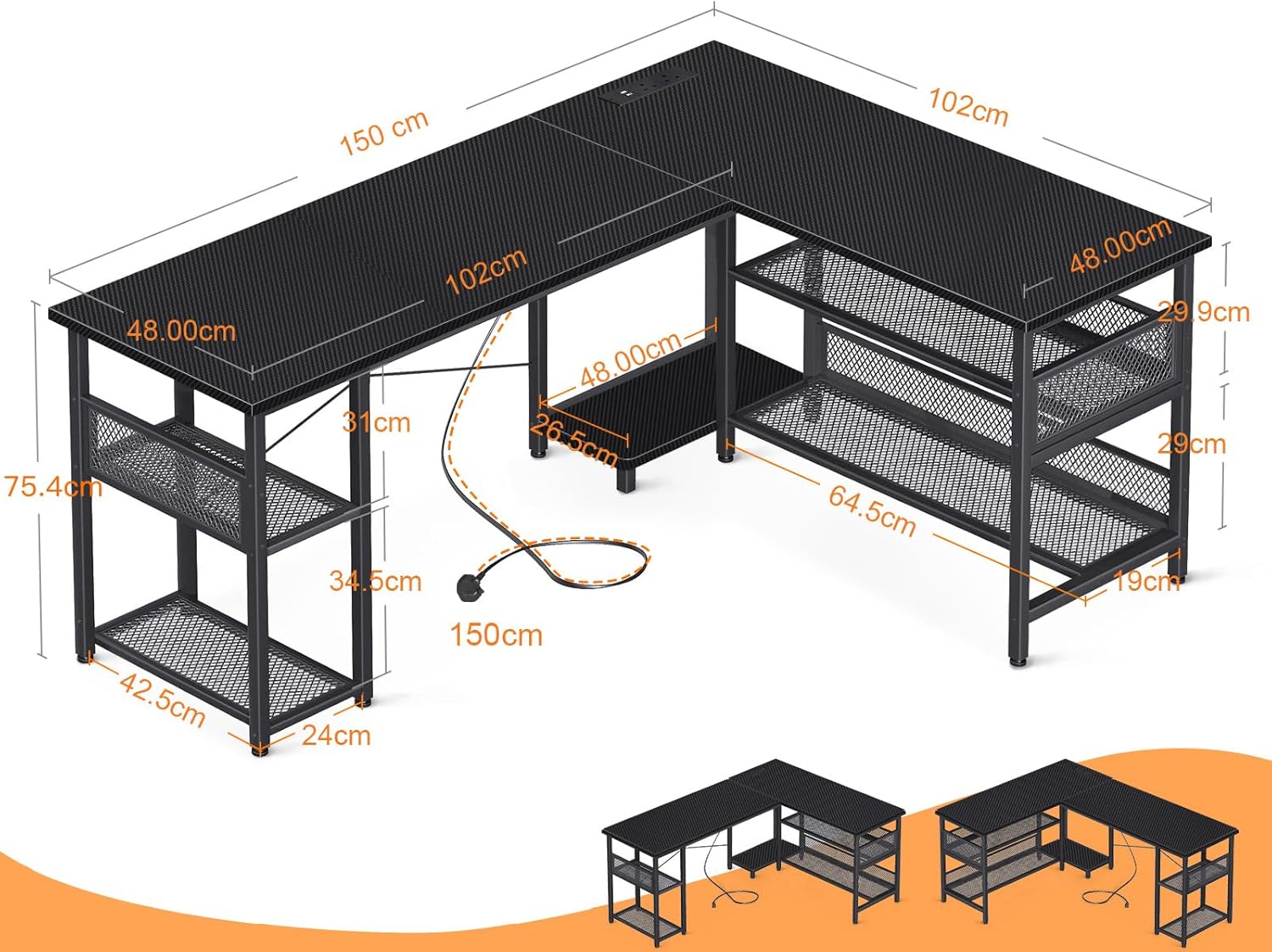
Image: Technical drawing displaying the dimensions of the ODK L-Shaped Gaming Desk, including length, width, and height measurements.
آپريٽنگ هدايتون
The desk features an integrated power strip for convenient access to power.
Using the Integrated Power Strip:
- Connect the desk's power cord (200cm length) to a standard wall outlet (110-240V/6A).
- The power strip provides 2 AC outlets for devices such as monitors, PCs, or lamps.
- The 2 USB ports (5V/2A) are suitable for charging smartphones, tablets, and other USB-powered accessories.
- پڪ ڪريو ته ڊوائيسز مهيا ڪيل واليم سان مطابقت رکن ٿاtage ۽ موجوده وضاحتون.
تصوير: هڪ تفصيلي view of the recessed power strip on the desk, showing two AC outlets and two USB charging ports in use.
سار سنڀال
To maintain the appearance and functionality of your ODK L-Shaped Gaming Desk, follow these guidelines:
- صفائي: ڊيسڪ ٽاپ ۽ فريم کي نرم، ڊي سان صاف ڪريوamp ڪپڙو. گھڻائي صاف ڪندڙ يا سخت ڪيميائي کان بچاء جيڪي ختم ڪري سگھن ٿيون.
- illsرندڙ: Immediately wipe up any spills to prevent staining or damage to the carbon fiber surface.
- استحڪام چيڪ: وقت بوقت سڀني اسڪرو ۽ فاسٽنرز کي چيڪ ڪريو ته جيئن پڪ ڪري سگهجي ته اهي تنگ رهن. ڊيسڪ جي استحڪام کي برقرار رکڻ لاءِ جيڪڏهن ضروري هجي ته ٻيهر سخت ڪريو.
- وزن جي تقسيم: Distribute weight evenly across the desktop and shelves to prevent stress on any single point.
مشڪلاتون
If you encounter any issues with your ODK L-Shaped Gaming Desk, consider the following common solutions:
- وائبلنگ ڊيسڪ:
- پڪ ڪريو ته سڀئي اسيمبلي اسڪرو مڪمل طور تي مضبوط آهن.
- Check if the desk is on an even surface. Adjust leveling feet if present.
- Power Strip Not Working:
- Verify that the main power cord is securely plugged into a functional wall outlet.
- Check if the wall outlet itself is receiving power.
- Ensure devices are properly plugged into the AC outlets or USB ports.
- Difficulty with Reversible Configuration:
- احتياط سان ٻيهرview the assembly instructions for the specific left or right configuration.
- Ensure all components are oriented correctly before tightening.
مسلسل مسئلن لاءِ، مھرباني ڪري ڪسٽمر سپورٽ سان رابطو ڪريو.
وضاحتون
| خاصيت | تفصيل |
|---|---|
| برانڊ | او ڊي ڪي |
| ماڊل نمبر | B02013201017GGGEH0C2FO983 |
| رنگ | ڪاربن فائبر ڪارو |
| پيداوار جي ماپ | 150 سينٽي ميٽر (ويڪر) x 102 سينٽي ميٽر (کوٽائي) x 75.4 سينٽي ميٽر (اوچائي) |
| Top Surface Material | ڪاربن فائبر |
| فريم مواد | Metal, Powder Coated |
| خاص خصوصيت | Reversible L-Shape Configuration |
| پاور پٽي | 2 AC Outlets (110-240V/6A), 2 USB Ports (5V/2A) |
| پاور ڪنڊ ڊگھائي | 200 سينٽي |
| پيداوار جو وزن | 19.9 ڪلو |
| سفارش ٿيل استعمال | Gaming, Home Office |

Image: Visual comparison highlighting the 102cm depth of the ODK desk compared to a standard 90cm desk, indicating a larger surface area.
وارنٽي ۽ سپورٽ
ODK provides a standard manufacturer's warranty for this product. Please refer to the warranty card included in your product packaging for specific terms and conditions, including coverage duration and claim procedures.
For technical support, missing parts, or any questions regarding your ODK L-Shaped Gaming Desk, please contact ODK customer service through the contact information provided in your product documentation or on the official ODK webسائيٽ.
When contacting support, please have your model number (B02013201017GGGEH0C2FO983) and purchase date available.


